
Patriot 64GB Micro SD V30 A1 Memory Card
4.5Editor score
Up to 100MB/s reads
Up to 80MB/s writes
V30 video speed
A1 app performance
Cheap Microsd Card guide comparing 10 affordable options for speed, capacity, durability, device compatibility, and everyday storage needs.
A cheap microSD card can still provide dependable storage for a phone, camera, drone, game console, or dashcam when capacity and performance ratings match the device. The best budget options balance usable space, transfer speed, app performance, video support, and durability without paying for specifications your devices may never use.
This guide compares ten affordable microSD cards by examining capacity, stated read and write speeds, speed classes, device support, included adapters, durability features, warranties, and customer ratings. It covers cards for general file storage, Full HD and 4K recording, mobile applications, Nintendo Switch use, and continuous dashcam or surveillance recording.
Each review identifies the strongest use for that particular card and explains any limitations before making a recommendation. Ratings and specifications reflect the available product information, while actual performance can vary by host device, file size, formatting, and workload. Availability and pricing change frequently, so verify the current listing before buying.
4.5Editor score

4.7Editor score
4.7Editor score
The table below compares all ten cards by capacity, headline performance, practical device support, and standout features, making it easier to identify the right budget option for a particular device or recording workload.


The SanDisk 32GB Ultra microSDHC is a compact, well-reviewed option for users who want a familiar card without paying for unnecessary capacity. Its 4.8 customer rating is the highest among these selections, while the advertised 120MB/s read speed makes it appealing for routine transfers. The A1 Class 10 UHS-I combination also positions it well for phones and other devices that handle applications as well as files.
We may earn a commission when you buy through this link, at no additional cost to you.
Its main advantage is the balance between speed, simplicity, and a capacity that remains easy to manage. A1 performance helps with application loading and random operations, while Class 10 provides a baseline suitable for everyday Full HD workflows when the device and file bitrate allow it. The stated speed is particularly useful for moving photos, music, documents, and short video clips between compatible devices.
The primary limitation is obvious: 32GB leaves less room for large photo collections, extended 4K recording, downloaded games, or offline media. Even after formatting, usable capacity will be lower than the nominal figure because of file-system overhead and differing capacity calculations. It is also not the most suitable choice when a camera requires U3, V30, or a larger capacity requirement.
This card makes the most sense for a light phone user, a compact camera user, or someone who wants one dependable card for documents, contacts, music, and occasional photos. It is also a strong choice for people who prefer the SanDisk name and the highest customer rating in the group. For demanding 4K workflows, move up to a 64GB or 128GB option instead.
The advertised 120MB/s read speed should suit routine file transfers, while A1 performance is useful on compatible Android devices that load applications and games from the card. Real-world results depend on the phone, reader, file size, and card format.
Choose this model when convenience and a modest footprint matter more than storing hours of high-resolution footage. It is particularly appropriate for backups, documents, music, and a rotating selection of photos.
We may earn a commission when you buy through this link, at no additional cost to you.
The KEXIN 3 Pack 32GB is a practical choice for anyone who needs several inexpensive cards at once. Each card provides 32GB and carries Class 10, UHS-I, and U1 ratings, while the stated read speed reaches 80MB/s. The three-card format is especially useful for separating phone storage, camera media, game saves, or recordings from several compatible devices.
We may earn a commission when you buy through this link, at no additional cost to you.
The listed uses span Android smartphones, tablets, digital cameras, game consoles, dashcams, drones, and surveillance systems. Its durability claims include water resistance, magnetic resistance, shock resistance, and tolerance of high or low temperatures. That broad compatibility makes the pack more versatile than a single-purpose card, although each device must still support the card format and required capacity.
Each 32GB card is formatted as FAT32 by default, which can be useful for broad camera and console compatibility. Actual storage is lower because of formatting and other system functions, and the stated capacity calculation uses decimal gigabytes. The listing gives a read speed but no corresponding write-speed figure, so buyers who need fast 4K capture should not assume performance beyond the U1 and Class 10 ratings.
This pack is best for users who value quantity and flexibility more than maximum capacity in one card. It works well for assigning separate cards to different systems, building a rotating recording setup, or keeping backup media in multiple locations. For intensive video, files exceeding 32GB, or modern application-heavy workflows, a higher-capacity U3 card would be a better fit.
Having three cards makes it easier to organize storage by device or purpose. You can use one for phone media, one for camera footage, and another for console saves or a backup.
The combination of U1, Class 10, and UHS-I supports a broad selection of mainstream devices. Check maximum capacity and file-format requirements before using the cards with specialized equipment.
We may earn a commission when you buy through this link, at no additional cost to you.
The Amazon Basics 128GB microSDXC stands out with a 4.7 rating and one of the most complete specification sets in the roundup. It combines up to 100MB/s read speed with UHS-I U3, V30, and A2 classifications. Those ratings make it suitable for high-bitrate video, burst photography, RAW files, time-lapse sequences, and application-heavy mobile use when the host device supports them.
We may earn a commission when you buy through this link, at no additional cost to you.
Its 128GB capacity offers a useful middle ground between compact cards and larger storage options. The listed usable capacity is at least 116GB, reflecting the difference between decimal labeling, binary calculations, and operating-system formatting. An included full-size adapter allows the card to work with compatible SD readers, laptops, and cameras without needing a separate adapter.
The card is built for demanding environments, with shock resistance, IPX6 water resistance, X-ray resistance, magnetic-field resistance, and operation from minus 10°C to plus 80°C. Nintendo Switch compatibility is explicitly listed, but not Nintendo Switch 2. As with every microSD card, maximum supported capacity must be checked in the device documentation before use.
This is an excellent pick for a user who wants one card to cover several needs without moving to a premium-priced specialty card. It suits Android phones, tablets, cameras, dashcams, and supported game consoles, provided the device accepts 128GB and the file format. Buyers prioritizing sustained speed may prefer the SanDisk Ultra, while this model offers a particularly strong combination of A2, V30, capacity, and durability.
U3 and V30 are valuable when the card must handle sustained high-bitrate recording, while A2 targets improved application performance on compatible Android devices. These ratings are more meaningful than a headline transfer speed alone.
At 128GB, the card can hold a meaningful media collection without reaching the largest available capacities. The included adapter also makes it convenient to transfer files through compatible full-size SD equipment.
We may earn a commission when you buy through this link, at no additional cost to you.
The Patriot 64GB Micro SD V30 A1 is a strong budget recommendation because it pairs a useful amount of capacity with respectable transfer figures. Its stated read speed reaches 100MB/s, while write speed reaches 80MB/s. The 4.5 customer rating also places it among the better-reviewed products in this comparison.
We may earn a commission when you buy through this link, at no additional cost to you.
V30 is the headline feature for buyers who record video. It indicates that the card is designed to sustain a minimum write rate of 30MB/s, making it better aligned with 4K recording than a basic Class 10 card. A1 application performance is useful for compatible mobile devices, and the 64GB capacity provides substantially more room for photos and footage than the smaller cards in the guide.
One limitation is that no full-size SD adapter is listed, so buyers who rely on a laptop or camera with a full-size SD slot may need to purchase one separately. A1 is also an older application-performance tier than the A2 rating offered by the Amazon Basics card. Nevertheless, for ordinary file storage, Full HD recording, and qualified 4K use, those distinctions matter less than V30 compliance and the stated write speed.
This card is a sensible choice for a phone owner, action-camera user, or dashcam operator who wants more capacity without paying for the largest cards. It also works for devices that need a UHS-I V30 card and can use A1-rated storage. Choose it when balanced speed, practical capacity, and affordability matter more than adapter inclusion or the newest application rating.
The stated 80MB/s write speed and V30 rating provide a better foundation for recording than an entry-level Class 10 card. Host-device encoding settings still determine whether a camera records at 4K.
Moving from 32GB to 64GB doubles nominal capacity and reduces how often files must be moved or deleted. That makes the card more comfortable for photo bursts, Full HD clips, and app storage.
We may earn a commission when you buy through this link, at no additional cost to you.
The Silicon Power 128GB U3 is aimed at users who need substantial storage for cameras, drones, action cameras, and mobile devices. It provides a stated read speed of up to 100MB/s, a 128GB microSDXC format, and a U3 speed class. Its 4.5 rating gives it a solid reputation without placing it at the very top of the list.
We may earn a commission when you buy through this link, at no additional cost to you.
Compatibility is the major strength. The product information cites smartphones, tablets, drones, Android tablets, personal computers, action cameras, DSLRs, and 4K or Full HD camcorders. That makes it a general-purpose option for someone who moves media among several types of compatible hardware rather than using the card only for phone applications.
The listing includes a five-year limited manufacturer warranty, which is meaningful for storage media expected to remain in service over time. There are two important Nintendo limitations. The card supports the original Nintendo Switch after a required system update, but it is not a microSD Express card and is not compatible with Nintendo Switch 2 for game installation or save-file access.
This card is a good choice for a drone pilot or camera enthusiast who wants 128GB of storage and U3 qualification at a budget-conscious level. Confirm the exact file format, maximum capacity, and bitrate requirements of the recording device before use. It is less appropriate for Switch 2 owners or for applications that specifically require an A2 rating.
A U3 rating and 128GB capacity provide a useful combination for longer recording sessions. The card is particularly relevant for compatible cameras and drones that write sequential high-resolution video.
Support for the original Nintendo Switch depends on completing a system update. The card cannot handle game installation or save-file access on Nintendo Switch 2.
We may earn a commission when you buy through this link, at no additional cost to you.
The KOOTION 64GB combines several important ratings in a relatively inexpensive microSDXC card. It supports U3, V30, Class 10, and A1, while its stated read speed reaches 85MB/s. The 4.4 rating is slightly below the leading products, but the specification mix gives it considerable versatility for recording and mobile use.
We may earn a commission when you buy through this link, at no additional cost to you.
Its U3 and V30 ratings target uninterrupted 4K UHD and Full HD video recording, making it relevant for drones and action cameras. A1 performance is specified at 1500 read IOPS and 500 write IOPS, which supports faster application launching and smoother game operation on compatible smartphones and consoles. The included adapter extends its use with compatible SD readers and cameras.
The card is formatted as exFAT by default. Actual usable capacity will be lower because of formatting and calculation differences. It is also worth noting that its stated read speed is below the 100MB/s figures associated with several alternatives. Users transferring very large files may see a modest advantage from faster cards, while A1 and V30 users receive the classifications that matter more for their workloads.
KOOTION is best for a buyer who wants one 64GB card for action cameras, drones, phones, dashcams, and security systems without needing the newest A2 standard. Its durability claims cover water, temperature, X-rays, and shock. Check device formatting requirements before deployment, especially when a particular camera expects FAT32 or another file system.
U3 and V30 cover demanding sequential recording, while A1 addresses random application operations. This mixed rating profile is convenient for buyers who move one card among phones, cameras, and consoles.
Waterproof, temperature-proof, X-ray-proof, and shockproof protections suit travel and outdoor recording. These are useful traits for action cameras, drones, and dashcams exposed to changing conditions.
We may earn a commission when you buy through this link, at no additional cost to you.
The Speederlash 128GB earns a 4.6 customer rating and combines a generous capacity with a competitive set of speed classifications. It supports Class 10, U3, V30, and A1 performance, with read speeds stated up to 95MB/s. That makes it a flexible choice for compatible phones, tablets, cameras, drones, dashcams, and security systems.
We may earn a commission when you buy through this link, at no additional cost to you.
For video, the U3 and V30 ratings support sustained recording at demanding bitrates. For mobile use, A1 classification targets faster application loading and responsive everyday operation. An SD adapter is included, making the card easy to use with compatible laptops and digital cameras. The listing also describes water, shock, temperature, X-ray, and magnetic protections for daily use.
The product information notes that actual capacity may be around 116GB because of formatting and differing calculation methods. It also emphasizes that speed and capacity vary with the device, system, format, and testing environment. The card supports the original Nintendo Switch but not Nintendo Switch 2, so buyers should not mistake its broad console support for universal compatibility.
Speederlash is best for someone who wants a single 128GB card to serve several devices while retaining modern speed ratings. It is a compelling option for a camera or phone user who does not need A2 classification but values U3, V30, and A1 support. The included adapter and five-year limited warranty further improve its appeal for regular use.
The mixture of U3, V30, and A1 ratings allows one card to serve sequential recording and random application workloads. Compatibility still depends on each device's supported capacity and file-system requirements.
Protection from water, shock, temperature changes, X-rays, and magnetic fields adds reassurance for mobile and outdoor setups. A five-year limited warranty provides additional product support.
We may earn a commission when you buy through this link, at no additional cost to you.
The 128GB microSDXC U1 card is specifically positioned for dashcams and security cameras. Its 4.3 rating is the lowest in this roundup, but its intended workload is clearer than that of many general-purpose alternatives. The card supports sustained Full HD 1080p recording and is designed to minimize lags, skips, and missing frames in continuous-use devices.
We may earn a commission when you buy through this link, at no additional cost to you.
Its stated read speed reaches 90MB/s, which helps when locating and transferring event footage. U1 and A1 classifications provide a baseline for sequential recording and application-oriented use. The included SD adapter adds flexibility with compatible full-size readers and cameras, while its 128GB capacity provides a useful buffer between recording sessions.
The card is described as resistant to temperature, shock, water, and X-rays, all of which are relevant to vehicles and outdoor cameras. However, its listed ratings do not include V30 or U3, so it should not be treated as a qualified high-bitrate 4K card. The product information itself states that usable capacity is slightly above 116GB, reflecting formatting and capacity-calculation differences.
This is the most targeted recommendation for a dashcam or surveillance system that records Full HD footage around the clock. It is less compelling for photographers, videographers, or game-console users who need higher video classes or faster application performance. Confirm the recorder's capacity limit, file format, and loop-recording requirements before installation.
The card's stated focus on stable 1080p recording suits dashcams and surveillance systems that overwrite older files. Stable sustained performance matters more in those devices than a short burst-transfer speed.
A stated read speed of up to 90MB/s helps with reviewing and copying important clips. Results vary by dashcam, card reader, file size, and system configuration.
We may earn a commission when you buy through this link, at no additional cost to you.
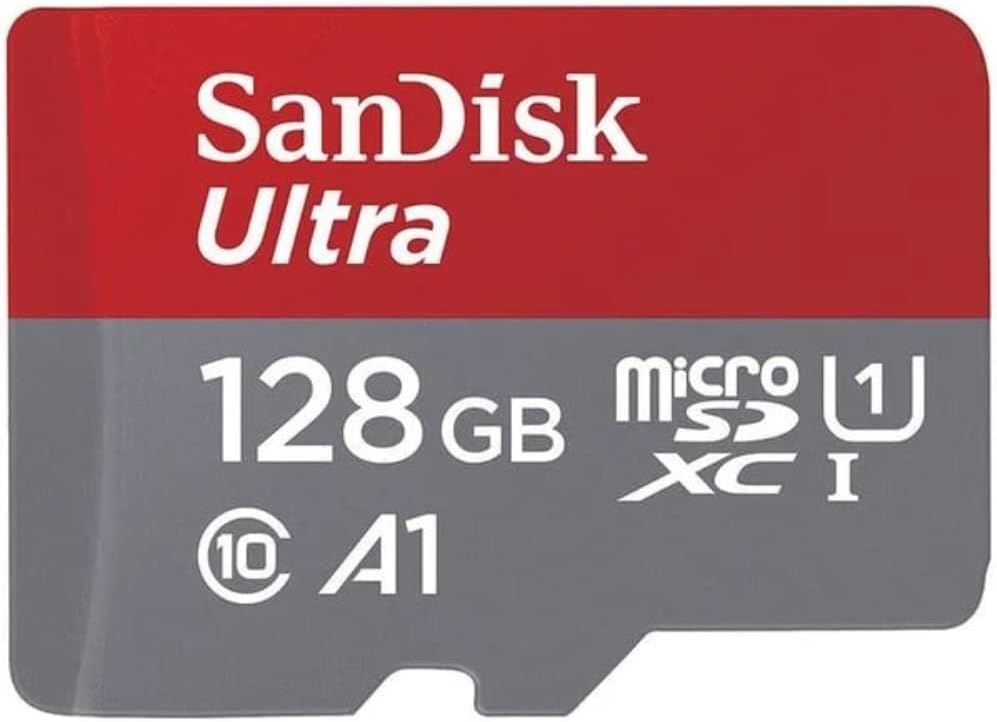
The SanDisk 128GB Ultra microSDXC is the speed-focused choice in this guide, with a stated read speed of up to 140MB/s and a 4.7 customer rating. Its 128GB capacity makes it much more practical for media than the 32GB cards, while A1 application performance suits compatible Android phones and tablets.
We may earn a commission when you buy through this link, at no additional cost to you.
The headline speed is particularly relevant when moving large numbers of photos, high-resolution video, music, or other bulky files. SanDisk states that the card can move up to 1,000 photos per minute under its stated conditions. The SanDisk Memory Zone app helps users view, access, and back up phone files, while compatibility with the SanDisk MobileMate USB 3.0 reader expands transfer options when that reader is available.
Its Class 10, U1, and Full HD positioning makes it a solid everyday mobile and photography card. It does not carry the V30 or U3 classification found on several alternatives, so buyers recording sustained high-bitrate 4K footage should check their camera's requirements first. The separate MobileMate reader also means the card does not provide a complete high-speed reading setup by itself.
This card is best for a phone or tablet owner who transfers media frequently, wants the highest stated read speed here, and values a long warranty. It is also well suited to everyday Full HD recording and mixed personal storage. Buyers prioritizing 4K video should compare the V30 and U3 options; buyers prioritizing quick mobile transfers will find the SanDisk especially compelling.
The 140MB/s advertised read rate can reduce waiting when moving photo collections or video from a compatible device. Real transfer times remain influenced by the reader, cables, host system, and individual files.
The included 10-year limited warranty is one of the strongest support commitments in this selection. It adds value for a card intended to remain in regular use across compatible phones, tablets, Chromebooks, or laptops.
We may earn a commission when you buy through this link, at no additional cost to you.
The TAIMI 32GB stands out because it combines a small 32GB capacity with relatively advanced U3, V30, and A1 classifications. Its stated read speed reaches 90MB/s, write speed reaches 45MB/s, and its customer rating is 4.6. That combination makes it an interesting low-cost option for users who need video qualification more than a large media library.
We may earn a commission when you buy through this link, at no additional cost to you.
The card is designed for mobile devices, cameras, action cameras, drones, and other compatible products. U3 and V30 ratings make it relevant for 4K UHD recording, while A1 targets faster application loading on suitable devices. The 45MB/s stated write speed gives it a clear foundation for sequential recording and general file transfers.
Durability is another strength: the listing specifies shockproofing, IPX6 water resistance, temperature resistance from minus 25°C to plus 85°C, X-ray protection, and magnetic protection. A 10-year warranty is included. The central limitation remains capacity. A 32GB card can fill quickly when used for extended video, downloaded games, RAW photography, or a growing phone media collection.
This model is best for a buyer who wants U3 and V30 performance in a compact, inexpensive card for short recording sessions or occasional 4K use. It also works for compatible phone applications and quick file access. For long trips, extensive recording, or a console game library, a 64GB or 128GB card offers much more room.
U3, V30, and A1 ratings make this card more versatile than a basic Class 10 option. Those classifications are especially useful when a compatible camera or phone requires stronger sustained-write or application performance.
Shock, water, temperature, X-ray, and magnetic protections suit everyday travel and outdoor use. The 10-year warranty provides additional reassurance for regular storage.
We may earn a commission when you buy through this link, at no additional cost to you.
Choosing a cheap microSD card starts with the device and workload. Capacity, speed class, application rating, durability, file format, and adapter support matter more than headline read speed in many everyday situations.
Capacity determines how many photos, videos, applications, documents, and game files the card can hold. A 32GB model is convenient for light use and portable devices, while 64GB provides a more comfortable balance for Full HD recordings and photo collections. A 128GB card is preferable for 4K footage, larger app libraries, drones, and users who do not want to transfer files frequently. Always verify that the device supports the card's maximum capacity, and remember that formatting and capacity-calculation differences leave less space than the labeled amount.
Class 10 provides a baseline minimum sequential write speed of 10MB/s. U1 raises that minimum to 30MB/s and is commonly associated with Full HD recording, while U3 and V30 also require at least 30MB/s and provide clearer support for high-bitrate recording workflows. These ratings are more useful for sustained video than a temporary peak speed achieved during a short file copy. For a camera that records 4K, prioritize the exact rating and minimum bitrate requested in the device manual.
A1 and A2 classify random read and write performance, which matters when a phone or console loads applications, games, or other small files from the card. A2 is the newer, higher tier, while A1 remains adequate for many supported devices. Neither rating guarantees faster transfers of large files, and host-device support varies. If you plan to use the card primarily for media, prioritize sequential speed and video class instead. If it will hold apps or a portable game library, verify that the device explicitly supports the card and its application class.
A card that transfers a small file quickly may still struggle to maintain a stable write rate during an extended recording. Dashcams, surveillance cameras, action cameras, and drones are especially sensitive to this because every frame must be written without interruption. U3 and V30 provide a better indication of sustained capability, while manufacturer guidance for the recording device remains the final authority. Test the card after formatting it in the intended device if continuous recording is critical.
A microSD card can have the right capacity and speed and still fail in a particular device because of format, maximum-capacity, or console restrictions. Nintendo Switch support may require a system update, while Nintendo Switch 2 requires a different card standard for game installation and save-file access. Some cameras expect FAT32, others support exFAT, and certain devices cap usable capacity below the card's nominal figure. Look up the device manual before purchasing, especially when moving the card between a phone, camera, drone, or console.
Many cameras and laptops use full-size SD slots, making the included adapter important. The Amazon Basics 128GB, KOOTION 64GB, Speederlash 128GB, and 128GB microSDXC U1 include an SD adapter. The Patriot 64GB listing does not identify one. An adapter is only a mechanical bridge: the host device must still support the card's format and capacity. For a phone with a built-in microSD slot, an adapter may add little unless you also own a compatible reader.
Cards used in phones, vehicles, drones, and outdoor cameras should tolerate heat, cold, moisture, impact, and electromagnetic exposure. Several selections specify water, shock, temperature, X-ray, and magnetic resistance, although the exact standards differ. Warranty length can also indicate the manufacturer's level of support: the SanDisk 128GB Ultra and TAIMI 32GB list 10-year limited warranties, while Silicon Power and Speederlash list five years. A longer warranty is reassuring, but correct formatting and careful handling remain important.
Headline read speeds often come from controlled laboratory tests and may require a specific reader, host interface, file size, and card format. A 140MB/s figure does not mean every file will copy at that rate. Random operations, many small files, device heat, and background processes can reduce real performance. Look for a mix of relevant ratings, suitable capacity, and compatibility rather than choosing solely by the largest advertised transfer number. The highest-speed card is most useful when you regularly move large files through compatible equipment.
Before using a new card, inspect it for physical damage and confirm that the device supports its capacity and file system. Insert it using the correct orientation, format it through the host device rather than relying on a preexisting format, and avoid interrupting writes. If the card is intended for continuous recording, format it in the dashcam or camera so its file system and overwrite behavior match the equipment.
Transfer important files to two separate locations before formatting or replacing a card. Read the card directly when possible, eject it through the operating system before removal, and never pull it out while the device is writing. Handle it by the edges, protect it from moisture, extreme heat, impact, and magnetic fields, and keep it in its case or protected adapter when not in use.
Monitor the card for missing files, corrupted media, error messages, or devices that repeatedly fail to recognize it. Replace a card that shows signs of unreliable writing rather than relying on it for important footage. Capacity alone does not indicate health, so use safe removal practices, maintain separate backups, and periodically review recordings or files that matter most.
A budget card can work well in a smartphone when it meets the device's capacity, speed, and application requirements. A1 or A2 is useful when loading apps or games from the card, while Class 10 or U1 handles ordinary files. Check the phone manual for its maximum supported capacity before inserting a 64GB or 128GB model.
Look for U3 and V30 classifications because they indicate sustained minimum write performance suited to high-bitrate recording. Capacity matters too, since 4K files consume space quickly, and the camera must support the selected card. Even a qualifying card cannot compensate for unsupported resolution, codec, or bitrate settings.
U1 can be sufficient for many Full HD dashcams and surveillance systems because it guarantees a 30MB/s minimum sequential write rate. Check the recorder's manual for its required class and capacity. Cards designed for continuous recording should also be formatted in the device and monitored for dropped frames or failed recordings.
The operating system reserves space for the file system, metadata, and other functions, while manufacturers and devices may calculate capacity using different binary or decimal methods. Consequently, usable capacity can be around 116GB on a nominally 128GB card. This difference is normal and does not by itself indicate a defective product.
Some microSDXC cards work with the original Nintendo Switch after the required system update, but compatibility depends on capacity, formatting, and the specific card. Nintendo Switch 2 uses different requirements for game installation and save-file access, and ordinary UHS-I microSD cards are not suitable for those functions. Check the console's official guidance before purchasing.
A faster read speed helps when transferring large files through compatible readers and devices. It does not automatically improve camera recording, application loading, or every phone experience. For those uses, sustained-write class, A1 or A2 status, capacity, and device compatibility are more relevant.
Formatting a new card in the device that will use it is generally recommended because it establishes the correct file system and cleans any preexisting content. Format the card again when changing devices with different requirements, but avoid formatting a card containing the only copy of important files. Use the device's official formatting option when available.
Watch for corrupted files, missing clips, recording errors, unrecognized cards, and unusually slow transfers. Stop using a card that exhibits these signs, especially in a dashcam or surveillance system, and preserve any recoverable footage before replacing it. Regular backups are more reliable than trying to diagnose a failing card after an important recording is lost.
The strongest overall value in this guide is the Amazon Basics 128GB because it combines U3, V30, and A2 ratings with 128GB of capacity, broad device compatibility, and an included adapter. The Patriot 64GB V30 A1 is a compelling budget option for recording, while the SanDisk 128GB Ultra takes the lead for fast transfers and comes with a 10-year limited warranty.
The right card depends on the job. Choose a small U3 card for short high-quality recordings, a 64GB V30 model for phones and Full HD cameras, or a 128GB card for 4K media and larger collections. Continuous recorders require stable sustained writes, mobile users may benefit from A1 or A2, and every buyer should confirm device capacity and file-system support first.
Ratings and specifications provide a useful starting point, but they cannot predict every real-world result. Availability and pricing change, so review the current product listing, device requirements, and customer feedback before purchasing. The most economical choice is not simply the smallest or lowest-cost card; it is the one that reliably supports your files without unnecessary features.