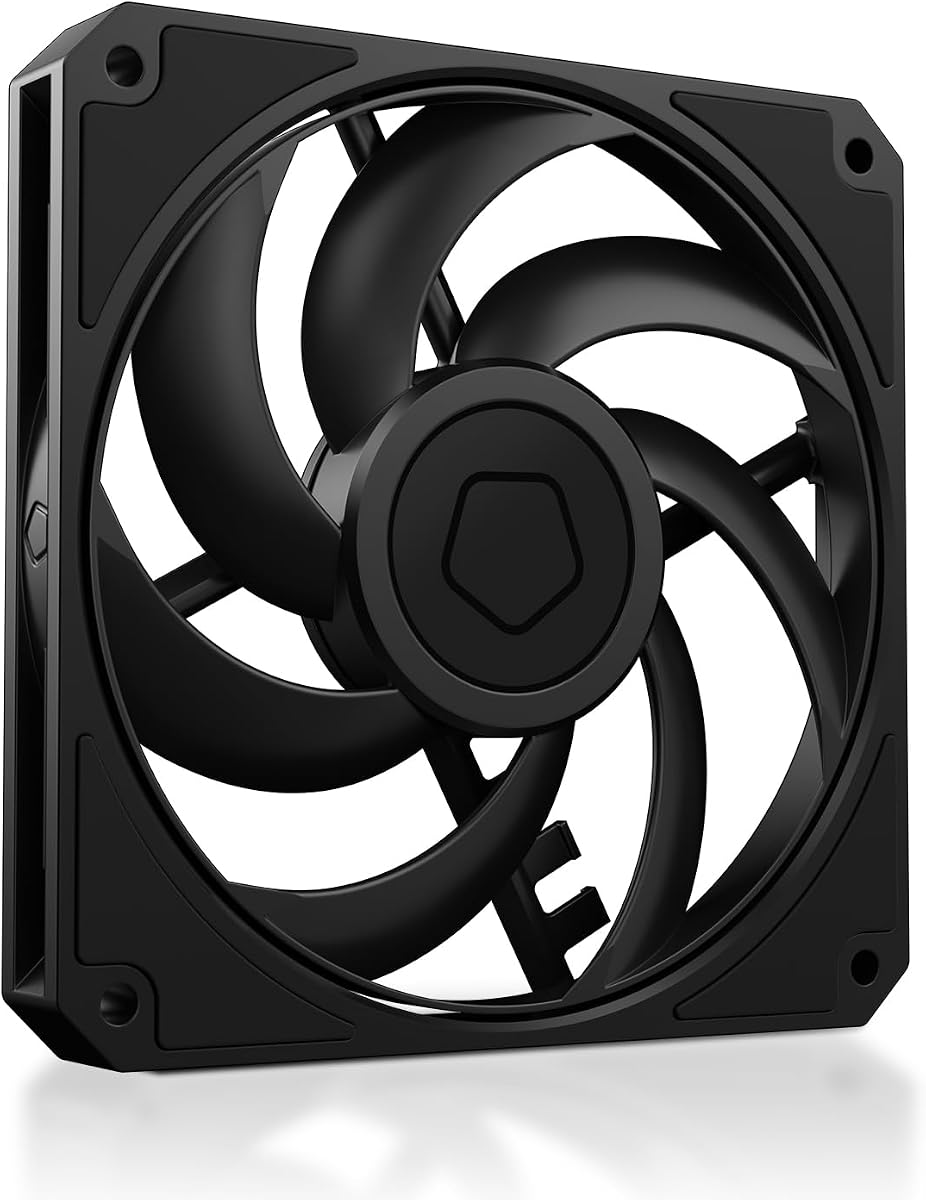
ID-COOLING AM-120-SLIM
4.8Editor score
15 mm slim housing
500–2500 RPM control
59.6 CFM maximum airflow
2.7 mmH₂O static pressure
Our Low Profile Case Fans guide compares 10 quiet, slim PC options for compact builds, comparing airflow, pressure, speed control, thickness, and noise.
Low profile case fans help compact PCs move cool air and remove heat when standard 25 mm-thick fans simply will not fit. The right choice depends on available depth, mounting-hole spacing, airflow path, pressure demand, connector type, and the noise level you want during normal operation.
We compared ten highly rated options using the specifications and product information supplied for each model. The list includes slim 120 mm and 140 mm fans, a narrow 92 mm alternative, PWM and fixed-speed variants, and one conventional case fan included to show where a deeper design may offer a different balance.
Each pick highlights a distinct use case, from quiet low-profile CPU cooling to high-speed compact-case airflow. Ratings, dimensions, airflow figures, pressure ratings, and control methods help narrow the field, although availability and prices can change, so verify the current listing and case-clearance requirements before buying.
4.8Editor score

4.8Editor score

4.8Editor score
This side-by-side comparison covers the key physical, electrical, and performance differences among all ten fans, including thickness, dimensions, speed control, airflow, noise, and stated static pressure.


The ARCTIC P12 Slim PWM PST is a three-pack of 120 mm fans designed specifically for situations where a standard 25 mm fan cannot fit. Its 15 mm installation depth, four-pin PWM connection, and pressure-optimized construction make it a practical all-rounder for compact cases, low-profile coolers, and radiators where every millimeter matters.
We may earn a commission when you buy through this link, at no additional cost to you.
Its strongest feature is the broad 200–2100 RPM range. This gives the motherboard or fan controller enough room to reduce speed during light workloads and increase airflow when heat rises. Rated airflow reaches 34.51 CFM, while the stated 1.33 mmH₂O static pressure is particularly relevant when air must pass through a restrictive heatsink or radiator rather than move freely through an open panel.
The package is also more flexible than buying individual slim fans. Builders can use the three units as intake, exhaust, and replacement or reserve them for a multi-fan radiator. The trade-off is that its maximum noise specification of 0.3 sone is less descriptive than a dB(A) figure, and its 34.51 CFM airflow is below the strongest competitors in this comparison. Buyers prioritizing absolute low noise may prefer the Noctua models.
This is the best-balanced option for builders who want a coordinated set of slim PWM fans rather than a single premium unit. It fits especially well when the case has 15 mm clearance and moderate airflow restrictions. Verify both the case fan thickness and radiator mounting depth before purchasing, since the slim frame alone does not guarantee a conflict-free installation.
The 200–2100 RPM range supports both near-idle operation and higher cooling demand. That flexibility is valuable in compact systems that alternate between light desktop work and processor-intensive tasks, although the achievable sound level will depend on the case, cooler, and surrounding components.
The included trio is useful for completing an intake-and-exhaust layout or cooling a multi-fan radiator. Consistent models can simplify cable management and visual coordination, while the PWM connection allows all three fans to respond to the same thermal control signal.
We may earn a commission when you buy through this link, at no additional cost to you.
The ARCTIC P14 Slim PWM PST is aimed at compact systems that can accept 140 mm fans but lack the depth for conventional models. Its 16 mm thickness preserves a genuinely slim profile, while the larger frame helps deliver 47 CFM of rated airflow, making it attractive for narrow cases and restricted cooling paths.
We may earn a commission when you buy through this link, at no additional cost to you.
The motor covers 120–1800 RPM through a four-pin PWM connection. This is broad enough for quiet background cooling and more aggressive performance under load. A stated static pressure of 1.31 mmH₂O indicates that the fan is intended to work against resistance, making it suitable for heatsinks and radiators rather than only open exhaust positions.
Its main limitation is compatibility. A 140 mm fan cannot replace a standard 120 mm unit, so the case must have 140 mm mounting holes and sufficient clearance for the corners of the frame. The 16 mm depth is only one millimeter greater than the most compact 120 mm options, and the 47 CFM rating makes this model appealing when larger-area airflow is valuable.
Choose the P14 when your enclosure supports 140 mm mounts and you want more airflow than a 120 mm slim fan without moving to a full-depth model. It is less suitable for many standard compact cases, which more commonly accept 120 mm hardware. Checking the case drawing and radiator dimensions is essential before ordering.
The 140 mm frame provides a larger blade area within an only 16 mm depth. That format can move more air through a compact enclosure while preserving the clearance advantage that makes slim fans necessary.
The fan's stated 1.31 mmH₂O static pressure and PWM-controlled motor make it a practical choice for radiators and restrictive heatsinks. It can also settle at lower RPM when the system temperature permits.
We may earn a commission when you buy through this link, at no additional cost to you.
The Noctua NF-A12x15 PWM combines a widely used 120 mm mounting footprint with a 15 mm depth and a strong customer rating. It is built for low-profile CPU coolers, HTPCs, ITX systems, and other confined spaces where the additional thickness of a standard case fan would interfere with nearby hardware.
We may earn a commission when you buy through this link, at no additional cost to you.
Its maximum speed is 1850 RPM, and the automatic four-pin PWM control lets the fan respond to the system cooling signal. The stated maximum noise level of 23.9 dB(A), long MTTF, Flow Acceleration Channels, and Advanced Acoustic Optimisation frame all point toward a design focused on controlled, quiet cooling rather than maximum RPM alone.
Included accessories add practical value. Anti-vibration mounts can reduce the transfer of vibration into the chassis, while the extension cable and PWM y-cable make it easier to operate two fans from one header. The supplied Low-Noise Adaptor lowers the maximum speed to 1400 RPM when an even quieter ceiling is preferred. Color styling is the main subjective drawback.
This is the strongest general recommendation for a quiet 120 mm slim fan with PWM control. Choose it for a compact workstation, entertainment build, or low-profile CPU cooler where acoustics matter and the case supports 120 mm mounting. Confirm that 15 mm of depth is available and that the included leads suit your motherboard headers.
PWM control and the included Low-Noise Adaptor allow the fan to remain subdued under lighter demand while retaining additional speed when necessary. This makes the NF-A12x15 especially well suited to a compact system intended for quiet everyday use.
Anti-vibration mounts, screws, an extension cable, and a y-cable cover several common setup needs. The included hardware also gives users more flexibility when mounting the fan beneath a low-profile CPU cooler.
We may earn a commission when you buy through this link, at no additional cost to you.
The chromax.Black.swap edition of the NF-A12x15 PWM brings the established 15 mm slim format to builders who want a fan that blends into a dark case. It retains the A-series acoustic design, four-pin PWM control, maximum speed of 1850 RPM, and stated maximum noise level of 23.9 dB(A).
We may earn a commission when you buy through this link, at no additional cost to you.
The most functional distinction is its 450–1850 RPM operating range and ability to stop at zero-percent PWM for semi-passive systems. That means the fan can cease moving when cooling demand is low and restart as temperatures rise, depending on the motherboard or controller configuration. The supplied anti-vibration pads come in several colors for visual customization.
Its performance foundation closely resembles the standard brown NF-A12x15, so the premium appeal comes from appearance and semi-passive behavior rather than a fundamentally different size. Builders should not assume the colored pads influence cooling; their documented purpose is to reduce vibration and provide color options. As with the standard model, airflow is not stated in the supplied specifications.
This is the best choice for an all-black or visually coordinated build that also values quiet operation and automatic fan control. It is particularly suitable for low-profile CPU coolers, HTPC enclosures, and ITX cases. Make sure the system supports four-pin PWM and configure the stop behavior according to your preference for complete silence.
The ability to stop at zero-percent PWM can eliminate fan noise during light loads. The system will generally restart the fan when its configured temperature threshold demands additional cooling.
The all-black housing suits dark components and enclosure interiors. Matching anti-vibration pads in black, red, white, blue, yellow, or green provide additional choices for builders who want a coordinated or contrasting accent.
We may earn a commission when you buy through this link, at no additional cost to you.
The be quiet! Pure Wings 3 is a standard-depth 120 mm PWM case fan rather than a genuinely low-profile model. It remains relevant to this category because some compact enclosures have enough depth for a conventional fan and benefit more from a mature, quiet case-fan design than from a slim model with reduced depth.
We may earn a commission when you buy through this link, at no additional cost to you.
Seven airflow-optimized blades are intended to reduce noise while maintaining performance in demanding configurations. The frame outlet is designed with radiator use in mind, and the fan can operate at very low minimum RPM for quiet background cooling. Its rifle bearing has a stated operating lifetime of 80,000 hours.
The decisive drawback is dimensional. If your case only accepts 15 or 16 mm fans, this model will not solve the clearance problem. It also lacks the explicit airflow and static-pressure figures provided for several slim competitors, making direct performance comparison more difficult. Its four-pin PWM support nevertheless makes it straightforward to include in a standard cooling-control setup.
Choose the Pure Wings 3 when depth is not the main constraint and your priority is quiet, conventional case ventilation. It is a good companion to a compact build only if the chassis or radiator accepts a standard 120 mm fan. Buyers searching specifically for a low-profile replacement should favor one of the explicitly slim models instead.
Support for very low minimum RPM allows the fan to provide airflow without running at its maximum speed. This is useful for quiet desktops and compact systems that generate heat gradually rather than in sudden bursts.
The optimized frame outlet is intended to improve performance when the fan serves a radiator. That makes this a conventional-depth alternative for builds where slimness is less important than a quiet, established case-fan format.
We may earn a commission when you buy through this link, at no additional cost to you.
The ID-COOLING AM-120-SLIM is the performance specification leader in this group. Its 15 mm frame fits the same general depth class as the narrowest 120 mm alternatives, while the supplied figures of 59.6 CFM airflow and 2.7 mmH₂O static pressure are the highest stated values in the comparison.
We may earn a commission when you buy through this link, at no additional cost to you.
Four-pin PWM control across a 500–2500 RPM range provides extensive control over cooling output and noise. The stated maximum noise level is 31 dB(A), which is higher than the 23.9 dB(A) ceiling listed for the Noctua NF-A12x15 and the 23.6 dB(A) ceiling listed for the NF-A9x14. The hydraulic bearing is designed to reduce friction and vibration.
Compatibility is broad within its slim category. It can serve standard 120 mm mounting locations in Mini-ITX cases, HTPCs, SFF systems, NAS enclosures, low-profile CPU coolers, and AIO radiators, provided the radiator or heatsink accepts a 15 mm fan. The main tradeoff is that its aggressive specifications may produce more sound than the quieter premium options at high speed.
This is the best budget pick for a builder who wants maximum airflow and pressure from a slim fan. It is especially compelling for densely packed compact systems with restrictive radiators. If near-silence is the priority, use the broad PWM range conservatively or consider a Noctua alternative; if cooling headroom matters more, this fan makes a stronger case.
The stated 2.7 mmH₂O static pressure suggests strong resistance to airflow restriction. This is valuable when mounting the fan on a dense radiator or heatsink where the blade must work against more than open-case airflow.
The 500–2500 RPM range lets a controller lower speed during mild conditions and raise it under load. Using the PWM range effectively can help balance the fan's high cooling capacity against its greater maximum noise specification.
We may earn a commission when you buy through this link, at no additional cost to you.
The Thermalright TL-C12015 is a 120 by 120 by 15 mm fan aimed at small-form-factor cases and low-profile CPU coolers. Its defining characteristic is a more moderate maximum speed of 1500 RPM, combined with a claimed 52 CFM airflow and 24.1 dB(A) noise rating.
We may earn a commission when you buy through this link, at no additional cost to you.
That lower ceiling can make it attractive when a system does not need extreme cooling performance. A slower maximum speed may keep operation more restrained, while four-pin PWM control still allows automatic motherboard management. Stated static pressure reaches 1.24 mmH₂O, putting it close to the other slim 120 mm options rather than at the top of the pressure range.
The fan includes four vibration-absorbing pads and uses an S-FDB bearing intended to reduce noise and extend service life. Its 0.15 A current specification provides another useful compatibility reference when considering header capacity. Relative to the ID-COOLING AM-120-SLIM, however, it offers less maximum airflow, less pressure, and a lower speed ceiling.
Choose the TL-C12015 when you want a slim fan with strong airflow but prefer a less aggressive maximum speed. It is well suited to compact desktops, NAS-style systems, and restrained builds where moderate cooling and manageable noise are more important than the highest possible figures. Confirm that its mounting holes and 15 mm depth match the intended location.
A 1500 RPM maximum differentiates this model from fans that reach 2000 RPM or more. This may suit users who want meaningful cooling without operating the motor at its highest sustained level.
Four vibration-absorbing pads are positioned at the fan corners to help reduce vibration transfer. Combined with the stated S-FDB bearing design, these features support the model's quiet-operation focus.
We may earn a commission when you buy through this link, at no additional cost to you.
The Noctua NF-A9x14 HS-PWM chromax.Black.swap is the narrowest fan in the group, measuring 92 by 92 by 14 mm. That footprint makes it ideal for 9 cm low-profile CPU coolers and exceptionally compact cases where even a 120 mm fan is too wide.
We may earn a commission when you buy through this link, at no additional cost to you.
Despite its small frame, it reaches 2500 RPM through a four-pin HS-PWM connection. The 500–2500 RPM range supports automatic control, and the fan can stop at zero-percent PWM for semi-passive operation. The stated maximum noise level of 23.6 dB(A) is the lowest figure listed among the slim models here.
The principal limitation is straightforward: it needs 92 mm mounting holes and cannot be mounted in a standard 120 mm position. The Flow Acceleration Channels, AAO frame system, and anti-vibration pads reinforce its premium quiet-focused design. The black finish and multiple pad colors also suit coordinated compact builds.
This is the best premium choice for builders with a genuinely narrow mounting location. It is particularly well suited to 9 cm low-profile CPU coolers and the smallest compatible ITX or HTPC enclosures. If your case accepts 120 mm fans, a larger model may offer a simpler installation and potentially more total airflow.
The 92 mm square frame opens a path to cooling in locations too narrow for a 120 mm fan. It is particularly relevant to 9 cm low-profile CPU coolers and compact cases designed around smaller fans.
A maximum of 2500 RPM provides substantial performance headroom, while the stated 23.6 dB(A) maximum remains restrained. PWM control and the ability to stop at zero percent allow additional control over everyday acoustics.
We may earn a commission when you buy through this link, at no additional cost to you.
The Noctua NF-A12x15 FLX provides the same 120 by 120 by 15 mm slim format as the PWM version, but it uses a three-pin Molex connection and manual Low-Noise Adaptors. It offers 950, 1400, or 1850 RPM settings, allowing users to choose a fixed operating level rather than depend entirely on automatic PWM control.
We may earn a commission when you buy through this link, at no additional cost to you.
Its maximum noise specification remains 23.9 dB(A), and the A-series design includes Flow Acceleration Channels and Advanced Acoustic Optimisation. Anti-vibration mounts, fan screws, an extension cable, and a 3-to-4-pin adaptor are included, giving the user several ways to integrate the fan.
The key consideration is motherboard compatibility. A modern four-pin PWM header can accept a three-pin fan with the appropriate adaptor, but the fan will not offer the same direct automatic control as a native four-pin PWM model. Users with older three-pin headers may find the included power-supply adaptor especially useful.
Choose the FLX when you want deliberate, fixed speed control or your system uses three-pin connections. It is a strong quiet option for a low-profile CPU cooler or compact case, but automatic PWM management is more convenient with the standard PWM version. Confirm that the fixed-speed approach fits your cooling strategy before choosing it.
The included Low-Noise Adaptors create 950, 1400, and 1850 RPM operating options. These fixed speeds can provide predictable acoustic and cooling behavior for users who prefer direct control.
The included 3-to-4-pin adaptor allows the fan to connect to a four-pin PWM header, while the power-supply adaptor offers another way to power it. These accessories improve compatibility without changing the fan's physical design.
We may earn a commission when you buy through this link, at no additional cost to you.
This standard brown NF-A12x15 PWM offers the core appeal of the slim Noctua line without the color customization or stated semi-passive stopping behavior of the chromax.Black.swap version. It measures 120 by 120 by 15 mm, reaches 1850 RPM, and has a maximum noise figure of 23.9 dB(A).
We may earn a commission when you buy through this link, at no additional cost to you.
Four-pin PWM control allows the fan to react to the system's cooling curve. The included Low-Noise Adaptor reduces the maximum operating speed to 1400 RPM, while a y-cable allows two PWM fans to run from one compatible header. Anti-vibration mounts, screws, and an extension cable complete the accessory package.
Compared with the other NF-A12x15 variants, this listing offers the straightforward middle ground: native PWM control, quiet operation, and the slim frame without relying on a color-matching accessory package. The brown color may be less desirable for a dark build, and the supplied information does not provide a CFM airflow figure for direct comparison with higher-output alternatives.
Choose this model when you want a straightforward, quiet, PWM-controlled slim fan and do not need the chromax finish or semi-passive stopping feature. It remains a strong option for low-profile coolers and compact cases, particularly for users who value the supplied accessories and a familiar 120 mm mounting pattern.
The four-pin connection allows the motherboard to vary fan speed according to its configured thermal curve. This provides a convenient balance between cooling demand and sound without manual switching.
The supplied Low-Noise Adaptor limits maximum speed to 1400 RPM. Builders who prefer lower sound can use it without changing the fan or its 120 mm mounting footprint.
We may earn a commission when you buy through this link, at no additional cost to you.
A suitable low-profile case fan must fit the available depth, match the mounting pattern, move enough air through the intended path, and connect cleanly to the system. The most useful specifications are depth, frame size, airflow, static pressure, RPM range, noise, and connector type.
Depth is the defining constraint for a low-profile fan. The products in this guide range from 14 mm to 16 mm when explicitly described as slim, whereas the be quiet! Pure Wings 3 uses the conventional 120 mm format and is not a substitute where a shallow fan is required. Measure from the mounting surface to the nearest obstruction, then include room for the cable and connector. A frame that fits geometrically may still create a cable bend problem in a crowded enclosure.
Choose the narrowest fan that satisfies your airflow needs, and leave a little installation margin. Do not assume every radiator that accepts a standard fan also accepts a slim model.
The dominant frame size is 120 mm because it is widely supported by compact cases, CPU coolers, and radiators. The ARCTIC P14 Slim PWM PST uses a 140 mm frame, so it is only appropriate where the enclosure supports 140 mm mounting holes. The NF-A9x14 goes smaller at 92 mm, making it useful for very narrow low-profile coolers but unsuitable for a standard 120 mm position.
Match the fan to existing mounts rather than adapting a physically mismatched model. Frame size also influences total airflow because larger fans generally have more blade area.
Airflow figures indicate how much air a fan can move, while static pressure indicates how well it can push through restrictions. A case exhaust position may perform adequately with airflow alone, but a dense heatsink or radiator needs pressure. The ID-COOLING AM-120-SLIM leads the listed figures with 59.6 CFM and 2.7 mmH₂O, while the ARCTIC and Thermalright models offer lower but still meaningful pressure ratings.
Prioritize static pressure when mounting behind a restrictive component. For open-panel intake or exhaust, airflow and noise usually deserve more attention.
Noise specifications are most useful when they use the same unit and measurement basis. The Noctua models provide maximum dB(A) values of 23.6 or 23.9 dB(A), while the ID-COOLING lists 31 dB(A) and ARCTIC lists 0.3 sone. These figures come from different formats and should not be treated as directly equivalent.
Choose based on the product's control range. A fan with a low maximum speed may remain quieter at all times, while a high-output fan can be kept restrained through PWM until extra cooling is needed.
Four-pin PWM fans are the most convenient for modern systems because the motherboard can vary speed automatically. Three-pin FLX fans provide manually selected speeds through adaptors, while fixed-speed options are simpler but less flexible. Check whether your header supports PWM and whether a supplied y-cable or extension is needed.
Automatic PWM control is generally preferable in a compact PC because it responds directly to changing thermal demand. For a manually tuned system, the FLX model may be more appropriate.
Front-to-back airflow generally brings cool air toward the heat-producing components and carries warmer air out of the enclosure. Compact cases may require unusual intake and exhaust locations, so follow the chassis design rather than relying only on a general rule. Larger exhaust fans can move a greater total volume, while additional slim fans can help direct air through dense components.
Balance the layout to reduce dead zones. Match fan direction to the case arrows, and verify that the chosen position does not pull cable into the blades.
Anti-vibration pads, extension cables, y-cables, screws, and low-noise adaptors can make a slim fan easier to install and quieter in operation. The standard Noctua NF-A12x15 PWM includes several of these items, while the chromax.Black.swap version provides a wide selection of pad colors.
Check the included accessories before buying separate cables. They can also reveal whether a model is intended for a single compact cooler or for a multi-fan case layout.
Some PWM fans can stop when the control signal falls to zero percent. This is useful in a quiet desktop or semi-passive system where continuous fan sound would be distracting. The chromax.Black.swap NF-A12x15 and the NF-A9x14 explicitly support standstill at zero-percent PWM.
Semi-passive operation requires compatible firmware or controller settings. Confirm that the system restarts the fan correctly when temperatures rise before relying on it.
Before installation, shut down and disconnect the PC, open the case, and identify every intake, exhaust, heatsink, and radiator position where the fan may sit. Measure depth, confirm mounting-hole spacing, and make sure the power cable can bend without being pinched. Plan the airflow route so cool air reaches components and warm air can leave the enclosure.
Mount the fan square to its intended surface using the correct screws or supplied hardware. If anti-vibration pads are included, place them between the fan frame and mounting surface. Connect a four-pin PWM fan to a compatible header, route the cable away from rotating blades, and configure a gentle fan curve. For three-pin models, use the appropriate adaptor and select a fixed speed that suits the enclosure.
After the first boot, confirm that every fan spins in the intended direction and that no cable touches a blade. Listen for intermittent rubbing, vibration, or motor noise, and check that airflow reaches the processor, memory, storage, and power area. Clean accumulated dust periodically with a soft brush or controlled stream of air, keeping liquid away from the motor and electronics.
Low-profile PC case fans are generally thinner than standard 25 mm models. The slim options in this guide measure 14 to 16 mm, including the 120 mm, 140 mm, and 92 mm formats. The exact clearance should be measured in your case, including space for the connector and cable.
Usually, yes, if the mounting holes are 120 mm apart and the available depth accommodates the slim frame. You may also need a different screw pattern for the thinner frame. Check the manufacturer's dimensions and confirm that the fan's connector and cable fit the available space.
PWM control is usually more convenient because the motherboard can increase or decrease speed as temperatures change. Fixed-speed control can be useful when the airflow need is predictable or when the system uses older three-pin headers. The right choice depends on your cooling layout and control preferences.
A slim fan can provide effective cooling when it is correctly sized for the heat source and installed in the right position. Static pressure matters most behind a dense heatsink or radiator, while airflow is more important in an open intake or exhaust. A balanced layout and sensible fan curve are often more important than using only one fan.
No. The NF-A9x14 requires 92 mm mounting holes, the ARCTIC P14 Slim requires 140 mm mounting holes, and most compact cases use 120 mm positions. Choose the frame size supported by the case or cooler rather than relying on an adapter that may not be included.
Static pressure describes a fan's ability to move air against resistance. It is especially important when the fan must push through a radiator, fin stack, or narrow duct. A higher stated figure can be useful in restrictive installations, but airflow, noise, and the overall case layout still matter.
They can be very quiet at lower RPM or when semi-passive control allows them to stop. Maximum-speed noise still depends on the motor, blade design, mounting vibration, and surrounding components. Soft anti-vibration pads and a gradual fan curve can further reduce perceived noise.
Use an intake-and-exhaust layout that allows cool air to travel through the main heat-producing area before warm air exits. If cooling a radiator, place fans on the appropriate side according to the radiator design and airflow direction. Ensure cables remain clear and avoid placing fans where their frames obstruct other components.
The ID-COOLING AM-120-SLIM is the strongest value option for maximum stated airflow and static pressure, while the Noctua NF-A12x15 PWM is an excellent general choice when quiet operation and native PWM control matter most. The NF-A9x14 HS-PWM chromax.Black.swap stands out for exceptionally narrow 92 mm installations and a restrained stated noise ceiling.
Before purchasing, measure the available depth and confirm the mounting-hole pattern. Match the fan to the role it will perform: prioritize static pressure for a restrictive radiator, airflow for an open case position, and a controllable low-speed range when silence is the priority. Connector type and accessory support can be just as important as the headline figures.
Product listings, availability, and prices change over time, so verify the current specifications and recent customer feedback before ordering. Comparing the final choice against your case layout and cooling requirements will produce a more reliable result than selecting solely by the largest airflow number or lowest stated noise level.
