
Perlegear Full Motion TV Wall Mount PGMF21
4.8Editor score
Three configurable viewing heights
Tool-free tilt and swivel
Pre-assembled installation arms
Adjustable TV wall mounts make it easier to use a large screen without dedicating a permanent place to a furniture-based entertainment center. The best models add smooth tilting, swiveling, extension, retracting, and leveling so the display can follow seated positions and reduce glare while keeping the room open and uncluttered.
This guide compares ten adjustable TV wall mounts based on the information supplied for each product. We examine television-size compatibility, VESA pattern range, supported weight, articulation range, extension distance, installation requirements, included hardware, and special features such as height positioning, corner placement, or single-stud mounting.
Each review identifies the product's strongest qualities and any practical limitations, helping you match a mount to your television, wall type, viewing habits, and room layout. Product ratings and availability can change, and prices fluctuate over time, so confirm current specifications and offers before purchasing.
4.8Editor score

4.8Editor score

4.8Editor score
As an Amazon Associate we earn from qualifying purchases.
This side-by-side comparison shows the supported television sizes, weight limits, adjustment capabilities, and wall-mounting formats of all ten products, making it easier to identify the right model for your display and room.


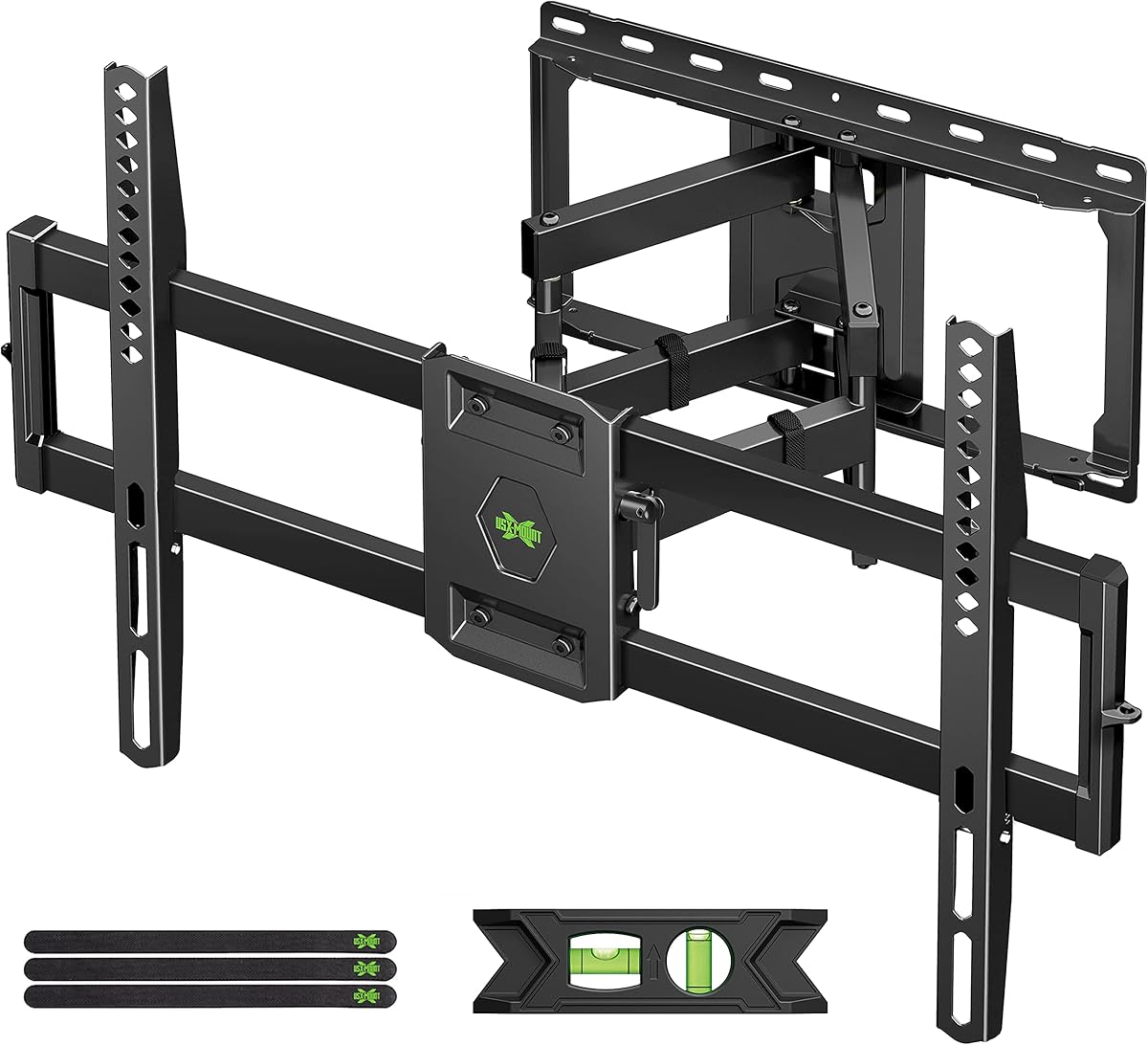


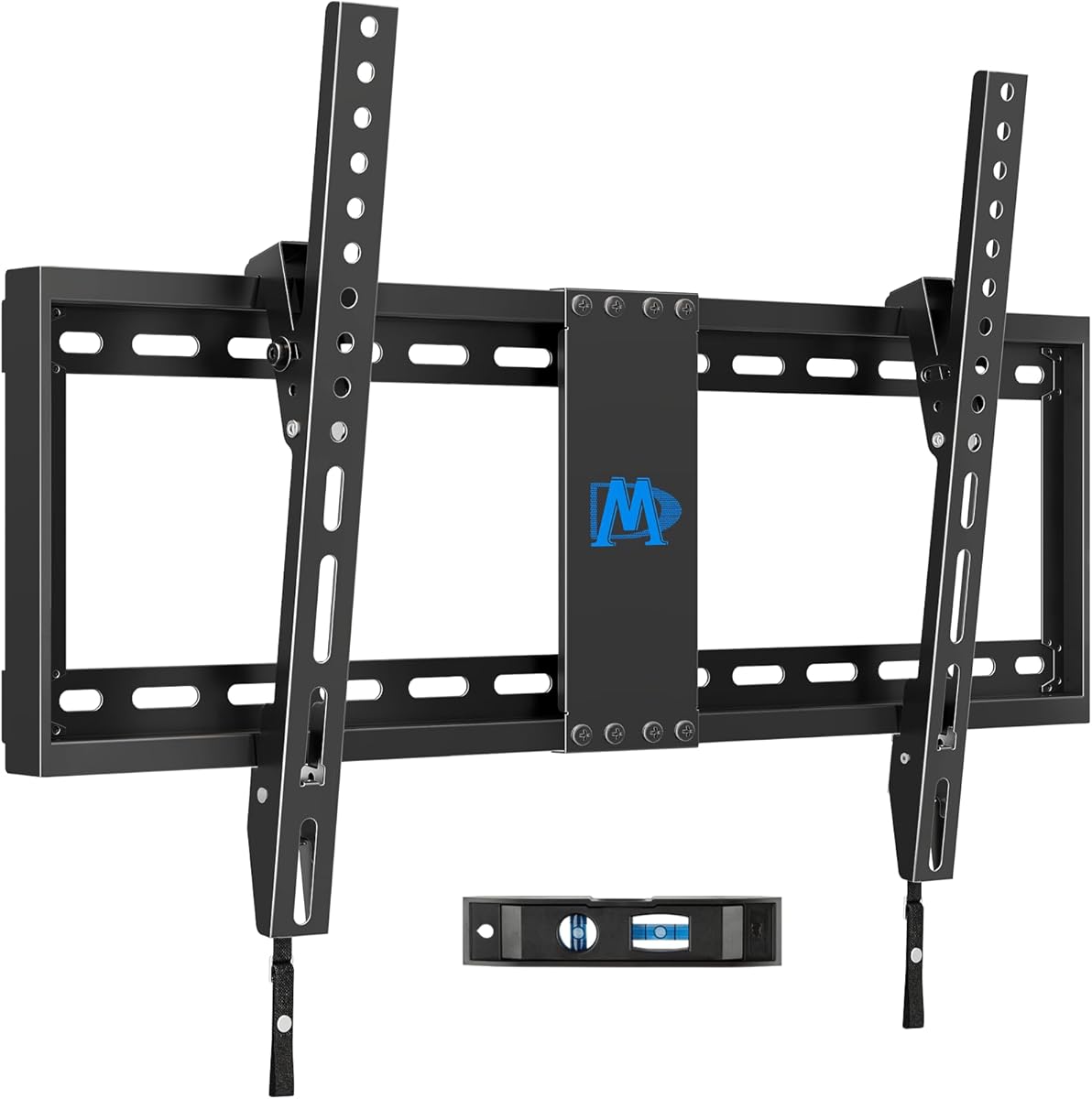
The USX MOUNT Full Motion TV Wall Mount combines a broad television compatibility range with the everyday movement needed in a flexible living room. Its 4.7 rating reflects a well-rounded product that supports most 37-inch to 84-inch flat-screen televisions up to 120 pounds. The dual-arm design adds useful positioning without giving up a relatively compact 2.74-inch retracted profile.
We may earn a commission when you buy through this link, at no additional cost to you.
The mount supports VESA patterns from 200x100mm through 600x400mm, covering many common television standards, and fits wood studs spaced 12 or 16 inches apart. Its articulating arms allow a 5-degree upward and 15-degree downward tilt, up to 45 degrees of swivel, and four degrees of post-installation leveling. Actual swivel range can vary depending on the television's size and the clearance available around the wall.
Extension reaches 15.16 inches, which is enough to bring the screen forward for side-angle viewing, reduce reflections from windows, or improve sightlines from an offset seating area. The steel construction, pre-labeled hardware bags, bubble level, and cable ties make installation more organized. One practical limitation is that concrete anchors are not supplied, so installers working into concrete or brick should arrange the appropriate anchors before starting.
This is a strong choice for households that want a large television to work in more than one location without committing to a fixed viewing direction. It particularly suits people with 37-inch to 84-inch displays, 12-inch or 16-inch stud spacing, and VESA dimensions within the listed range. Buyers should verify every television specification, wall condition, and clearance before ordering.
The tilting, swiveling, and leveling controls make the display easier to aim toward different seats. This is useful in open-plan rooms, angled furniture arrangements, and homes where the screen is viewed from both a sofa and an adjacent area.
Despite supporting displays as large as 84 inches, the arms retract to only 2.74 inches from the wall. That balance between reach and compact storage makes it a versatile option for rooms where a bulky permanent entertainment center would be inconvenient.
We may earn a commission when you buy through this link, at no additional cost to you.
The Perlegear PGMF21 stands out with a 4.8 rating and a feature set that goes beyond ordinary tilting. It fits most 26-inch to 74-inch flat or curved televisions up to 99 pounds, with VESA compatibility from 100x100mm to 400x400mm. Its standout feature is the choice of three height configurations, allowing the screen to be raised or lowered without constructing another wall-mounted position.
We may earn a commission when you buy through this link, at no additional cost to you.
The articulating system offers tool-free tilt of 5 degrees upward or 15 degrees downward, 45 degrees of swivel, and four degrees of leveling after installation. It extends 17.3 inches and retracts to three inches, making it useful for glare control and changing the direction of the screen. The mounting hardware is divided into labeled groups, and the wall plate and bracket arms are partly pre-assembled.
The product information states that DIY beginners can install the mount in under 15 minutes, although actual installation time depends on experience, wall access, and whether the television must be attached to the arms before lifting it into place. The mount supports wood stud, concrete, and brick installations, and a drilling template is included. A separate extension bracket is needed for stud spacing beyond 16 inches.
This is our budget-oriented recommendation for anyone who values height configuration, tool-free adjustment, and straightforward setup. It is a particularly good fit for 65-inch televisions and smaller displays with VESA dimensions no greater than 400x400mm. Before buying, confirm the television weight, exact mounting pattern, stud spacing, and room clearance.
Three height settings let users optimize eye level, make space for a soundbar, or accommodate seasonal decorations without taking the television off the wall and relocating the mount. This is a more useful refinement than simply choosing a fixed low-profile bracket.
Pre-assembled arms, labeled hardware, and a drilling template streamline the process. These details do not eliminate the need for careful measurements, but they reduce avoidable confusion when matching the wall plate, television brackets, and fasteners.
We may earn a commission when you buy through this link, at no additional cost to you.
The ECHOGEAR MaxMotion TV Wall Mount delivers the most expansive articulation among the larger general-purpose options in this guide. Its 4.8 rating is supported by a design that accommodates most 42-inch to 90-inch televisions up to 125 pounds. The mount is intended to work across major television brands, including LG, Sony, Vizio, and Samsung, provided the television meets its VESA and weight requirements.
We may earn a commission when you buy through this link, at no additional cost to you.
One of its most useful traits is 22 inches of extension, allowing the television to move farther away from the wall than most competing mounts. It can also swivel up to 130 degrees and retract to a slim 2.4 inches. Those ranges create practical options for angled seating, corner positioning, glare reduction, and keeping the display close to the wall when it is not being actively viewed.
The heavy-duty steel frame is UL listed, while the included drilling template and comprehensive hardware kit support an organized installation. The supplied information says installation can take less than 30 minutes, though that estimate depends on wall construction, equipment, and the installer's familiarity with mounting televisions. Minnesota-based product support is also available seven days a week.
This is our premium pick for a large living-room television, especially when extended reach and wide swivel are priorities. It is less suitable for compact screens because its stated range begins at 42 inches. Buyers with unusually large displays should confirm the weight, VESA pattern, wall structure, available extension clearance, and the dimensions of any adjacent furniture before selecting it.
The 22-inch extension gives the display more freedom to move toward the center of a room. That extra reach can improve sightlines from a sectional or side chair and make it easier to avoid reflections when overhead lighting is switched on.
Because the product is designed around broad VESA compatibility rather than a narrow list of models, it can suit many popular large-screen televisions. Exact fit still depends on the television's weight, mounting-hole pattern, and any unusually deep rear housing.
We may earn a commission when you buy through this link, at no additional cost to you.
The Amazon Basics Full Motion Articulating TV Wall Mount is a straightforward option for smaller flat-panel televisions, particularly those between 26 and 55 inches. It carries a 4.6 rating and supports displays up to 80 pounds. Its single-stud format distinguishes it from mounts that require two wall anchors, making it relevant for rooms with one usable stud or an offset installation point.
We may earn a commission when you buy through this link, at no additional cost to you.
The mount provides a 10-degree upward to 5-degree downward tilt, 180 degrees of swivel, and extension from 2.6 to 16.3 inches. VESA compatibility runs from 3.9 by 3.9 inches through 15.7 by 15.7 inches. The broad swivel can be valuable in a compact room, while the relatively short downward tilt offers only modest glare correction compared with mounts allowing 15 degrees downward.
Concrete, brick, and wood stud walls are supported. The package includes mounting hardware, a bubble level, a mounting template, and a user manual. Users are directed to watch the supplied video and review the design information before installing. Single-stud mounting reduces structural requirements, but it also demands precise placement and does not make an unsuitable wall surface acceptable.
This model is best for a bedroom, office, compact apartment, or secondary living space with a 26-inch to 55-inch television. It may be less appropriate for a main room centered on a larger display, a corner requiring long reach, or an installation where substantial downward tilt is important. Confirm the television's exact dimensions and VESA pattern before ordering.
The single-stud design can make a clean wall installation possible where the television's position does not align with two conventional studs. It is especially useful in smaller rooms, where furniture placement may restrict the usable mounting zone.
A 180-degree swivel lets the display turn toward different parts of a bedroom or office. The relatively compact 2.6-inch retracted position also allows it to sit close to the wall when a full extension is unnecessary.
We may earn a commission when you buy through this link, at no additional cost to you.
The Mounting Dream Full Motion TV Wall Mount is built for large displays and carries a 4.8 rating. It supports most 42-inch to 90-inch televisions weighing up to 154 pounds, the highest stated weight capacity in this comparison. Maximum VESA compatibility reaches 600x400mm, allowing it to accommodate a broad assortment of large television mounting standards.
We may earn a commission when you buy through this link, at no additional cost to you.
Its six articulating arms support a 5-degree upward and 15-degree downward tilt, left-right swivel, 16.6 inches of extension, and a 2.5-inch retracted position. A plus-or-minus four-degree post-installation leveling control helps correct small alignment issues. The mount is constructed from cold-formed steel and is intended to provide dependable support while allowing the screen to be repositioned.
The package includes clear instructions, pre-labeled hardware, a paper template, and three cable-management straps. Concrete anchors are not included by default and can be requested in the specified 10x50mm size. The product is explicitly not intended for drywall-only installation, making wall verification essential before buying. Support is available seven days a week according to the supplied information.
This is a compelling choice for a 75-inch or 85-inch television where high load capacity and frequent adjustment are priorities. It is less suitable when only a small amount of extension is needed, because heavier multi-arm hardware can feel excessive for a compact display. Confirm weight, VESA dimensions, wall strength, anchor availability, and nearby obstructions before installation.
The 154-pound capacity provides additional margin for compatible large televisions within the stated size range. The six-arm construction and wide steel frame are intended to manage the greater leverage created by a large panel when it is extended or swiveled.
A 16.6-inch extension is substantial without reaching the exceptional distance of the Perlegear corner model. The 2.5-inch retracted depth preserves a clean appearance when the television is positioned directly against the wall.
We may earn a commission when you buy through this link, at no additional cost to you.
The Perlegear Corner TV Wall Mount is the premium choice for viewers who want to bring a large television around a room corner. It has a 4.8 rating and supports 37-inch to 75-inch screens up to 100 pounds. Its defining advantage is an extension of 32.37 inches, the longest reach among the products in this guide.
We may earn a commission when you buy through this link, at no additional cost to you.
VESA compatibility ranges from 200x100mm to 600x400mm, giving it flexibility across many common television sizes. The mount swivels 90 degrees in either direction, tilts from 15 degrees downward to 5 degrees upward, and permits four degrees of post-installation leveling. Tool-free tilt adjustment makes it easier to alter the screen after installation without specialized tools.
The UL-listed design includes a solid hinge pin intended to maintain a firm connection and smooth movement at full reach. It retracts to 3.12 inches, offers a single-stud installation format, and includes labeled hardware and a user-friendly manual. Concrete, brick, and wood stud walls are supported, although the mount must not be attached to drywall alone.
This product makes the most sense in a corner, around a column, or beside an obstruction that would prevent a conventional mount from facing the main seating area. The trade-off is space: a long arm needs a clear path and enough room for the television to move without striking a wall, ceiling, cabinet, or window. Buyers should model the full swing path before installation.
The extended arm can carry the screen around a corner so viewers in adjoining areas still have a direct sightline. This can preserve open floor space and avoid forcing a seating area to point at an awkwardly positioned display.
The UL listing, solid hinge pin, and 100-pound support rating are particularly relevant because a long arm places more leverage on its connection points. Installation into a suitable structural surface remains essential even when the television itself is comfortably within the weight limit.
We may earn a commission when you buy through this link, at no additional cost to you.
The USX Mount Full Motion TV Wall Mount offers a balanced set of specifications for large-screen users. Its 4.7 rating reflects a versatile product supporting most 42-inch to 90-inch televisions up to 132 pounds. The maximum VESA pattern is 600x400mm, while the minimum supported pattern begins at 200x100mm.
We may earn a commission when you buy through this link, at no additional cost to you.
Dual articulating arms allow a 5-degree upward and 15-degree downward tilt, up to 45 degrees of swivel, and three degrees of post-installation leveling. The mount extends 16.49 inches and retracts to 2.40 inches, providing a useful combination of forward movement and low-profile storage. Actual swivel range depends on television size and wall clearance.
Installation is supported by detailed instructions and standard hardware organized in labeled bags. The mount accommodates wood studs with spacing up to 16 inches. Concrete anchors are not included, and M8x50mm screws are available from the seller if needed. A bubble level and three cable ties are also included, helping with alignment and keeping cables orderly after mounting.
This is a good option for a main living-room display that needs substantial size support and the ability to swivel toward different seating areas. It offers less extension than the ECHOGEAR MaxMotion and Perlegear corner mount, but it remains a versatile general-purpose choice. Verify the television's weight, VESA measurements, stud layout, and available side clearance before ordering.
Support for televisions as large as 90 inches makes this model relevant to dedicated media rooms and larger living spaces. The 132-pound limit also accommodates many major display sizes, provided the television meets the stated VESA requirements.
A 2.40-inch retracted depth lets the television sit relatively close to the wall. This helps maintain an uncluttered appearance in a room where the display is used mainly for evening viewing rather than constant repositioning.
We may earn a commission when you buy through this link, at no additional cost to you.
The Pipishell Full Motion TV Wall Mount is a flexible option for 26-inch to 65-inch displays and has a 4.6 rating. It supports up to 80 pounds and fits VESA patterns from 75x75mm through 400x400mm. Compatibility includes LED, LCD, OLED, plasma, flat, and curved televisions, subject to the size, weight, and mounting-pattern limits.
We may earn a commission when you buy through this link, at no additional cost to you.
Its movement range includes a 5-degree upward and 15-degree downward tilt, 90 degrees of swivel, and four degrees of post-installation leveling. The screen extends 17 inches from the wall and retracts to 2.36 inches. Those controls make it useful for reducing glare, directing the display around a corner, or improving the angle for a secondary seating position.
The single-stud format is a major practical benefit in rooms where two studs cannot be used. Wood stud, concrete, and brick walls are supported, but drywall-only installation is expressly excluded. The product uses heavy-duty steel, a durable faceplate, security screws, and articulating arms described as 33 percent thicker than those of other mounts in the supplied information.
This is a sensible choice for medium-sized televisions in bedrooms, offices, apartments, and compact living rooms. It provides a notably wide swivel while remaining within a standard 400x400mm VESA range. Verify the exact television weight, VESA measurements, wall construction, and clearance behind the set before installing, especially if cables or ports protrude.
The combination of one-stud mounting and 90-degree swivel gives installers more placement freedom than a conventional two-stud design. It can be especially helpful in a corner or against a wall where one stud is available.
The listed compatibility includes modern flat and curved panels across several display technologies. Actual support remains conditional on the model's weight and VESA pattern, so the television specification sheet is the final authority.
We may earn a commission when you buy through this link, at no additional cost to you.
The USX MOUNT XMM006-1 is a centered full-motion design for televisions between 26 and 65 inches. It has a 4.7 rating and is UL listed, with a maximum weight capacity of 77 pounds. Its VESA range extends from 75x75mm to 400x400mm, covering many compact and medium-sized displays.
We may earn a commission when you buy through this link, at no additional cost to you.
The articulating arms provide a 5-degree upward and 15-degree downward tilt, 90 degrees of swivel, and five degrees of post-installation leveling. It extends 16.7 inches and retracts to 2.81 inches. The perfect-center design is intended to keep the television visually balanced while it moves, and the broad swivel is useful for positioning around a corner or toward an off-center seat.
Wood stud and solid concrete walls are supported, while drywall-only mounting is expressly prohibited. The standard hardware is organized in labeled bags and includes multiple television screw sizes, spacers, and washers. Concrete anchors are not included by default, and M8x50mm screws can be requested from the seller. A bubble level and cable ties round out the package.
This mount is well suited to a bedroom, office, or moderately sized living room where a 26-inch to 65-inch television needs frequent repositioning. It may not suit a heavier large-screen model, even if the screen dimensions appear within range, because weight and VESA fit must both be satisfied. Check those specifications and the available wall structure before buying.
The centered design helps preserve a visually balanced appearance as the screen swivels. For viewers who dislike an offset arm or uneven-looking installation, this can make the finished setup feel more deliberate.
The 90-degree swivel lets the television turn substantially toward the side, which is helpful when the mount is placed near a corner. A 16.7-inch extension provides enough forward travel to improve the viewing direction.
We may earn a commission when you buy through this link, at no additional cost to you.
The Mounting Dream Tilting TV Wall Mount is the streamlined option in this group, with a 4.7 rating and a 1.5-inch distance from the wall. It supports most 37-inch to 90-inch televisions up to 132 pounds and accommodates VESA patterns up to 600x400mm. It also supports wood stud spacing up to 24 inches, broader than most articulated models listed here.
We may earn a commission when you buy through this link, at no additional cost to you.
Instead of extending or swiveling, the mount offers a forward tilt of up to eight degrees. That limited movement can help reduce reflections from a window or lamp, but it cannot follow a viewer seated far to one side. The fixed format makes the bracket visually discreet and removes the need to manage the balance and clearance of moving arms.
The product is designed for installation in three steps, with clear instructions and a level included. It is not suitable for drywall-only use. Additional 10x50mm concrete anchors may be needed and are available through the Mounting Dream team. Buyers should also check whether the television has a deep rear housing or blocked input ports, as the supplied information recommends considering those details.
This model is best for a fixed viewing position, a room where a clean appearance matters more than directional movement, or a television placed against a solid wall. It is less suitable when viewers sit at sharply different angles or want the screen to project into the room. Confirm the weight, VESA pattern, stud spacing, and port clearance before installation.
At only 1.5 inches from the wall, the mount creates a clean profile and is useful where space is at a premium. It also avoids the visual bulk and movement range of a full-motion bracket.
Support for wood studs up to 24 inches apart offers more placement flexibility than most competitors. A suitable wall structure is still required, and the television must meet the weight and VESA limits.
We may earn a commission when you buy through this link, at no additional cost to you.
A useful adjustable mount must fit the television, suit the wall structure, and provide the specific movement your room needs. The following factors help narrow the field before installation day.
Begin with the television's actual screen size, shipping weight, and VESA pattern rather than selecting by appearance alone. A mount may list an overlapping size range, but a television near the upper limit can place more leverage on the arm assembly and may require more clearance when extended. The weight rating must exceed the television's stated weight, and the television's mounting holes must fall completely within the bracket's supported VESA range.
Choose a mount that explicitly supports your display's dimensions and weight. Do not assume that a 65-inch label guarantees compatibility with every 65-inch television, particularly when rear housings, ports, or unusual mounting-hole layouts differ between models.
VESA refers to the distance between the four mounting holes on the back of a television. The pattern is commonly written as width by height in millimeters, such as 400x400mm or 600x400mm. The bracket must support the television's exact pattern, and the product's stated minimum and maximum should both include it.
Check the manual or the television's specification label before ordering. An incompatible VESA range can prevent the television from attaching correctly even when its diagonal size and weight are within the advertised limits.
Full-motion mounts generally combine tilt, swivel, extension, and retraction, while tilting mounts offer only limited forward movement and fixed mounts keep the screen against the wall. Swiveling is best for seating located to one side, tilting helps with glare, and extension can improve sightlines or reduce reflections. Decide which movements you will actually use before paying for extra hardware.
A simple fixed or tilting bracket may be more appropriate for a dedicated media position. Choose full motion for a shared room, corner placement, or a television that needs to follow several seating areas.
Extension is the distance the television can move away from the wall, while retraction describes how close it sits when folded back. Long extension is useful around corners but needs a clear path and can create greater leverage. Very short retraction helps a finished wall look clean but may limit the usefulness of the arm system.
Measure the space behind and beside the television. Check the screen's depth, protruding cables, nearby furniture, windows, and doorways so the television does not collide with anything during movement.
Most quality mounts are intended for wood studs, solid concrete, or brick, and many explicitly warn against drywall-only installation. Drywall may crumble around unsupported anchors, so a stud finder, stud spacing information, and the wall construction are essential. Some products support a single stud, while others align their wall plate with two.
Confirm whether concrete anchors are included. Several mounts in this guide provide standard mounting hardware but require separate concrete anchors. If your studs are widely spaced, check for an extension bracket or a mount designed for wider spacing.
Tilt, swivel, extension, and post-installation leveling are distinct controls. A useful range is often 5 degrees upward and 15 degrees downward for tilt, while swivel can range from 45 to 130 degrees depending on the model. The maximum swivel may also vary with television size because the screen and wall bracket need room to rotate.
Prioritize the range that solves your specific problem rather than selecting the mount with the largest headline number. More movement can also mean more clearance requirements and a more complex installation.
Look for steel construction, a solid wall plate, secure hinge hardware, anti-drop features, and a weight rating comfortably above your television's weight. Some products are UL listed, while others describe testing for load or motion cycles. These details help compare construction, but they do not replace a proper installation into a suitable wall.
Consider security locks or anti-drop edges if children or pets may be near the television. Check whether mounting accessories such as spacers, bolts, washers, bubble levels, and labeled hardware bags are included.
Mounting can be simplified by pre-assembled arms, a drilling template, labeled hardware, cable ties, and clear instructions. These accessories do not make the process automatic, because the installer must still locate studs, check clearances, protect cables, and lift the television safely. A second person can be valuable when handling a large screen.
Look for accessible customer support and documented installation requirements. A mount that is compatible but lacks the necessary anchors for your wall may be less convenient than one that includes the correct complete hardware set.
Before installation, identify the wall material, locate studs or solid masonry, confirm the VESA pattern, and measure the television's depth and the mount's extension path. Mark the wall plate position with the included template, use a level, and verify that cables, outlets, windows, doors, and furniture will not interfere with the television's movement.
Attach the television brackets while the screen is lying face down on a protected surface, then connect the required cables before lifting the display onto the wall mount. Follow the manufacturer's order for assembly and tightening, and use the specified washers, spacers, and fasteners. Do not substitute drywall anchors for structural anchors or exceed the stated weight limit.
After mounting, make small tilt, swivel, level, and extension adjustments with the television powered off or in a safe position. Check that the locking mechanisms are engaged and that cables have enough slack to move. Periodically inspect for looseness, unusual movement, cable strain, or wall damage, and contact the seller or installer if a problem appears.
A fixed mount holds the television in one position with little or no adjustment. A tilting mount allows a limited forward movement, usually to reduce glare. A full-motion mount combines swiveling, tilting, extension, and retraction, making it the most flexible option for changing viewing positions or placing a screen around a corner.
Do not install these mounts on unsupported drywall alone unless the manufacturer explicitly states otherwise for that exact product and installation method. Most of the listed mounts require wood studs, solid concrete, or brick. Use a stud finder and appropriate anchors, and consult the included instructions if you are unsure whether the wall can support the load.
Check the product specifications, user manual, or a label on the back of the television. The VESA pattern is the horizontal and vertical distance between the four mounting holes, usually stated in millimeters. The television's pattern must fall within the mount's supported minimum and maximum range.
Many full-motion mounts use a wall plate spanning two studs, but some products in this guide are designed for single-stud installation. A single-stud model can offer more placement flexibility, although the attachment must align carefully with the available framing. Always follow the specific bracket's drilling template and instructions.
The best height generally places the center of the screen near seated eye level, although room layout, furniture, and viewing distance can change the ideal result. Adjustable mounts with height settings offer a useful starting point. Also consider nearby windows, lights, wall outlets, and how the screen interacts with furniture.
Tilting the screen downward or changing its swivel angle can reduce some reflections, but the result depends on the room and the position of the light source. Full-motion mounts are more adaptable than fixed models because the screen can be moved as conditions change. If severe glare persists, repositioning the television or controlling room lighting may be necessary.
It depends on the model and the television's weight. Some single-articulating mounts support medium-sized displays up to 80 pounds, while larger full-motion brackets generally require two studs. Check the weight rating, size range, VESA pattern, and installation method rather than assuming that all single-stud mounts are equivalent.
Metal studs require a different installation approach from ordinary wood studs and may require special fasteners or a different mounting plate. Do not use standard drywall anchors without confirming that the product is designed for the wall construction. Ask the manufacturer or a qualified installer about suitable metal-stud hardware before drilling.
The Perlegear PGMF21 is a compelling budget pick because it combines three height positions, tool-free tilt, pre-assembled parts, and a 4.8 rating. The ECHOGEAR MaxMotion stands out for large-screen support, broad VESA compatibility, 22 inches of extension, and wide swivel, while the Perlegear Corner Mount provides the most specialized movement with its 32.37-inch reach.
For most buyers, the right choice comes down to television fit, wall structure, and movement style. Check the display weight and VESA pattern first, then select tilt, swivel, and extension based on actual viewing positions. Account for the television's depth, the full swing path, nearby obstacles, and whether concrete anchors or special screws are required.
Ratings, product configurations, availability, and prices can change, so review the current listing before making a final decision. Compare the television specifications, mounting template, included hardware, and manufacturer's instructions with your wall and room, then choose the adjustable mount that provides the useful movement you need without adding unnecessary complexity.