
1U Passive CPU Heat Sink
Specialized LGA2011 support
Designed for 1U systems
Fanless passive operation
Our Passive CPU Cooler guide compares ten options for silent desktops, compact PCs, workstations, and servers, including fit, cooling, and platform details.
A passive CPU cooler transfers heat from the processor into surrounding air without a dedicated fan, making it attractive for silent computers, compact systems, and specialized workstations. The right model depends on socket support, case clearance, processor heat output, and whether a case or optional fan can move air through the heatsink.
This guide compares ten supplied coolers on passive design, dimensional constraints, mounting options, socket compatibility, thermal construction, fan requirements, and intended applications. It includes truly fanless models alongside low-profile and compact alternatives that use a small or optional fan, so readers can distinguish fully passive operation from alternatives suitable for the broader low-noise category.
The picks show that passive cooling is not a one-size-fits-all solution. The Noctua NH-P1 and Dynatron A43 target general low-profile and AMD systems, while the LGA2011 and Supermicro models serve specialized platforms. Other selections provide constrained-case cooling with a fan, and current specifications, socket support, availability, and pricing should always be confirmed before purchase.

4.6Editor score

3.2Editor score
The comparison highlights each cooler's cooling method, physical design, platform support, and most suitable system type, with particular attention to whether it is genuinely fanless or relies on a small, dual, or optional fan.


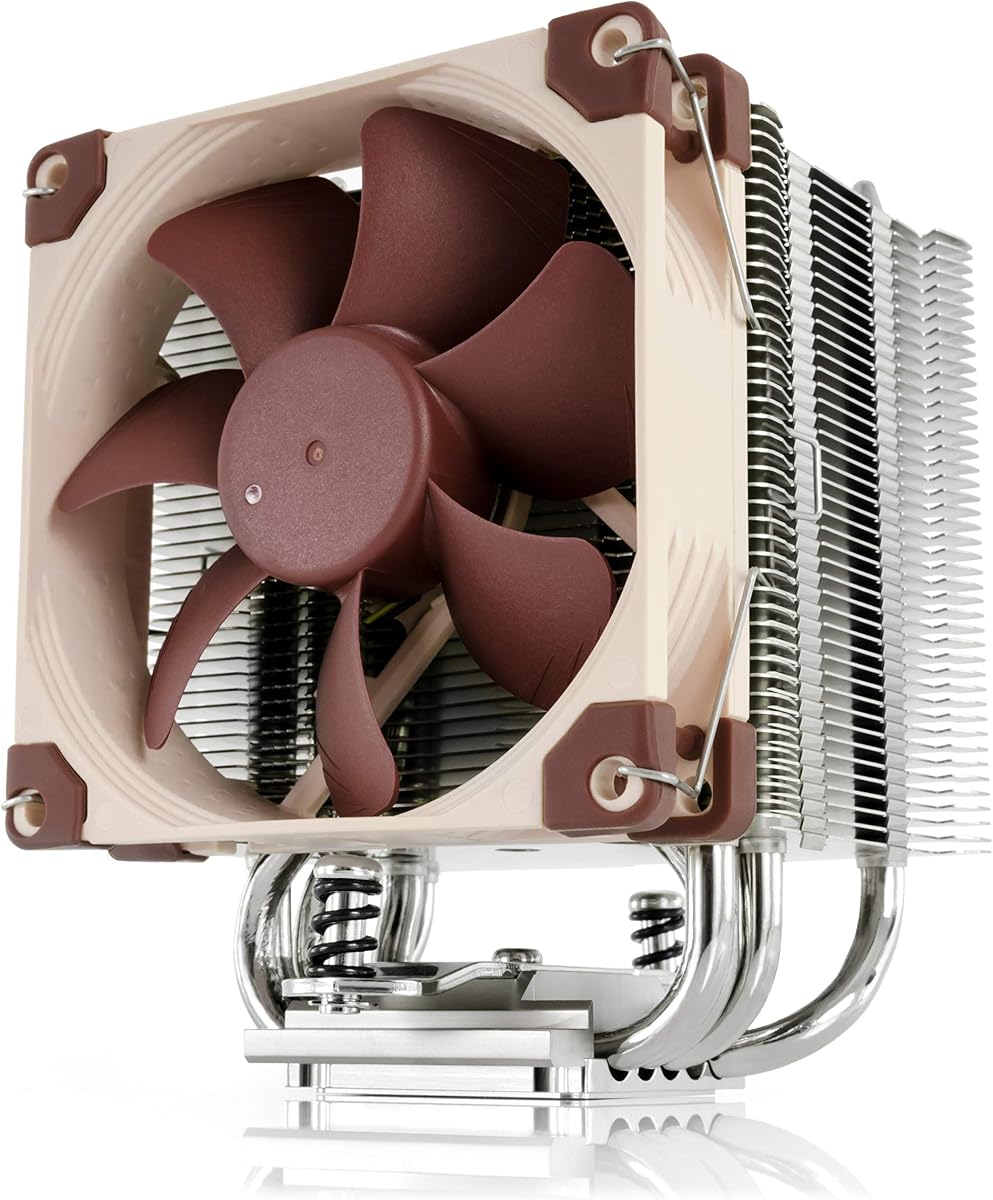


The Noctua NH-P1 is the clearest all-purpose passive option in this guide. It uses a fanless heatsink and natural convection as its primary cooling method, while also allowing a semi-passive arrangement with an optional NF-A12x25 LS-PWM fan. Its 4.6 rating reflects a strong balance of silent operation, modern platform support, and installation versatility.
We may earn a commission when you buy through this link, at no additional cost to you.
Its most important advantage is the way it handles a crowded motherboard. The design provides full RAM compatibility on AMD AM4 and Intel LGA1700 and LGA1200 systems and clears the top PCIe slot on most ATX and microATX boards. The SecuFirm2+ mounting system supports Intel LGA1851, LGA1700, LGA1200, and several LGA115x sockets as well as AMD AM5 and AM4, making it relevant to more contemporary builds than many server-specific alternatives.
The NH-P1 is not intended to cool every processor indiscriminately. Its supplied guidance points toward CPUs with low to moderate heat dissipation, including specified Intel 285K, 265K, and 245K processors and AMD Ryzen 7900, 7700, and 7600 models. Natural convection also depends on adequate space around the heatsink, so a cramped enclosure can undermine a design that works well in a properly ventilated chassis.
This is the recommendation for a builder who prioritizes near-total silence and needs a passive cooler that does not force memory compromises. It is less suitable for a high-power processor in a poorly ventilated case or a system where maximum acoustics reduction cannot be accepted. Subject to the CPU compatibility list and setup guidelines, the NH-P1 offers the most flexible fanless package in the group.
The primary heatsink relies on natural convection, removing the need for a continuously spinning CPU fan. An optional NF-A12x25 LS-PWM fan can support a semi-passive configuration when extra airflow is desired without turning the cooler into a conventional active-air model.
Full RAM compatibility on the listed platforms and top PCIe clearance on most ATX and microATX motherboards make the NH-P1 especially useful for compact builds where every millimeter around the socket matters.
We may earn a commission when you buy through this link, at no additional cost to you.
The Thermalright Peerless Assassin 120 SE is not a passive cooler, but it is a relevant option for readers whose real priority is powerful, controlled airflow in a desktop with sufficient clearance. Its 4.7 rating reflects a capable dual-tower design, six 6mm heat pipes, and a pair of 120mm PWM fans that can move substantial air through the heatsink.
We may earn a commission when you buy through this link, at no additional cost to you.
The cooling hardware is centered on AGHP processing, six pure-copper sintered heat pipes, a pure-copper base, and full electroplating with reflow welding. Each TL-C12C fan is rated at 1550 RPM plus or minus 10, 12 volts, and a 4-pin PWM connection. Maximum airflow is listed at 66.17 CFM per fan, with a stated noise level of no more than 25.6 dB(A).
Socket support includes Intel 115X, LGA1200, LGA1700, and the listed 17XX platforms, plus AMD AM4 and AM5. The product dimensions are 125 by 135 by 155mm, so this is not appropriate for a small-form-factor chassis or a system with a low CPU cooler limit. The manufacturer also specifically advises checking case and motherboard compatibility before buying.
AMD AM4 and AM5 installations require use of the motherboard's original built-in backplate, which is not included. That detail makes careful preparation important. Buyers seeking a genuinely fanless design should look elsewhere, but desktop users who want flexible performance and a dual-tower footprint will find a well-equipped conventional cooler here.
The 155mm-high dual-tower arrangement gives this model a substantial cooling platform compared with slim alternatives. It is best reserved for full-size cases with generous CPU cooler clearance and room for two 120mm fans.
Both 120mm TL-C12C fans use a 4-pin PWM connection, allowing compatible systems to adjust their speed. This makes it possible to balance airflow and acoustics according to processor demand rather than operating both fans continuously at their listed maximum speed.
We may earn a commission when you buy through this link, at no additional cost to you.
The 1U Passive CPU Heat Sink is a specialized server-oriented model designed for LGA2011 systems. It has no available customer rating in the supplied data, so the overall rating is shown as zero rather than implying evidence from user reviews. Its appeal lies in its specific fit for 1U computers and genuinely passive thermal design.
We may earn a commission when you buy through this link, at no additional cost to you.
The supplied information identifies the product as a CPU heatsink for LGA2011, with a stated purpose of effectively reducing processor temperature through passive cooling. It is also described as transferring heat away from the CPU to help regulate device temperature and reduce the possibility of hardware failure associated with overheating.
This is not a general-purpose tower cooler or a drop-in choice for modern desktop sockets. Buyers need to confirm the processor socket, server chassis, mounting arrangement, surrounding airflow, and processor thermal requirements. A 1U enclosure can have very limited room for rising air, making even a passive heatsink dependent on the server's overall airflow architecture.
The product is best suited to a builder maintaining or assembling an LGA2011-era 1U system that specifically requires a fanless CPU heat sink. It is a sensible targeted selection within the budget category, but the absence of a published rating and detailed compatibility information means that careful part matching is more important than relying on broad consumer assumptions.
The 1U designation identifies the intended enclosure class, where a conventional desktop tower would be impractical. Its compact passive form is therefore more relevant than appearance or RGB lighting.
The heatsink does not depend on a dedicated CPU fan, although the surrounding server or chassis still needs a suitable airflow path. Passive does not mean that heat disappears; it means heat rejection is achieved by conduction and natural movement through the installed system.
We may earn a commission when you buy through this link, at no additional cost to you.
The Thermalright Assassin X120 Refined SE combines four heat pipes and a single 120mm PWM fan in a 148mm-high tower. It holds a 4.7 rating and offers a more compact route than a dual-tower cooler for systems that have room for a conventional tower but not the footprint of the Peerless Assassin 120 SE.
We may earn a commission when you buy through this link, at no additional cost to you.
Its TL-C12C fan runs at a listed 1550 RPM plus or minus 10, provides up to 66.17 CFM of airflow, and connects through a 4-pin PWM interface at 12 volts. The stated noise level is no more than 25.6 dB(A). The heatsink uses an aluminum cover and AGHP-treated 6mm heat pipes, while S-FDB bearings and industrial-grade PBT plus PC fan materials are listed for durability.
Compatibility is broad for a consumer tower: Intel LGA1150, LGA1151, LGA1155, LGA1156, LGA1200, LGA1700, the listed 17XX platforms, and LGA1851 are covered, along with AMD AM4 and AM5. Mounting parts for the supported socket platforms are included according to the supplied description.
This cooler is best for a standard microATX or ATX build that wants substantial airflow without a dual-tower footprint. It is not passive and it will not fit a case with a CPU cooler limit below 148mm. Within conventional air-cooling, however, the combination of a single fan, four pipes, and broad platform support makes it a versatile choice.
At 125 by 71 by 148mm, the cooler is narrower than a dual-tower design. That can simplify access to memory and motherboard components, although users should still compare the exact dimensions with their case.
The 4-pin PWM fan can follow processor demand through the motherboard. A quieter operating profile is possible by accepting lower fan speed and airflow when the workload does not require maximum cooling.
We may earn a commission when you buy through this link, at no additional cost to you.
The Dynatron A43 is a passive 2U heatsink for AMD AM4 and AM5 systems. It has a 3.2 rating in the supplied data, but the product's platform-specific feature set gives it a clear purpose: supporting Ryzen processors in 2U-class systems without adding a dedicated CPU fan.
We may earn a commission when you buy through this link, at no additional cost to you.
The heatsink uses aluminum stacked fins with heat pipes and is stated to dissipate up to 120 watts. Its dimensions are 4.13 by 2.91 by 2.48 inches. That 120-watt figure provides a useful upper reference, although the actual operating result will depend on the processor, workload, chassis design, and available airflow through the 2U enclosure.
Pre-applied Shin-Etsu 7762 thermal compound simplifies installation because the user does not need to apply paste separately. The tradeoff is that AMD-only support rules it out for Intel platforms, and the 3.2 rating gives prospective buyers less customer feedback to consider than several fan-equipped selections in the guide.
This is the premium passive pick for a specific use case rather than a universal desktop recommendation. It makes the most sense in an AMD-based 2U system where passive operation, a stated 120-watt capacity, and a compact 2U-oriented design are priorities. Confirm processor, socket, chassis clearance, and airflow before purchasing.
Support for both AM4 and AM5 gives the A43 relevance across two major Ryzen platform generations. The design is specifically shaped for 2U applications rather than a full-height consumer tower.
Shin-Etsu 7762 is already applied to the contact surface, reducing one installation step. Buyers should handle the heatsink carefully so the compound remains evenly positioned when the cooler is mounted.
We may earn a commission when you buy through this link, at no additional cost to you.
The Noctua NH-L12S is a premium low-profile cooler for small-form-factor PCs, HTPCs, and other systems where a conventional tower will not fit. It maintains a 4.7 rating and stands out for a total height of only 70mm while still providing a 120mm PWM fan rather than an exceptionally small fan.
We may earn a commission when you buy through this link, at no additional cost to you.
Its optimized NF-A12x15 120mm fan supports PWM control and includes a Low-Noise Adaptor for automatic speed control and quiet operation. The package also includes NT-H1 thermal paste and the SecuFirm2 mounting system, covering Intel LGA1851, LGA1700, LGA1200, and LGA115x as well as AMD AM5 and AM4. An offset mounting option is available for best efficiency.
Noctua positions the NH-L12S for demanding CPUs such as specified Intel Core Ultra 290K, 270K, and 250K processors and AMD Ryzen 9950X3D, 9900X3D, 9800X3D, 9700X, and 9600X models. Those are important examples, but low-profile cooling performance still depends on case ventilation and the processor's actual workload.
For a compact desktop that permits a small fan, the NH-L12S is one of the most thoughtfully specified options in the guide. It is not genuinely fanless, and a processor producing substantial sustained heat may still be better served by a larger tower if the case allows one. Its six-year manufacturer warranty adds meaningful reassurance for a long-lived compact build.
The 70mm total height makes the NH-L12S suitable for cases that cannot accept standard tower coolers. A 120mm fan still provides meaningful airflow within that limited vertical envelope.
PWM support and the included Low-Noise Adaptor make it possible to coordinate cooling with processor demand. That is especially valuable in an HTPC or compact system where sustained fan noise would undermine the purpose of the build.
We may earn a commission when you buy through this link, at no additional cost to you.
The Noctua NH-U9S posts the highest customer rating in this group at 4.8. It combines a compact single-tower heatsink with a 92mm PWM fan, reaching a total height of 125mm and avoiding the overhang associated with many larger dual-tower coolers.
We may earn a commission when you buy through this link, at no additional cost to you.
The design is aimed at HTPCs, ITX systems, and other small-form-factor builds. It does not overhang RAM or PCIe slots on most current motherboards, according to the supplied information, which can simplify assembly when component clearance is already tight. The optimized NF-A9 92mm fan supports PWM and automatic speed control through the included Low-Noise Adaptor.
Mounting support includes Intel LGA1851, LGA1700, LGA1200, and LGA115x sockets alongside AMD AM5 and AM4, with an offset mounting option. NT-H1 thermal paste is included, and Noctua provides a six-year manufacturer warranty. The stated processor examples include Intel Core and Core Ultra 285K, 265K, and 245K chips and several high-end AMD Ryzen models.
The NH-U9S is a compelling choice when the system needs more cooling capacity than a very low-profile cooler but cannot accommodate a tall dual tower. It is still a fan-equipped design, not a passive model. For compatible compact systems, its 125mm height, limited overhang, and 4.8 rating create a particularly attractive balance.
The single tower and 92mm fan keep the cooler at 125mm high while avoiding most RAM and PCIe-slot overhang. This makes component access easier in ITX and compact HTPC cases.
A 4.8 customer rating is the highest listed in the guide. While ratings do not replace compatibility checks, they provide useful context when evaluating a cooler with a long-standing compact design and a six-year manufacturer warranty.
We may earn a commission when you buy through this link, at no additional cost to you.
The Cooler Master Hyper 212 Black is a conventional single-tower air cooler for mainstream desktops. Its 4.7 rating, four heat pipes, copper base, and 120mm PWM fan make it a familiar option for users who want effective cooling without moving to a dual-tower design.
We may earn a commission when you buy through this link, at no additional cost to you.
The SickleFlow 120 Edge fan operates between 690 and 2,500 RPM using dynamic PWM control. That broad speed range allows a system to remain quiet during lighter work and increase airflow when processor temperatures rise. The cooler is positioned for AMD R7 and Intel i7-class processors, with redesigned brackets that simplify installation on AM5 and LGA1851 and LGA1700 platforms.
At 152mm tall, the Hyper 212 Black requires a case with adequate CPU cooler clearance. It is not a passive model and is not optimized for a particularly small enclosure. Memory clearance can also vary with the height and position of installed RAM modules, so checking the motherboard and module combination remains sensible.
This cooler is best for a standard ATX or microATX gaming or productivity build where a familiar tower format, a single 120mm fan, and straightforward mounting are priorities. Included thermal paste reduces setup friction, while the broad fan speed range gives users some control over the noise-versus-cooling balance.
The fan's 690 to 2,500 RPM PWM range allows the cooler to react to changing thermal demand. This is useful for a system that alternates between browsing, productivity applications, and processor-intensive tasks.
Redesigned brackets support AM5 and LGA1851, LGA1700, and LGA1200 platforms, while included thermal paste removes the need for a separate paste application. The 152mm height should be checked against the case specification before ordering.
We may earn a commission when you buy through this link, at no additional cost to you.
The Supermicro SNK-P0048PS is a passive CPU heatsink intended for specific 2U and larger server platforms. Its 4.0 rating comes from a narrowly defined product with clearly listed server compatibility, including LGA2011 and Intel Xeon E5-2600 and E5-4600 series processors.
We may earn a commission when you buy through this link, at no additional cost to you.
The heatsink combines a copper and aluminum base, aluminum fins, and heat pipes. It installs with screws and springs, a method suited to the serviceability requirements of rack-mounted systems where a cooler must remain secure during maintenance or transport. Its passive operation means it does not require a dedicated CPU fan.
This is a platform-specific replacement rather than a general desktop cooler. The product is listed for passive 2U-or-larger UP, DP, and MP servers, and buyers should verify the exact motherboard, processor, chassis, and mounting arrangement. The listed Xeon generations are no longer current across every server market, making legacy availability and system support especially important.
The Supermicro model is worth considering for a technician maintaining a compatible X9 UP, DP, or MP server. Its specialized construction is a benefit in the correct enclosure, but the limited socket and CPU family support makes it unsuitable for most ordinary home or office PCs.
The heatsink is engineered around 2U-or-larger server applications and uses a screw-and-spring mounting method. That specificity is useful for system maintenance when a universal consumer cooler would not fit.
Because the CPU cooler has no dedicated fan, the server chassis must provide the airflow needed to carry heat away. Even in a 2U system, passive hardware remains part of a larger thermal design rather than a standalone solution.
We may earn a commission when you buy through this link, at no additional cost to you.
The Thermaltake UX150 ARGB combines a 72mm low-profile design with a 130mm PWM fan, copper base, and aluminum fins. Its 4.2 rating reflects a product aimed at compact builders who want a shallow cooler and visible lighting rather than a completely fanless configuration.
We may earn a commission when you buy through this link, at no additional cost to you.
The fan operates from 500 to 2,400 RPM, providing a broad control range, and the product is rated for a 130W TDP. An infinity mirror in the center hub adds an illuminated visual feature. The hydraulic bearing is designed for reliability, lower operating noise, and enhanced thermal efficiency according to the supplied description.
Its defining practical benefit is the non-interference design. At 72mm high, the cooler is intended for small-form-factor systems, and the product description states that it does not overlap the memory. Intel support covers LGA1851, LGA1700, LGA1200, LGA1156, LGA1155, LGA1151, and LGA1150, but no AMD socket is listed.
The UX150 ARGB is best for an Intel-based compact build that needs low-profile clearance, adjustable fan behavior, and lighting. It is not a passive cooler, and its listed platform support should be checked carefully. Buyers also need to determine whether the visual design and ARGB ecosystem are worth including alongside the thermal and dimensional requirements of their system.
A 72mm height helps the cooler fit SFF and other constrained cases. The non-overlap design also reduces the risk of a conflict with memory modules or adjacent components.
The PWM fan's 500 to 2,400 RPM range provides flexibility for balancing cooling and noise. ARGB lighting adds visual customization for builds whose case permits it.
We may earn a commission when you buy through this link, at no additional cost to you.
The most important starting point is the distinction between truly fanless and fan-assisted cooling. From there, socket support, processor output, chassis dimensions, and airflow determine whether a particular cooler can work reliably in the intended system.
A truly passive cooler transfers heat from the CPU through its base, heat pipes, and fins before releasing it into the surrounding air without a powered fan. Several products marketed or considered alongside passive designs include a small, single, or dual fan, so check whether the model is genuinely fanless before making a decision. The Noctua NH-P1, 1U Passive CPU Heat Sink, Dynatron A43, and Supermicro SNK-P0048PS are the explicitly fanless selections in this comparison, although the NH-P1 also permits an optional semi-passive fan configuration.
Choose a truly fanless model when zero CPU-fan noise is a primary requirement, a case fan can move air through the heatsink, or the processor generates limited heat. If conventional fan cooling is acceptable, a fan-equipped low-profile or tower option may deliver more flexibility and is often easier to cool a higher-power CPU.
Socket compatibility is absolute: a cooler cannot be installed simply because its mounting kit looks similar. Modern general-purpose options in this guide support combinations of Intel LGA1851, LGA1700, LGA1200, and LGA115x alongside AMD AM5 and AM4. The Dynatron A43 is limited to AM4 and AM5, while the 1U and Supermicro server coolers are designed around LGA2011 platforms.
Confirm the exact socket printed on the processor and check the cooler listing and included hardware before buying. For AMD AM4 or AM5 installations with the Thermalright Peerless Assassin 120 SE, the original motherboard backplate is also required and is not included.
Passive cooling capacity depends on the heat sink area, fin density, heat-pipe arrangement, base material, and available airflow. The Dynatron A43 is stated to handle up to 120 watts, while the Noctua NH-P1 is directed toward low-to-moderate heat-dissipation processors. A cooler's support for a socket does not guarantee that it can cool every chip made for that socket.
Treat the manufacturer's processor recommendations as the primary guide, especially for passive models. Consider both sustained workloads and boost behavior, and avoid assuming that a low-profile or small heatsink can replace a much larger tower on a high-power processor.
Measure the case's maximum CPU cooler height and compare it with the product dimensions. The Noctua NH-L12S is 70mm high, the Thermaltake UX150 ARGB is 72mm, the Noctua NH-U9S is 125mm, the Thermalright Assassin X120 Refined SE is 148mm, the Cooler Master Hyper 212 Black is 152mm, and the Peerless Assassin 120 SE reaches 155mm.
Also examine RAM height, side-panel clearance, the top PCIe slot, motherboard I/O, and the case's intake and exhaust layout. A cooler that technically passes the height limit can still cause installation problems if its fan overhangs memory or if airflow cannot enter and leave the heatsink.
A fanless cooler still requires air to move. In a desktop, an open side panel and suitable case fans can help warm air rise through a vertically mounted heatsink. In a server, the chassis design supplies the airflow that removes heat from passive components. The NH-P1's setup guidelines and recommended case list are especially relevant because natural convection performance can vary significantly with chassis layout.
Look for an airflow path through the fins and an unobstructed route for heated air to leave the case. A sealed enclosure or a densely packed server chassis can make a passive cooler unsuitable even when the processor itself falls within its stated range.
Heat pipes move heat from the base to a larger fin surface, while fins expose that surface to the available air. The Peerless Assassin 120 SE uses six 6mm heat pipes, the Assassin X120 Refined SE uses four, the Dynatron A43 combines heat pipes with stacked aluminum fins, and the server products use fin-and-heat-pipe constructions. These differences are meaningful, but they should be evaluated together with case airflow and processor demand.
For passive cooling, prioritize the overall surface area and the manufacturer's stated processor guidance rather than counting heat pipes alone. For fan-assisted models, compare fin geometry, fan diameter, and PWM speed range to determine whether the cooler can meet the desired noise level.
If the selected cooler includes a fan, verify its size, connector type, speed range, and PWM support. Four-pin PWM support allows the motherboard to regulate the fan according to temperature, while included low-noise adaptors on the Noctua models provide additional acoustic control. The Thermaltake UX150 ARGB also includes ARGB lighting and an infinity mirror, which matters primarily for appearance and case compatibility.
Do not choose a fan-equipped cooler solely for a lighting feature if silence is the main objective. Conversely, if the system will be visible and the case supports ARGB, the UX150's 130mm fan and illuminated hub can be appropriate for an Intel compact build.
The Noctua NH-L12S and NH-U9S both include a six-year manufacturer warranty, adding useful support for systems expected to remain in service for many years. The server-specific products may be evaluated more heavily on exact system compatibility, availability, and mechanical fit than on a standard consumer warranty comparison.
Check the seller's return terms, included mounting hardware, thermal compound, and documented support when making the final choice. A strong warranty is useful, but it does not compensate for selecting a cooler that is physically or thermally incompatible with the system.
Begin by confirming the socket, processor model, case dimensions, and mounting requirements. Read the included instructions, identify every screw, bracket, and spacer, and compare the cooler's base with the processor's mounting pattern. Do not force a cooler whose hardware does not match, and remove any protective film or packaging from surfaces that will contact the processor.
Install the mounting hardware according to the manual, apply the specified thermal compound only if it is not pre-applied, and tighten the fasteners in a controlled sequence to maintain even contact. For a passive desktop model, confirm that the case can supply airflow through and around the fins. For a server or 2U model, verify that the chassis fan arrangement is designed to cool passive heatsinks and that no serviceable component blocks the intended air path.
After installation, power the system and check processor temperatures under a realistic workload while monitoring fan and thermal behavior. For PWM-equipped alternatives, tune the fan curve gradually rather than forcing minimum speed on a hot processor. Keep the heatsink free of dust, avoid obstructing vents, and never operate a passive cooler where the surrounding case cannot remove the heat it transfers.
A properly installed fanless CPU cooler does not generate noise from a dedicated fan. The computer's case fans, power supply fan, storage devices, and other components can still make sound, and a fan-equipped case may need to run continuously to move air through a passive heatsink. Truly fanless models in this guide include the Noctua NH-P1, 1U Passive CPU Heat Sink, Dynatron A43, and Supermicro SNK-P0048PS.
They can be, provided the specific processor and cooler fall within the manufacturer's compatibility guidance. The NH-P1 is directed toward CPUs with low to moderate heat dissipation, while the Dynatron A43 states up to 120 watts of heat dissipation for AM4 and AM5 systems. High-power processors used for prolonged gaming workloads generally benefit from more heatsink area and a strong case airflow path.
They can work well when the processor output, heatsink size, and chassis airflow are appropriate. The NH-P1 is designed for low-profile use and can operate naturally, semi-passively, or with a recommended case setup. A 1U passive model is intended for a different kind of compact system and cannot simply be installed in a standard SFF case.
It can if the processor exceeds the cooler's intended capacity or the enclosure cannot carry heat away. Passive cooling depends on natural convection plus any airflow supplied by the case or server chassis. Monitor temperatures under sustained load and follow the cooler's setup guidance, especially when changing processors, cases, or fan configurations.
Only if the motherboard uses LGA2011 and every physical and electrical mounting requirement matches. The 1U Passive CPU Heat Sink and Supermicro SNK-P0048PS are specialized server products, and their form factors, mounting methods, and intended platforms may not suit a standard tower case. The Dynatron A43 and Noctua models are more appropriate general-purpose comparisons for AM4, AM5, and modern Intel desktop platforms.
Passive cooling describes the absence of a dedicated CPU fan, while low-profile describes a cooler's reduced height. A low-profile cooler can still use a fan, as the Noctua NH-L12S and Thermaltake UX150 ARGB do. The NH-P1 stands apart because it is designed around fanless natural convection while also offering a semi-passive option.
Yes, because a cooler can fit beneath the case's height limit yet still overlap tall memory or adjacent components. The NH-P1 provides full RAM compatibility on its listed AMD and Intel platforms, while the Thermaltake UX150 ARGB specifies a non-interference design. Always check the exact motherboard, memory height, cooler orientation, and side-panel spacing.
Use the motherboard's PWM or fan-control settings and begin with a conservative automatic curve. Allow the fan speed to increase when processor temperature or load rises, and avoid fixing a quiet speed that may not satisfy the processor's cooling requirements. Noctua's NH-L12S and NH-U9S also include Low-Noise Adaptors for supported setups.
The Noctua NH-P1 is the strongest general recommendation in the guide for genuinely fanless operation, broad modern socket coverage, RAM clearance, and the option of a semi-passive arrangement. The Dynatron A43 is the specialized premium choice for compatible AMD AM4 or AM5 systems in 2U-class enclosures, while the 1U Passive CPU Heat Sink offers a targeted fanless solution for LGA2011 systems.
Prioritize socket support, processor thermal guidance, and chassis airflow before considering aesthetics or fan features. The 1U and Supermicro options are platform-specific server solutions, whereas the NH-P1 is more broadly applicable. If fan-assisted cooling is acceptable, the Noctua NH-L12S, NH-U9S, Thermalright models, Cooler Master Hyper 212 Black, and Thermaltake UX150 ARGB offer more flexibility in specific compact or standard desktop cases.
Before ordering, verify the exact processor socket, maximum case cooler height, RAM arrangement, required mounting hardware, and airflow path. Current prices, product availability, included accessories, and platform details can change, so review the latest listing and manufacturer guidance at the time of purchase.