
MNN 15.6-inch FHD Portable Monitor
4.3Editor score
15.6-inch Full HD IPS
Single-cable USB-C display
Portrait and landscape modes
A portable monitor can turn a Surface Pro into a more flexible productivity setup, whether you are working in a café, presenting to a group, studying between classes, or traveling with a compact computer. The right model should balance screen quality, portability, reliable USB-C connectivity, useful viewing angles, and compatibility with the way you work.
We compared the featured portable monitors by examining resolution, refresh rate, color coverage, brightness, dimensions, weight, port selection, mounting support, speakers, touch functionality, and included accessories. The list covers models suited to everyday office work, travel, gaming, color-sensitive tasks, and users who want a larger display without the bulk of a conventional monitor.
Each review explains the strongest reasons to choose a model as well as its limitations and ideal user. The top selections represent the most balanced, budget-conscious, and premium options, while the full comparison helps narrow the field by screen size and feature set. Product specifications and availability can change, so confirm current details before buying.
4.3Editor score

4.8Editor score

4.8Editor score
As an Amazon Associate we earn from qualifying purchases.
The table below compares all ten monitors across their most important specifications, including panel size, resolution, refresh rate, connectivity, and standout physical features.





The cocopar 15.6-inch FHD is the most broadly balanced portable monitor for Surface Pro in this roundup, earning a 4.8 rating. Its 1920 by 1080 IPS panel is large enough for productive multitasking without becoming unwieldy on a desk or café table. The 60Hz refresh rate suits office applications, presentations, video calls, and casual gaming, while the 85% sRGB coverage provides useful color for general creative work.
We may earn a commission when you buy through this link, at no additional cost to you.
Connectivity is one of the model's strongest points. Two full-featured USB-C ports and an HDMI input provide several ways to connect the Surface Pro, and a single USB-C cable can carry both display and power while supporting reverse power pass-through. The monitor also supports extend and mirror modes, allowing it to serve as a focused workspace, a reference display, or a shared presentation screen. Built-in speakers add convenience when external audio is unavailable.
The included magnetic smart cover does more than protect the panel during transport. It can support the display in landscape or vertical orientation, and two VESA holes offer another route to a compatible stand. At only 4mm at its slimmest point and 1.5 pounds without the cover, the unit remains portable enough for frequent travel. The trade-offs are its limited 85% sRGB gamut and the absence of touch input, neither of which is unusual for a conventional portable display.
This is a strong recommendation for Surface Pro owners who want a dependable second screen for documents, spreadsheets, browser research, remote meetings, and presentations. It is particularly useful for people who value a simple one-cable setup, a protective travel case, and flexible stand options more than color-intensive editing or touch interaction. For the widest mix of productivity, portability, and everyday convenience, it is the strongest all-around choice here.
The extend and mirror modes let the Surface Pro divide applications across two displays or share the same content. This makes the monitor useful for keeping reference material visible beside a document, moving communication tools to a separate panel, or presenting to a group without relying on the tablet's built-in screen.
Its slim 4mm profile and 1.5-pound weight reduce bulk, while the magnetic cover provides protection and a practical stand. The display can also be mounted vertically when a narrow second column is more useful than a wide workspace.
We may earn a commission when you buy through this link, at no additional cost to you.
The MNN 15.6-inch FHD is a value-oriented choice for Surface Pro users who need a conventional second display without spending on premium features. It has a 4.3 rating and uses a glossy Full HD IPS panel with a 60Hz refresh rate. The stated 178-degree viewing angle makes it practical for shared viewing, while HDR support can add impact to compatible content without changing the monitor's core productivity role.
We may earn a commission when you buy through this link, at no additional cost to you.
The strongest value comes from its generous connectivity. Two full-feature USB-C ports and HDMI allow flexible source selection, and one USB-C cable can handle both power and display when the connected device supports the required video protocol. Copy, extended, second-screen, and portrait modes provide useful ways to organize information. For a Surface Pro, the display can function as a wide companion panel, a duplicated presentation screen, or a vertical area for chat, notes, and reference material.
Its smart cover is made from durable PU leather, protects the display during travel, and doubles as a stand in landscape or portrait orientation. The main limitations are its more modest 4.3 rating and the absence of a published brightness figure in the supplied specifications. Glossy IPS construction may also produce more reflections than an anti-glare alternative in bright rooms, so lighting deserves consideration.
The MNN is best suited to students, frequent travelers, and everyday users who need a flexible Full HD workspace on a tighter budget. It covers the essential functions of a portable monitor without requiring touch capability, an unusually large panel, or a premium refresh rate. For those priorities, it delivers a convincing mix of usability, connectivity, and portability.
Multiple viewing modes make the display useful beyond a standard mirrored arrangement. Portrait mode is especially handy for long documents, messaging threads, and reference panels that would feel cramped on the Surface Pro itself.
The USB-C and HDMI inputs cover modern laptops and many other devices. A single USB-C cable can carry display and power for compatible sources, simplifying setup in temporary workspaces and reducing cable clutter.
We may earn a commission when you buy through this link, at no additional cost to you.
The Upperizon 15.6-inch FHD combines a 4.8 rating with a notably complete specification set. Its 1920 by 1080 A-grade IPS panel operates at 60Hz, covers 87% of sRGB, and is rated at 300 nits with a 1200:1 contrast ratio. Those characteristics make it a dependable all-purpose panel for documents, meetings, browsing, video, and general gaming on a Surface Pro.
We may earn a commission when you buy through this link, at no additional cost to you.
Its portability benefits from an aluminum construction, a listed weight of 1.54 pounds, and support for both landscape and portrait orientation. A built-in kickstand handles everyday placement, while two VESA holes make it compatible with more permanent desktop arrangements. The included HDMI cable, USB-C-to-USB-C display cable, USB-C-to-USB-A power cable, power adapter, and sleeve create a ready-to-use travel package.
The display supports duplicate and extend modes and requires no drivers for compatible devices. Two full-featured USB-C ports and an HDMI input allow connection to laptops, desktops, and several game consoles. Power pass-through is another practical feature for working away from an outlet. The trade-offs are the conventional 60Hz refresh rate and lack of touch input, so it is not aimed at competitive gaming or a Surface Pro that must recognize direct finger input.
This monitor is a convincing recommendation for travelers and hybrid workers who want a bright, sturdy screen with a complete set of accessories. Its 87% sRGB coverage is better suited to creative work than the most basic portable panels, while the 300-nit brightness offers more confidence in bright indoor spaces. It is especially useful for presentations, meetings, and dual-screen work where portability and simple setup matter most.
The specified 300-nit brightness is useful in offices, classrooms, and hotel rooms where lighting is not ideal. Full HD resolution also provides enough space for side-by-side documents without making text excessively small.
The supplied sleeve, power adapter, and three cables reduce the chance of arriving without a needed connection. A built-in kickstand supports quick placement, with VESA holes available for a more permanent arm or stand.
We may earn a commission when you buy through this link, at no additional cost to you.
The InnoView 15.6-inch FHD offers a practical combination of Full HD IPS visuals, flexible orientation, and a protective cover. Its 4.4 rating reflects a generally capable portable display for students, office workers, travelers, and casual gamers. The panel supports HDR and a 178-degree viewing angle, while low-blue-light and flicker-free features are intended to make longer work sessions more comfortable.
We may earn a commission when you buy through this link, at no additional cost to you.
Two full-featured USB-C ports and one HDMI input cover the main connection methods for a Surface Pro. A single USB-C cable can deliver display and power while supporting reverse charging when the source meets the required DisplayPort Alt Mode or Thunderbolt specifications. The monitor can expand the Surface Pro's desktop or duplicate its output. Its built-in speaker offers basic audio for presentations and media without requiring a separate accessory.
The PU leather smart cover provides all-around protection and two grooves for adjusting the viewing angle. That cover also supports portrait orientation, making the display useful for vertically oriented documents and communication panels. Unlike some competing packages, the supplied information specifies that an HDMI cable and power cable are not included. Some devices may also cause flicker or restart behavior because their output power differs, although powering the monitor is identified as a remedy.
The InnoView is a solid recommendation for users who routinely place a monitor into a backpack or travel case and value a case that doubles as an adjustable stand. It is less convenient for buyers who want every necessary cable in the box. For Surface Pro owners focused on protection, display flexibility, and straightforward USB-C operation, however, it provides a well-rounded feature set.
The scratch-resistant smart cover shields the panel while closed and props the display at a usable angle when open. Its grooves provide more stable positioning than a simple flat cover, improving reliability on compact tables.
Full-featured USB-C and HDMI inputs support compatible laptops, tablets, phones, desktops, and gaming systems. This broad connection support is useful for users who switch between their Surface Pro and other devices.
We may earn a commission when you buy through this link, at no additional cost to you.
The cocopar 16-inch 2.5K is the premium choice in this group, pairing a 4.8 rating with a 2560 by 1600 panel. Its 16:10 aspect ratio provides more horizontal and vertical room than a standard 16:9 screen, making it particularly effective as a second display for timelines, documents, code, and creative applications. The stated support for common 16:9 gaming consoles also allows those sources to be shown without stretching.
We may earn a commission when you buy through this link, at no additional cost to you.
Visual performance is the model's defining advantage. The panel reaches 144Hz over USB-C, 120Hz over HDMI, 470 nits, 110% sRGB coverage, and a 1200:1 contrast ratio. HDR support strengthens the presentation of compatible high dynamic range content. Those specifications give it more headroom for gaming, streaming, video editing, and detailed work than a standard 60Hz Full HD portable display.
Despite its larger panel, the monitor weighs 1.5 pounds and is only 0.2 inches at its slimmest point. The metal chassis and adjustable 0-to-90-degree kickstand support stable placement, and VESA holes allow vertical or horizontal mounting. Dual 1.5-watt speakers are included for gaming, streaming, and calls. The trade-offs are its larger desk footprint and the greater graphics demand created by the high resolution and refresh rates.
This is the recommended premium model for Surface Pro professionals, content creators, and enthusiasts who want noticeably finer image quality and smoother motion. Users who mainly need a second panel for reading and writing may find a Full HD model more than sufficient, but those who regularly edit media, play fast games, or value a bright, color-rich display will appreciate what this model adds.
The 2560 by 1600 resolution creates more usable desktop space than a Full HD panel of the same general class. Text remains detailed, multiple windows fit more comfortably, and the 16:10 ratio leaves room for vertical information beside a primary task.
Refresh rates up to 144Hz make scrolling, animated interfaces, and compatible games feel more fluid. The 470-nit brightness and 110% sRGB coverage also make the display better suited to bright rooms and media-oriented work.
We may earn a commission when you buy through this link, at no additional cost to you.
The cocopar 15.6-inch Touchscreen is the most distinctive productivity option in the lineup because it adds native touch input to a familiar portable-monitor design. It holds a 4.8 rating and uses a 1920 by 1080 A-grade IPS panel with 90% sRGB coverage, 270 nits of brightness, and 178-degree viewing angles. Those specifications are solid for office work, presentations, and general media use.
We may earn a commission when you buy through this link, at no additional cost to you.
Touch functionality is the defining feature. The display supports single-finger sliding, pinch-to-zoom, and drag-and-drop gestures on both Windows and macOS rather than limiting Mac users to basic clicking. A single USB-C cable carries power, video, and touch signals, reducing setup complexity when the source supports Thunderbolt or USB-C DisplayPort Alt Mode. The hard tempered-glass surface offers a smoother feel and easier cleaning than a plastic-film touch layer.
The metal frame, integrated adjustable kickstand, and VESA mounting support provide a sturdy setup. Dual USB-C ports and an HDMI input preserve broad connectivity, while built-in speakers support calls and media. The supplied sleeve, power adapter, and cables make the package relatively complete. Its limitations are a 60Hz-class standard display experience and lower resolution than the premium 2.5K cocopar, plus the need for source and operating-system compatibility when using touch controls.
Choose this monitor if direct interaction is central to your workflow, such as drawing, reviewing interactive material, navigating large documents, or using specialized Windows applications. It is less essential for users who only want extra screen area and may be overkill for straightforward office tasks. For Surface Pro owners seeking a more tactile workstation, it provides the strongest argument in its favor.
Native gesture support can make the external display feel like more than a passive panel. Pinch-to-zoom, dragging, and on-screen controls provide another way to interact with compatible applications without constantly reaching for the Surface Pro's built-in touchscreen.
Tempered glass adds a smoother response and greater scratch resistance than a flexible film layer. It is also easier to wipe clean, which is valuable in shared offices, classrooms, and clinical or service environments.
We may earn a commission when you buy through this link, at no additional cost to you.
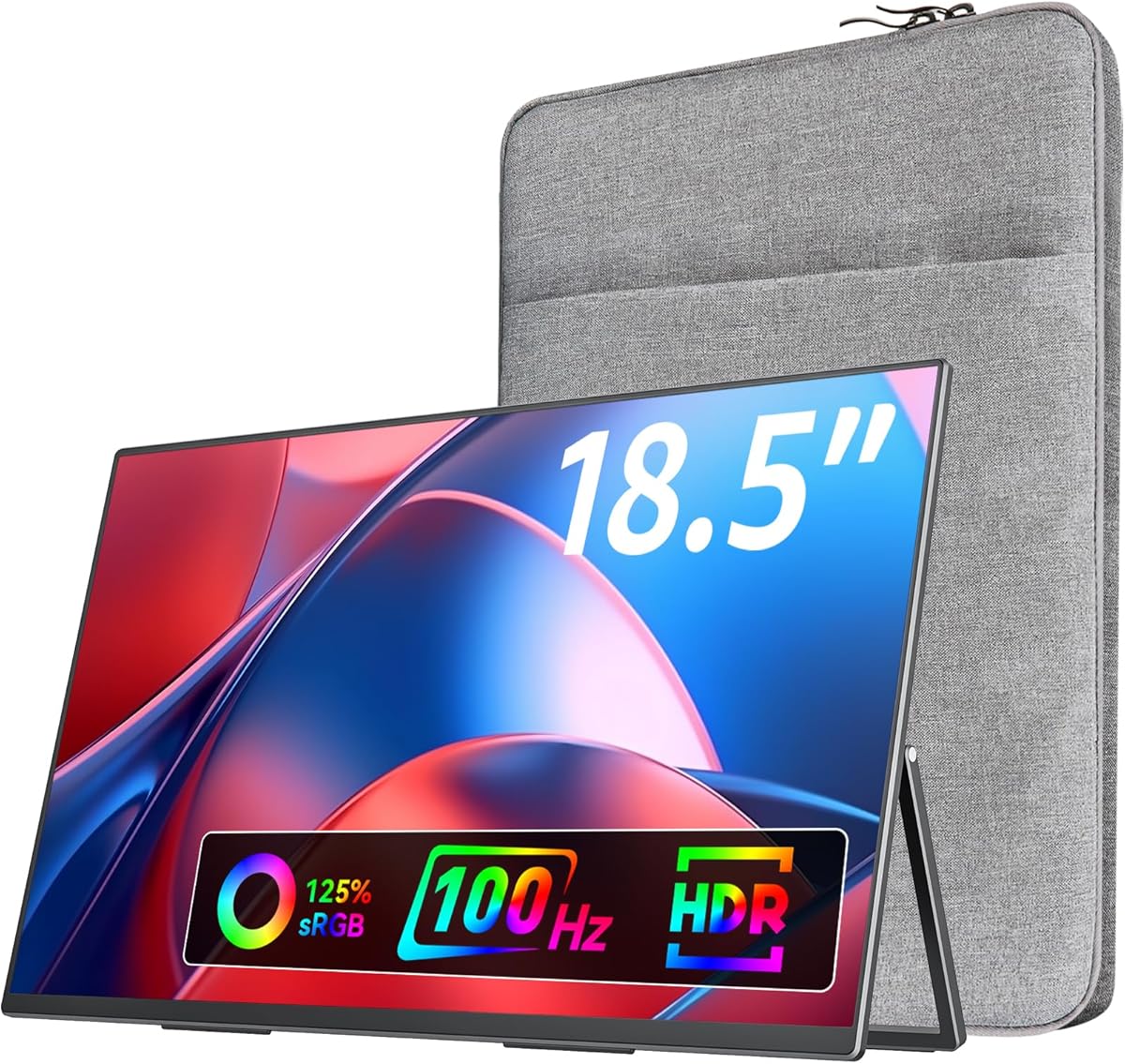
The VisionOwl 18.5-inch is built for users who want as much screen area as possible in a portable format. Its 4.8 rating and 18.5-inch Full HD IPS panel provide a large second workspace for a Surface Pro, making it useful for timelines, spreadsheets, monitoring applications, and simultaneous communication. The 1080p resolution is less dense than on smaller Full HD displays, but the extra physical size still creates substantial screen real estate.
We may earn a commission when you buy through this link, at no additional cost to you.
A 100Hz refresh rate sets it apart from most conventional 60Hz portable monitors. The panel also covers 125% sRGB, equivalent to 88% NTSC according to the specifications, and offers 8-bit color depth with 16.7 million colors. That combination makes it appealing for casual gaming, streaming, and more demanding visual work, although users should not treat it as a fully professional color reference.
The portable design weighs 2.7 pounds and measures 0.24 inch at its minimum thickness and 0.55 inch at its maximum. A metal back panel and integrated metal stand provide durability, while standard 75 by 75mm VESA holes allow wall or tabletop mounting. Two USB-C ports and an HDMI connection support a Surface Pro and other major device categories. Built-in speakers add basic media and communication audio.
The trade-off is portability. This is one of the larger and heavier options in the roundup, so it is best suited to users who value workspace over a minimal travel footprint. People who regularly move between locations and carry their equipment in a small bag should consider a 15.6-inch model. For a desk, temporary office, or shared workstation where screen size matters most, the VisionOwl offers an attractive package.
The 18.5-inch panel can show substantially more information at once than a typical tablet display. That makes it useful for large research windows, detailed timelines, and keeping meeting chat visible beside a primary application.
A 100Hz refresh rate and 8-bit color depth suit compatible games, video, and animated interfaces better than a basic 60Hz panel. The wider color coverage also improves the visual range of supported media.
We may earn a commission when you buy through this link, at no additional cost to you.
The ASUS ZenScreen MB16AHV is a refined 15.6-inch Full HD IPS portable monitor with a 4.4 rating. Its anti-glare surface is a meaningful advantage over glossy panels when working in bright cafés, airports, or shared offices. The display provides a practical second screen for a Surface Pro without the need for touch input, and its slim, light construction suits mobile professionals.
We may earn a commission when you buy through this link, at no additional cost to you.
A full-featured USB-C port handles up to 15 watts of power delivery alongside the display connection, while a mini-HDMI input provides a secondary option. The included DisplayWidget software supports automatic rotation between portrait and landscape orientations, reducing the need to change settings manually whenever the monitor is turned. A fold-out kickstand provides the primary viewing support, and a tripod socket broadens the available mounting options.
The embedded treatment surface uses an ionic silver coating specified to inhibit 99.9% of bacteria, a useful consideration for frequent travelers and shared workspaces. ASUS also lists flicker-free and low-blue-light eye-care technology. The listed 10mm thickness and 0.9-kilogram weight keep the monitor easy to carry. The trade-off is its mini-HDMI connection rather than a full-size HDMI port, and automatic rotation relies on compatible ASUS software.
This is an excellent fit for a Surface Pro user who values a polished, established portable-monitor design, anti-glare comfort, and flexible orientation. It is particularly appealing for travel, coworking, and hybrid work. Buyers who require the latest port format, a higher refresh rate, or touch support may prefer one of the newer cocopar models, but the ZenScreen remains a balanced and professionally designed choice.
The anti-glare surface helps keep reflections and distracting reflections from dominating the image. Combined with low-blue-light and flicker-free features, it supports comfortable viewing during lengthy mobile work sessions.
Automatic rotation through DisplayWidget allows the screen to follow its physical orientation. The fold-out kickstand handles temporary use, while the tripod socket adds another mounting route for stands and compatible accessories.
We may earn a commission when you buy through this link, at no additional cost to you.
The ASUS ZenScreen MB16ACE is a classic portable-monitor design with a 4.6 rating and a 15.6-inch Full HD IPS panel. It was created for client meetings, travel, and general productivity, and that focus remains clear in its streamlined feature set. The anti-glare surface, slim construction, and eye-care technologies make it comfortable for reading and working in varied lighting.
We may earn a commission when you buy through this link, at no additional cost to you.
Its hybrid-signal solution supports power and video transmission while offering compatibility with laptops using USB Type-C or Type-A connections. Auto-rotation senses the display's orientation and switches the image between portrait and landscape modes. The included Lite Smart Case folds into a stand for either orientation, combining travel protection with practical desk support.
This simplicity is the model's main strength. It does not emphasize touch input, high refresh rates, extensive mounting hardware, or a wide range of ports. Instead, it focuses on a dependable Full HD IPS panel, flexible computer connectivity, anti-glare viewing, and a convenient case. The result suits documents, browsing, presentations, and general office work better than high-intensity gaming or demanding video production.
The MB16ACE remains a sensible choice for Surface Pro owners who want an established portable design with strong eye-care features and easy orientation changes. It is less attractive for buyers seeking the newest port standards or high refresh rates, but the core experience is focused and well suited to professional travel. Its three-year warranty adds reassurance for long-term owners.
The anti-glare IPS surface and flicker-free, low-blue-light technologies are well suited to long reading sessions. Automatic portrait rotation makes the display convenient for web pages, articles, and narrow reference panels.
The Lite Smart Case protects the panel during transit and folds into a stable support in either landscape or portrait orientation. This avoids the need to carry a separate basic stand for common travel setups.
We may earn a commission when you buy through this link, at no additional cost to you.
The Acer PM161Q Bbmiuux is a straightforward 15.6-inch portable monitor for users who prioritize a slim design, fast response, and flexible positioning. It has a 4.3 rating and a 1920 by 1080 IPS panel running at 60Hz. That combination suits productivity, presentations, browsing, and everyday multimedia use with a Surface Pro.
We may earn a commission when you buy through this link, at no additional cost to you.
Its listed 4ms gray-to-gray response time and AMD FreeSync support make it more interesting for gaming than many basic portable panels. The ergonomic tilt adjusts from 45 to 60 degrees, allowing the screen to be positioned more comfortably on a table. VESA mounting compliance also provides a path to a more permanent desktop arrangement rather than relying only on an included support.
The ultra-slim design keeps the monitor easy to transport, which is essential for its stated use in meetings, classrooms, and other mobile settings. The supplied specifications are concise, however, and do not list detailed brightness, color-gamut, weight, speaker, or complete port information. Those omissions make it harder to compare the model confidently with feature-rich competitors, particularly for color-sensitive work or gaming.
The Acer is a practical choice when fast response, a conventional Full HD IPS panel, tilt adjustment, and VESA compatibility are the priorities. It is best suited to users who want a no-frills second display and already understand which connection method they will use with the Surface Pro. Those seeking a richer accessory package, larger resolution, or touch interaction should examine the more fully specified alternatives in this roundup.
The stated 4ms response time helps transitions and motion appear cleaner, while FreeSync can reduce visible tearing when the connected source and graphics setup support synchronized refresh behavior.
The 45-to-60-degree tilt range allows a more natural viewing angle on a compact desk. VESA compliance adds mounting flexibility for users who want to keep the monitor available permanently.
We may earn a commission when you buy through this link, at no additional cost to you.
The best portable monitor for a Surface Pro depends on how you will use it, where you will carry it, and whether your priority is text clarity, color quality, motion, touch input, or a minimal cable setup.
Prioritize models with two full-featured USB-C ports when you expect to switch between devices or want a separate charging connection. Check the complete cable list as well, since some monitors include USB-C cables while omitting an HDMI or USB-A power lead.
Choose Full HD for straightforward productivity and the best balance of simplicity. Choose a higher-resolution 16:10 display when fine detail and maximum desktop area justify the extra complexity.
Choose 15.6 inches for the strongest balance of workspace and travel convenience. Consider 18.5 inches when a large temporary desk is more important than minimal carry weight.
Use 60Hz for office-focused work and choose 100Hz or more for smoother motion. Check whether a device can actually drive the selected resolution and refresh rate.
For general office use, color gamut is less important than brightness and readability. Creative users should consider wider coverage but should not assume it replaces proper color calibration.
Choose touch for interactive or creative workflows. Skip it for standard office use when display quality, weight, or simplicity is more important.
Prioritize an adjustable stand or reliable VESA support for frequent desk use. Check the included cables and sleeve before buying if travel readiness matters.
Choose anti-glare and low-blue-light features for long sessions or bright locations. Treat glossy screens as a conscious trade-off between reflections and perceived vibrancy.
Before connecting the monitor, inspect the included USB-C and HDMI cables and confirm that the Surface Pro's port supports the required video mode. For a one-cable setup, use a full-featured USB-C cable and connect it to a compatible USB-C port on the monitor. Arrange the screen and kickstand or cover first, then select the appropriate display mode in Windows. Extend mode is best for a second workspace, while duplicate or mirror mode is useful for presentations and shared viewing.
Adjust the image after Windows recognizes the display. Set the native resolution for the clearest output, choose a scale that keeps text comfortable, and orient the panel correctly for portrait or landscape use. The ASUS models that support DisplayWidget can use software-assisted automatic rotation. Other models may need rotation changes in the display settings. Brightness, HDR, and low-blue-light options should be configured for the room rather than left at maximum simply because higher values are available.
For transport, power the display down, disconnect the cable, and place the screen in its protective cover or sleeve. Clean the screen with a soft, lint-free cloth and avoid abrasive pads or harsh cleaning liquids, especially on touch surfaces and coated anti-glare panels. Do not place the panel face down without protection, and keep liquids away from the ports. When using VESA hardware, confirm the bolt pattern and support weight before installation.
Most compatible models connect through USB-C or HDMI, but the USB-C port must support video output through Thunderbolt or DisplayPort Alt Mode. Some Surface Pro configurations and port standards may require an HDMI connection or an appropriate adapter. Check the monitor's requirements and the ports on the exact Surface Pro model before purchasing.
Many of the featured monitors support power pass-through or reverse charging through a compatible USB-C connection. That allows a single cable to carry display and power to some extent, although the amount of power available can vary by device and setup. For extended work away from an outlet, verify that the monitor supplies enough power for your Surface Pro model.
For most users, 15.6 inches is the strongest overall compromise because it closely complements a Surface Pro while remaining easy to carry. An 18.5-inch display offers more workspace but requires a larger bag and more desk space. The best choice depends on whether mobility or maximum visible area is your higher priority.
A 60Hz panel is generally sufficient for documents, browsing, spreadsheets, video calls, and presentations. Higher refresh rates make scrolling, animated interfaces, and games feel smoother, which can be valuable if you also use the display for entertainment or competitive gaming. They may also place more demand on the Surface Pro's graphics system.
Only touch-enabled models provide direct input, and they must receive both video and touch signals from the host. The cocopar 15.6-inch Touch is designed for native gestures on Windows and macOS and uses a tempered-glass surface. Before purchasing for specialized software, confirm that the application and operating system recognize the external touch display.
Full HD is suitable for the majority of productivity tasks and keeps setup simple on a Surface Pro. It provides enough space for multiple windows and readable document text at a standard viewing distance. The 2.5K 16:10 model is worth considering for finer text, more complex multitasking, video editing, or other detail-heavy work.
Anti-glare is generally easier to use in bright rooms and during long work sessions because it reduces distracting reflections. Glossy panels may appear more vivid under controlled lighting but can behave like mirrors outdoors or under strong office lights. Your environment and sensitivity to reflections should guide the choice.
They can materially affect convenience, especially for users who travel frequently or want a complete desk setup immediately. Folding covers can double as stands, adjustable kickstands provide more precise positioning, and VESA holes enable permanent mounting. Some packages omit certain power or HDMI cables, so inspect the included-accessory list rather than assuming every connection lead is supplied.
The cocopar 15.6-inch FHD stands out as the most balanced overall recommendation, combining a Full HD IPS panel, flexible USB-C and HDMI connectivity, a travel-friendly cover, and useful extend and mirror modes. The MNN 15.6-inch FHD is the practical budget choice, while the cocopar 16-inch 2.5K represents the premium path with higher resolution, faster refresh rates, brighter output, and a wider color gamut.
Prioritize the features you will actually use. Basic office users should focus on USB-C compatibility, readable Full HD output, weight, and stand design. Creative professionals may benefit from higher resolution, wider color coverage, and touch, while gamers should look at refresh rate and response time. Large-screen and heavy-duty travel needs can justify a model closer to 18.5 inches, but a 15.6-inch display remains the most balanced size for most Surface Pro owners.
Finally, confirm the current specifications, included accessories, source-device compatibility, and current pricing before making a purchase. Portable-monitor bundles and device support can change over time, and the right choice should fit both your Surface Pro and the places where you plan to use it.