
TECKNET Compact Pink Mouse
4.6Editor score
Compact dimensions for small hands
Soft-click buttons and wheel
Forty-nine-foot wireless range
Three adjustable DPI levels
Cute Laptop Mouse guide comparing ten wireless options for portability, quiet clicks, multi-device connectivity, comfort, compatibility, battery life, and
A cute laptop mouse can make an ordinary workspace feel more personal while still delivering the tracking, comfort, and connectivity needed for everyday computing. The most useful models balance playful styling with soft clicks, compact dimensions, dependable wireless performance, and compatibility with the devices you use most.
This guide compares ten pink, cat-themed, cartoon, and colorful laptop mice across connection type, hand fit, tracking resolution, button behavior, battery requirements, portability, and platform support. It also highlights differences between 2.4GHz receivers, Bluetooth systems, and tri-mode designs so you can focus on the features that affect daily use.
Each review identifies the product's strongest qualities, practical limitations, and most suitable user. From a budget-friendly travel mouse to rechargeable and multi-device options, the list shows how personality and practicality can coexist. Product availability and prices change over time, so confirm the current listing details before purchasing.
4.6Editor score

4.7Editor score

4.4Editor score
The comparison below places all ten mice on a common set of practical criteria, including wireless mode, dimensions, tracking, click behavior, battery approach, and device compatibility. These details make it easier to separate playful designs from models that also suit frequent travel, shared workspaces, or multi-device setups.




The wegear Pink Wireless Mouse combines a recognizable pink color with a practical 2.4GHz design, earning it a place among the strongest all-around options for a laptop. Its 4.4 rating reflects a balance of useful controls, adjustable sensitivity, straightforward setup, and a shape intended to reduce hand strain during extended sessions. The mouse supports Windows and macOS, making it a flexible choice for a frequently changing workspace.
We may earn a commission when you buy through this link, at no additional cost to you.
Five DPI settings—800, 1200, 1600, 2400, and 4000—give this mouse more versatility than many compact alternatives. The lower settings suit general browsing and document editing, while the higher settings can help with detailed cursor work. Six buttons add practical navigation, with dedicated forward and backward controls that can speed up movement through long documents or browser pages. The USB receiver stores beneath the mouse, and the advertised connection range extends to 33 feet.
There are some platform-specific trade-offs. The forward and backward buttons are not recognized on Mac, so Windows users benefit more from the expanded control layout. The mouse uses a single AA battery, which is not included, although its claimed battery life of up to 24 months, automatic sleep mode, and low-battery indicator reduce the likelihood that power will be an ongoing concern. Compatibility is broad across listed Windows versions and macOS 10.x systems, although iPads may need a USB-C adapter.
This is a strong recommendation for someone who wants a cute laptop mouse with more control and tuning than a basic travel model. It suits students, remote workers, and everyday laptop users who appreciate navigation buttons and adjustable tracking. People who exclusively use Mac should choose it for its shape, DPI options, and wireless convenience while treating the side buttons as unavailable.
Five selectable DPI levels make the mouse useful for everything from casual browsing to precision-oriented cursor movement. The sensitivity can be changed without installing software, keeping setup simple.
Dedicated forward and backward buttons are particularly useful in long web pages and document-heavy workflows. They are most effective on the Windows systems included in the stated compatibility list.
We may earn a commission when you buy through this link, at no additional cost to you.
The Akko Cat Theme Wireless Gaming Mouse is the most decorative option in this guide, with an unmistakable cat-shaped pink design and a 4.4 rating. It turns a computer accessory into part of the desk aesthetic while preserving the core functions expected from a laptop mouse. Its appeal is especially strong for users who enjoy animal-themed equipment, colorful workspaces, or a playful contrast to conventional office hardware.
We may earn a commission when you buy through this link, at no additional cost to you.
Connection flexibility is the standout technical feature. The mouse supports 2.4GHz through a stored USB receiver as well as Bluetooth 3.0 and Bluetooth 5.0, creating a tri-mode setup for different devices. The 2.4GHz receiver is stored in the mouse and works through a straightforward process: install the battery, insert the receiver, turn on the switch, and begin using it. Bluetooth reduces cable clutter and allows compatibility with devices such as MacBooks and iPads.
The stated compatibility covers Mac and Windows, along with PCs, laptops, MacBooks, and iPads. Its ergonomic form is intended to fit the palm, while the anti-slip base and agile scroll wheel support controlled movement. The one trade-off is that the product information does not advertise adjustable DPI settings, so buyers who require multiple sensitivity levels may prefer a model that explicitly offers them. The battery arrangement is also less clearly documented than on models that state the exact type and quantity.
Choose the Akko mouse when appearance and multi-device connectivity matter as much as conventional productivity. It is particularly appropriate for children, teens, cat lovers, gift shoppers, and anyone building a colorful desk. For users who want a polished everyday tool with a stronger emphasis on personality, the cat silhouette sets it apart from standard pink wireless mice.
The cat-shaped housing turns the mouse into a decorative object rather than merely a tool. Its pink finish and playful proportions work especially well as part of a themed or cheerful computer setup.
Combining 2.4GHz with Bluetooth 3.0 and 5.0 gives the mouse flexibility across computers and portable devices. The result is useful for users who alternate between a desktop, laptop, and tablet.
We may earn a commission when you buy through this link, at no additional cost to you.
The Donut Pink Wireless Mouse stands out with a 4.7 rating, the highest among the products presented, and offers a particularly clean balance of portability, quiet operation, and modern charging convenience. Its rechargeable design removes the need for disposable batteries, making it an appealing choice for students, commuters, and anyone who carries a laptop between locations.
We may earn a commission when you buy through this link, at no additional cost to you.
The mouse supports both Bluetooth and 2.4GHz wireless connections, with a one-button method for switching between devices. Its stated range reaches 30 feet, which is ample for a desk, classroom, meeting room, or café. Compatibility extends across Windows, macOS, iOS, iPadOS, and Android without requiring drivers, so it can move easily between a work computer, personal laptop, and tablet.
Silent clicks and a 1200 DPI sensor make it suitable for quiet environments such as offices, libraries, and shared workspaces. The fixed sensitivity is appropriate for ordinary navigation, though it does not offer the adjustment found on several other selections. The built-in battery is stated to last up to 20 days, and the mouse can be used while charging, which is a major convenience when the battery needs attention but the user does not want to stop working.
This is a particularly strong recommendation for frequent travelers and multi-device users. Its compact body is designed to fit into bags or pockets, while the rechargeable construction and dual connection modes simplify daily use. Those wanting extensive programmable buttons should look elsewhere, but for portable style and dependable everyday control, this mouse is a compelling choice.
The rechargeable battery can last for a stated period of up to 20 days and supports operation while charging. This removes the need to carry spare cells and reduces downtime.
Silent clicks, a compact shape, and broad operating-system support make this a useful travel companion. It can move between a computer and tablet without requiring a different pointing device.
We may earn a commission when you buy through this link, at no additional cost to you.
The TECKNET Compact Ambidextrous Wireless Mouse is a small, approachable option for children and users with smaller hands. Its 4.6 rating is supported by a clearly compact size of 3.94 by 2.28 by 1.52 inches, soft clicks, adjustable DPI, and a stated battery life of up to 15 months. The pink finish adds personality without overwhelming the practical design.
We may earn a commission when you buy through this link, at no additional cost to you.
Three DPI levels—1600, 1200, and 800—cover general office work, browsing, and more detailed control. A 2.4GHz connection provides the advertised range of 49 feet, and the nano receiver stores inside the mouse for convenient packing. The product uses one AA battery, which is not included. Its three-stage smart sleep system includes light, medium, and deep sleep periods designed to conserve power during short pauses and longer inactivity.
The primary limitation is its dependence on a USB-A receiver. Although the stated compatibility includes Chrome OS, Linux, Android, numerous Windows versions, and Mac OS X 10.4 or later, it does not pair directly through Bluetooth. Devices without a full-size USB-A port therefore require an appropriate adapter. Soft clicks and a quiet scroll wheel help it work well in shared rooms, while the anti-slip features and compact shape help maintain control.
The mouse is best for small-hand users seeking a lightweight, colorful travel option. It works well for children, students, and anyone who prefers a smaller mouse than a full-size ergonomic model. The long stated battery life and simple receiver design make it especially convenient for light users who do not want to manage rechargeable charging or Bluetooth pairing.
The 3.94-inch length fits small to medium hands more naturally than many full-size mice. A smaller body can also reduce the space needed beside a laptop, making it convenient for travel.
Three sleep stages respond to different inactivity periods rather than relying on one fixed timeout. Combined with the stated battery life, this makes the mouse practical for regular use.
We may earn a commission when you buy through this link, at no additional cost to you.
The Unipows Wireless Mouse differentiates itself with a unique gradient that shifts from pink to purple, giving it more visual personality than a conventional single-color mouse. Its 4.6 rating reflects a balanced combination of attractive styling, a slim portable profile, soft clicks, and dependable 2.4GHz performance.
We may earn a commission when you buy through this link, at no additional cost to you.
The tiny USB receiver stores in the back of the mouse, and its 2.4GHz connection is stated to reach 15 meters, or 49 feet. Installation requires no additional drivers, so it can move from its storage compartment directly into a compatible computer. The mouse uses one AA battery, which is not included, and enters sleep mode after eight minutes of inactivity. A rated durability level of five million clicks indicates an emphasis on regular daily use.
Its most important limitation concerns modern portless laptops. The product connects through a USB receiver and is explicitly not compatible with MacBook Pro or other laptops lacking full-size USB ports unless an appropriate adapter is available. Compatibility otherwise includes Windows XP, Windows Vista, Windows 7, and Mac OS X 10.4. The slim ergonomic shape, smooth surface, and soft-click buttons are suitable for productivity and travel.
This mouse suits buyers who want color in their everyday setup without an overtly cartoon-themed design. It is a solid option for home offices, school desks, and travel bags, especially when the computer has a convenient USB-A port. Those working primarily with ultra-thin laptops should choose a Bluetooth model or verify that their adapter is supported before committing.
The pink-to-purple gradient adds personality while maintaining the appearance of a conventional productivity mouse. It works well for users who find novelty shapes too playful for a formal workspace.
The stored nano receiver prevents small accessories from getting lost and supports a generous stated range. Its plug-and-play operation also keeps initial setup to a minimum.
We may earn a commission when you buy through this link, at no additional cost to you.
The HuGuWdy Pink Wireless Car Mouse is the most overtly playful design in the guide. Shaped like a miniature sports car and equipped with LED lights, it offers a 4.4 rating while serving as a decorative conversation piece as much as a practical pointing device. It is especially suitable as a novelty gift for someone who enjoys colorful, themed accessories.
We may earn a commission when you buy through this link, at no additional cost to you.
A 2.4GHz receiver provides the stated wireless connection, with a range of up to 10 meters in an obstacle-free area. The receiver has its own storage compartment, helping prevent it from being misplaced. Compatibility covers Windows XP, Vista, 7, ME, and 2000 as well as Mac OS. The mouse also describes support for tablets, though the exact connection requirements will depend on the tablet's available port.
The product requires two AAA batteries, and the listing clearly notes that they are not included and that there is no charging function. A bottom switch allows the user to turn the mouse off, which is important for a novelty design with lighting and should help avoid unnecessary drain. The main compromise is that decorative shapes can be less universally comfortable than conventional mouse bodies, so the appeal depends heavily on personal preference.
Choose this model for a desk that benefits from humor, color, and personality, or as a gift for a cat-and-car enthusiast, child, or playful remote worker. It is less compelling for users who need extensive buttons, adjustable sensitivity, or a refined conventional shape. Within that narrower brief, the illuminated sports-car design is memorable and functionally workable.
The sports-car silhouette and LED lighting create a far more noticeable desk accessory than a standard wireless mouse. It is designed to be noticed and appreciated for its visual concept.
A physical bottom switch lets the mouse be turned off between sessions. This is useful for a battery-powered decorative model and helps prevent unnecessary power use during storage.
We may earn a commission when you buy through this link, at no additional cost to you.
The JUHOO Wireless Mouse delivers a straightforward combination of quiet clicks, portable 2.4GHz performance, and broad device support. Its 4.5 rating makes it a sensible choice for laptop users who want a compact accessory without the complexity of multi-mode pairing. The understated design is accompanied by a color that fits a casual or gift-oriented setup.
We may earn a commission when you buy through this link, at no additional cost to you.
The nano receiver is hidden in the battery compartment and connects directly to a USB port without extra software. Its stated working distance is 10 meters, sufficient for normal desk use and most presentations. The mouse auto-sleeps after eight minutes of inactivity and wakes when any button is pressed. Silent designs for the left and right buttons reduce distraction in shared environments, while a five-million-keystroke test supports its durability claim.
Compatibility is described broadly across PCs, laptops, notebooks, desktops, MacBooks, and tablets, although the actual connection method is the 2.4GHz receiver. There is no stated DPI adjustment or Bluetooth option, so the mouse is better suited to standard productivity than users who need fine sensitivity changes or direct pairing with a portless tablet. The product information also does not clearly specify battery type or inclusion.
This is a good choice for a quiet home office, shared study area, or travel setup where basic navigation matters most. Its simple setup reduces friction, while silent operation makes it considerate during calls or focused work. Buyers seeking a more highly adjustable or rechargeable model can look elsewhere, but the JUHOO remains a practical, approachable wireless mouse.
The sound-reduced primary buttons are useful in libraries, open offices, and shared homes. They preserve ordinary click feedback while reducing disruption to nearby people.
Keeping the nano receiver in the battery compartment makes the mouse easier to pack with a laptop. The setup remains plug-and-play, so it can be ready for use with little preparation.
We may earn a commission when you buy through this link, at no additional cost to you.
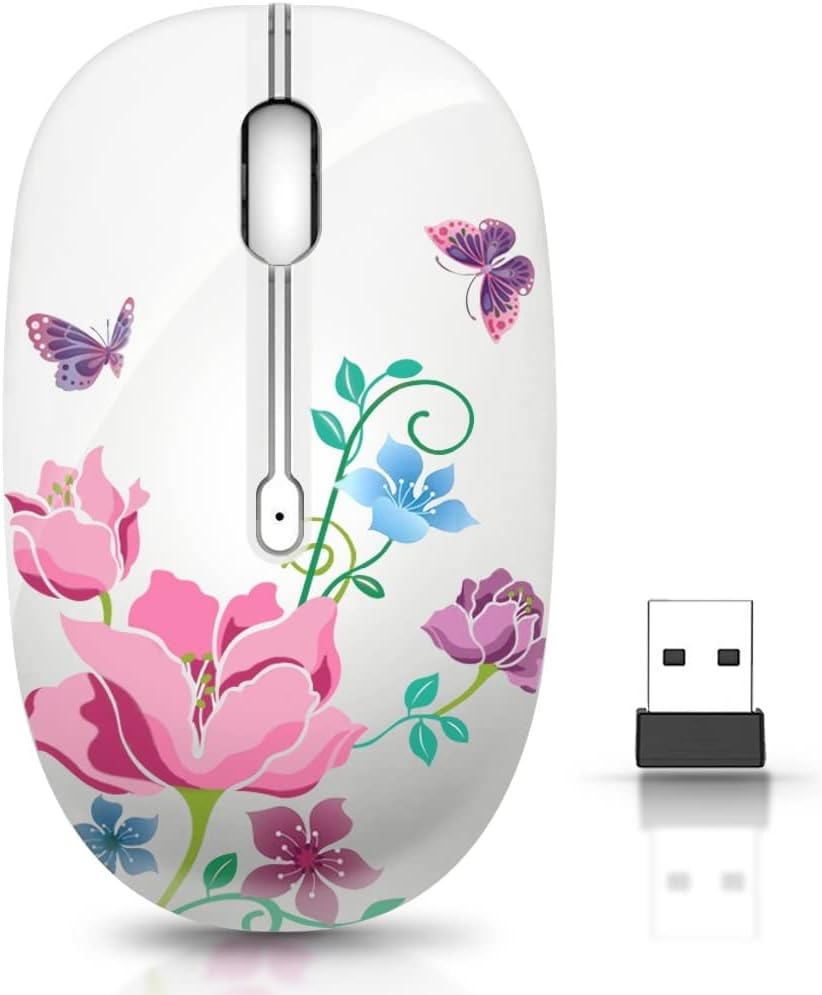
The TENMOS M101 Wireless Mouse combines a colorful floral identity with practical features such as silent primary buttons, optical tracking, and plug-and-play setup. Its 4.4 rating makes it a solid choice for a laptop user who wants a more decorative mouse without giving up standard wireless convenience.
We may earn a commission when you buy through this link, at no additional cost to you.
The 2.4GHz connection has a stated working distance of 10 meters, which is more than adequate for normal computer use. The receiver hides in the battery compartment and must be removed and inserted into the computer's USB port. No additional software is required. Silent designs on the left and right buttons help maintain a focused atmosphere, and the product information reports a five-million-keystroke durability test.
The optical sensor is designed to deliver accurate control and precise cursor movement. A ten-minute automatic sleep mode reduces power consumption, while a single AA battery handles operation; the battery is not included. The mouse offers fewer specialized controls than some alternatives, but its core strengths remain smooth navigation, uncomplicated installation, and a decorative shape that stands apart from standard office hardware.
This is a good fit for students, remote workers, and anyone who wants a floral accent on a laptop desk. It can also make a practical gift for someone who enjoys colorful accessories. Users who need Bluetooth, adjustable DPI, rechargeable power, or extra navigation buttons should verify those requirements before buying, since they are not emphasized in the supplied specifications.
The flower-inspired housing adds personality without requiring the exaggerated proportions of a cartoon mouse. It is a friendly option for a bedroom, studio, or colorful office setup.
An optical sensor provides smooth everyday cursor control, while silent primary clicks reduce noise. The result is a straightforward mouse centered on general productivity and focused work.
We may earn a commission when you buy through this link, at no additional cost to you.
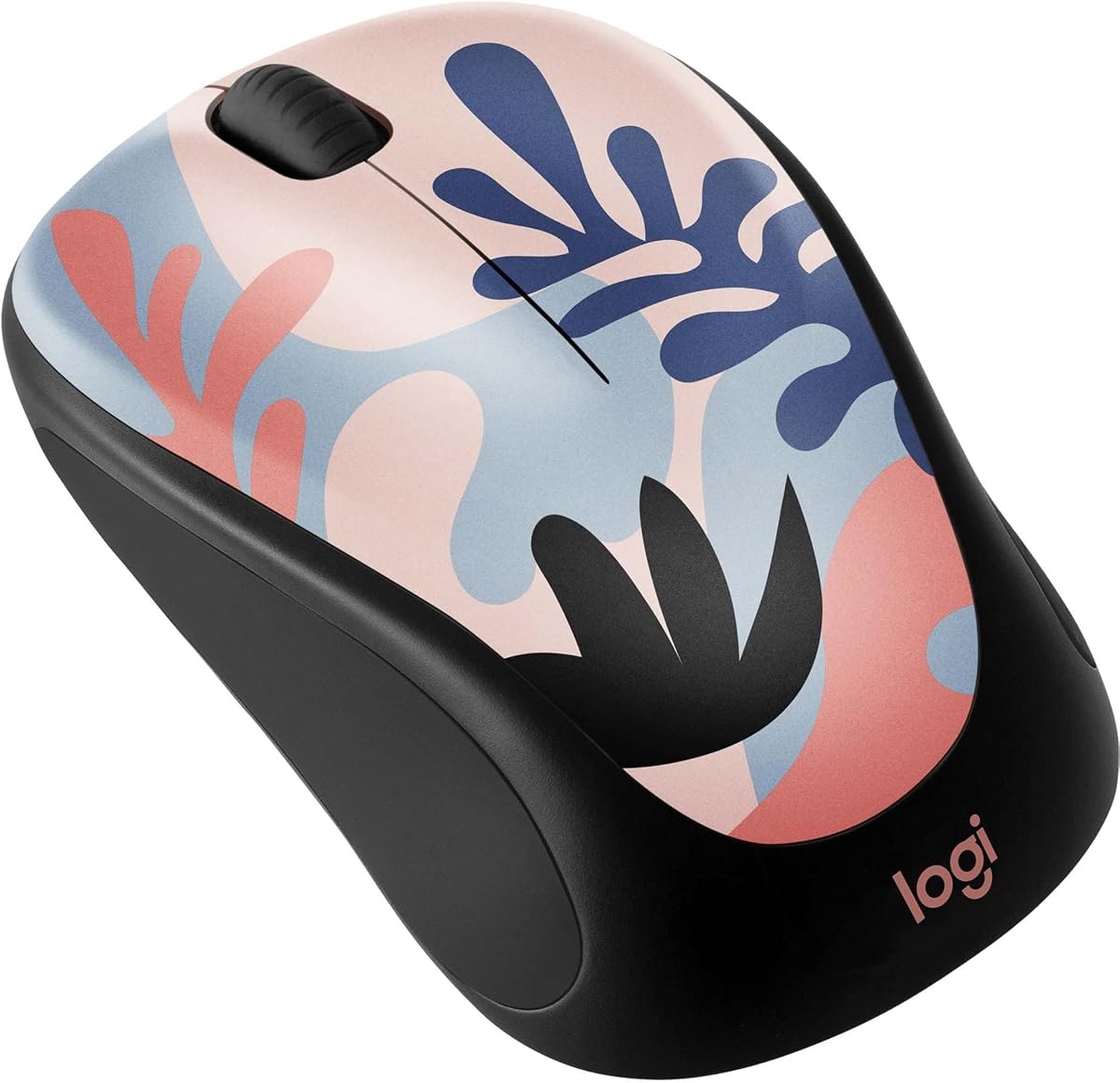
The Logitech Design Collection Limited Edition Wireless Mouse offers a more refined interpretation of a colorful laptop accessory. With a 4.6 rating, built-in receiver storage, soft rubber side grips, and broad platform compatibility, it brings everyday usability to an expressive limited-edition design. The look works well for someone who wants personality without a novelty silhouette.
We may earn a commission when you buy through this link, at no additional cost to you.
The mouse provides 2.4GHz wireless operation with a stated effective range of 10 meters. Its built-in USB storage keeps the receiver from being lost and leaves the desk less cluttered. Soft rubber side grips add comfort and a secure feel during extended use. The lightweight, portable profile is suitable for meetings and travel, while the stated 12-month battery life is supported by a preinstalled AA battery and power-saving technology.
Compatibility includes Windows, macOS, Chrome OS, and Linux when a USB port is available. The included Unifying receiver can manage as many as six compatible devices, such as keyboards and additional mice, making it easy to consolidate wireless accessories. The product information does not list Bluetooth, direct device switching, or adjustable DPI levels, so its appeal rests on stable basics and organized connectivity.
Some plastic parts in the Design Collection mouse are made with post-consumer recycled plastic, with different percentages stated for particular color designs. This makes the model attractive to environmentally conscious buyers as well as design-focused users. It is a particularly refined recommendation for a home or office where color should complement, rather than dominate, the desk.
Unlike overtly themed novelty mice, the Design Collection uses color as its defining feature. The result can complement a curated workspace while still feeling like a dependable everyday tool.
Built-in receiver storage and the ability to unify up to six compatible devices reduce cable clutter. This is particularly useful for users who already own several Logitech accessories.
We may earn a commission when you buy through this link, at no additional cost to you.
The FMOUSE Kawaii Cat Mouse combines an adorable orange tabby illustration with the popular message about meetings that could have been emails. Its blush-pink body gives it an unmistakable personality, while the 4.6 rating and practical feature set make it more than a purely decorative gift. The design is aimed especially at cat lovers, office users, remote workers, and coworkers.
We may earn a commission when you buy through this link, at no additional cost to you.
The mouse supports both Bluetooth and 2.4GHz wireless, with the USB nano receiver stored in the battery compartment for immediate plug-and-play use. Bluetooth is intended for MacBooks, iPads, Samsung tablets, and other slim devices without full-size USB ports. A bottom toggle switches between modes, the mouse auto-reconnects after power-on, and the stated stable range reaches 33 feet.
Quiet operation is a major selling point, with clicks described as up to 90 percent quieter than standard mice. The 1600 DPI optical sensor tracks on most surfaces without requiring a mousepad. The body measures 4.13 by 2.44 by 1.49 inches and weighs 2.1 ounces, making it suitable for small-to-medium hands and compact workspaces. Compatibility covers Windows 7 through 11, macOS, iPadOS, Android 5.0 and later, ChromeOS, and Linux.
One AA battery powers the mouse, although it is not included. Automatic sleep after ten minutes and a physical on/off switch help manage energy, but there is no rechargeable battery or charging cable. The model is an excellent gift for Secret Santa, birthdays, work anniversaries, or coworkers who enjoy playful desk gear, and its dual-mode connectivity gives it more everyday flexibility than a basic receiver-only novelty mouse.
The humorous cat artwork gives the mouse strong gift appeal, while silent clicks, adjustable tracking, and broad compatibility ensure it can function as more than a display item.
Bluetooth serves slim laptops and tablets, while the stored 2.4GHz receiver supports a traditional plug-and-play setup. The bottom toggle makes the two approaches easy to distinguish.
We may earn a commission when you buy through this link, at no additional cost to you.
The most useful cute laptop mouse combines a design you enjoy with a shape, connection method, and control system that suit your devices. Consider hand size, portability, noise level, battery preferences, and available ports before choosing a model.
In short, choose 2.4GHz for a dedicated computer, Bluetooth for a portless device, or dual mode for maximum flexibility.
In short, a compact model suits smaller hands and travel, while a larger ergonomic shape may feel better during extended desktop use.
In short, select a silent model for quiet environments, and verify whether the feature applies to the main buttons or the scroll wheel as well.
In short, rechargeable power suits low-maintenance routines, while replaceable batteries offer convenience and quick swaps.
In short, adjustable DPI adds flexibility, while a fixed 1200 or 1600 DPI sensor is suitable for most ordinary productivity.
In short, verify both operating-system and physical-port compatibility rather than relying on a broad statement such as works with laptop or tablet.
In short, choose a bold theme for personal expression or a refined color treatment for a more versatile professional desk.
In short, prioritize dependable controls, convenient power management, and features that work on your primary operating system.
Begin by installing the correct batteries or fully charging the mouse, then install or pair it according to its connection type. For a 2.4GHz model, remove the receiver from its storage compartment and insert it into the computer's USB port. Turn the mouse on and move it across the surface to confirm tracking. For Bluetooth models, enable Bluetooth on the device, select the mouse from the available-device list, and complete any pairing prompt.
Choose a clean, light-colored, opaque work surface for reliable optical tracking. Avoid sticky mats, glass, fabric, or highly reflective surfaces if movement becomes inconsistent. Adjust the DPI setting when the mouse includes that option, and verify that side buttons work in your preferred operating system. For a multi-device mouse, use the designated switching control to move between paired computers, laptops, or tablets.
To extend the life of the mouse and its power system, turn it off during long periods of storage and use the automatic sleep function during ordinary breaks. Keep the receiver compartment and battery bay clean, and replace batteries as prompted. For rechargeable models, follow the manufacturer's charging guidance and avoid using a charging cable or adapter that does not match the device's requirements.
A good laptop mouse should be compact, comfortable for the intended hand size, and simple to carry. Wireless operation, reliable tracking, and compatibility with the laptop's ports are also important. Users who travel frequently may prefer Bluetooth or dual-mode connectivity, while a 2.4GHz receiver works well when a USB-A port is readily available.
Yes, appearance does not prevent a mouse from handling ordinary productivity. Many models include optical sensors, silent clicks, adjustable DPI, and stable wireless connections. The main consideration is comfort, because an exaggerated novelty shape may not fit every hand as naturally as a conventional compact or ergonomic profile.
Bluetooth is the better choice for slim laptops and tablets that lack full-size USB ports. A 2.4GHz receiver is convenient for desktop PCs and traditional laptops because it usually offers immediate plug-and-play operation. Dual-mode mice combine both approaches and are the most flexible for people who regularly switch among devices.
Silent models still provide functional click feedback, but the sound is softer than on a conventional mouse. Some users prefer that level of feedback, while others may feel that it lacks confirmation. It is worth checking whether the product description applies quiet operation to the primary buttons, scroll wheel, or both.
Battery inclusion varies by model. Several AA and AAA designs explicitly require batteries that are not included, while the rechargeable Donut Pink Wireless Mouse comes with a built-in battery. Always read the package details before ordering so you know whether you need to purchase replacement cells.
Most listed models support both Mac and Windows, but connection requirements still matter. Receiver-based versions need an available USB port, while Bluetooth models require compatible Bluetooth functionality. Models with side buttons may limit those controls on Mac even when basic pointing and clicking work normally.
A middle setting is usually comfortable for general browsing, office work, and document editing. Higher settings can help with precise cursor placement, while lower settings move more slowly for controlled navigation. Models with adjustable DPI allow you to select the setting that feels best for each task.
Disconnect or switch off the mouse, then wipe the exterior with a soft, slightly damp cloth and mild soap if needed. Do not spray liquid directly onto the mouse or allow moisture to enter the battery compartment, buttons, scroll wheel, or receiver slot. Keep the optical sensor clean and avoid abrasive materials that could damage the finish.
The Donut Pink Wireless Mouse is the strongest all-around travel choice because it combines silent clicks, a rechargeable battery, broad device compatibility, and dual connectivity. The TECKNET Compact Pink Mouse stands out for small hands, portability, adjustable DPI, and long stated battery life, while the Akko Cat Theme Mouse offers the most expressive design with tri-mode wireless connectivity.
Prioritize the features that affect your routine rather than choosing solely by appearance. Check whether the mouse fits your hand, whether your computer has the required port, and whether you prefer replaceable or rechargeable power. Silent operation matters in shared spaces, adjustable DPI helps across different tasks, and Bluetooth or dual-mode connectivity is valuable for people who alternate among devices.
Product listings, availability, and prices can change, so verify the current specifications before ordering. Checking the port requirements, included accessories, battery details, and operating-system support will help ensure that the cute design is backed by the everyday functionality you need.