
HP x900w USB 3.0
4.5Editor score
USB 3.0 interface
Backward USB 2.0 compatible
Compact 64GB design
Our guide compares the best flash drive for HP laptop options, covering USB compatibility, speed, capacity, security, portability, and everyday needs in
A flash drive for an HP laptop should provide dependable file storage, convenient portability, and compatibility with the ports available on your model. The right choice depends on whether you need faster transfers, flexible USB-C and USB-A connections, stronger security, or simply a dependable drive for documents and media.
We compared the ten products using their stated capacity, interface, read and write performance, connector design, portability, compatibility, encryption features, warranty coverage, and customer rating. The list covers standard USB-A drives, USB-C models, dual-interface options, different storage capacities, and both older and newer speed standards.
Each review identifies the product's strongest use case and any relevant limitations based on the supplied specifications. The badges highlight three distinct recommendations: the HP x900w for value, the SanDisk Ultra Flair for overall performance, and the Lexar D40E for premium dual-connector versatility. Prices and availability can change.
4.5Editor score

4.6Editor score

4.3Editor score
The table below compares all ten flash drives by their most important practical characteristics, including capacity, connector type, stated performance, portability, and security. It provides a quick way to identify the option that best matches your HP laptop and transfer habits.


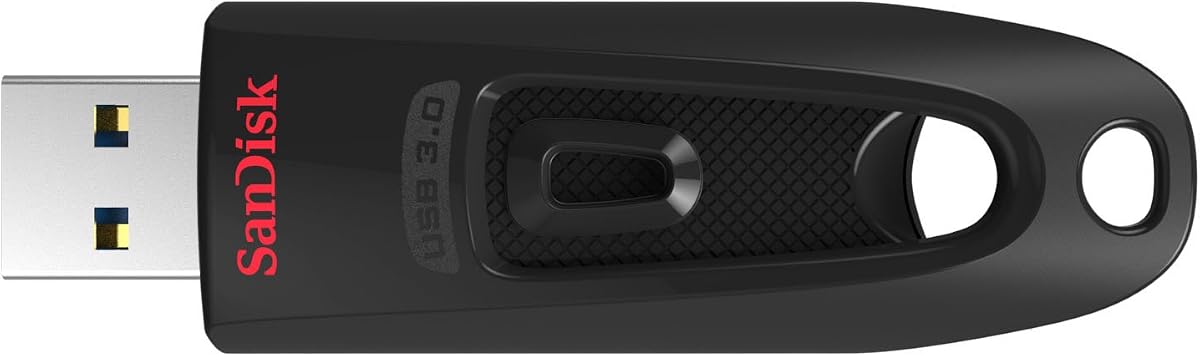


The SANDISK 128GB Ultra Flair is the strongest all-around recommendation in this guide, combining a generous capacity with one of the highest stated read speeds. Its 4.6 customer rating reflects broad appeal, while the USB 3.0 interface and metal casing make it well suited to an HP laptop used for work, school, backups, and media storage.
We may earn a commission when you buy through this link, at no additional cost to you.
Its headline performance figure is up to 150MB/s, and SanDisk states that it can write to the drive up to 15 times faster than a standard USB 2.0 drive. The listed test also indicates that a 1.2GB MPEG-4 video can be transferred in less than 30 seconds when used with a USB 3.0 host. Actual results will depend on the computer, interface, files, and usage conditions.
The main limitation is its single USB-A connector. Newer HP laptops may emphasize USB-C, so buyers should confirm that their model includes a full-size USB-A port or plan to use an appropriate adapter. Password protection uses 128-bit AES encryption, but the supplied information notes that Mac users must download SanDisk SecureAccess software.
This is the recommended choice for most users who want a balance of speed, capacity, recognizable software support, and a durable enclosure. It is particularly effective for moving large presentations, photo collections, or video files, while the 128GB capacity should be sufficient for many everyday portable-storage needs.
With a stated read speed of up to 150MB/s, the Ultra Flair targets users who regularly move sizable files. Its claimed movie-transfer performance is particularly useful for quickly moving compressed video between an HP laptop and another compatible computer.
SanDisk SecureAccess provides password protection through 128-bit AES encryption. That makes the drive more suitable for confidential work documents when it is carried outside the home or office, although users should keep a separate copy of important passwords.
We may earn a commission when you buy through this link, at no additional cost to you.
The Lexar D40E 256GB is the premium choice for buyers who want one drive to work with both USB-C and USB-A equipment. It carries a 4.3 rating and a distinctive 360-degree swivel design that exposes either connector without a separate cap, reducing the chance of losing a protective lid.
We may earn a commission when you buy through this link, at no additional cost to you.
The drive supports USB 3.2 Gen 1 and advertises transfer speeds up to 100MB/s. It is designed for Type-C smartphones, tablets, laptops, Mac systems, and traditional Type-A devices without requiring software installation. That plug-and-play approach is convenient for moving documents or media between an HP laptop and several other compatible devices.
The 256-bit AES encryption offered through Lexar's security software is a notable step above the 128-bit protection listed for several SanDisk products in this guide. On the other hand, the 4.3 rating is slightly lower than those of the leading options, and stated transfer speed is below the 150MB/s figure claimed by the rank-one SanDisk Ultra Flair.
The D40E is best for professionals, students, and travelers who expect to alternate between modern USB-C and older USB-A connections. Its capacity, metal enclosure, broad compatibility, and strong encryption make it a flexible premium pick, especially for users who dislike carrying an adapter or multiple drives.
The built-in USB-C and USB-A connectors eliminate much of the guesswork involved in moving files between newer and older hardware. It is a practical choice for HP users who also need to connect to phones, tablets, or traditional Type-A computers.
The rotating enclosure keeps each connector protected when it is not in use. Because there is no separate cap to remove, the drive is also quicker to deploy when transfers need to happen frequently.
We may earn a commission when you buy through this link, at no additional cost to you.
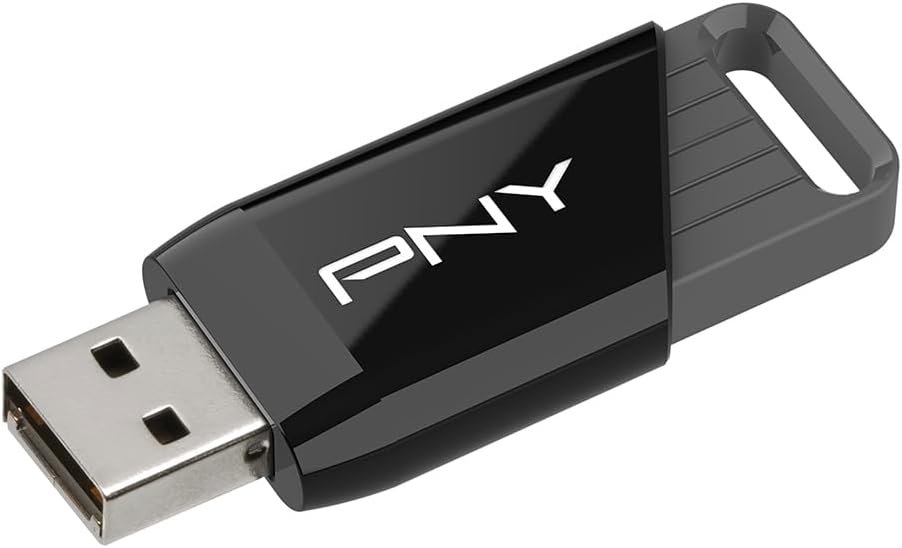
The HP x900w USB 3.0 is a natural budget-oriented choice for an HP laptop because it combines a familiar brand, a compact form, and a USB 3.0 interface. Its 4.5 rating is among the strongest in the group, and the stated ability to transfer up to 10 times faster than USB 2.0 makes it practical for routine file movement.
We may earn a commission when you buy through this link, at no additional cost to you.
With 64GB of storage, the drive can hold a useful collection of documents, presentations, images, or a moderate amount of media. It also remains backward compatible with USB 2.0, so it can be used with older HP systems and other computers even when a faster port is unavailable.
Its most important trade-off is the absence of a stated hardware-software security feature. Sensitive information should be protected through operating-system encryption, careful file handling, or another dedicated security solution. The 64GB capacity may also become limiting for large video libraries or extensive backup sets.
This model suits students, office workers, and anyone seeking a straightforward HP-branded drive without paying for a dual-interface design or large capacity. It is a particularly sensible pick for documents, coursework, scanned records, and presentations that need to move between an HP laptop and compatible coworkers' computers.
The x900w is described as compact and lightweight, making it easy to keep in a pocket, purse, or laptop bag. Its practical form is appropriate for users who transfer files regularly rather than maintaining a stationary backup.
USB 3.0 support helps accelerate larger transfers, while backward compatibility expands its usefulness across older HP laptops. This makes it a more versatile budget option than a drive limited to USB 2.0.
We may earn a commission when you buy through this link, at no additional cost to you.
The JOIOT 128GB dual drive is a flexible choice for users who routinely move between USB-C and USB-A devices. It earns a 4.4 rating and includes both connector styles, allowing it to work with Type-C Android phones, selected recent iPhone models, tablets, Macs, USB-A computers, game consoles, and compatible car audio systems.
We may earn a commission when you buy through this link, at no additional cost to you.
Its stated performance reaches up to 130MB/s for reading and up to 35MB/s for writing. The drive supports Windows, Android, Linux, and Mac OS, is backward compatible with USB 2.0, and works through a plug-and-play process. These characteristics make it appealing for general backups, media storage, and document sharing.
The connector compatibility is not universal. The product information explicitly excludes Lightning-equipped iPhone and iPad models, and its write speed is considerably lower than its read speed. It also does not list a password-protection or encryption feature, so it is better suited to general files than highly sensitive material.
The JOIOT is best for users who value connector versatility more than advanced security. Its compact 63.5 by 17.8 by 8.4 millimeter size, protective caps, and broad operating-system support make it a useful cross-device companion for an HP laptop.
The two connectors reduce friction when switching among modern and legacy hardware. This is particularly helpful for students or professionals who move between an HP notebook, a tablet, a phone, and shared computers with different port configurations.
A stated 130MB/s read speed is suitable for quickly opening or copying media files, while the 35MB/s write figure covers standard backups and document transfers. Actual performance will vary with host hardware, file size, and operating conditions.
We may earn a commission when you buy through this link, at no additional cost to you.
The PNY 256GB Attaché X balances substantial capacity with a fast USB 3.2 Gen 1 interface. Its 4.4 rating indicates solid customer reception, and the 256GB capacity gives it more room for videos, photographs, project files, and general backups than most drives in the guide.
We may earn a commission when you buy through this link, at no additional cost to you.
The stated read speed reaches 130MB/s, and PNY describes the drive as up to 10 times faster than a standard USB 2.0 flash drive. It works with most Type-A USB 3.2 Gen 1 and USB 3.0 PCs and Macs while remaining backward compatible with USB 2.0 systems.
Its sliding collar design protects the connector without a removable cap, reducing the chance of losing a small piece. The trade-offs are that it offers only USB-A and does not list password protection or encryption, making file-security software and safe handling particularly important.
This is an attractive choice for HP laptop owners who want one reasonably fast drive with generous storage. It is especially practical for creative professionals, students, or families that need a portable selection of media and documents rather than a small drive limited to essential files.
The 256GB capacity is useful for separating current work from an archive or carrying a larger video collection. It also gives users room to maintain multiple copies without relying entirely on laptop storage.
The sliding collar helps shield the USB-A connector while the drive is carried. It offers a simple, familiar alternative to retractable designs and avoids the need to track a separate protective lid.
We may earn a commission when you buy through this link, at no additional cost to you.
This two-pack of 128GB dual-interface flash drives is designed around convenience and backup rotation. Each drive includes USB-C and USB-A connectors, and the black-and-blue color pairing makes it easier to distinguish primary storage from a secondary backup.
We may earn a commission when you buy through this link, at no additional cost to you.
Both drives are advertised as plug-and-play devices that require no software or drivers. Their stated support for phones, tablets, MacBooks, PCs, and laptops makes them convenient for users who need to share files across different device types. The two-drive format also allows one drive to remain at an office or another location.
The main technical limitation is the USB 2.0 standard. While this supports broad compatibility and stable everyday performance, it is not appropriate for buyers who want rapid transfers of large media files. The group's 4.1 rating is also the lowest listed, so buyers should consider the product's overall rating alongside its two-drive format.
This bundle is best for users who value a ready backup arrangement more than maximum transfer speed. It suits students, travelers, and office workers who want to rotate critical documents between a bag and a fixed location, provided their files are not excessively large.
Keeping one 128GB drive at work and another in a travel bag can provide a simple physical backup strategy. Distinct colors make the drives easier to identify during routine use.
USB-C and USB-A connectors allow the drives to work with contemporary and traditional computers without an adapter. The trade-off is the lower USB 2.0 transfer standard, which prioritizes compatibility over speed.
We may earn a commission when you buy through this link, at no additional cost to you.
The SANDISK 256GB Ultra is a high-capacity option for users who want more room than the 128GB alternatives provide. It has a 4.6 rating, a 256GB capacity, and a stated read speed of up to 130MB/s, making it well suited to larger document, photo, music, and video collections.
We may earn a commission when you buy through this link, at no additional cost to you.
SanDisk states that the drive can transfer up to 10 times faster than a standard USB 2.0 drive rated at 4MB/s. It requires a USB 3.0 port for its best listed performance and remains backward compatible with USB 2.0. Password protection and secure file encryption add value for users who carry sensitive material.
Compared with the rank-one Ultra Flair, this model offers twice the capacity but a lower stated maximum read speed. It also has one USB-A connector, which may require an adapter on an HP laptop that offers only USB-C. The supplied information does not provide detailed write-speed or encryption-algorithm figures, so those aspects should be checked on the listing before purchase.
This Ultra model is a strong fit for users who need a large library without moving beyond the familiar SanDisk name. It is especially appropriate for media archives, project folders, and users who want one drive to cover several storage needs.
The 256GB capacity is substantial for a portable drive and allows users to carry more types of content at once. It is a practical middle ground between smaller document drives and dedicated external storage.
Password protection and secure file encryption make the drive more appropriate for confidential documents. Buyers should still maintain separate password records and backups of irreplaceable files.
We may earn a commission when you buy through this link, at no additional cost to you.
The SANDISK 16GB Cruzer Blade is the compact, straightforward option for carrying essential files rather than a large media archive. Its 4.6 rating matches several faster products in the list, showing that simplicity and portability can remain compelling even when the capacity is relatively limited.
We may earn a commission when you buy through this link, at no additional cost to you.
The ultra-compact, contoured enclosure is designed for easy storage in a pocket or laptop bag. It supports password protection through SanDisk SecureAccess, which uses 128-bit AES encryption across the listed Windows versions and compatible Mac OS X systems. A software download is required for Mac support.
The USB 2.0 interface and 16GB capacity are the decisive constraints. Large video files, extensive photo libraries, and extensive backup sets can fill the available space quickly, while transfer speeds will trail USB 3.0 products. Some nominal capacity is also unavailable for data storage because of the way storage is reported.
The Cruzer Blade is best for a small collection of presentations, forms, configuration files, or frequently shared documents. It is also a sensible lightweight option for users who want an inexpensive, familiar drive rather than a high-capacity portable workspace.
The compact contoured design makes the drive easy to carry without adding bulk to a laptop bag. It works well for users who need quick access to a limited set of documents rather than extensive media storage.
SanDisk SecureAccess adds password protection with 128-bit AES encryption. It helps protect a small traveling file collection, provided the user enables the feature and records the password securely.
We may earn a commission when you buy through this link, at no additional cost to you.
The SANDISK 128GB Cruzer Glide has the highest customer rating in the comparison at 4.7. It combines that strong reception with a familiar retractable design, 128GB of capacity, and password protection, making it a versatile choice for routine storage on an HP laptop.
We may earn a commission when you buy through this link, at no additional cost to you.
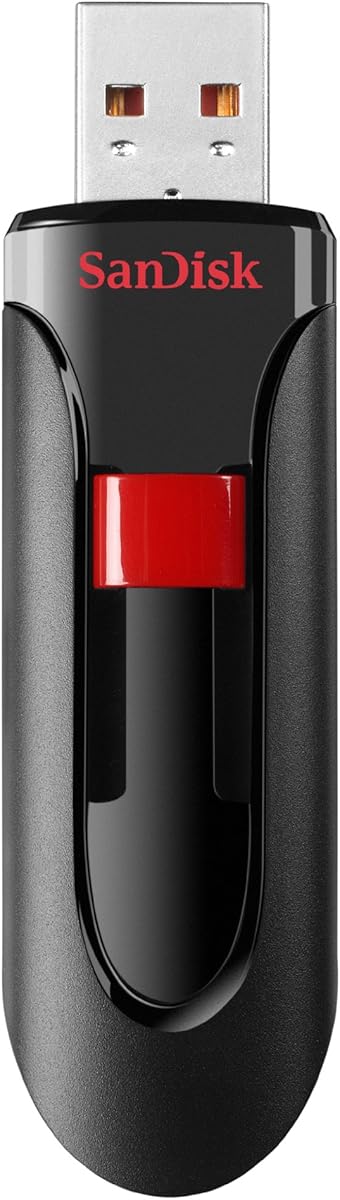
Its retractable connector helps keep the USB-A plug protected while the drive is carried. SanDisk SecureAccess supports 128-bit AES encryption and password protection, adding security for private documents. A two-year limited manufacturer warranty also provides coverage beyond the basic purchase.
The supplied product information does not state a maximum read speed or a specific USB generation, so buyers who prioritize fast large-file transfers may prefer the Ultra Flair, Ultra 256GB, or PNY Attaché X. The lack of an explicit generation also makes it less suitable for precise speed comparisons.
The Cruzer Glide is best for everyday users who value customer feedback, a protected connector, a moderate capacity, and simple security features. It is a compelling general-purpose choice for documents, photos, music, and a manageable collection of video files.
Sliding the connector into the body keeps it protected without a separate cap. The design is familiar, simple to use, and convenient for repeated daily insertion into an HP laptop.
Its 4.7 rating is the highest listed among the ten products. Combined with 128-bit AES password protection and a two-year warranty, it offers a reassuring package for routine portable storage.
We may earn a commission when you buy through this link, at no additional cost to you.
The SANDISK SDCZ48-032G-U46R Ultra 32GB is a compact USB 3.0 option with a 4.7 customer rating. Its specified performance reaches up to 80MB/s, offering a noticeable improvement over USB 2.0 while remaining straightforward enough for routine file storage.
We may earn a commission when you buy through this link, at no additional cost to you.
The drive is USB 2.0 compatible, so it can be used with older HP laptops as well as systems with a USB 3.0 port. SanDisk SecureAccess adds password protection and file encryption, and the included five-year limited warranty is the longest stated coverage in this comparison.
The 32GB capacity is the primary limitation, especially for high-resolution media or project archives. The listing also identifies this as an older version, which may make it less appealing than newer capacities or connector styles for long-term purchasing. The stated 80MB/s figure also falls below the faster modern alternatives.
This drive is best for people who need a small, trusted file carrier, enjoy long warranty coverage, or want USB 3.0 compatibility without moving to a larger-capacity model. It works well for documents, a moderate photo selection, and lightweight daily sharing.
The five-year limited warranty is a meaningful advantage in a guide where other products offer two- or three-year terms. It may appeal to buyers who want long-term support for a frequently used portable drive.
The stated speed of up to 80MB/s is suitable for everyday documents and moderate media transfers. The older-version format is worth considering primarily for value-oriented users who value the warranty and SanDisk software support.
We may earn a commission when you buy through this link, at no additional cost to you.
Choosing the right flash drive involves matching connector type, capacity, and speed to the way you use your HP laptop. The most important checks are physical port compatibility, realistic storage needs, security expectations, and whether you routinely move large files.
Start by inspecting the ports on the exact HP laptop model you own. A USB-A drive fits full-size rectangular USB ports, while a USB-C drive uses the smaller oval connector commonly found on newer and thinner laptops. Some models include both types, while others require an adapter for one of them. A dual-interface flash drive can reduce the chance of arriving without the right connection.
Capacity should reflect both your largest active files and the number of backup copies you want to keep. A 16GB model is suitable mainly for documents and small file sets, while 64GB and 128GB options accommodate more photographs, music, and coursework. The 256GB products provide the most room for larger media collections and mixed work files. Remember that the displayed capacity is not exactly equal to the space visible in your operating system's file manager.
USB 3.0 and USB 3.2 Gen 1 are suited to larger transfers, with the products here listing read speeds from 80MB/s to 150MB/s. USB 2.0 drives emphasize compatibility and may be adequate for small documents, but they are less satisfying for repeated video transfers. Real results also depend on the HP laptop, port, file size, source drive, and usage conditions, so advertised figures should be treated as maximum claims rather than guaranteed personal results.
A drive that travels in a bag should protect its connector from bumps, dust, and scratches. Retractable and sliding-collar designs cover the plug without requiring a separate cap. Dual-connector models may use a swivel design, while cap-based products require careful storage of a small removable piece. Consider which mechanism you are least likely to lose and which feels easiest to operate with one hand.
Portable storage can expose valuable work, tax records, identification documents, or personal photographs. Several products in this guide provide password protection and encryption through software such as SanDisk SecureAccess or Lexar's security solution. Encryption strength varies by product, so sensitive users should review the exact support requirements before buying. Encryption is not a substitute for backups, and passwords should be stored separately from the drive.
The differences between 8.4 millimeters and nearly 18 millimeters in width can affect how conveniently a drive fits in a pocket or laptop sleeve. Metal enclosures, such as those on the SanDisk Ultra Flair and Lexar D40E, provide a distinct sense of solidity, while other options use lightweight plastic with heat-dissipation benefits. Weight, dimensions, and covered connectors should be weighed alongside capacity and speed.
A flash drive may need to work with more than an HP laptop. Some models support phones, tablets, Macs, Linux systems, game consoles, or car audio, while others are designed primarily for standard Type-A computers. Pay attention to explicit exclusions, especially when a device uses a Lightning connector. The drive's operating-system and connector support should match every device on which you expect to use it.
Warranty terms can be a meaningful tie-breaker when several drives meet your basic capacity and interface needs. The listed products include coverage ranging from two to five years, with the HP x900w and Cruzer Glide offering two years, the Lexar D40E offering three, and the older 32GB SanDisk Ultra offering five. A longer warranty may provide added reassurance, but it does not replace safe removal and responsible backup practices.
Before inserting a new drive, confirm the connector matches the HP laptop's port and review the manufacturer's formatting guidance if you intend to use the drive across Windows, macOS, Linux, phones, or other devices. Copy important files to the drive rather than assuming the original laptop copy can be removed. Give each file a clear name and consider organizing work, photos, documents, and installers into separate folders.
When transferring, avoid interrupting the copy or pulling the drive out while the operating system is still writing data. Use the system's file manager to confirm that the transfer has completed, and safely eject the drive before disconnecting it. On Windows, look for the eject command in the system tray; on macOS, use the eject command in Finder. Properly closing the file window can also reduce the chance of leaving a transfer active.
Treat the drive as portable media rather than an infallible backup. Keep at least one copy of irreplaceable files in cloud storage, on an external drive, or on another computer. Store the flash drive in a clean, dry place, protect its connector from impact, and avoid exposing it to extreme heat or moisture. If it becomes slow, unreadable, or unexpectedly full, stop using it until important data has been recovered or copied elsewhere.
Most HP laptops use USB-A, USB-C, or both, so compatibility depends on the exact model and the drive's connector. The products with USB-A fit standard rectangular ports, while the Lexar, JOIOT, and two-pack models include USB-C as well. Check the port symbols on the laptop before buying, and account for any need for an adapter.
No. USB-C offers a smaller, more versatile connector and appears on many newer HP models, but the speed available also depends on the drive and host port. A USB-A USB 3.0 drive can still provide strong performance in a compatible laptop. The best choice is the connector that your model supports without inconvenience.
A 16GB drive is best for a limited set of documents, while 64GB and 128GB are more useful for photographs, coursework, music, and routine backups. A 256GB drive provides considerably more room for large files and mixed media. Choose additional capacity if you want to keep multiple versions, archives, or offline copies.
No. Advertised read speeds are maximum figures that depend on the host device, port, source drive, file size, and operating conditions. Small files may transfer slowly because of overhead, while writing large files is limited by write performance. A compatible USB 3.0 port and a fast source are important for approaching the listed speed.
Several products explicitly support both Windows and Mac systems, while the HP x900w and PNY Attaché X are described as compatible with PC and Mac computers. The filesystem must also be supported by both systems, and some drives may need reformatting for a particular device. Reformatting erases existing contents, so back up the drive before making changes.
A single-interface drive has either USB-A or USB-C, while a dual-interface model has both connectors built into one device. Dual-interface drives are convenient when you move between newer and older computers or need to connect a phone or tablet. They can also be more convenient than carrying a separate adapter.
Password protection and encryption add meaningful protection, but no storage method should be treated as invulnerable. Strong passwords, updated software, safe physical handling, and separate backups are still necessary. If a password is lost, the protected files may be inaccessible, so keep credentials in a separate secure location.
First confirm that no copy or move operation is active. Then use the operating system's safe-eject feature and wait for confirmation that the device can be removed before unplugging it. Pulling it out while data is being written can corrupt files or damage the drive's file system.
The SANDISK 128GB Ultra Flair is the best overall choice for most users because it combines strong capacity, a high stated read speed, durable construction, and familiar password-protection software. The HP x900w delivers the most straightforward budget option, while the Lexar D40E stands out for its premium metal build, 256GB capacity, USB-C and USB-A connectors, and 256-bit AES security.
Prioritize the connector your HP laptop actually supports, then select a capacity that comfortably holds your largest files and intended backups. Faster interfaces matter most for large media, while dual connectors are valuable for cross-device work. Security software and warranty length can serve as secondary considerations after compatibility and storage needs are established.
Finally, check the current listing and price before purchasing because availability, pricing, package contents, and product details can change. The comparison is designed to help you narrow the field, but the final choice should reflect your laptop model, usual file types, security needs, and desired portability.