
N64 RCA to HDMI Kit
5.0Editor score
Includes essential connection cables
Supports PAL and NTSC
Works with modern HDMI displays
Our N64 GameCube HDMI Converter guide compares adapters for Nintendo 64 and GameCube, highlighting compatibility, setup, aspect ratio, signal quality, and
Connecting an Nintendo 64 or GameCube to a modern television usually calls for an HDMI converter, but the differences between these devices can be more important than they first appear. Signal path, console support, aspect-ratio controls, power requirements, and included cables all affect setup quality and everyday convenience.
The ten products in this guide were compared using their supplied specifications and customer ratings. We looked closely at compatibility with N64, GameCube, SNES, and SFC systems, video formats, resolution claims, installation requirements, aspect-ratio switching, audio notes, and the contents of each package.
The picks show how converters differ in practical terms, from all-in-one console-specific cables to kits with separate RCA adapters. Their ratings indicate the strength of the listed option, while current prices and availability can change, so readers should confirm the latest listing details before ordering.
5.0Editor score

4.4Editor score

3.8Editor score
This side-by-side comparison highlights each converter's console support, signal approach, power needs, aspect-ratio features, and bundled accessories, helping you identify the option that best fits your display and setup.




This 3-in-1 HD Link cable ranks first because it combines broad Nintendo compatibility with the practical features retro-gaming users frequently request. Its supplied information describes analog S-Video conversion, digital HDMI output, a detachable connection, and a physical switch between 4:3 and 16:9 presentation, making it a strong all-around option for N64 and GameCube setups.
We may earn a commission when you buy through this link, at no additional cost to you.
The main appeal is versatility without the need for a separate converter box for every console. The same product supports Nintendo 64, GameCube, and Super Nintendo, while the toggle gives users more control over how widescreen-era games fill a modern television. Its 4.4 rating also suggests generally positive customer reception, although ratings alone cannot establish compatibility with every television or console revision.
There are trade-offs. The detachable design is convenient for extending the HDMI connection, yet it may create more cable clutter around a television stand. The supplied details emphasize video quality and low latency rather than audio, so anyone whose setup depends on converter-provided sound should examine the package information and confirm the expected audio path before buying.
This is the most suitable recommendation for a player who wants one accessory to cover several classic Nintendo consoles and values a straightforward aspect-ratio switch. It is particularly attractive for 4:3 and 16:9 display arrangements, while the replacement policy adds reassurance for buyers seeking support after delivery.
The physical 4:3 and 16:9 switch makes this converter useful for displays of different shapes. It lets the user select a presentation that feels more appropriate for the game and screen rather than accepting one fixed arrangement.
Supporting N64, GameCube, and SNES reduces the need to maintain separate adapters. The detachable HDMI design also allows a longer or higher-quality cable when the included connection does not reach the display.
We may earn a commission when you buy through this link, at no additional cost to you.
This HDMI adapter is a direct solution for Nintendo 64, GameCube, and SNES owners who want modern HDMI output. Its 4.2 rating reflects solid overall reception, while the listed 720P and 1080P conversion capability makes it appealing for users connecting older consoles to contemporary televisions and monitors.
We may earn a commission when you buy through this link, at no additional cost to you.
The package includes an HDMI cable, reducing the number of separate items needed for a basic installation. The plug-and-play description also suggests a short setup process, and the seller specifically states that there is no screen lag. Compatibility with three related consoles makes the adapter more useful than an N64-only solution for multi-system retro setups.
The main complication is that this version requires an external power supply. That adds another connection to manage and may not suit users seeking the cleanest possible installation. The product details also point out that no sound is produced and recommend checking the connection if a blue screen appears, so video compatibility should be the primary buying consideration.
Choose this adapter when you want a conventional converter with a bundled HDMI cable and support for three Nintendo systems. It is a practical fit for display owners who already have an appropriate power arrangement or do not mind adding a small power connection to the gaming area.
The stated 720P and 1080P conversion gives the adapter a modern output profile for compatible HDTVs and monitors. Users should still verify the exact display and console configuration before installation.
An included HDMI cable removes the need to find a compatible cable separately. Once the console and required power are connected, the process is described as plug and play.
We may earn a commission when you buy through this link, at no additional cost to you.
This N64 HDMI adapter specializes in converting analog RGB signals into a digital HDMI output for modern displays. With a 4.2 rating, plug-and-play operation, and support for both 16:9 and 4:3 modes, it offers a balanced package for players who value installation simplicity and presentation flexibility.
We may earn a commission when you buy through this link, at no additional cost to you.
The upgraded design operates without an external power supply, which is a meaningful convenience for a living-room gaming setup. Compatibility extends across N64, GameCube, SNES, and SFC. Its aspect-ratio conversion is particularly useful when moving between older square-shaped programming and the wider formats used by some later Nintendo releases.
The supplied information is explicit that the product has no sound and recommends reconnecting the cable if a blue screen appears. That means it should be treated as a video-focused solution. It may also require more attention during setup than a package that provides every required cable, particularly if the console and television are positioned far apart.
This adapter suits users who want console-specific hookup without added power and need easy switching between traditional and widescreen presentation. It is a sensible choice when picture proportions matter and the display has a properly configured HDMI input.
Drawing power from the console connection allows operation without an extra adapter. That reduces cable clutter and makes the converter easier to move between setups.
Switching between 4:3 and 16:9 can prevent stretched or pillar-boxed images on a modern television. The control is especially helpful when displaying games designed for different screen proportions.
We may earn a commission when you buy through this link, at no additional cost to you.
This converter is built around a specific video-quality principle: extracting the S-Video signal from the console's AV Multi-Out connection instead of relying on standard RCA composite video. The result is described as cleaner and more defined, while the 3.8 rating places it at the lower end of this list despite its carefully explained signal path.
We may earn a commission when you buy through this link, at no additional cost to you.
The adapter connects directly to the AV Multi-Out ports used by the N64, SNES, SFC, and GameCube. It normally operates without external power, although a Micro USB backup-power port is available for unusual situations. A 1.5-meter HDMI cable is included, and both its connector and the converter port use nickel plating intended to resist oxidation.
Its most important limitation is that it outputs the console's original resolution rather than upscaling to HD. Some buyers may prefer a sharper scaled presentation, while others value the straightforward preservation of the source signal. The lower rating also warrants checking recent customer feedback for details not captured in the supplied specifications.
This is the premium pick for someone who understands signal quality and specifically wants S-Video extraction rather than composite input. It suits a tidy setup with a complete Multi-Out cable, a modern HDMI display, and a preference for minimal external equipment.
S-Video separates color and brightness information more effectively than composite video. Converting that path can preserve a cleaner picture before it reaches the HDMI display.
The included 1.5-meter cable makes the core connection easier to assemble. Nickel-plated connectors are designed to support stable transmission and resist corrosion over time.
We may earn a commission when you buy through this link, at no additional cost to you.
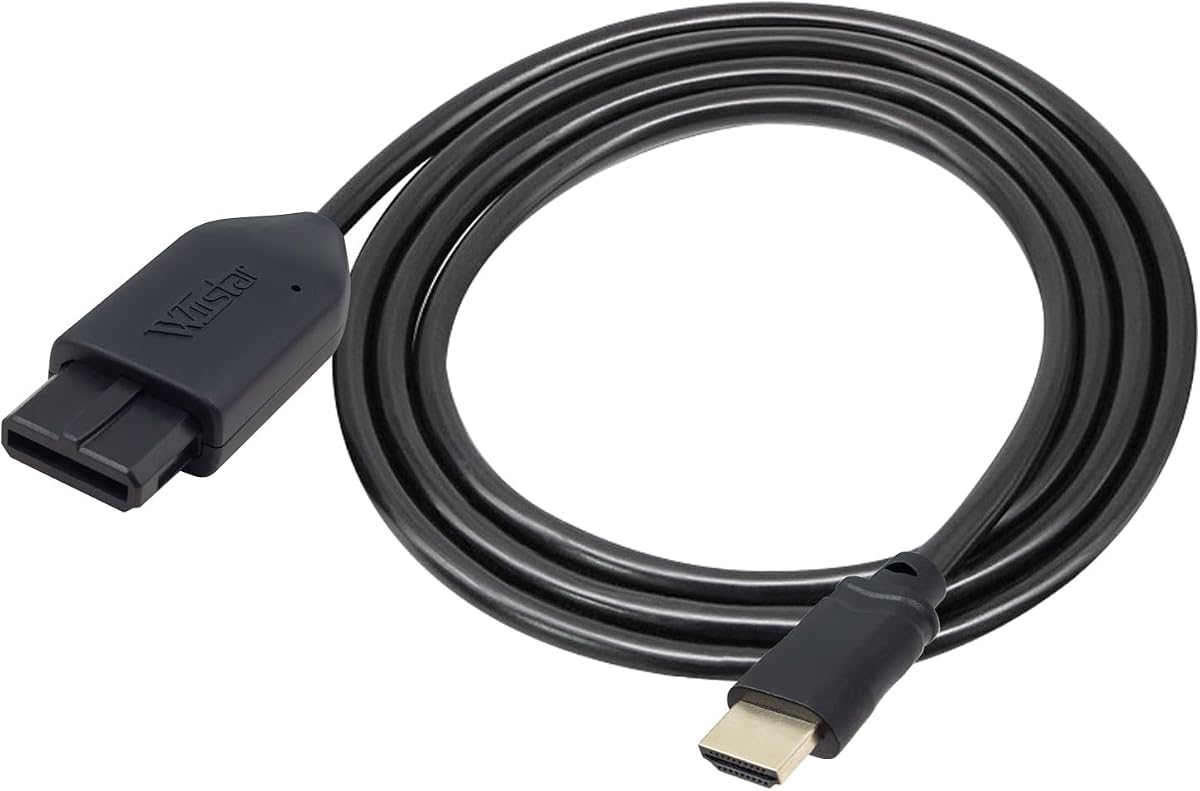
This all-in-one link cable removes much of the usual cable complexity by placing a console-specific N64 connector and an HDMI plug into a single integrated design. Its 4.0 rating indicates a generally positive reception, while the stated 1080p60Hz output offers a familiar high-definition profile for compatible modern displays.
We may earn a commission when you buy through this link, at no additional cost to you.
The product converts the N64's analog RGB signal and provides S-Video-quality output, with the listing describing the picture as brighter and sharper than earlier AV output. Because the N64 plug is built in, users do not need a separate converter housing and loose console-side cable. It also works without an extra power supply.
The title mentions GameCube, SNES, and SFC, but the described all-in-one plug is specifically built for the N64, so buyers with multiple consoles should confirm whether their particular models use the same connector. The product does not provide sound, and its HDMI output is specified as 1080p60Hz rather than 720p60Hz.
This cable is best for an N64-focused player who wants the shortest possible connection path and already owns a suitable television. It is less appropriate for a mixed-console library or for anyone who needs converter-based audio without another connection.
Combining the console-side plug and HDMI lead removes the adapter box and loose proprietary cable. That makes it convenient for travel, secondary televisions, and compact gaming areas.
The specified 1080p60Hz mode suits many modern gaming monitors and televisions. Users should check their display's supported inputs and ensure that it accepts the converter's output format.
We may earn a commission when you buy through this link, at no additional cost to you.
This adapter offers another clean route from three classic Nintendo consoles to an HDTV. Its 4.2 rating places it among the stronger-reviewed options, and the product combines N64, GameCube, and SNES support with a bundled HDMI cable and no requirement for an additional power supply.
We may earn a commission when you buy through this link, at no additional cost to you.
The principal display feature is 16:9 conversion, which can make supported games fill a widescreen television more conveniently. The listing emphasizes clear, smooth picture quality and describes the setup as plug and play. It also states that there is no screen lag, a useful characteristic for action-oriented retro games.
The audio limitation remains the main drawback. No sound is provided, so users may need to route audio through the console, television, or another compatible device. The specifications mention 16:9 support but do not highlight a 4:3 switch, making this model less flexible for displays where square-shaped output is preferred.
Choose it when you have an N64, GameCube, or SNES and want a converter that avoids a separate power brick. It is especially practical for a widescreen television setup where the console can be positioned close to the screen and audio is already handled elsewhere.
The lack of an additional power requirement keeps the installation simple. It is especially convenient in setups where every free outlet and cable route is already crowded.
The advertised 16:9 conversion can improve the presentation of widescreen-compatible games. Buyers who regularly play 4:3-era titles should decide whether the television's own scaling is preferable.
We may earn a commission when you buy through this link, at no additional cost to you.
This is the most complete package in the roundup, combining a 1.8-meter N64 AV cable, a 4.9-foot HDMI cable, an AV-to-HDMI converter, a USB cable, and a 5V power adapter. It also carries a 5.0 rating, the highest listed rating among these products, making it a notable choice for buyers who prefer having every necessary component in one box.
We may earn a commission when you buy through this link, at no additional cost to you.
Unlike adapters that use the proprietary Multi-Out connector, this kit accepts yellow, white, and red RCA composite input. It converts that signal to HDMI output at a stated 720P or 1080P mode and supports PAL and NTSC input formats. The three-step process is clearly defined: connect the console, connect the display, and provide USB power.
The trade-off lies in the input path. Composite video is generally less detailed than S-Video, and the product information explicitly frames the RCA route as a standard connection rather than a specialized high-end signal chain. It also requires USB power, although the needed power adapter and cable are included in the stated package.
This kit is ideal for a first retro-gaming setup, a GameCube or N64 player who lacks cables, or anyone who wants compatibility with both older RCA televisions and newer HDMI displays. The complete accessory set reduces the chance of discovering a missing component after delivery.
The package includes the console cable, HDMI lead, converter, USB lead, and power adapter. That level of completeness is especially useful for new collectors or secondary-room installations.
The AV cable can also connect to an older television with RCA input, while the converter provides a route to modern HDMI equipment. That makes the kit useful during a gradual transition between display types.
We may earn a commission when you buy through this link, at no additional cost to you.
The ZUZONG adapter combines a strong 4.4 rating with compatibility across N64, GameCube, SNES, and SFC. Its central feature is a physical 4:3 and 16:9 output switch, giving users a practical way to adapt traditional and widescreen games to different modern displays.
We may earn a commission when you buy through this link, at no additional cost to you.
Installation is described as fully plug and play, with no drivers or additional software required. That makes it approachable for players who want to connect a classic console without configuring an operating system or complex display settings. The compatibility list also allows the same adapter to serve a broader collection of Nintendo hardware.
The manufacturer limits support to SNES, GameCube, N64, and SFC, so it should not be treated as a universal console converter. The listing offers less detail about audio behavior than some alternatives. Its physical aspect-ratio control, however, gives it an important functional advantage over converters offering only one presentation mode.
This adapter is a good middle-ground choice for a Nintendo collection spanning 16-bit and 64-bit systems. It is particularly attractive for owners who alternate between square-shaped and widescreen titles and want both formats available from one product.
Supporting four closely related consoles makes the adapter efficient for collectors. It can serve several machines while keeping the display connection consistent.
A dedicated ratio switch gives users immediate control over game framing. This is helpful for televisions with different screen sizes and for titles recorded in contrasting formats.
We may earn a commission when you buy through this link, at no additional cost to you.
Kaico's adapter stands out for broad signal and console support, a 4.2 customer rating, and a twelve-month support, repair, and replacement warranty. It works with the proprietary analogue ports of the N64, SNES, SFC, and GameCube without requiring additional power, software, or external hardware.
We may earn a commission when you buy through this link, at no additional cost to you.
The product supports both S-Video and composite outputs, giving it flexibility across different original console cables and setup preferences. Its all-in-one approach is designed to reduce messy cabling, while plug-and-play operation means users can move from the console to a modern television without installing anything on a computer.
The supplied details do not identify a specific aspect-ratio switch or clearly stated output resolution. That makes this a better fit for buyers who prioritize broad compatibility, clean installation, and warranty coverage than for those seeking a precisely specified conversion profile. Packaging may also vary between shipments.
This adapter is a strong candidate for a mixed classic-Nintendo setup. The warranty adds useful reassurance, while support for S-Video and composite allows existing cable preferences to remain flexible.
Supporting S-Video and composite allows the adapter to work with more than one original connection style. This can be useful when assembling a system from components purchased at different times.
The stated twelve-month support, repair, and replacement warranty adds a service layer beyond basic plug-and-play operation. It is reassuring for buyers who want backup if the adapter develops a problem.
We may earn a commission when you buy through this link, at no additional cost to you.
This portable 3-in-1 HD Link closely resembles the leading converter in its core feature set, offering N64, GameCube, and SNES support alongside upscaled analog S-Video processing. Its 4.4 rating and one-year warranty make it a competitive alternative, particularly for users who value the physical aspect-ratio switch.
We may earn a commission when you buy through this link, at no additional cost to you.
The converter sends digital HDMI output to modern televisions, monitors, or projectors. A toggle changes between 4:3 and 16:9, and the listed low-latency design focuses on keeping the delay unnoticeable during play. The detachable arrangement allows users to substitute a longer or more capable HDMI cable when needed.
The product description provides less technical detail about output resolution and audio than some competing listings. Upscaling can produce a presentation that looks preferable on one television and overly processed on another, so display size and personal preference remain important considerations.
Choose this model for a portable or flexible multi-console arrangement that prioritizes ratio control. It is a compelling alternative to the first-ranked cable when its current availability, warranty terms, or included accessories better match your setup.
The 4:3 and 16:9 toggle lets players change framing without replacing converters. It is a simple feature that can have a noticeable effect on how older games fill the screen.
The detachable cable design supports compact arrangements and easy relocation between displays. It also provides flexibility when the included HDMI lead is not long enough for a particular setup.
We may earn a commission when you buy through this link, at no additional cost to you.
The right converter depends on your console collection, display, audio arrangement, and tolerance for extra cables. These factors help separate purpose-built video upgrades from simple connection kits.
Start by confirming how the converter connects to your console. N64, GameCube, SNES, and SFC systems use different proprietary analogue connections in different configurations, and not every adapter supports every model. Some products use the Multi-Out socket, while others require a standard yellow-white-red RCA AV cable. A package that includes both a converter and cables can be easier for beginners, whereas a dedicated Multi-Out adapter can produce a tidier installation.
The quality of the original analog signal affects the final image. S-Video separates color information from brightness, while standard RCA composite combines them into one yellow video channel. A converter that extracts S-Video from the Multi-Out port therefore has a cleaner foundation than one receiving basic composite. This difference is most relevant on larger displays, where the limitations of composite are easier to notice, although the television's scaler also influences the final result.
Converters may advertise 720P, 1080P, or no upscaling, but these labels do not necessarily mean each model receives native high-definition graphics. The console's source resolution remains limited, and the converter digitally processes the analog picture. If you want the simplest and most faithful signal path, choose a model that explicitly preserves the original resolution. If you prefer a larger, more consistent image, a converter with documented upscaling and aspect-ratio controls may be the better fit.
Classic games were created in a mixture of square-shaped and widescreen formats. A physical 4:3 and 16:9 switch gives the player immediate control over framing, which is particularly helpful when the television's own scaling behavior is inconsistent. Some modern displays also offer aspect-ratio controls, although these are not always conveniently placed or reliable. A converter with its own switch avoids repeated navigation through television menus and can make a shared system easier for multiple users.
Power needs are one of the most visible differences between products. Several converters operate directly from the console without a separate power lead, which keeps the setup uncluttered. The N64 RCA to HDMI kit, by contrast, uses USB power and supplies a power adapter in the box. Check whether the required source is included and whether the converter will operate normally under normal conditions. A backup-power port can add resilience, but it should not be confused with a requirement for constant external power.
Many inexpensive video converters do not carry the console's audio through HDMI. This does not necessarily prevent use, because some Nintendo consoles can send sound through a separate connection, but it can leave the player with two different output routes. If the television lacks suitable analog inputs, audio may need to come from a separate speaker, soundbar, or compatible system. For a complete solution, choose a package that clearly documents its audio capability or plan to use a dedicated audio connection.
A converter with no attached HDMI lead can be more flexible because buyers can use a cable of the required length. An all-in-one kit is usually better for a first-time setup because it reduces missing pieces and avoids compatibility surprises. Look for the actual console cable, HDMI lead, power adapter, and any backup-power cable in the package description. Length also matters: a short lead may be awkward behind a larger television, while a longer cable can help keep the converter within easy reach of its controls.
Retro accessories can involve a variety of connector combinations, so dependable support is useful when a product arrives damaged or fails to display a picture. The leading 3-in-1 product advertises a 365-day replacement, the ZUZONG listing mentions assistance for damaged or unusable units, the N64 HDMI Adapter lists return and replacement terms, and Kaico provides a twelve-month support, repair, and replacement warranty. The Portable 3-in-1 HD Link includes a one-year warranty. These promises vary, so read the current listing before purchasing.
Begin by identifying the correct console-side connection. Connect the proprietary plug or supplied RCA AV cable while both the console and television are switched off. If the product has a separate power source, connect that as directed, and wait for the converter to establish a signal before turning on the console.
Run the included or suitable HDMI cable from the converter to an HDMI input on the television, monitor, or projector. Select the matching input with the television remote, then choose 4:3 or 16:9 using the converter's switch or the appropriate television setting. If a blue screen appears, verify both ends of the cable and confirm that the display is receiving the intended source.
Route audio separately when the converter does not transmit sound, and keep the console-side connection dry, straight, and free of strain. Avoid sharply bending proprietary plugs or pulling the HDMI cable sideways. For backup, note the converter model, supported aspect ratios, power arrangement, and input settings so the setup can be restored quickly on another display.
It depends on the converter. Several products in this roundup explicitly state that they provide video only, so audio may need to travel through a separate console or television connection. Other kits may include an RCA AV cable that carries composite video and stereo audio before the converter processes the video signal. Always check the listing for the exact audio arrangement and plan an alternate output if necessary.
Yes, many adapters support the N64, GameCube, SNES, and SFC through compatible console connections. The key issue is whether the physical plug fits your specific model, since console hardware and port arrangements can differ. Products using a supplied RCA AV cable may also require the correct cable for each system. Confirm compatibility before buying a multi-console adapter.
Yes, S-Video generally provides a cleaner source because it separates color and brightness information into separate channels. Composite video combines those signals, which can make edges appear softer or less distinct. The advantage may be less obvious on small displays and can also depend on the television's own processing. A converter using the Multi-Out port to extract S-Video is usually the better choice for image detail.
Not necessarily. A converter can digitize an analog signal and output it at 720P or 1080P, but it cannot create native high-resolution graphics that the source console never produced. Some devices upscale the picture, while others preserve the original resolution. The supplied details also differ regarding upscaling, so check the converter's output claims and compare the result on your own display.
A blue screen commonly means that the television is not receiving a recognized video signal. Check that the converter is fully seated, the correct HDMI input is selected, the console is powered on, and any required USB power is connected. Reconnect the cables rather than changing settings while components are active. If the issue continues, test another HDMI input or cable to isolate the problem.
Use 4:3 for games originally presented in a square-shaped format when you want to preserve their intended composition. Choose 16:9 for widescreen games or when you prefer a larger image that fills more of a modern screen. Because television scaling varies, a converter with a physical ratio switch is useful for comparing both options in seconds.
The N64 RCA to HDMI Kit requires USB power and includes a power adapter and cable. The N64/GameCube/SNES adapter that supports 720P and 1080P also lists an external power requirement. Most of the other options are described as operating without additional power, although one includes a Micro USB port strictly for optional backup power in unusual situations.
Yes, provided the monitor has a compatible HDMI input and supports the converter's output format. Use the display's input menu to select the correct HDMI channel and adjust scaling if necessary. A monitor may provide tighter control over image dimensions than a television, but the converter and console remain responsible for processing the original analog signal.
The 3-in-1 HDMI Cable is the strongest overall recommendation because it combines N64, GameCube, and SNES support with S-Video conversion, a physical aspect-ratio switch, low-latency operation, and a detachable HDMI connection. The N64 RCA to HDMI Kit stands out as the most complete package and carries the highest listed rating, while the S-Video to HDMI Converter offers the most explicitly defined signal-quality approach.
Your priority should determine the winner. Choose the 3-in-1 model for balanced multi-console use and ratio control, the complete RCA kit for a first setup that needs every cable and accessory, or the dedicated S-Video converter for a cleaner analog path and original-resolution output. Other strong alternatives include the Kaico adapter for warranty coverage and the ZUZONG adapter for four-console flexibility.
Before ordering, confirm the connector, resolution behavior, aspect ratios, power requirements, and audio path against your specific console and television. Current prices, package contents, and support terms can change, so review the latest product listing and seller information before making a final purchase.