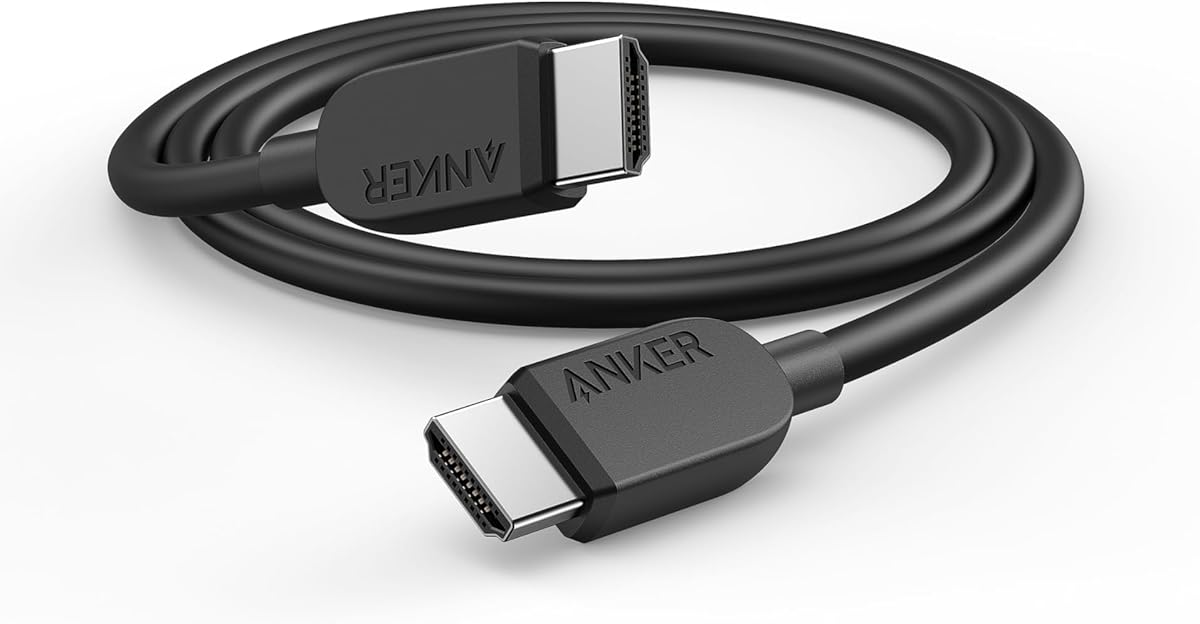
Anker HDMI 2.1 Cable
4.7Editor score
Certified 48Gbps bandwidth
8K at 60Hz
1,000-bend durability
Our HDMI Cable for 8K guide compares ten certified high-speed cables for bandwidth, gaming features, durability, compatibility, length, and value in 2026.
An HDMI Cable for 8K must do more than fit between a source and display. It must preserve the bandwidth, color, audio, and gaming features required by modern televisions, consoles, projectors, computers, and receivers while resisting interference and everyday wear.
We compared ten cables using the supplied specifications, including bandwidth, supported resolutions, refresh rates, HDR and audio functions, physical construction, length, compatibility, and customer ratings. The list includes certified 48Gbps models, multipacks, longer runs, and forward-looking higher-bandwidth options.
Each review explains where a cable stands out, where its specifications remain limited, and whom it is best suited for. Ratings and features reflect the available product information, while prices and availability can change, so compare the current listing details before purchasing.
4.7Editor score

4.8Editor score

5.0Editor score
The comparison covers the essential differences among ten 8K-oriented HDMI cables, including their bandwidth targets, supported gaming modes, physical lengths, certifications, construction, and broad device compatibility.

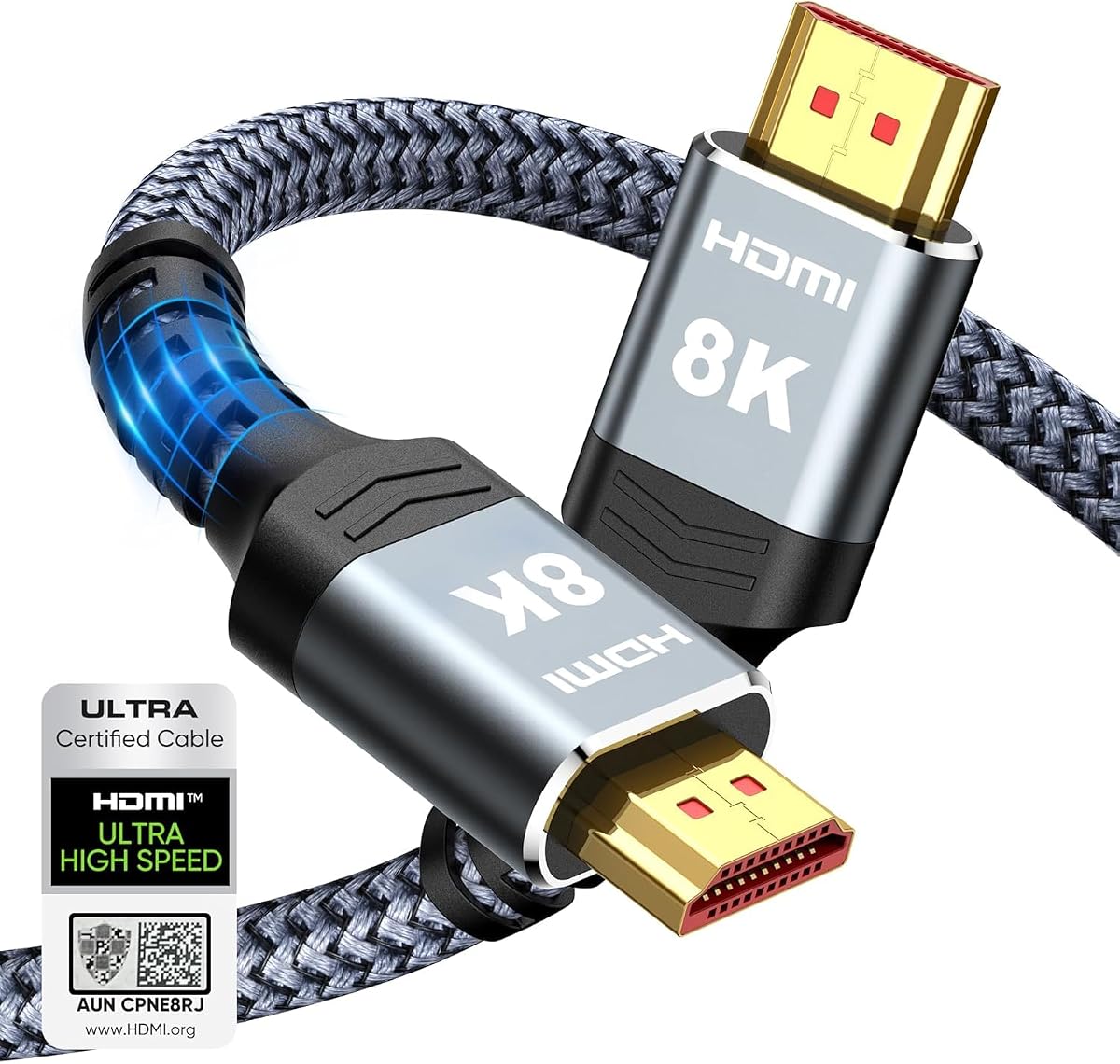


The Highwings 8K HDMI 2.1 Cable 2-Pack has a 4.7 rating and offers one of the most practical combinations in this guide: two 6.6-foot certified 48Gbps cables. Each cable supports 8K at 60Hz, 4K at 120Hz, and 4K at 240Hz according to its specifications, making it suitable for modern high-end displays and gaming systems.
We may earn a commission when you buy through this link, at no additional cost to you.
Its most appealing advantage is the multipack format. Two matching cables make it easy to connect a gaming console to one television and a media device to another, or to keep a spare connection ready for a second setup. The aluminum alloy shells, reinforced strain relief, and tensile nylon construction also address the wear associated with frequent plugging and repositioning.
Variable refresh rate is listed among the supported gaming functions, and the cable's stated 48Gbps bandwidth provides ample headroom for high-resolution HDR content. However, the supplied feature list does not mention eARC, Dynamic HDR, QFT, ALLM, or automatic low-latency mode in the same detail as some competing products. Buyers who require those specific functions should verify compatibility with the source, display, and intermediary equipment.
This is an attractive choice for households or gamers who want two dependable 8K-ready cables without sourcing separate models. The 6.6-foot length fits most furniture arrangements but may be short for wall-mounted televisions or projectors positioned farther from the console. For those requiring one long run, the 10-foot Highwings option is more appropriate. Otherwise, the pack delivers strong versatility at a practical entry point.
The included pair is useful for multi-display rooms, secondary gaming locations, or maintaining a spare connection without buying a different cable. Matching lengths also simplify cable routing when two devices sit in similar positions.
Support for 4K at 240Hz and 4K at 120Hz makes this two-pack relevant to high-performance gaming displays. Variable refresh rate support can also help align frame delivery with the refresh behavior of a compatible television or monitor.
We may earn a commission when you buy through this link, at no additional cost to you.
The UGREEN 8K HDMI 2.1 Cable combines a 4.8 rating with a detailed set of high-speed HDMI features. Its certified 48Gbps design supports 8K at 60Hz and 4K at 240Hz, while the supplied specifications also identify variable refresh rate, QFT, ALLM, Dynamic HDR, and eARC as supported functions.
We may earn a commission when you buy through this link, at no additional cost to you.
This broad feature set makes it one of the most complete conventional choices in the roundup. It can carry uncompressed 8K video at the stated bandwidth, support 12-bit Dynamic HDR, and return high-resolution audio from a television to a soundbar or receiver through eARC. Compatibility is also extensive, covering current game consoles, streaming devices, laptops, projectors, displays, and audio equipment.
Construction addresses the practical weaknesses that can undermine otherwise capable HDMI cables. The aluminum alloy casing, nickel-plated connectors, and nylon braided jacket are designed to withstand repeated bending without sacrificing flexibility. The product data does not provide a numerical bend rating, so durability is described by materials rather than an unsupported test count.
Choose this cable when a single connection must serve gaming, movie viewing, high-resolution audio, and broad device compatibility. It is a particularly sensible fit for a modern living room where a console, streaming box, or laptop may change places over time. Its 6.6-foot length suits many installations, though a longer cable may be necessary for a projector or wall-mounted display.
The combination of 48Gbps bandwidth, 8K at 60Hz, 4K at 240Hz, VRR, QFT, ALLM, Dynamic HDR, and eARC covers the major capabilities sought in a current high-performance HDMI connection.
A braided jacket and robust metal connector housing are useful for installations where the cable will be handled or rerouted. The construction also preserves a relatively practical profile for entertainment furniture and desks.
We may earn a commission when you buy through this link, at no additional cost to you.
The Anker HDMI 2.1 Cable offers a clear route into 8K connectivity, with a 4.7 rating, certified 48Gbps bandwidth, and support for 8K at 60Hz. It also handles 4K at 120Hz and 4K at 60Hz, covering the refresh-rate range used by many current gaming displays.
We may earn a commission when you buy through this link, at no additional cost to you.
The specification emphasizes uncomplicated operation rather than listing every possible HDMI feature. It is designed to connect tablets, laptops, projectors, and desktop screens while delivering up to 48Gbps. The stated ability to withstand 1,000 bends provides a useful durability benchmark for a cable that will be plugged in and removed regularly.
Compared with cables whose descriptions enumerate Dynamic HDR, eARC, QFT, ALLM, and other functions, this Anker model provides less detail in the supplied information. Those capabilities may still work when supported by the connected equipment, but the listing does not expressly assign them to this cable. Checking the display, source, and sound system requirements remains the safest approach.
This is a good pick for a buyer who wants an identifiable branded cable, a six-foot length, and assured 8K-capable bandwidth without analyzing a dense specification sheet. It is particularly appropriate for a desk setup, nearby television, or gaming station where the source and display sit close together. Those needing a multipack or a long installation cable should consider another entry.
The cable focuses on the essentials: 48Gbps bandwidth, 8K at 60Hz, and high-refresh 4K modes. That makes it easy to pair with modern consoles, computers, and displays when the goal is a dependable high-speed connection.
A stated 1,000-bend endurance level addresses the repeated flexing that occurs around desk edges, entertainment centers, and routinely connected game consoles. The six-foot length also reduces excess cable behind most installations.
We may earn a commission when you buy through this link, at no additional cost to you.
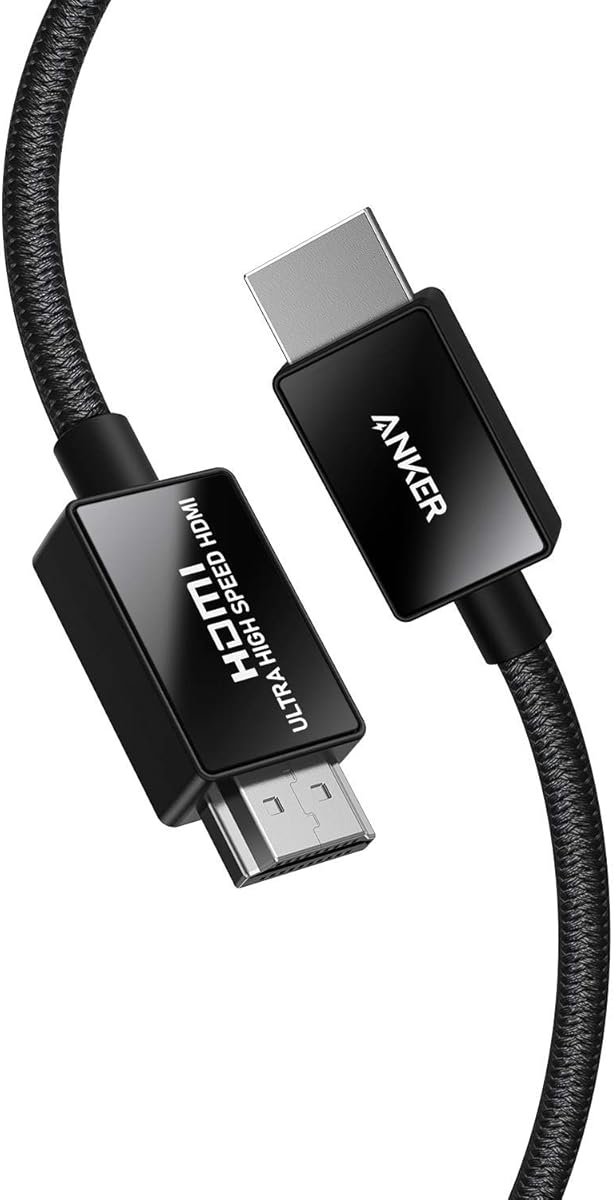
The Anker HDMI 2.1 Cable with 8K at 60Hz has a 4.8 rating and is among the most physically refined options listed. It is officially certified as an Ultra High Speed HDMI cable and provides 48Gbps bandwidth, 8K at 60Hz, and 4K at 120Hz for demanding displays and modern graphics hardware.
We may earn a commission when you buy through this link, at no additional cost to you.
Its construction is the main differentiator. Carbon steel connector housings, gold-plated pins, and a double-braided nylon finish are intended to improve connector durability and signal contact. The product information also states that the cable is designed to tolerate 10,000 plug-and-unplug cycles, making it well suited to a console that regularly reconnects to different displays.
The cable is explicitly positioned for PlayStation 5, Xbox Series X/S, Sony 8K UHD televisions, Apple TV, and Roku Ultra. The provided specifications do not enumerate Dynamic HDR or eARC for this model, so buyers whose priorities center on those functions should compare the relevant source, display, and receiver specifications before choosing.
This Anker is strongest for gamers who want a visibly robust, recognized-brand cable that can handle an 8K television or 4K high-refresh monitor. It also makes sense for anyone anticipating frequent connector changes. If cost is the deciding factor, several certified 48Gbps competitors provide similar headline bandwidth with simpler or less prominently described construction.
Carbon steel connector shells and gold-plated pins target two common points of wear: repeated insertion and contact corrosion. These details can be valuable in setups where the console or display is disconnected and reconnected often.
With 48Gbps bandwidth and 4K at 120Hz support, the cable aligns closely with the requirements of current high-end game consoles. Official Ultra High Speed certification provides additional reassurance about its intended performance class.
We may earn a commission when you buy through this link, at no additional cost to you.
The Highwings 8K HDMI 10FT is built for installations that need more distance than a standard six-foot cable. Its 4.7 rating, 48Gbps bandwidth, and support for 8K at 60Hz and 4K at 120Hz make it a credible choice for wall-mounted displays, projectors, and larger entertainment rooms.
We may earn a commission when you buy through this link, at no additional cost to you.
The 10-foot, or three-meter, length reduces the need for extension adapters or intermediate distribution devices. A direct connection is generally preferable when preserving high-resolution, high-refresh-rate signals, and this cable provides the stated bandwidth for that purpose. Its anti-bending tail design and tensile nylon exterior are intended to protect the areas most exposed to flexing.
Variable refresh rate is supported, which is useful for compatible gaming displays. The product also states backward compatibility with HDMI 2.0b, 2.0a, 1.4, 1.3, 1.2, and 1.1 versions, meaning it can be reused with older devices that have more modest bandwidth requirements.
This is the best match when cable routing makes six feet inconvenient, such as a projector mounted behind a screen or a television on a broad wall. It may be unnecessarily long for a compact desk, but it avoids the clutter of a short cable forced into a sharply bent path. Check that the route does not require tight coiling or passing the cable around sharp corners.
A three-meter cable gives installers more freedom to place a television or projector away from the source device. The extra length can also make rear-panel and wall-mounted connections easier to service.
The cable combines 8K-oriented bandwidth and variable refresh rate support with backward compatibility for older HDMI equipment. That makes it reusable across a broader collection of consoles, players, and displays.
We may earn a commission when you buy through this link, at no additional cost to you.
The Ubluker 10K 8K 4K HDMI Cable is notable for listing an unusually broad collection of HDMI capabilities. It has a 4.7 rating, certified 48Gbps bandwidth, and supports 8K at 60Hz alongside high-refresh 4K modes including 240Hz, 200Hz, 185Hz, 165Hz, 144Hz, 120Hz, and 90Hz.
We may earn a commission when you buy through this link, at no additional cost to you.
The feature list includes VRR, ALLM, QMS, QFT, Dynamic HDR, HDR10+, HDCP 2.2 and 2.3, CEC, and an Ethernet channel. Audio support includes eARC, ARC, DTS Master Audio, DTS:X, Dolby TrueHD, Dolby Atmos, and Dolby Vision. These capabilities can make the cable attractive to users who want to connect a broad range of source devices and displays through one standardized cable.
The supplied information is broad enough that careful verification is worthwhile. Support for a feature on the cable does not guarantee that every source, television, projector, soundbar, or receiver will negotiate it. The source and display must both support the intended resolution, refresh rate, color mode, and gaming behavior for the full result to be available.
This cable suits an enthusiast who wants documented 8K bandwidth and an expansive feature checklist rather than a minimal 48Gbps connection. The eight-foot length is versatile for consoles, computers, projectors, and televisions. It is particularly relevant to users combining high-refresh gaming, HDR, and advanced audio, provided the rest of the system supports those functions.
VRR, ALLM, QFT, QMS, Dynamic HDR, and multiple HDCP versions make the specification list suitable for modern entertainment and gaming ecosystems. The cable is intended as a broad connection rather than one limited to basic 8K resolution.
eARC and the major surround-sound formats make the cable relevant to television-to-soundbar or receiver arrangements. Its Ethernet channel can also reduce the need for a separate network cable between compatible HDMI devices.
We may earn a commission when you buy through this link, at no additional cost to you.
The Zeskit Maya 6ft is a certified 2.1 cable built for users who want 8K video and advanced home theater features in one connection. Its 4.7 rating is supported by specifications covering 48Gbps bandwidth, 8K at 60Hz, 4K at 120Hz, HDR10, Dynamic HDR, Dolby Vision, Dolby Atmos, DTS:X, and HDCP 2.2 and 2.3.
We may earn a commission when you buy through this link, at no additional cost to you.
eARC is particularly important for soundbar setups because it can return high-quality, full-resolution audio from a compatible television. VRR and ALLM serve modern gaming, while QFT and QMS address quick source switching. The 6.5-foot length is sufficient for most nearby consoles and soundbars without adding unnecessary excess cable.
Compatibility is broad: the information specifically identifies soundbars, monitors, Apple TV, Roku, PlayStation 5, and Xbox Series X, while also stating backward compatibility with earlier HDMI versions. As with other feature-rich cables, the connected hardware must support each function. A television with eARC, for example, is required to use that return path as intended.
Choose the Zeskit Maya when your setup includes both a television and a soundbar, or when a single cable must bridge gaming and cinematic content. It offers a balanced combination of certified high-speed performance, audio return, HDR support, and broad console compatibility. Those wanting a two-pack or a longer projector run may find other entries more physically convenient.
eARC support can simplify a home theater arrangement by carrying advanced audio back from the television to a compatible soundbar or receiver. This can reduce the number of separate audio connections required.
VRR and ALLM serve high-refresh gaming, while HDR10, Dynamic HDR, Dolby Vision, and Dolby Atmos address cinematic presentation. The broad feature set suits a shared connection used for consoles, streaming, and broadcast viewing.
We may earn a commission when you buy through this link, at no additional cost to you.
The Stouchi 8K HDMI 2.1 Cable 8ft 2-Pack has a 4.7 rating and combines two eight-foot cables with a 48Gbps bandwidth target. It supports 8K at 60Hz and 4K at 120Hz, making it relevant to modern televisions, high-refresh monitors, and current game consoles.
We may earn a commission when you buy through this link, at no additional cost to you.
The cable's internal design is unusually well defined in the supplied specifications. It uses 30AWG copper wire and triple-tin shielding to reduce electromagnetic interference, while gold-plated connectors are intended to resist corrosion and maintain stable contact. The stated drawback is that this robust construction results in a thicker, stiffer cable than lighter alternatives.
VRR and ALLM are listed as supported next-generation features. Compatibility is also broad, with current consoles, streaming devices, computers, and other HDMI 2.1 equipment named. The two-pack format is useful for a dual-display office, a multi-room entertainment setup, or keeping a spare cable available for temporary connections.
This pair is a strong candidate for permanent installations where interference control and connector durability matter more than compact cable management. The eight-foot length gives more routing flexibility than most six-foot options. However, the explicitly stiffer construction may be inconvenient around sharply angled wall mounts, crowded desks, or inside narrow cable-management channels.
Thirty-AWG copper conductors and triple-tin shielding form a deliberate defense against electromagnetic interference. That design is useful in installations near computers, power systems, or other electronics that could otherwise affect signal quality.
Two matching eight-foot cables support more than one display or room without mixing cable lengths. The extra reach also makes permanent connections easier when equipment is positioned at different distances from the viewing area.
We may earn a commission when you buy through this link, at no additional cost to you.
The Highwings HDMI 2.2 96Gbps cable is the forward-looking choice in this guide. It has a 4.6 rating and claims support for 96Gbps bandwidth, 16K resolution, 8K at 240Hz, and 4K at 480Hz. These specifications are intended to cover display and graphics standards beyond the familiar 48Gbps class.
We may earn a commission when you buy through this link, at no additional cost to you.
Its present-day features are equally relevant. VRR and ALLM address smooth gaming and low-latency operation, while Dynamic HDR, Dolby Vision, and eARC support high-quality pictures and audio. The cable also includes an Ethernet channel, and its aluminum foil shielding is designed to reject electromagnetic and radio-frequency interference.
Physical construction centers on a flexible double-braided nylon jacket and 24K gold-plated connectors. These details are intended to resist everyday wear, corrosion, tangles, and signal degradation. The cable is aimed particularly at users who want a connection that remains prepared for future high-resolution hardware.
The important qualification is that a cable cannot create capabilities the source and display do not possess. 16K, 8K at 240Hz, and 4K at 480Hz will require compatible source hardware, graphics output, software, and a display that supports the selected format. For current 8K systems, it remains a high-specification option, and the lower 4.6 rating should be weighed alongside its ambitious feature set.
The stated 96Gbps bandwidth and support for 16K, 8K at 240Hz, and 4K at 480Hz position this cable for future equipment. It can serve as a long-term connection for buyers who expect their graphics hardware or display to evolve.
Aluminum foil shielding is included to counter electromagnetic and radio-frequency interference. The double-braided jacket and corrosion-resistant gold-plated connectors add physical protection around a carefully engineered signal path.
We may earn a commission when you buy through this link, at no additional cost to you.
The Monster 8K HDMI Cable stands out with a 5.0 rating and a premium focus on contact quality and finished construction. Its 24K gold contacts, certified 48Gbps bandwidth, and support for 8K resolution place it among the most polished options for a high-end display and gaming setup.
We may earn a commission when you buy through this link, at no additional cost to you.
The listed performance includes 60Hz and 120Hz refresh rates, with support for resolutions up to 10K. Dynamic HDR is included for greater detail and color range, while eARC provides a convenient audio-return path between a compatible television and soundbar or receiver. The eight-foot cable is long enough for most entertainment-center arrangements.
The product is explicitly framed for PlayStation 5, Xbox Series X, and other 8K-ready devices. Its professional positioning extends to TV production and technical workspaces, although the fundamental connection is the same standardized HDMI link. One cable is included, so buyers needing multiple matching runs must purchase more than one unit.
Choose the Monster when connector construction, brand confidence, and a premium presentation matter alongside performance. It is a logical option for a carefully planned home theater, high-end gaming room, or professional display environment. Because it occupies a premium tier, shoppers should weigh whether its gold contacts and construction justify the additional expenditure over a certified 48Gbps alternative.
The 24K gold contacts are designed to provide reliable conductivity and resist corrosion. This is especially relevant for a permanent connection that remains plugged into a high-value console, display, or production monitor.
Dynamic HDR and eARC make the cable suitable for a display-and-soundbar arrangement, while stated 10K support and 120Hz refresh capability align with high-end visual equipment. The connected devices must support the corresponding modes for the complete feature set.
We may earn a commission when you buy through this link, at no additional cost to you.
The right HDMI Cable for 8K depends on more than its label. Bandwidth, source and display capabilities, physical construction, cable length, gaming modes, and audio functions all determine whether a cable will meet your needs.
A cable marketed for 8K should normally provide a 48Gbps bandwidth class. That figure corresponds to the high-speed capacity needed for the upper end of modern HDMI 2.1 formats, including 8K at 60Hz and very high-refresh 4K modes. A cable cannot increase the capability of the graphics card, console, television, or projector, but it must not become the weakest link in the chain.
Choose a clearly certified 48Gbps cable when connecting an 8K television or a high-refresh 4K gaming display. Confirm that the source and display both support the exact resolution and refresh rate you intend to use.
Official HDMI certification provides useful evidence that a cable has been tested against the specification's bandwidth and signal-integrity requirements. Products in this roundup variously state that they are HDMI 2.1 certified, Ultra High Speed certified, or include an official certification label. Certification is more meaningful than a cable merely claiming to support 8K.
Look for certification wording on the packaging or listing, and avoid assuming that every similarly named cable has the same verified status. Certification does not guarantee that a connected device supports every advertised feature.
An 8K cable may support many operating modes, but your equipment determines which ones can actually be displayed. The most relevant combinations include 8K at 60Hz for high-resolution television, 4K at 120Hz for current high-end consoles, and 4K at 240Hz for advanced PC gaming monitors. Check the native resolution and maximum refresh rate of the intended display.
Prioritize a cable that explicitly lists the mode your hardware needs. A cable supporting 8K at 60Hz may still be appropriate for a 4K display, but its higher bandwidth provides useful flexibility when the equipment is upgraded.
Variable Refresh Rate, also called VRR, helps synchronize frame delivery with a compatible display's refresh cycle and can reduce tearing. Auto Low Latency Mode, or ALLM, allows a television to switch to an appropriate low-latency picture mode when a compatible console signals that it is active. These functions must be supported by the source, cable, and display.
For gaming, check the cable's feature list for VRR and ALLM, but also verify the console and monitor support them. A cable that supports the game-related features can still be limited by a television that negotiates a lower refresh rate or omits VRR.
HDR requires support at every stage of the connection. Dynamic HDR, HDR10+, Dolby Vision, and related formats can improve contrast and color when the source material and display are compatible. The cable should explicitly list the relevant format rather than relying on a generic claim of 8K support.
If image quality and gaming are equally important, favor a model with clear Dynamic HDR and wide color specifications. Also confirm that the television can reproduce the selected HDR format and that your source outputs it rather than converting to another format.
Enhanced Audio Return Channel allows a compatible television to send high-quality audio, including formats such as Dolby Atmos, to a soundbar or receiver. This can simplify a home theater and reduce the need for a separate return-audio cable. The television, soundbar or receiver, and HDMI cable must all support eARC.
Look for eARC when your main concern is a simple television-to-soundbar setup. For conventional left-to-right audio, standard HDMI support may be sufficient, but it is worth verifying the codec formats accepted by your audio equipment.
Most game consoles and televisions work well with a six-foot cable, while projectors, wall-mounted displays, and larger entertainment centers may need eight or ten feet. A longer cable can provide easier routing, but avoid sharp bends, tight coils, and routes through doorways or furniture that pinch the jacket.
Choose the shortest length that reaches comfortably. Excess cable should be loosely managed rather than tightly wrapped. For permanent installations, verify that the connector diameter and cable flexibility fit the available wall plate, raceway, or cable-management channel.
The useful parts of a cable are its connectors, because those receive the most direct physical stress. Look for reinforced shells, gold-plated pins, braided jackets, and reinforced strain relief. Some products also provide a bend rating, such as 1,000 bends, which offers a more concrete durability measure than a general claim.
For a console that reconnects frequently, prioritize connector strength and an established support policy. For a permanent installation, shielding, jacket material, and resistance to corrosion become especially valuable. Keep the connector aligned during insertion rather than forcing it at an angle.
Connect the cable directly between the source and display whenever possible. Turn off or safely disconnect the equipment before making major changes, align the connector with the port, and insert it without forcing it. If the setup includes an AV receiver, connect the source to the receiver and the receiver to the display using cables that meet the intended format requirements.
Route the cable away from power cords, wall power adapters, heat sources, and moving furniture. Avoid sharp bends, pinched sections, and tight spirals. If excess length must be gathered, use a loose loop or a proper cable-management accessory rather than winding the cable tightly around itself, which can stress the conductors and connectors.
Inspect the connector and jacket occasionally for visible damage, and unplug the cable rather than tugging on the wire. When cleaning, disconnect both ends and use a soft, dry lint-free cloth; avoid abrasive cleaners and moisture around the electrical contacts. Store unused cables loosely in a dry place, and replace a cable if its connector becomes loose, the jacket splits, or the connected system loses stable signal.
Yes, a modern 8K television should be connected with a cable designed for the required high bandwidth, generally a certified 48Gbps Ultra High Speed HDMI cable. The television, source device, and any intermediate receiver must all support the same resolution and refresh rate. A standard cable may work for lower modes, but it can become the limiting factor at 8K.
HDMI 2.1 is the current generation associated with 8K at 60Hz and very high-refresh 4K modes. Both ends of the connection must support HDMI 2.1 features for the full benefit, including 4K at 120Hz on compatible consoles. Some devices can output 8K through other standards, so the precise specifications of the source and display remain decisive.
A properly designed cable can maintain high-bandwidth signals at practical consumer lengths, including eight or ten feet. Quality can be affected by poor shielding, damaged connectors, sharp bends, splitting the signal, or using a cable that is not designed for the target bandwidth. Choose the shortest comfortable length and avoid tightly coiling excess cable.
Yes, when the source, television, soundbar or receiver, and cable support the relevant functions. Many certified 48Gbps cables carry 8K video, VRR, ALLM, Dynamic HDR, and eARC simultaneously. Exact mode availability still depends on the connected devices and any settings selected in their menus.
HDMI 2.0 has a maximum bandwidth of 18Gbps, while HDMI 2.1 raises the high-speed bandwidth to 48Gbps. That increase enables 8K at 60Hz and high-refresh 4K modes along with gaming and return-audio functions. A newer cable cannot make an older television or source perform HDMI 2.1 features it does not contain.
They can still be worthwhile because they provide bandwidth headroom, support modern gaming features, and remain useful if the television or source is upgraded. They are essential when the intended setup includes 8K or 4K at 120Hz. For a permanently fixed 4K television used only for standard viewing, the practical difference may be smaller.
A two-pack is convenient for separate television, monitor, or gaming-room connections and provides a spare for temporary use. It can also eliminate the inconvenience of moving one cable between devices. A single cable is sufficient if the setup has one permanent connection and no plans for another display or room.
A 96Gbps cable is designed with greater bandwidth than a 48Gbps cable and should not be chosen solely because of a larger number. It can be appropriate for forward-looking equipment, but the connected devices determine the actual format and refresh rate. A certified 48Gbps cable is sufficient for standard 8K at 60Hz and many current 4K high-refresh gaming setups.
The UGREEN 8K HDMI 2.1 Cable stands out for the strongest combination of certification, detailed feature support, broad compatibility, and a 4.8 rating. The Highwings two-pack is especially practical for multiple 8K-ready connections, while the Monster cable offers a premium approach with 24K gold contacts and a 5.0 rating.
Prioritize the exact resolution and refresh rate required by your equipment, then verify the gaming, HDR, and audio functions that matter. A certified 48Gbps cable is the practical standard for current 8K systems; longer cables are useful for projectors and wall-mounted displays, while a two-pack helps with multi-device setups.
Ratings, specifications, prices, and availability can change over time, so review the current product listing before buying. Check the source and display capabilities, confirm the needed cable length, and ensure that advanced features such as VRR, ALLM, Dynamic HDR, and eARC are supported throughout the entire connection.