
8K HDMI 2.1 Splitter
4.2Editor score
8K at 60Hz
Smart EDID modes
HDR and VRR support
Discover the best HDMI splitter for 3 monitors, comparing resolution, mirror mode, extend support, EDID, audio, and device compatibility.
An HDMI splitter for 3 monitors can turn one source into a synchronized video feed for multiple displays, but choosing the right model depends on more than output count. Resolution, refresh rate, mirror versus extend support, power requirements, and source-device compatibility all affect the result.
We compared ten splitters based on their documented capabilities, including HDMI version, maximum resolution, supported audio, EDID controls, build quality, and installation method. The list includes dedicated one-to-three models, DisplayPort adapters, and one-to-four options that can be adapted for three-screen installations.
Each review explains which setup the product fits best and where its limitations matter. Features such as 4K@60Hz, 8K@60Hz, downscaling, and extended desktops may be decisive for particular users, while product availability and pricing can change over time.
4.2Editor score

4.4Editor score

4.6Editor score
The comparison highlights each product's signal path, maximum resolution, display mode, and principal setup consideration. It includes options built specifically for three screens as well as four-output splitters that can leave one output unused.



The UANTIN DisplayPort to HDMI Splitter is the strongest all-around choice for a desktop workstation that needs three displays. It carries one DisplayPort signal into three HDMI outputs, supports resolution up to 4K@60Hz, and has a 4.4 rating. Its major advantage over ordinary one-to-three splitters is support for both mirrored and extended screen arrangements.
We may earn a commission when you buy through this link, at no additional cost to you.
The adapter is aimed at users whose computer or graphics card exposes DisplayPort. Its documentation states that the source must support multi-screen output and at least 18Gbps of bandwidth for the intended extended configuration. The three HDMI outputs can synchronize a triple-screen workspace, divide content into a split-screen layout, or repeat one image across several displays.
Construction details support long-term use. The all-aluminum casing is intended to dissipate heat, while the braided nylon cable and gold-plated interfaces are designed for durability and reliable signal transmission. Plug-and-play operation removes the need to install drivers, and the listed compatibility covers Windows systems, common DisplayPort graphics cards, and HDMI 1.2, 2.0, or 2.1 displays.
This is the most suitable option for a desktop builder who wants extended productivity screens and values 4K@60Hz over a compact price. It is less appropriate for a laptop-only setup or anyone expecting the device to accept an HDMI input and reverse it into DisplayPort. For compatible hardware, it delivers the most useful combination of resolution, workflow flexibility, and straightforward installation.
Extended-display support lets each monitor show different application windows instead of forcing the entire desktop into duplicate mode. This makes the adapter more useful for research, editing, monitoring, and general office multitasking when the source graphics card supports three displays.
The aluminum housing, braided cable, and gold-plated ports address common durability concerns in a permanently installed workstation. These physical features support the product's positioning as a stable multi-monitor adapter rather than a temporary portable accessory.
We may earn a commission when you buy through this link, at no additional cost to you.
The NEWCARE 4K 1×3 splitter is designed for users who need one source to appear on three HDMI screens. It supports UHD 4K@60Hz, carries video and audio through the HDMI connection, and has a 4.2 rating. The package includes a four-foot HDMI cable, a USB power cable with adapter, and a user guide.
We may earn a commission when you buy through this link, at no additional cost to you.
Its most valuable feature is automatic downscaling. A 4K source can be matched with 1080p displays under the same refresh rate, making the splitter practical for mixed monitor and television installations. It also supports HDR10, Dolby Vision, Atmos, HDCP 2.2, and several common audio formats, subject to the connected source and displays.
The limitations are equally important. It duplicates the same content on every output and cannot create separate extended desktops. It also cannot connect a separate speaker or other audio device, and it offers only one input, so it cannot switch among several source devices. The documentation recommends AWG26 HDMI 2.0 cables and shorter runs for 4K signals.
Choose this splitter for presentations, retail displays, streaming, or gaming-room installations where synchronized duplicates are the goal. It is not the right choice for a control room requiring three independent workspaces. With its included cable and adapter, it offers a straightforward way to distribute 4K@60Hz content to three compatible screens.
Automatic downscaling is useful when one screen supports 4K while another only accepts 1080p. Rather than requiring a separate converter for every display, the splitter is intended to keep the outputs synchronized at a compatible refresh rate.
The included HDMI cable, USB power lead, and wall adapter reduce the number of separate accessories needed for a new installation. The recommended sequence is to connect displays first, then the source, and finally apply power to reduce the chance of flickering or blackouts.
We may earn a commission when you buy through this link, at no additional cost to you.
The MT-ViKI 4K 1×4 is a one-to-four distribution box that can be used for a three-screen setup by leaving one output unused. It carries one HDMI source to four identical outputs, supports resolutions up to 4K@30Hz and 1080p@60Hz, and holds a 4.4 rating. Its long-distance and cascade features distinguish it from basic desktop splitters.
We may earn a commission when you buy through this link, at no additional cost to you.
A built-in amplifier is advertised to support transmission of up to 100 feet in total, with 50 feet on the input side and 50 feet across the outputs. That makes the unit more relevant to digital signage, classroom displays, conference rooms, retail installations, and security-monitoring arrangements where displays may be separated by substantial distances.
The included 5V/2A adapter provides consistent power, which is especially relevant for a multi-output installation. A rugged metal enclosure supports heat dissipation and electromagnetic-interference protection, while deep color and HDCP 1.4 are listed among the supported display features. The product can also be cascaded when more screens are required.
This is a practical option for installers who prioritize distance, robust distribution, or eventual expansion beyond three screens. It does not create separate desktop extensions, and its maximum 4K refresh rate is 30Hz, so it is less appropriate for smooth 4K gaming or a 60Hz extended workstation. For replicated video across distant displays, however, it is a strong fit.
The integrated amplifier and powered design are intended to preserve transmission over long cable arrangements. That makes this model more practical for installations where displays are not clustered directly beside the source computer.
Cascade support can extend a distribution system beyond the four local outputs. A user who currently needs three monitors may therefore consider a larger installation without changing the basic one-source distribution approach.
We may earn a commission when you buy through this link, at no additional cost to you.
The THANDBLE DisplayPort MST Hub connects a DisplayPort source to as many as three HDMI monitors and carries a 4.1 rating. It can mirror a display or use an extended arrangement, with listed support for 4K@60Hz, 2K at 60Hz or 120Hz, and 1080p at 60Hz or 120Hz.
We may earn a commission when you buy through this link, at no additional cost to you.
The hub is designed around DisplayPort's multi-screen transport capabilities. Its documentation calls for a graphics card with at least 18Gbps bandwidth and multi-output support, plus a 5V/1A power connection supplied through the included USB-C cable. A direct DisplayPort connection is required, and compatibility is described across desktop computers and AMD or NVIDIA graphics cards with DP, DP++, or DisplayPort++ ports.
Physical construction includes a braided nylon cable, integrated aluminum alloy shell, and gold-plated ports. The intent is to resist connector wear, dissipate heat, and reduce signal loss. Installation is otherwise straightforward: power the unit, connect DisplayPort to the computer, and attach the three HDMI displays.
The main trade-offs are hardware restrictions. It is not compatible with Mac systems, most laptop DisplayPort ports, or docking stations, KVM switches, and hubs. A high-performance GPU with multi-screen support is important. Users with a compatible desktop graphics card gain a useful three-output MST solution, while laptop owners should look for a less demanding option.
MST support gives compatible Windows desktops a route to separate application windows across three screens. The same hub can also mirror the source when synchronized content is needed for a presentation or demonstration.
The product is clearly aimed at systems with a suitably capable graphics card rather than general laptop use. Checking GPU bandwidth, output count, operating system, and whether the DisplayPort port is direct are essential before installation.
We may earn a commission when you buy through this link, at no additional cost to you.
The Compact Aluminum 1×3 is a straightforward and economical way to copy one HDMI source to three displays. It has a 4.6 rating, supports HDMI 1.4b, and can deliver 4K@30Hz or 1080p@60Hz. Its synchronized mirror mode is suitable for demonstrations, shared information screens, and multi-display viewing.
We may earn a commission when you buy through this link, at no additional cost to you.
The splitter's aluminum alloy enclosure is designed for heat dissipation and electromagnetic shielding, supporting stable operation in office, retail, and home-theater environments. Individual LEDs show whether each output is active, which is useful during setup. The included USB-C power cable is required during operation, but the wall adapter is not included.
Compatibility spans common HDMI sources such as laptops, PS5 consoles, Blu-ray players, set-top boxes, Fire Sticks, televisions, monitors, and projectors. No drivers or software are required, and 3D Blu-ray formats plus 36-bit deep color are listed as supported. Its compact dimensions make it easier to position than a larger metal distribution box.
This is a good pick for users who need three synchronized copies and do not require 4K at 60Hz or separate extended desktops. The missing power adapter and 30Hz ceiling at 4K should be considered before buying. With suitable displays and a USB-C power supply, it offers a simple, compact, and capable basic three-screen distribution solution.
Each output has its own indicator, allowing users to see whether a particular monitor is receiving a signal. This makes it easier to distinguish a display or cable problem from a general source or power issue.
The small enclosure is convenient for setups where space is limited, such as a media cabinet or a cluster of business displays. USB-C power and driver-free operation further simplify a permanent installation.
We may earn a commission when you buy through this link, at no additional cost to you.
The Aluminum 1×3 Mirror is built for displaying identical content on three screens with no lag, flicker, or dropped frames according to the product description. It supports HDMI 1.4b, 4K@30Hz, 1080p@60Hz, 3D Blu-ray, and 36-bit deep color. Its 4.3 rating reflects a generally positive reception in the supplied listing.
We may earn a commission when you buy through this link, at no additional cost to you.
The product is particularly relevant to trading desks, retail walls, and home-theater arrangements where every screen must show the same image. Its metal casing is designed to remain cool during extended operation and to shield against electromagnetic interference. Per-output LEDs make it easier to verify that all three channels are active.
The included USB-C power cable must be connected during use, although the adapter is not supplied. The product documentation specifically notes that the output port does not support connecting audio, so users requiring separate sound must route it through a television or a display with built-in speakers. 4K sources running at 60Hz may also need to be reduced to the splitter's supported 4K@30Hz mode.
Choose this model for synchronized displays where compactness, metal construction, and simple troubleshooting are priorities. It is less suitable for three separate desktop workspaces, high-refresh 4K gaming, or installations that need extracted analog or digital audio. The trade-offs are clear, but the core mirroring function is well suited to its intended environments.
Real-time duplication is valuable when viewers in different locations need the same reference image, trading data, menu, or promotional content. Each screen receives the same source rather than an independent portion of an extended desktop.
The aluminum housing's cooling and shielding characteristics suit commercial-style use where the splitter may remain connected for long periods. The small footprint also makes it easier to conceal beside the displays.
We may earn a commission when you buy through this link, at no additional cost to you.
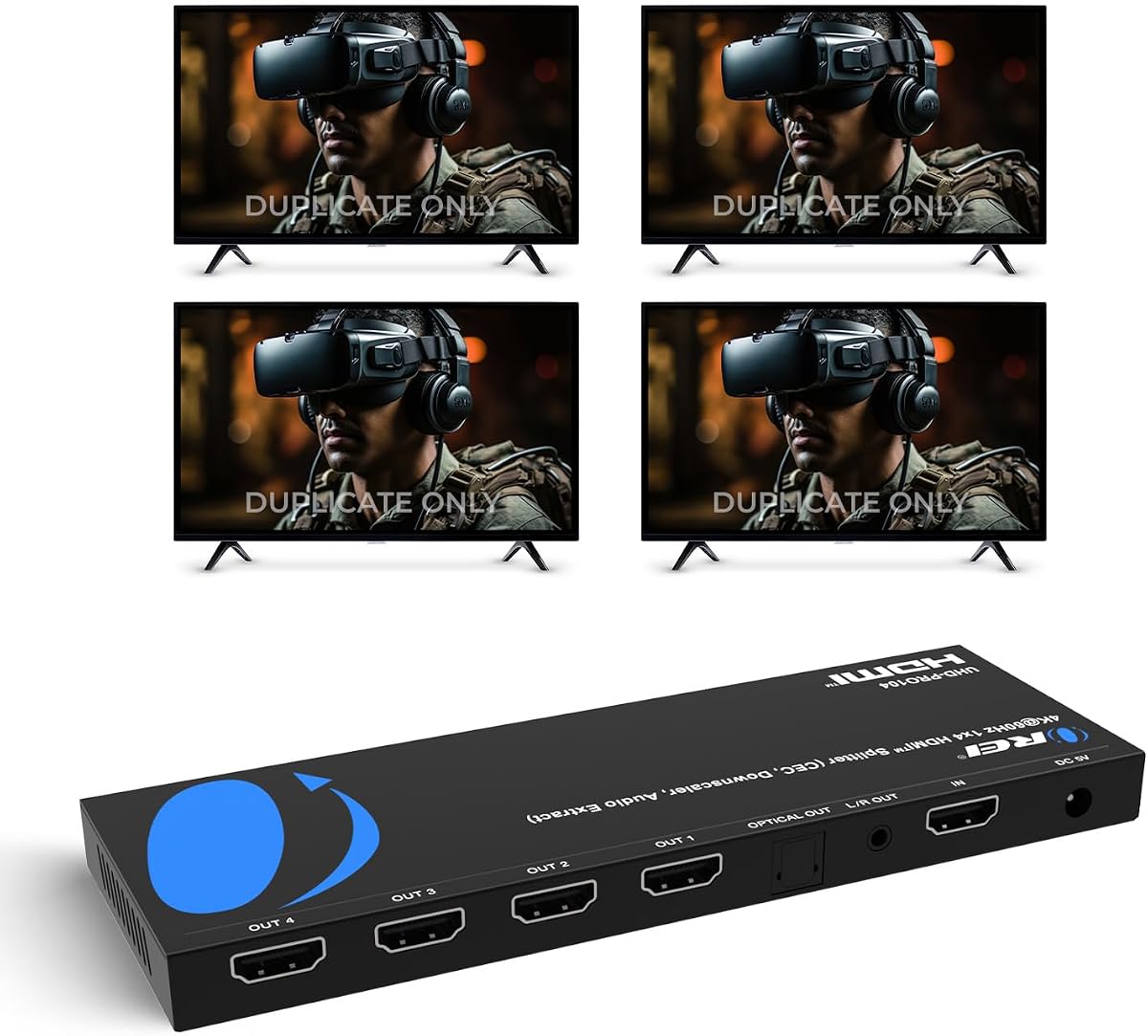
The OREI UltraHD 1×4 is a one-to-four splitter with a 4.5 rating and support for 4K@60Hz over an 18Gbps signal. It can feed four HDMI displays from one source, making it a flexible alternative for a three-monitor arrangement with one unused output. Its EDID support and broad audio compatibility suit professional AV installations.
We may earn a commission when you buy through this link, at no additional cost to you.
The splitter duplicates one source across every connected display and does not extend the desktop. It supports audio formats including LPCM, Dolby-AC3, DTS 7.1, DSD, Dolby TrueHD, and DTS-HD Master Audio, provided the source content and displays are compatible. A heavy-duty metal enclosure supports heat dissipation and long-term durability.
Installation is described as plug and play, with no drivers required. For stable operation, the documentation recommends HDMI cables no longer than 30 feet. The one-year limited warranty applies to new items, while like-new and refurbished units have a separate 90-day limited warranty.
This product is best for users who may expand from three screens to four or need a proven four-output distribution box. Its extra output adds flexibility rather than inconvenience, although a dedicated one-to-three model is more focused. It is a strong choice for presentations, retail displays, classrooms, bars, and home entertainment when mirrored 4K video is the goal.
The fourth output gives users room to add another display later without replacing the splitter. That makes the unit attractive for installations that begin with three screens but may need to expand.
Support for major surround and lossless audio formats broadens the device's usefulness in home-theater and professional AV contexts. Audio still depends on the source, display capabilities, and the selected input.
We may earn a commission when you buy through this link, at no additional cost to you.
The OREI 1×4 Audio Extractor is the most functionally elaborate option in this guide. It distributes one HDMI source to four synchronized displays at up to 4K@60Hz with 4:4:4 chroma and 18Gbps bandwidth. Its 4.3 rating is backed by a feature set aimed at serious home-theater, conference-room, and digital-signage installations.
We may earn a commission when you buy through this link, at no additional cost to you.
The defining advantage is integrated audio de-embedding. Optical S/PDIF and 3.5mm left/right outputs let users route surround or stereo sound to an external receiver, amplifier, or speaker system rather than relying solely on display speakers. Dolby Atmos, Dolby TrueHD, DTS-HD Master Audio, DTS:X, and LPCM 7.1 are among the listed formats.
Automatic 4K-to-1080p downscaling also improves mixed-display compatibility. The device supports HDR, HDR10, HDR10+, Dolby Vision, and HLG, along with HDMI 2.0b, HDCP 2.3, advanced EDID management, and configurable CEC. These functions make it more than a simple box that duplicates an image.
The main limitation is that it remains a four-output mirror splitter, not an extended desktop hub. It also costs more conceptually in complexity than a basic three-output device. Buyers who need only synchronized screens can choose a simpler model, but those who require extracted audio, advanced EDID handling, and mixed-resolution support will find this option particularly compelling.
Optical and analog audio outputs separate sound from the display path, allowing a dedicated receiver or speaker system to handle the audio. This is especially useful in home theaters where the monitor or projector lacks suitable speakers.
Built-in downscaling lets 4K and 1080p displays coexist more effectively, while EDID management helps the source negotiate suitable display capabilities. Advanced HDR support preserves a high-end image path when every connected screen can accept it.
We may earn a commission when you buy through this link, at no additional cost to you.
The 8K HDMI 2.1 1×3 is designed for high-end display systems that need one source copied to three screens. It supports 8K@60Hz, 4K@120Hz in RGB 4:4:4, and 1080p@240Hz through a 48Gbps signal path. Its 4.2 rating reflects a feature-rich product aimed at newer consoles, computers, and professional displays.
We may earn a commission when you buy through this link, at no additional cost to you.
Smart EDID management provides automatic, Copy 1, Copy 2, and Copy 3 modes. These settings can be used to match the output signal to different display requirements and improve compatibility with projectors or screens that negotiate EDID differently. The splitter also lists support for VRR, HDCP 2.3, Dolby Vision, HDR10+, 3D, and RGB 4:4:4.
Audio support includes DTS-HD, Dolby TrueHD, DTS, Dolby-AC3, and DSD. Setup is based on connecting the HDMI source and displays, then attaching the supplied USB-C power cable and included power adapter. The package contains the splitter, DC 5V adapter, USB-C cable, and manual.
Despite its advanced signal specifications, this is a mirror splitter rather than an extended-display adapter. Every screen shows the same page, so it is best for synchronized high-resolution viewing, commercial displays, and compatible gaming setups. Users who need three independent windows should choose a DisplayPort MST option instead.
Eight-bandwidth support for 8K@60Hz and 4K@120Hz allows the splitter to handle demanding modern display combinations. The full 48Gbps path also aligns with the high-end capabilities advertised for HDMI 2.1.
Four EDID modes give installers more control over how the source negotiates with attached displays. Copy modes can be useful when output devices differ in resolution or when a projector needs a particular identification approach.
We may earn a commission when you buy through this link, at no additional cost to you.
The UGREEN 1×4 HDMI splitter is a versatile one-to-four distribution device for sending one source to multiple televisions or monitors. It supports 4K@60Hz over 18Gbps, has a 4.4 rating, and can transmit audio and video simultaneously. For a three-screen setup, one of the four outputs can remain unused.
We may earn a commission when you buy through this link, at no additional cost to you.
EDID control is one of its most useful features for mixed-display environments. The product documentation recommends selecting an EDID setting that matches the connected displays and advises placing a higher-resolution display on output 1 when resolutions differ. HDMI 2.0, HDCP 2.2 and 1.4, HDR, 3D, and CEC on output 1 are also supported.
The splitter is compatible with a wide range of sources, including Blu-ray and DVD players, Xbox 360, PS3, PS4, PS5, Nintendo Switch, receivers, Apple TV, Fire TV Stick, Roku Stick, PCs, laptops, televisions, monitors, and projectors. USB power is intended to maintain stable transmission, and the unit must remain connected to power during use.
This is a practical general-purpose choice for anyone distributing a source across several rooms or clustered screens. It offers more flexibility than a dedicated three-output model and remains less specialized than a high-end 8K or audio-extraction unit. Users mainly need 4K@60Hz mirrored content and broad source compatibility will find its feature set well balanced.
The one-to-four design is particularly useful when a source needs to reach televisions in different areas. Leaving one port open for a three-display setup preserves room for future expansion.
EDID settings can reduce black-screen and flickering problems caused by mismatched display negotiation. The recommendation to place the highest-resolution display on output 1 gives new installations a useful starting point.
We may earn a commission when you buy through this link, at no additional cost to you.
The right splitter depends on whether you need mirrored images or separate desktop space, the source connection, available bandwidth, display capabilities, and audio requirements. These factors prevent most compatibility problems before installation.
Confirm the display mode before buying. A mirror-only splitter cannot become an extended-display adapter through basic cable changes.
Match the source port exactly and confirm the source supports multi-screen output.
Choose the lowest common capability shared by every device, or verify that the splitter specifically handles mixed resolutions.
Treat resolution, bandwidth, and cable length as one linked system rather than separate specifications.
Confirm both the included power components and the required voltage before ordering.
Use automatic downscaling or configurable EDID modes when your three screens are not identical.
Prioritize audio extraction and format support only when your speakers or receiver require them.
Prioritize cooling, connector durability, and documented support for permanent installations.
Before connecting anything, confirm that the source device, splitter, and all three displays support the intended resolution, refresh rate, and display mode. For a DisplayPort MST adapter, verify that the graphics card can output to multiple screens and has sufficient bandwidth. For a mirror-only HDMI splitter, ensure that the source and displays can negotiate a common HDMI mode.
Power off or prepare the system according to the manufacturer's instructions, connect each display to an output, connect the source to the input, and then apply the required power. The NEWCARE model specifically recommends connecting displays first, the input source second, and the power adapter last. Keep the splitter uncovered for ventilation, avoid placing it inside a tightly enclosed cabinet, and do not repeatedly reconnect ports while the system is active.
If a screen is black, flickering, or showing the wrong resolution, test the displays individually, confirm the selected EDID mode, shorten or replace cables, and verify that power remains connected. Do not expect mirror-only units to create separate desktops or reverse a DisplayPort signal into HDMI. Update graphics drivers when a source device supports multiple outputs, and consult the product's compatibility notes before changing source, display, or cable configurations.
Most HDMI splitters duplicate the same image and do not create three independent desktop areas. A product explicitly supporting DisplayPort MST can extend a compatible Windows desktop across multiple displays, but it requires a suitable graphics card and a direct DisplayPort connection. Check the documented operating-system, GPU, bandwidth, and multi-output requirements before buying an extender.
A splitter that distributes 4K to three screens should generally be connected to appropriate external power for stability. Some products include a power adapter, while others include only a USB-C cable and require a compatible adapter. Follow the package instructions and keep power connected during use, particularly when displays are connected by longer cables.
Yes. A one-to-four splitter can usually feed three displays while leaving its fourth output unused. This can be a sensible choice when the fourth port provides room for future expansion or when the model offers features such as EDID control, audio extraction, or higher bandwidth than a simpler one-to-three unit.
For competitive or high-refresh gaming, a model supporting 4K@120Hz or 1080p@240Hz may be appropriate, provided the source, splitter, and displays all support that mode. More basic splitters cap 4K at 30Hz, which is better suited to video or general use than fast 4K gaming. Remember that mirrored splitters do not create separate game views.
That depends on the splitter. A conventional splitter may pass embedded audio only to HDMI-capable displays, while the OREI 1×4 Audio Extractor provides optical S/PDIF and 3.5mm analog outputs for a receiver or powered speakers. The source audio format and receiving equipment must also support the same standard.
No. The UANTIN and THANDBLE DisplayPort adapters described here are one-way devices: DisplayPort goes in and HDMI outputs are provided. They cannot take an HDMI source and send it upstream to a DisplayPort destination. A separate HDMI-to-DisplayPort direction or converter would be required.
Check the cable, the monitor's input selection, the splitter's power, and the EDID mode first. Mixed resolutions can also cause negotiation problems, and a source that cannot support the intended combination may fail to output correctly. Test each display independently, use the splitter's recommended EDID setting, and verify that the total cable length falls within the manufacturer's guidance.
Many do, but the source's output mode must be compatible with the splitter's capabilities. Several reviewed models list support for PS4, PS5, Nintendo Switch, Xbox devices, Fire TV Sticks, and Roku devices. A console running at 4K@60Hz may need to be set to 4K@30Hz when using a splitter limited to HDMI 1.4b.
The UANTIN DisplayPort to HDMI Splitter is the most versatile option for a compatible desktop that needs three separate productivity screens at up to 4K@60Hz. The 8K HDMI 2.1 1×3 is the leading high-specification choice for synchronized 8K, 4K@120Hz, and advanced EDID workflows, while the Compact Aluminum 1×3 offers a simple, efficient solution for 1080p or 4K@30Hz mirroring.
Start by deciding between mirroring and extended desktops, then match the source port, display capabilities, refresh rate, bandwidth, power requirements, and audio needs. A dedicated one-to-three unit is the most focused design, a four-output model provides expansion, and a DisplayPort MST adapter serves users who need distinct windows. Do not judge only by the 4K label; refresh rate and source compatibility determine the practical result.
Finally, check the current product listing, included accessories, cable requirements, and availability when you are ready to buy. Features and package contents can change, and current prices fluctuate. The links provided in this guide point to the relevant product pages for the latest information and purchasing options.