
HP 255 G10
4.3Editor score
64GB high-bandwidth RAM
Ryzen 7 7730U processor
2TB PCIe solid-state drive
15.6-inch FHD IPS
Windows 11 Pro
A laptop with 64GB RAM is built for demanding workflows that involve large applications, many browser tabs, extensive spreadsheets, virtual machines, creative projects, or heavy multitasking. The generous memory ceiling can improve responsiveness and reduce dependence on slower storage, although processor, display, build, and connectivity still shape the overall experience.
This guide compares ten HP and Lenovo laptops built around 64GB memory configurations, with one lower-memory touchscreen model included for context. We evaluated the stated processor, storage, display, operating system, ports, wireless support, security features, and intended work scenarios to identify which options make the most sense for different users.
The selections range from straightforward business laptops with numeric keypads to premium machines with OLED displays, docking stations, and extensive connectivity. Each review explains the strongest reasons to choose a model and its meaningful compromises. Product configurations and prices can change, so confirm the current listing and specifications before purchasing.
4.3Editor score

4.0Editor score
As an Amazon Associate we earn from qualifying purchases.
The comparison below places each laptop's processor, memory, storage, display, and core connectivity side by side, making it easier to identify the right balance of performance, portability, screen quality, and business features.




The HP 255 G10 combines 64GB of high-bandwidth RAM, an AMD Ryzen 7 7730U processor, and a 2TB PCIe SSD in a conventional 15.6-inch business laptop. Its 4.3 rating reflects a generally favorable configuration, and the balanced mix of memory, processing power, and storage makes it one of the strongest all-around choices in this guide.
We may earn a commission when you buy through this link, at no additional cost to you.
The Ryzen 7 7730U provides eight cores and 16 threads, with a listed boost frequency of up to 4.50GHz and Radeon Graphics. That processor is well suited to office applications, browser-heavy research, spreadsheets, virtual workspaces, and light creative work. The generous 64GB RAM allows many applications and tabs to remain open, while the 2TB PCIe SSD provides abundant room for project files and supports fast startup and transfer performance.
Its 15.6-inch FHD IPS anti-glare panel is practical for offices and travel, although it does not match the color richness, resolution, or touch capability of the more premium alternatives. The 250-nit rating and 45% NTSC color coverage may also disappoint users who regularly handle detailed visual work. On the positive side, the full-size keyboard with numeric keypad, webcam, Wi-Fi 6, HDMI, and a mix of USB-A and USB-C ports cover the essentials well.
This is the most straightforward recommendation for business users, students, and professionals who want 64GB memory without paying for a premium display. Windows 11 Pro adds management, security, remote desktop, and single sign-on features that can be valuable for professional environments. Choose it when dependable productivity, useful ports, and generous internal specifications matter more than a touch panel or especially vivid colors.
The 64GB memory configuration is the defining advantage here, creating ample headroom for large project files, numerous browser sessions, office applications, and demanding multitasking. Users who would normally rely on cloud storage or external drives can keep more active work locally.
Two USB-A ports, one USB-C port, HDMI, a headphone and microphone combination jack, Wi-Fi 6, and Bluetooth provide a useful selection for offices and remote work. The numeric keypad also makes this model especially appropriate for accounting, finance, and spreadsheet-heavy workflows.
We may earn a commission when you buy through this link, at no additional cost to you.
The HP Essential 17t is a large-screen business laptop with 64GB DDR4 RAM, a 2TB PCIe NVMe SSD, and a 13th-generation Intel Core i7-1355U processor. It carries a 4.3 rating and stands out for roomy workspace, touch input, and security conveniences that are not always included with similarly straightforward business machines.
We may earn a commission when you buy through this link, at no additional cost to you.
The Core i7-1355U offers ten cores and 12 threads, a 1.2GHz base frequency, and boost performance up to 5.0GHz, paired with Intel Iris Xe Graphics. Its 17.3-inch HD+ touchscreen has a 1600 x 900 resolution and 250-nit brightness. While the resolution is lower than that of the ThinkPad and OmniBook, the larger panel and interactive display can be valuable for presentations, browsing, and document work.
The most important caveat is that the original seal was opened to upgrade the RAM and SSD. PCOnline US provides a one-year warranty on those upgraded components, while the remaining components retain the original one-year manufacturer warranty. Buyers who value an untouched factory configuration may prefer a sealed system, and the HD+ resolution remains the biggest limitation for detailed creative work.
For users who want a large touchscreen, 64GB of memory, modern processing, a fingerprint reader, and fast storage, the Essential 17t is compelling. It is especially relevant to home offices, students, and business users who value screen area and touch functionality more than portability or exceptionally sharp display quality.
The 17.3-inch panel offers substantially more workspace than a typical compact notebook. That additional area can reduce scrolling in long documents and make touch navigation more comfortable for browsing, reviewing documents, and presenting information.
A fingerprint reader provides a quick method of secure sign-in, while the 2TB PCIe NVMe drive supports rapid file access. The disclosed upgrade process means buyers should review the included component warranty carefully before ordering.
We may earn a commission when you buy through this link, at no additional cost to you.
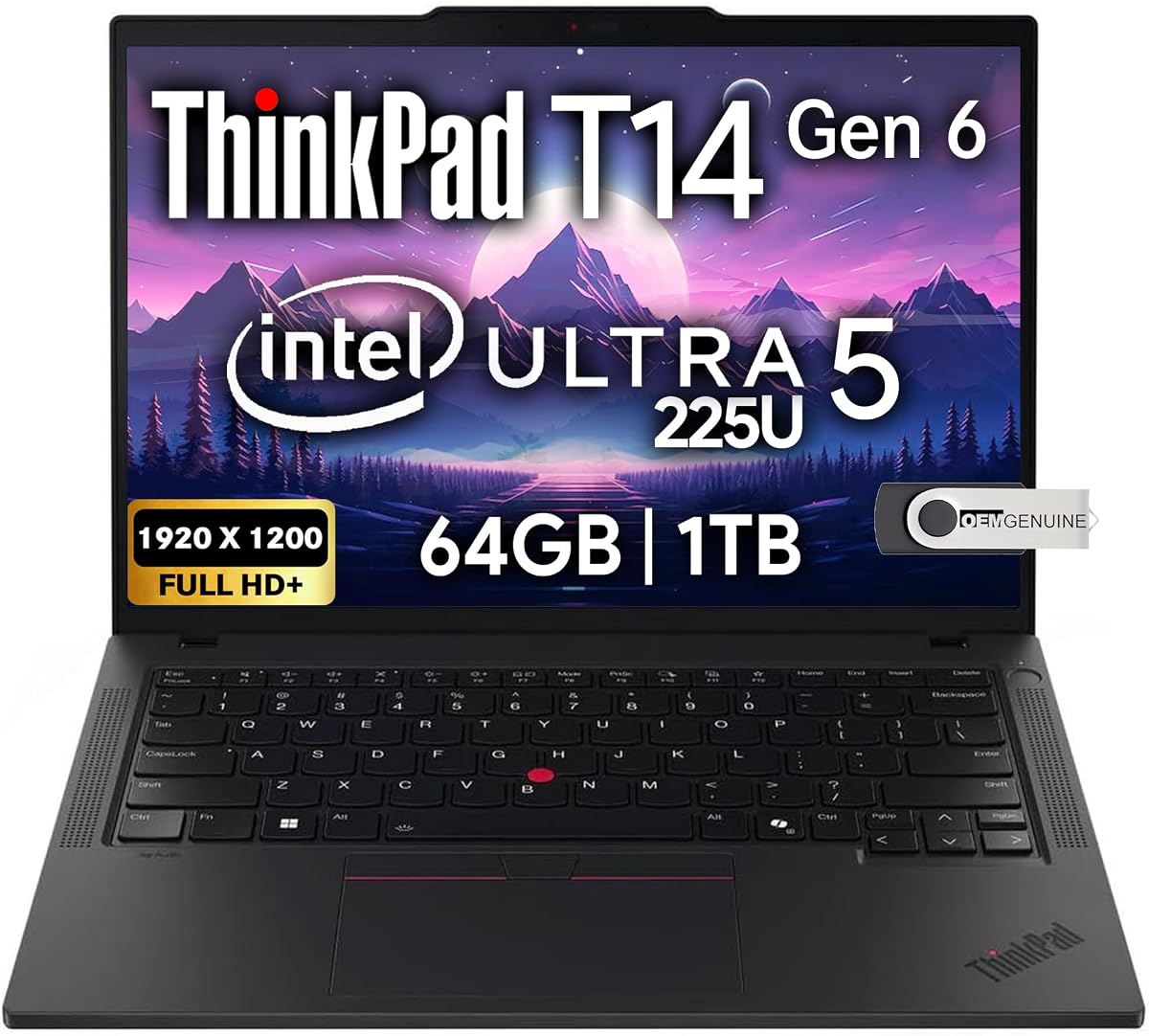
The Lenovo ThinkPad T14 Gen 6 is the most refined business-focused option here, combining 64GB DDR5 RAM, an Intel Core Ultra 5 225U processor, and a 1TB NVMe SSD in a 14-inch platform. Although no numeric rating is supplied for this listing, its specification sheet is especially convincing for professionals who value connectivity, durability standards, security, and a portable footprint.
We may earn a commission when you buy through this link, at no additional cost to you.
MIL-STD 810H military-grade certification supports its reputation as a durable business notebook. The 14-inch FHD+ anti-glare IPS display has a 1920 x 1200 resolution, while integrated Intel Arc graphics can support up to three external monitors through HDMI and Thunderbolt 4 at up to 4K and 60Hz. That makes the laptop particularly capable when used with a multi-monitor desk arrangement.
Its connectivity is excellent: two USB-A ports, two Thunderbolt 4 ports, HDMI, Ethernet, and an audio combination jack are joined by Wi-Fi 6E and Bluetooth 5.3. A backlit keyboard, fingerprint reader, and 5MP webcam with privacy shutter round out the professional features. The trade-offs are the smaller 1TB storage capacity and absence of a numeric keypad, both of which may matter to spreadsheet specialists or users with very large local libraries.
This is the top recommendation for business professionals, programmers, remote workers, and students who want 64GB memory in a well-connected and relatively compact design. The ThinkPad is also a natural fit for users who regularly connect multiple displays or peripherals. It may not be the first choice for buyers prioritizing maximum storage or a larger physical workspace.
Support for up to three external monitors makes the ThinkPad particularly useful for analysts, developers, and remote employees. The mix of Thunderbolt 4, HDMI, USB-A, and Ethernet also reduces the need for a large collection of adapters.
The fingerprint reader and 5MP webcam with privacy shutter add practical protections for meetings and shared workspaces. Windows 11 Pro 64-bit provides enterprise-oriented security, management, and collaboration features, while the backlit keyboard supports low-light use.
We may earn a commission when you buy through this link, at no additional cost to you.
The HP 17.3-inch Business Laptop pairs 64GB DDR4 memory with a 2TB PCIe SSD and a 10-core Intel Core i5 processor. Its 4.1 rating places it behind the strongest options in the list, but the combination of generous memory, a large display, Windows 11 Pro, and a 256GB docking station creates a practical productivity package.
We may earn a commission when you buy through this link, at no additional cost to you.
The listed processor has 10 cores and 12 threads, up to a 4.6GHz boost clock, 12MB of cache, and Intel Iris Xe Graphics. The 17.3-inch LED display uses a 1600 x 900 resolution with 250 nits, giving users more room for documents, web pages, and media. As with other large HD+ business panels, the resolution is less detailed than the FHD and 2K alternatives in this guide.
Storage is a major strength because the system includes a 2TB SSD and a 256GB docking station. Its one USB-C port, two USB-A ports, HDMI, and audio jack cover normal accessory needs, while Wi-Fi and Bluetooth support everyday wireless use. The thin case is presented as portable for a 17-inch device, although users who travel frequently should still consider the size and weight of a large notebook.
The HP 17 Business Laptop is best for office workers, students, and families who want a roomy screen and abundant memory without focusing on premium display technology. It is a sensible choice when the docking station, large storage, and Windows 11 Pro are more valuable than maximum portability or a highly detailed panel.
A 2TB PCIe SSD provides generous room for local work, while the included 256GB docking station expands the available storage and can simplify a more permanent desk setup. This combination suits users who keep project files, media, and backups on the laptop.
The 17.3-inch 1600 x 900 panel is well suited to multitasking because it presents more visible content at once. Text-heavy productivity applications are a natural fit, although color-sensitive creative work may benefit from a higher-resolution display.
We may earn a commission when you buy through this link, at no additional cost to you.
The HP OmniBook 7 is the showcase option of this roundup, combining 64GB RAM with a 16-inch 2K OLED touchscreen, an Intel Core 9 270H processor, and Wi-Fi 7. Its 4.0 rating is the lowest numerical score among the rated premium-style picks, but the display and connectivity specifications set it apart for users who prioritize visual quality and modern features.
We may earn a commission when you buy through this link, at no additional cost to you.
The Core 9 270H has 14 cores, 20 threads, 24MB of L3 cache, and turbo boost up to 5.8GHz. The 2048 x 1280 OLED display adds multitouch, a 120Hz refresh rate, a 0.2ms response time, HDR support, 500-nit brightness, UWVA viewing angles, edge-to-edge glass, and a low blue light feature. Those specifications make it especially attractive for media, presentations, and detailed visual work.
The 64GB memory supports intensive multitasking, but the 1TB SSD is the main storage compromise among the premium choices. Its port selection is strong, including one Thunderbolt 4 port with 40Gbps signaling, another 10Gbps USB-C port, and two USB-A ports with 5Gbps and 10Gbps signaling. A 128GB docking station, backlit keyboard, Poly Studio tuned audio, and dual-array microphones complete the package.
This laptop is best for creative professionals, executives, media users, and buyers who want a vivid, responsive touchscreen without settling for a basic panel. Its 16-inch size makes it less convenient for frequent travel than the ThinkPad, while the limited storage may require external media or cloud use for large files. For a stationary desk, however, it is one of the most complete configurations listed.
The 2K OLED panel is the model's defining feature, offering higher resolution than the business-oriented laptops and a 120Hz refresh rate for fluid motion. Touch input, HDR capability, wide viewing angles, and 500-nit brightness further improve its suitability for visual presentations and media.
Thunderbolt 4, 10Gbps USB-C, 10Gbps USB-A, Wi-Fi 7, and Bluetooth 5.4 provide a modern connection platform. The included docking station can simplify a fixed workstation, while the 16-inch display makes it better suited to a desk than a compact travel bag.
We may earn a commission when you buy through this link, at no additional cost to you.
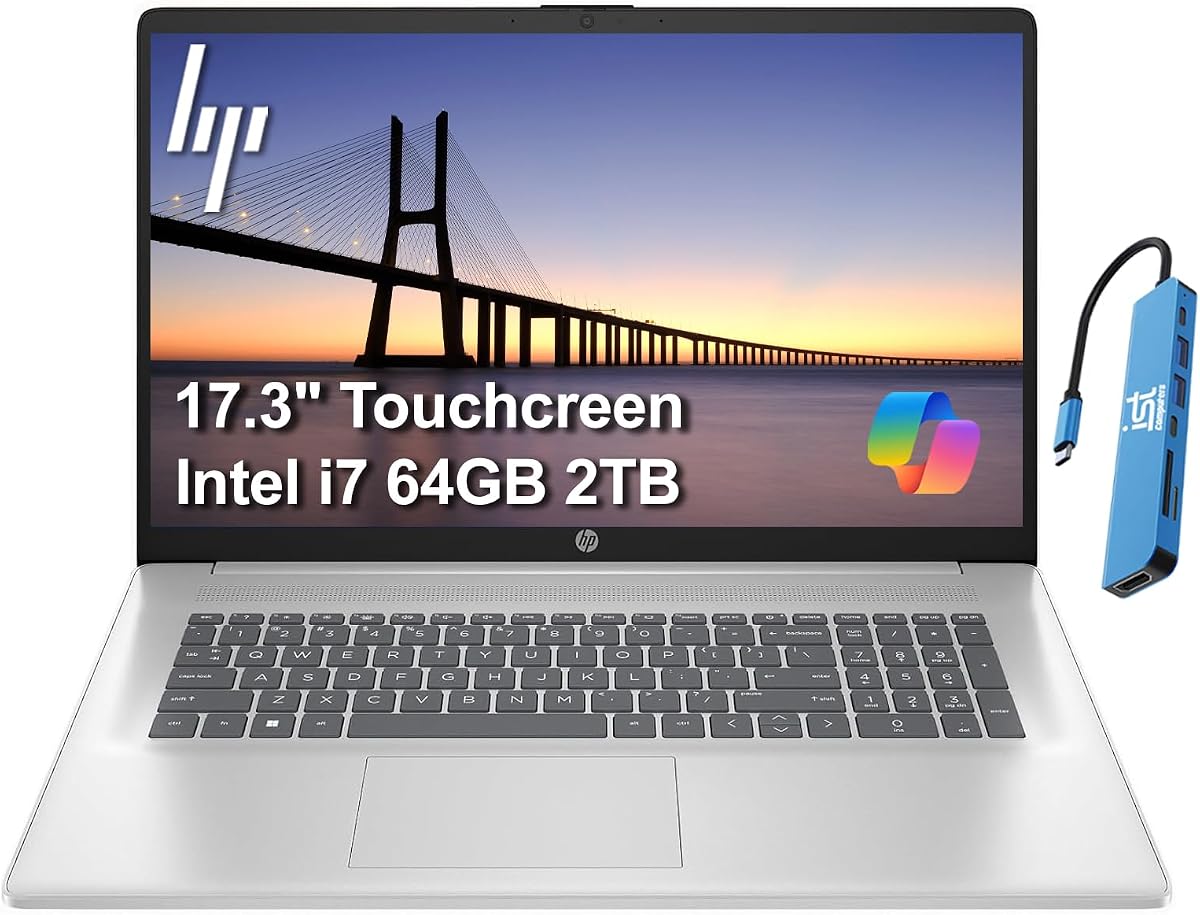
The HP 17 Touchscreen combines 64GB DDR4 RAM, a 2TB PCIe NVMe SSD, and an Intel Core 7 150U processor in a large 17.3-inch notebook. Its 4.2 rating reflects a generally solid configuration, and the mix of touch input, abundant memory, fast storage, and a privacy-shutter webcam is particularly useful for home and hybrid offices.
We may earn a commission when you buy through this link, at no additional cost to you.
The ten-core processor is designed around efficiency and responsive everyday performance, while the 64GB memory makes the system well suited to numerous applications, browser tabs, and document workloads. The 2TB NVMe drive provides generous file capacity and reduced load times. A lift-hinge design is also included to promote airflow and improve typing comfort during extended sessions.
The 1600 x 900 IPS BrightView touchscreen is less detailed than the FHD and 2K options, and the home edition of Windows 11 may be less suitable for managed corporate environments. Nevertheless, support for up to two external monitors at 4K and 60Hz through HDMI and Type-C is useful. USB-C with power delivery and DisplayPort 1.4, two USB-A ports, HDMI 1.4b, Wi-Fi 6, and Bluetooth 5.3 cover everyday connectivity well.
This model is a strong fit for users who want a large interactive screen, plenty of local memory, and fast storage for home or office work. It may be particularly attractive for students, remote employees, and families. Business administrators should note the Home operating system, while visual professionals may prefer the sharper ThinkPad display or the OmniBook's OLED panel.
The 17.3-inch touchscreen provides room for detailed documents while allowing direct interaction with content. The narrow-bezel design and lift hinge support a more comfortable and visually modern experience than a conventional large-screen business panel.
Up to two 4K external monitors can be connected without a docking station, making the laptop useful for a larger desk setup. The privacy shutter, 64GB of RAM, and 2TB NVMe storage further favor focused and flexible work sessions.
We may earn a commission when you buy through this link, at no additional cost to you.
The HP 255 G10 configuration featured here is an appealing entry point for buyers whose main priority is securing 64GB of memory on a conventional 15.6-inch laptop. It pairs that memory with a Ryzen 3 7330U processor, a 1TB PCIe SSD, and a Full HD LED-backlit display, earning a 4.3 rating.
We may earn a commission when you buy through this link, at no additional cost to you.
The Ryzen 3 7330U is a four-core processor focused on efficiency, adequate for document editing, browsing, communication, and routine office work. Its less powerful core count makes it a step below the Ryzen 7 and Core i7 alternatives when sustained multitasking or heavier applications are the primary concern. The 64GB RAM nevertheless gives it unusual flexibility for keeping many applications and browser tabs active.
Storage is a 1TB PCIe NVMe drive according to the product information, which provides a useful amount of local capacity and fast startup behavior. The 1920 x 1080 LED-backlit display is sharper than the HD+ panels used by several larger models, although it is not a touchscreen. HDMI and USB-C provide essential connections, and the thin, light design is easier to carry than a 17-inch notebook.
This is the budget pick for students, home users, and office workers who need unusually high memory without moving to a premium business platform. It makes the most sense for general productivity rather than intensive video editing or processor-heavy software. Buyers should also note that the listed operating system is Windows 11 Home and that no mouse is included.
The 64GB memory provides the largest potential advantage at this budget level. It allows users to keep extensive browser sessions, office documents, and multiple work applications in memory without turning to the less expensive storage drive for temporary data.
The four-core Ryzen 3 chip favors efficiency over maximum processing power, while the 15.6-inch Full HD screen and light design remain practical for commuting and daily use. It is a sensible match for general work, study, and household computing.
We may earn a commission when you buy through this link, at no additional cost to you.
The HP 15.6-inch Touch Laptop is included as a useful alternative rather than a true 64GB match because its listed memory is 32GB. It earns the highest numerical rating in the supplied group at 4.6 and offers a sharp Full HD IPS touchscreen, a Ryzen 5 7530U processor, a 1TB NVMe SSD, and Windows 11 Pro.
We may earn a commission when you buy through this link, at no additional cost to you.
The Ryzen 5 7530U has six cores and 12 threads, providing a stronger multitasking foundation than the entry-level Ryzen 3 configuration. Thirty-two gigabytes of DDR4 RAM remains ample for normal office work, communication, web browsing, and many simultaneous applications. It simply falls short of the 64GB target that defines most of this roundup.
The 1920 x 1080 touchscreen stands out for color accuracy, viewing angles, and responsive direct interaction. A full-size backlit keyboard and separate numeric keypad improve productivity in dim rooms and make spreadsheet or accounting work more convenient. Wi-Fi 6 and Bluetooth 5.4 support modern wireless connections, while the Pro operating system adds business-oriented functionality and Copilot assistance.
This model is worth considering when a buyer prefers a smaller touchscreen laptop, a stronger processor tier, and a highly rated configuration over maximum memory. It may be sufficient for most users today, but professionals who routinely operate large datasets, virtual machines, extensive creative projects, or many simultaneous applications should prioritize an actual 64GB option from this guide.
The six-core Ryzen 5 processor and 32GB of RAM create a capable everyday platform for business and study. The Full HD IPS touchscreen adds visual sharpness and direct interaction, making this option attractive for users who do not need to keep every possible application resident in memory.
The backlit full-size keyboard and dedicated numeric keypad improve comfort and data entry efficiency. Windows 11 Pro, integrated Copilot support, Wi-Fi 6, and Bluetooth 5.4 round out a well-equipped business and student configuration.
We may earn a commission when you buy through this link, at no additional cost to you.
The HP 15.6-inch FHD Touchscreen Laptop combines 64GB RAM, a 2TB PCIe SSD, and the eight-core Ryzen 7 7730U. Its listed 5.0 rating is among the strongest in the collection, and the combination of a capable processor, large memory allocation, touchscreen, and Windows 11 Pro makes this a particularly attractive mainstream business choice.
We may earn a commission when you buy through this link, at no additional cost to you.
The Ryzen 7 7730U has eight cores and 16 threads with boost capability up to 4.5GHz and Radeon Graphics. Paired with 64GB of RAM, it should handle heavy browser use, spreadsheets, presentations, communication applications, and substantial multitasking with plenty of headroom. The 2TB PCIe SSD adds both fast file transfers and enough capacity for substantial project libraries.
The 1920 x 1080 anti-glare touchscreen is sharper than the HD+ panels on several larger alternatives, making the smaller 15.6-inch size easier to reconcile with good display quality. Wi-Fi 6, Bluetooth 5.3, USB-C, USB-A, HDMI, a 720p webcam, dual microphones, and stereo speakers cover common needs. The listed 11-hour battery figure and fast-charge capability are useful, though real results depend on workload and settings.
This laptop is best for business users, students, remote workers, and home offices that want 64GB memory without moving to the ThinkPad or OLED OmniBook tiers. Its touchscreen, Pro operating system, numeric keypad, and strong internal specifications make it especially practical. The main consideration is verifying the exact port and accessory configuration in the live listing, since the product details are less comprehensive than those for several competing models.
Eight cores and 16 threads make the Ryzen 7 7730U well suited to sustained office multitasking and heavier applications. It provides a useful middle ground between the four-core budget Ryzen 3 and the more powerful premium Core 9 processor.
The Full HD anti-glare touchscreen makes the laptop convenient for presentations, browsing, and direct on-screen interaction. A numeric keypad, dedicated Copilot key, 720p webcam, dual microphones, and stereo speakers support a wide range of daily work and study activities.
We may earn a commission when you buy through this link, at no additional cost to you.
The HP 17-inch Business Laptop rounds out the guide with 64GB RAM, 2TB SSD storage, a Ryzen 5 7430U processor, and a 17.3-inch FHD IPS display. Its listed 5.0 rating makes it one of the most highly rated models, and the included wireless keyboard and mouse distinguish it as a ready-made productivity bundle.
We may earn a commission when you buy through this link, at no additional cost to you.
The Ryzen 5 7430U has six cores and 12 threads with boost capability up to 4.3GHz, providing a balanced platform for work, study, browsing, presentations, streaming, and light creative tasks. Integrated Radeon Graphics handle routine visual output. The generous 64GB memory allows extensive multitasking, and the 2TB SSD offers enough capacity for files, media, and installed applications.
Unlike several touchscreen alternatives, this 17.3-inch FHD IPS panel does not offer touch input, but its 1920 x 1080 resolution provides more detail than HD+ business screens. Anti-glare treatment supports comfortable viewing, and the larger dimensions can reduce frequent scrolling. Wi-Fi 6, Bluetooth 5.2, HDMI, USB-C, and USB-A cover standard connections, though Bluetooth 5.2 is not the newest standard in the group.
The package is well suited to buyers who want a desktop-style work area without immediately buying peripherals. It is especially relevant to students, home-office users, and professionals handling spreadsheets, documents, and frequent communication. Buyers wanting touch interaction should choose one of the touchscreen models, while mobile users may prefer a smaller 14-inch option.
The 17.3-inch FHD IPS display offers more resolution and working area than the HD+ large-screen alternatives. Anti-glare technology also makes it a practical choice for long document sessions and offices with varied lighting.
The included wireless keyboard and matching mouse allow users to work at a desk with a more comfortable typing arrangement. The 64GB RAM and 2TB SSD add local capacity, while the six-core processor provides sufficient power for routine business and study.
We may earn a commission when you buy through this link, at no additional cost to you.
Choosing among 64GB laptops requires looking beyond memory alone. Processor capability, storage speed, display quality, portability, operating system, security, and connectivity determine whether the extra memory becomes a meaningful productivity advantage in everyday use.
In short, choose a higher core count for demanding office workloads, software development, or frequent background processes.
In short, 64GB is most valuable for power users, while 32GB remains a practical alternative for conventional workflows.
In short, prioritize fast NVMe-class storage and choose capacity according to how much material you need to keep locally.
In short, choose the smallest display that comfortably fits your work, then prioritize resolution or touch support based on your workflow.
In short, select Pro and biometric options when device management, sign-in security, or corporate compatibility is important.
In short, map the ports to your monitor, keyboard, storage, and network requirements before choosing the most portable model.
In short, choose newer wireless support for demanding offices, while Wi-Fi 6 remains suitable for most everyday environments.
In short, prioritize a durable, manageable size for commuting and a large display for a permanent desk.
After setup, use your operating system's memory and task manager tools to understand how applications use the 64GB capacity. Avoid treating high memory usage as a problem by itself: active tabs, creative applications, and virtual environments are designed to use available memory. Restart periodically when necessary, save important files, and check which programs are responsible for unusually high consumption.
Maintain free storage space on the solid-state drive so that temporary files, updates, and application caches have room to operate. Use the system cleanup tools, remove files you no longer need, and transfer large media or completed projects to external storage or cloud services. Periodic health checks, careful use of the charger and ports, and protection from excessive heat will help preserve long-term performance.
For upgrades, check the manufacturer's guidance and warranty terms before opening the system. Some listings specifically state that the factory seal was opened for RAM or SSD installation, with separate warranty coverage for the upgraded components. Use compatible parts, follow anti-static precautions, and consult a qualified technician if you are unfamiliar with laptop hardware. For display care, clean the panel with a soft cloth and avoid placing heavy objects on a closed display.
For general web browsing, document editing, and streaming, 32GB is usually sufficient. However, 64GB becomes more useful when you keep many browser tabs open, run demanding office applications, edit large media projects, or use virtual machines. It can also reduce pressure on storage during heavy multitasking. The right choice depends on how many applications you realistically keep active and whether the additional memory comes with a processor and storage configuration that suits your needs.
The main benefit is additional headroom for multitasking. A 64GB system can hold more active applications, browser tabs, large datasets, and background processes without relying on the solid-state drive for temporary data. This can improve responsiveness in demanding workflows. For lighter use, the difference may be difficult to notice, so a faster processor, better display, or higher-resolution screen can sometimes deliver a more visible improvement.
It can make a laptop feel faster when the previous configuration was running out of available memory or repeatedly swapping active data to storage. More RAM will not overcome a weak processor, slow storage, or inadequate graphics for a particular task. It works best alongside capable internals, which is why the 64GB models in this guide use a range of Ryzen 5, Ryzen 7, Core i5, Core i7, Core 9, and Core Ultra processors.
For many editing workflows, 64GB provides enough memory for demanding applications, timelines, media applications, and multiple previews. Storage and graphics performance are also important, particularly with high-resolution footage. The OmniBook 7 stands out for its 2K OLED display, while the models with 2TB SSDs provide more local project space. Specialized color-critical work may still require calibration and a more advanced display.
Choose the 14-inch ThinkPad when portability, compact dimensions, extensive ports, and multi-monitor support matter most. A 17.3-inch model provides more visible workspace and often a numeric keypad, making it better for spreadsheets, documents, and a fixed desk. The 15.6-inch options occupy the middle ground, while the 16-inch OmniBook focuses on a premium OLED experience.
It depends on the development environment. Standard code editing, documentation, and web development may work comfortably with less memory, while large builds, containers, virtual machines, and multiple development environments can use 64GB effectively. The ThinkPad T14 Gen 6 is particularly relevant because it combines 64GB DDR5 memory, a modern Core Ultra processor, strong connectivity, and support for multiple external monitors.
A touchscreen can improve direct interaction, presentations, browsing, and certain creative workflows. It is not essential for conventional office work, and some users may prefer the keyboard-and-mouse experience of a non-touch model. Compare display resolution alongside touch support: the 15.6-inch FHD touchscreen and 16-inch 2K OLED both provide more detail than the larger HD+ touchscreen panels.
Check who installed the RAM and SSD, what warranty applies to those parts, and whether the remaining components retain manufacturer coverage. The HP Essential 17t explicitly states that its seal was opened for upgrades and outlines separate warranty coverage. For any configuration, confirm the memory amount, storage capacity, operating system, ports, display, and included accessories on the current listing before ordering.
The Lenovo ThinkPad T14 Gen 6 is the strongest all-around premium business recommendation, especially for users who value durability, a sharp 14-inch display, modern connectivity, multi-monitor support, and 64GB DDR5 memory. The HP 255 G10 with Ryzen 7 7730U delivers the most balanced traditional business configuration, while the HP OmniBook 7 stands apart for its 2K OLED touchscreen, 120Hz refresh rate, and Wi-Fi 7 support.
Before choosing, prioritize the components that affect your daily work rather than treating 64GB as the only metric. Consider processor class for sustained performance, SSD capacity for local files, screen size for workspace, touch support for interaction, and the operating system for management and security. A less expensive 64GB configuration may be wiser than a premium model whose extra features do not serve your needs.
Finally, verify the exact current specification, warranty, accessories, and price on the retail listing. Hardware configurations can change, and promotions or price adjustments may occur. The best laptop with 64GB RAM is ultimately the one that combines enough memory with the processor, storage, display, connectivity, and portability that match your everyday workload.

