
jumper 15.6-inch FHD Laptop
4.8Editor score
Ultra-low power processor
12GB memory and 256GB SSD
Full HD IPS eye-care display
Low power consumption laptops are built around efficient processors, capable displays, and sensible battery design to help users work and study for longer between charges. They are especially useful for students, commuters, travelers, and office workers who spend much of the day away from a wall outlet. The right model balances endurance with comfort, connectivity, and dependable everyday performance.
This guide compares ten laptops using the specifications and feature information supplied for each model. The evaluation considers processor efficiency, battery-life claims, screen size and brightness, memory, storage, wireless standards, portability, port selection, and practical features such as webcams, microphones, and privacy shutters. It also distinguishes Chromebooks from Windows laptops and highlights storage and software differences.
Each pick demonstrates a different route to efficient computing, from a fanless Windows 11 design to a feature-rich Lenovo business notebook and an ultraportable HP Chromebook. Battery ratings can vary with screen brightness, workload, wireless activity, and power settings, so quoted endurance figures should be treated as comparisons rather than guarantees. Product availability and prices change frequently, making it sensible to verify current listings before buying.
4.8Editor score

5.0Editor score

4.3Editor score
As an Amazon Associate we earn from qualifying purchases.
The table below places all ten laptops side by side, emphasizing processor choice, portability, display format, and storage. It provides a quick way to identify the model that best matches your work, study, entertainment, and travel requirements.



The HP Chromebook 14 is an efficient, browser-centered laptop with a 4.3 rating and a strong emphasis on portability and endurance. Its Intel Celeron N4120 quad-core processor is designed around efficient performance, while the supplied battery claim reaches up to 14 hours. That makes it a natural option for web-heavy students and commuters who want a large-enough screen without carrying a heavy full-size notebook.
We may earn a commission when you buy through this link, at no additional cost to you.
The anti-glare 14-inch HD panel measures 1366 by 768 and uses a micro-edge design to keep the chassis compact. Intel UHD Graphics 600 supports smooth 4K content, while 4GB of RAM and 64GB of eMMC storage provide a practical foundation for Chrome-based applications. HP Fast Charge can raise the battery from 0 to 50 percent in approximately 45 minutes, which is particularly useful between classes or meetings.
The main compromises are the modest 64GB storage capacity and the app limitations of Chrome OS compared with a conventional Windows laptop. Users who need large offline media libraries, specialized desktop software, or extensive file storage may find the eMMC restrictive. The HD resolution is also less detailed than the Full HD panels offered by several competing picks in this guide.
Despite those limitations, this Chromebook suits people whose daily routine revolves around web browsing, Google Workspace, online learning, communication, and streaming. It combines a long claimed runtime, rapid charging, a comfortable portable form, and sustainable certifications in one straightforward package. It is our Editor's Choice because it delivers the most convincing general-purpose balance for low-power use.
The stated battery life of up to 14 hours gives this Chromebook a clear advantage for school, commuting, and travel. HP Fast Charge adds flexibility by restoring a substantial charge during a short break, although actual results will depend on workload and power settings.
Chrome OS provides a secure, streamlined environment with access to the Google Play Store and a broad selection of web applications. It is well suited to assignments, browsing, video calls, and streamed entertainment without the overhead of a heavier multitasking notebook.
We may earn a commission when you buy through this link, at no additional cost to you.
The Lenovo V15 Business Laptop combines an efficient Intel N100 processor with a 15.6-inch Full HD display and a portable 3.42-pound chassis. Its 4.3 rating reflects a well-rounded package for productivity, online learning, document editing, streaming, and communication. It also carries ENERGY STAR 9.0 and EPEAT Silver certifications, reinforcing its efficiency positioning.
We may earn a commission when you buy through this link, at no additional cost to you.
Connectivity is a major strength. The laptop includes Wi-Fi 6, Bluetooth 5.2, two USB-A ports, a USB-C port with Power Delivery and DisplayPort, HDMI, an SD card reader, and a headphone and microphone combination jack. LPDDR5-4800 memory and UFS 3.1 storage help keep routine interactions responsive, while the anti-glare Full HD panel reduces reflections during long sessions.
Its main limitation is 4GB of installed RAM, which may become restrictive when many browser tabs and applications are open simultaneously. Windows 11 Home in S mode also limits installation of some desktop applications outside the Microsoft Store. The 250-nit display and 1.5-watt stereo speakers are appropriate for office and online-learning use, though they are not aimed at premium media creation.
This V15 is well suited to budget-conscious professionals, students, and small-business users who value a large display, modern connectivity, and a broad selection of ports. It is our Best Premium pick because its efficiency-focused hardware is combined with business-oriented security, durability testing, and convenient USB-C charging in a notably portable design.
The mix of legacy and modern ports reduces the need to carry a dongle. USB-C Power Delivery handles charging and external-display connections, while USB-A, HDMI, and the SD reader support peripherals, presentations, and media transfers.
A privacy shutter, firmware TPM 2.0, Windows 11 S mode, and MIL-STD-810H testing support a professional approach to video calls and everyday handling. These features make the laptop especially relevant to offices, classrooms, and shared workspaces.
We may earn a commission when you buy through this link, at no additional cost to you.
The HP New Everyday Slim Laptop pairs a 5.0 rating with a configuration built around efficient daily computing. Its Intel N150 processor reaches up to 3.6 GHz, while DDR5 memory and a 128GB SSD provide a modern platform for browsing, schoolwork, document editing, streaming, and communication. The included Windows 11 Home 64-bit operating system provides broad compatibility.
We may earn a commission when you buy through this link, at no additional cost to you.
Its claimed battery life reaches up to 11.5 hours, and the 3.24-pound, 0.71-inch-thick chassis is easy to carry between classes or workspaces. Connectivity includes USB-C with DisplayPort 1.2, USB 3.2 Gen 1, USB 2.0, HDMI, a card reader, and a combined audio jack. The 720p camera, dual microphones, and HD audio also make it suitable for online meetings.
The 4GB memory configuration is the principal constraint for heavier multitasking, and the 1366-by-768 BrightView display is less detailed than the Full HD options in this list. Its 220-nit brightness and 45% NTSC coverage also place it within the basic display category, so graphic designers and high-resolution media editors should look elsewhere.
For users seeking an affordable Windows laptop that emphasizes battery endurance, portability, and familiar productivity software, this is a strong recommendation. It is our Editor's Choice because its efficient processor, lengthy claimed runtime, modern ports, and complete everyday feature set provide one of the clearest low-power buying paths.
The Intel N150 offers four cores and four threads with speeds up to 3.6 GHz. It is designed for routine productivity rather than demanding gaming or intensive professional workloads, making it an appropriate low-power choice for browsing, school, and office applications.
USB-C charging, an SD card reader, a 720p webcam, dual microphones, and stereo speakers give the laptop useful functionality beyond the display and keyboard. One year of Microsoft 365 is also included for common productivity applications.
We may earn a commission when you buy through this link, at no additional cost to you.
This 2026-edition HP New Everyday Slim Laptop is a refined travel-oriented version of the basic everyday notebook concept. It uses the Intel N150 and Intel Graphics for browsing, online classes, office tasks, and streaming, while Windows 11 Home 64-bit supplies a familiar productivity environment. Its detailed battery information distinguishes up to 11.5 hours of video playback from up to 7.5 hours of wireless streaming.
We may earn a commission when you buy through this link, at no additional cost to you.
The 14-inch anti-glare display offers 1366-by-768 resolution, 250-nit brightness, 62.5% sRGB coverage, and a 79% screen-to-body ratio. A dedicated Microsoft Copilot key provides quick access to the AI assistant, while the 720p camera uses temporal noise reduction and the dual-array microphones support clearer virtual meetings. The slim Natural Silver chassis weighs 3.24 pounds.
The main issue is the absence of a supplied customer rating, which makes direct confidence comparisons difficult. It also has less storage than some rivals and depends on its stated 1TB cloud-storage allocation for additional space. The HD resolution and modest color coverage are acceptable for general productivity but not ideal for detailed visual editing.
The laptop is a good recommendation for students and mobile workers who want Windows, an efficient processor, a comfortable anti-glare screen, and a dedicated Copilot key. Its battery claims, portable chassis, and communication features support long study or travel days. Prospective buyers should verify current software licensing, storage details, and warranty terms on the listing.
The Copilot key, multi-touch Imagepad, 720p camera, and dual microphones improve daily interaction and communication. These details complement the efficient processor and make the laptop especially relevant to students participating in online classes.
The stated 11.5-hour figure applies to video playback, while wireless streaming is rated at up to 7.5 hours. Comparing the same activity across laptops provides a more meaningful basis for comparison than comparing headline battery numbers alone.
We may earn a commission when you buy through this link, at no additional cost to you.
The Lenovo Essential 15.6-inch FHD Laptop stands out for having 8GB of LPDDR5-4800 memory, twice the installed memory offered by several neighboring picks. That makes it a sensible choice for users who regularly keep browser tabs, documents, and communication applications open. It carries a 4.1 rating and is powered by the efficient Intel N150 quad-core processor.
We may earn a commission when you buy through this link, at no additional cost to you.
Its Full HD anti-glare display, 250-nit brightness, and 88% screen-to-body ratio create a productive workspace. The 720p camera includes a privacy shutter, while the keyboard has a dedicated AI Copilot hotkey and a precision touchpad. Wi-Fi 6, Bluetooth 5.2, two USB-A ports, USB-C with Power Delivery and DisplayPort, HDMI, an audio jack, and an SD card reader offer solid connectivity.
Its 4.1 rating is the lowest among the products with supplied numeric ratings, so buyers should consider available customer feedback before deciding. The 128GB UFS 3.1 drive also limits local file capacity, and Windows 11 Home in S mode may restrict some software choices. The display is suitable for productivity but not specialized color-critical work.
For students and home-office users who need more memory than the basic 4GB configurations but still want a lightweight 15.6-inch notebook, this Lenovo Essential deserves serious consideration. Its 3.42-pound weight, modern port selection, durable testing, and energy certification create a balanced package for everyday productivity.
The 8GB LPDDR5 configuration is the distinguishing feature of this model. It provides more room for simultaneous applications than 4GB systems, particularly when handling numerous browser-based tools, documents, and video calls.
A 15.6-inch Full HD panel offers a roomy productivity area, yet the laptop remains relatively light at 3.42 pounds. The slim 0.70-inch profile makes it easier to fit into daily bags without sacrificing the larger display.
We may earn a commission when you buy through this link, at no additional cost to you.
The Amzboy 15.6-inch Laptop differentiates itself with a fanless solid-state design that provides silent operation and prevents internal dust accumulation. It carries a 4.6 rating and uses an Intel N4020 processor for daily browsing, document work, online classes, and video meetings. The large Full HD anti-glare display is well suited to lessons, presentations, and entertainment.
We may earn a commission when you buy through this link, at no additional cost to you.
Portability remains strong despite the large screen because the chassis weighs only 3.3 pounds. A 45-watt Type-C Power Delivery adapter enables compact charging, and the system includes dual Type-C connections, USB 3.2, and a TF card slot. Storage can be expanded by as much as 1TB through the external card slot, helping offset the 128GB eMMC capacity.
The main compromise is 4GB of RAM, which is modest for intensive multitasking. The N4020 is appropriate for essential tasks but does not target demanding software, modern games, or extensive creative projects. The listing does not provide a specific battery-life figure, so its low-noise design and efficient processor are more useful indicators than an endurance estimate.
This model is a strong choice for students, library users, remote workers, and anyone who values silence over maximum performance. The combination of a Full HD display, fanless construction, expandable storage, and USB-C charging makes it particularly practical for travel and shared environments.
The fanless solid-state construction eliminates fan noise, which can be valuable in libraries, quiet offices, meetings, and study spaces. It also reduces the likelihood of dust entering a conventional cooling assembly.
The included 45-watt Type-C adapter reduces charger bulk, and the expandable TF card slot supports up to 1TB. These details make the system easier to adapt to different storage and travel needs.
We may earn a commission when you buy through this link, at no additional cost to you.
The ASUS Vivobook Go 15.6-inch model targets students who want a large Full HD screen and a comfortable keyboard in a thin, portable format. It has a 3.9 rating, the lowest supplied rating among the ten products, but its feature set includes a backlit chiclet keyboard, a 720p camera with a privacy shutter, and stereo audio by SonicMaster.
We may earn a commission when you buy through this link, at no additional cost to you.
The Intel Celeron N4500 is a dual-core processor intended for education, browsing, video conferencing, multimedia playback, and light gaming. A 42Wh battery and fast-charging capability that reaches 60 percent in approximately 49 minutes help support mobile study. The 1920-by-1080, 60-hertz display has 220-nit peak brightness, which is a notable step above basic HD resolution.
The compromises are significant for heavy users. Its 4GB DDR4 memory and 128GB eMMC storage are limited, while the dual-core processor is less suitable for demanding multitasking than newer quad-core alternatives. Windows 11 Home in S mode may also constrain installation choices for some desktop applications.
This Vivobook is most appropriate for students who prioritize a keyboard, Full HD screen, and fast charging over maximum processing power or storage. The backlit keyboard is especially useful for evening study, while the 15.6-inch panel gives coursework and media a comfortable canvas. Buyers should confirm that its Windows software restrictions and basic specifications align with their needs.
The full-size backlit chiclet keyboard is a meaningful feature for students who work after dark. ASUS pairs it with a 720p camera and privacy shutter, creating a more complete setup for online classes and shared spaces.
The 42Wh battery supports an all-day positioning, while the supplied fast-charge claim can reach 60 percent in 49 minutes through USB-C. That makes short breaks between lessons more convenient.
We may earn a commission when you buy through this link, at no additional cost to you.
The HP 14-inch 2027 Edition is a compact Windows notebook built around the efficient Intel N150 processor. It has a 4.5 supplied rating, 4GB of DDR5 memory, a 128GB SSD, and 1TB of cloud storage. Its configuration supports routine browsing, office work, streaming, and online communication without introducing a large or heavy chassis.
We may earn a commission when you buy through this link, at no additional cost to you.
The non-touch 14-inch display has 250-nit brightness and anti-glare treatment, offering a comfortable view for work and entertainment. The laptop weighs 3.24 pounds and measures 0.71 inches thick, making it easy to move between home, school, and an office. USB 3.0 Type-C and Type-A connections, HDMI, and a combined headphone and microphone jack cover the main peripheral needs.
Its primary limitation is 4GB of RAM, which can slow down heavier multitasking or numerous open browser-based workflows. The 128GB SSD also leaves limited room for large local collections, making cloud storage more important. Specific battery-duration claims are not provided in the supplied information, so its low-power appeal rests primarily on the efficient processor and portable chassis.
This HP is a sensible recommendation for mobile students and office users who prioritize a compact form, Windows compatibility, and an anti-glare display. It is particularly appealing when the 1TB cloud allowance aligns with an online-first workflow. Buyers should check current licensing details and ensure that their application and file-storage needs do not exceed the local capacity.
At 3.24 pounds and 0.71 inches thick, the laptop is compact enough for regular transport. The 14-inch display preserves a useful work area without moving into the bulkier category of larger 15.6-inch business notebooks.
The combination of a 128GB SSD and 1TB cloud storage favors users who keep documents and media online. It is less convincing for buyers needing extensive local media libraries, large project files, or offline availability.
We may earn a commission when you buy through this link, at no additional cost to you.
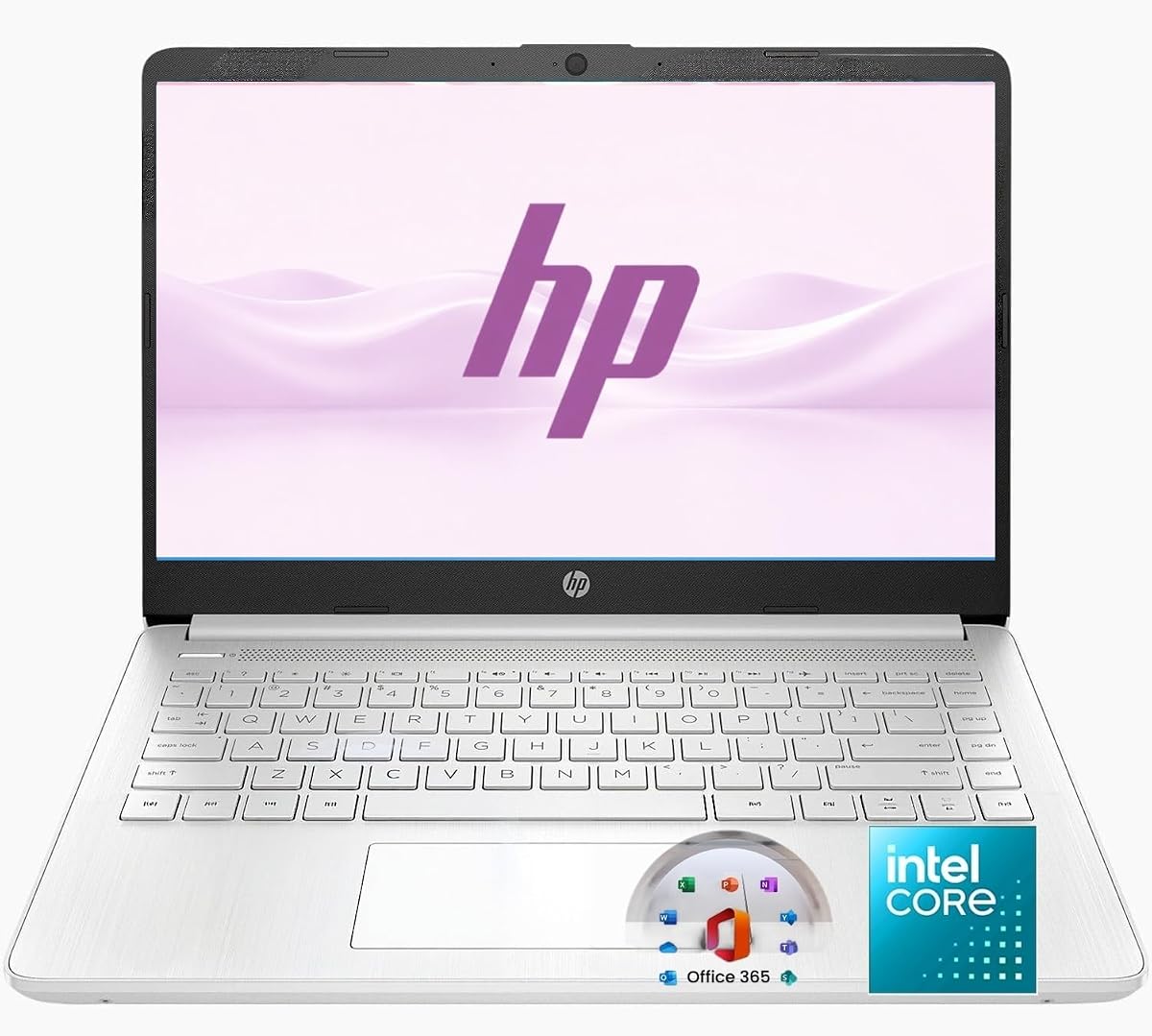
The jumper 15.6-inch FHD Laptop combines a 4.8 rating with an unusually generous 12GB memory configuration for this category. Its Intel Celeron 5205U dual-core processor uses 14-nanometer Comet Lake lithography and is described as having ultra-low power consumption. It is aimed at browsing, office tasks, streaming, and light multitasking.
We may earn a commission when you buy through this link, at no additional cost to you.
The Full HD IPS panel has a 1920-by-1080 native resolution, 16:9 aspect ratio, slim 5mm bezels, anti-glare coating, and blue-light filtering. A 256GB SSD supports quick access to files and applications, and storage can be expanded to 512GB. The port selection includes Type-C, HDMI, dual USB 3.0 connections, a 3.5mm audio jack, a microSD slot, and a DC charging port.
The processor's dual-core, two-thread design is the biggest limitation, particularly compared with newer quad-core N-series processors in this guide. The 38Wh battery is also relatively modest, although the low-power design and efficient platform can still serve routine productivity well. Bluetooth 4.2 is dated relative to Bluetooth 5.x alternatives.
This laptop is our Best Budget pick because it offers a strong balance of memory, storage, display quality, and essential connectivity at an approachable configuration. It is well suited to students, home-office users, and general consumers who want Windows and a Full HD screen without paying for a large-screen business notebook.
The 12GB RAM configuration is the strongest memory allotment among the picks. It gives the system more headroom for browser tabs, office applications, and communication tools than the several 4GB alternatives in the guide.
The IPS-style Full HD display offers native detail and an anti-glare surface, while the narrow bezels and blue-light filtering are useful for extended study or viewing sessions. It is a practical middle ground for work and entertainment.
We may earn a commission when you buy through this link, at no additional cost to you.
The HP 14-inch Ultra Light emphasizes a ready-to-use productivity bundle, pairing Windows 11 and one year of Office 365 with 8GB of RAM and an Intel N150 processor. It carries a 4.3 rating and is designed for students, families, home offices, and routine business users who need browsing, documents, learning, meetings, and light entertainment.
We may earn a commission when you buy through this link, at no additional cost to you.
The 14-inch form is portable, and wireless connectivity includes Wi-Fi 6 and Bluetooth 5.4. A 720p webcam and dual microphones support online classes and calls. Storage consists of 128GB UFS, supplemented by a removable 256GB SD card for documents, photos, class files, and media. The supplied wireless mouse and external CD/DVD drive add practical peripherals for a ready-to-go setup.
Its main limitations are the basic HD display and modest 128GB internal storage. The Intel N150 is appropriate for everyday work but not heavy gaming or professional design applications. The accessories may also be more useful to some users than others, making them a convenience rather than a decisive reason to choose the model.
This HP is a good option for buyers who want the laptop, basic peripherals, and common productivity applications assembled into one package. Its 8GB memory offers more multitasking headroom than the 4GB alternatives, while the portable 14-inch design supports learning and commuting. It is best suited to everyday tasks rather than specialized or intensive workloads.
A removable 256GB SD card, external CD/DVD drive, and wireless mouse provide added storage and input options. This bundle can be especially convenient for students setting up a study or office station.
Eight gigabytes of RAM helps the N150 platform handle browser tabs, Office documents, email, and video calls with more headroom than a 4GB system. Windows 11 and Office 365 make the package immediately relevant to common work and study.
We may earn a commission when you buy through this link, at no additional cost to you.
Choosing an energy-efficient laptop means balancing battery claims, processor capability, screen demands, memory, storage, and portability. The most efficient machine is not necessarily the fastest, but it should comfortably handle your normal workload without forcing constant charging or frustrating delays.
Battery capacity and manufacturer claims provide an initial filter, although the activity behind each figure matters. The HP Chromebook 14 lists up to 14 hours, the HP New Everyday Slim models list up to 11.5 hours of video playback, and the ASUS Vivobook Go includes a 42Wh battery with fast charging. Compare like workloads when possible and account for Wi-Fi activity, video playback, screen brightness, and sleep behavior.
Prioritize a model that fits a typical day with some margin. If you regularly travel or commute, USB-C Power Delivery, a compact adapter, and rapid charging can be as valuable as a higher headline endurance figure. Check whether the charger supports the laptop's required wattage and whether the included adapter is the one you will actually carry.
The processor determines how efficiently a laptop completes routine work and how much power it demands under load. The Intel N100, N150, and N4020 choices are modern quad-core options for light productivity, while the N4500 and Celeron 5205U are dual-core designs suited to more modest workloads. The Chromebook's N4120 is also designed around efficiency and value.
Choose a processor according to your tasks rather than treating efficiency and capability as opposites. Newer N-series processors generally offer a stronger balance for browsing, documents, classes, and communication. Heavy gaming, intensive video editing, and advanced professional software need a substantially more powerful platform than the entry-level chips represented here.
Memory affects how comfortably several applications and browser tabs can remain open. The jumper leads this group with 12GB, followed by the Lenovo Essential and HP 14-inch Ultra Light at 8GB. Several alternatives have 4GB, which can be sufficient for light use but may become restrictive with crowded browser windows, video calls, and productivity tools running together.
Look for at least 8GB when multitasking is central to your day, especially if you cannot easily upgrade the memory. Models with only 4GB may still serve students or casual users, but they are better suited to focused tasks and should be paired with cloud storage when local capacity is limited.
Storage configuration affects application loading, file access, and how much can remain available offline. The jumper offers 256GB SSD storage, while most Windows alternatives provide 128GB. The HP Chromebook uses 64GB eMMC, and several Windows models include cloud storage to supplement their local drives. UFS 3.1 in the Lenovo models and SSD storage in the HP and jumper laptops are designed for responsive everyday use.
Consider how you work before choosing capacity. Cloud-focused users can benefit from a smaller local drive, while anyone handling large media, course files, or offline applications will prefer more space. Check whether memory or storage can be expanded, and do not assume an SD or TF card slot replaces the speed and convenience of internal storage.
The selection spans HD and Full HD panels, with screen sizes from 14 to 15.6 inches. Full HD models such as the Lenovo V15, Lenovo Essential, ASUS Vivobook Go, Amzboy, and jumper provide more detail, while anti-glare surfaces on several models help with reflections and prolonged viewing. The ASUS also lists a 60Hz refresh rate, which can make scrolling feel more fluid.
For studying and office work, prioritize readable text, comfortable dimensions, and a nonreflective surface. Larger screens improve multitasking but can increase weight and reduce portability. Brightness ratings range from 220 to 250 nits across several listings, so consider whether the laptop will be used mainly indoors or in brighter locations.
Every model in this guide prioritizes a relatively thin and light design, but there are meaningful differences. The HP 14-inch models and the Amzboy weigh about 3.24 to 3.3 pounds, while the Lenovo 15.6-inch models weigh 3.42 pounds. A smaller 14-inch footprint may be easier to carry than a larger 15.6-inch display, even when the weight difference is modest.
Include the charger in your mobility calculations. A laptop is only as portable as the power solution you must carry. USB-C charging models may simplify packing, while displays, keyboards, and cooling requirements also influence comfort when working in a café, on a train, or during long study sessions.
Wireless standards and port selection determine which peripherals can be used without adapters. Wi-Fi 6 appears on both Lenovo models and the HP 14-inch Ultra Light, while Bluetooth 5.2 or 5.4 provides newer wireless peripheral support on several picks. USB-C with DisplayPort, HDMI, USB-A, card readers, and audio jacks provide a more flexible setup.
Choose the ports you actually use rather than assuming extras automatically add value. A USB-C charger can support a minimal travel kit, while a fixed DC input may require carrying the supplied adapter. Confirm display-output compatibility, charger wattage, and the type of storage card supported by any reader before purchasing.
Chrome OS and Windows serve different purposes. The HP Chromebook 14 offers a secure, streamlined environment centered on browser applications and Google Play Store access. Windows models provide broader compatibility with desktop software and include Microsoft 365 or Office 365 in the supplied information, but some Lenovo models use Windows 11 Home in S mode, which can limit application installation.
Match the operating system to your existing workflow. Chrome OS works best for online-focused tasks, while Windows is more appropriate for Microsoft-heavy school or office routines. Users who rely on specialist software should verify compatibility before buying rather than assuming every Windows device accepts every program.
Begin by configuring your preferred power profile in the operating system and reducing unnecessary background activity. On Windows laptops, battery saver or balanced modes can reduce power draw, while disabling unneeded startup applications and closing idle browser tabs frees system resources. On the HP Chromebook, keeping the display brightness sensible and using Chrome OS battery-saving features supports longer use between charges.
Charge with the supplied or a properly rated USB-C or DC adapter, and keep the charging port clear of dust and debris. Avoid leaving the laptop in a hot car or exposing it to direct heat, since elevated temperature can affect battery health and performance. For long storage, consult the manufacturer's guidance and avoid leaving a depleted battery in a hot environment.
Treat low-power laptops as complete computers rather than appliances for a single task. Keep files backed up, use system updates, maintain reasonable free storage, and clean the screen and keyboard gently. These habits protect the efficiency gains by preventing software bloat, thermal buildup, and avoidable stress on the battery and internal components.
Low power consumption generally comes from an efficient processor, efficient storage, a suitable display, and power-aware software behavior. Processors such as the Intel N100, N150, N4020, N4500, N4120, and Celeron 5205U are designed primarily for efficiency rather than maximum performance. Actual battery consumption also depends on screen brightness, workload, wireless activity, background applications, and thermal conditions.
Yes, a Chromebook can be an excellent choice for browsing, online classes, Google Workspace, communication, and streaming. The HP Chromebook 14 in this guide provides a claimed battery life of up to 14 hours and uses an efficient Intel Celeron N4120. Its main limitation is storage, with only 64GB eMMC, so buyers who need large offline files should consider Windows alternatives.
The jumper 15.6-inch FHD Laptop has the largest memory allocation at 12GB RAM, followed by the Lenovo Essential and HP 14-inch Ultra Light at 8GB. More memory can improve multitasking headroom, but the processor and storage also influence overall responsiveness. The jumper pairs its 12GB with a 256GB SSD and a Full HD IPS display.
No. Battery claims are generally based on specific test conditions, and real results vary with workload and settings. The HP 2026-edition model distinguishes up to 11.5 hours of video playback from up to 7.5 hours of wireless streaming, illustrating why the activity matters. Screen brightness, video quality, Wi-Fi use, and power mode can all change the result.
A 14-inch model is generally easier to carry and offers a more compact footprint, while a 15.6-inch display provides more room for documents, classes, and multitasking. The HP 14-inch options weigh about 3.24 pounds, and the 15.6-inch Lenovo and Amzboy models weigh about 3.3 to 3.42 pounds. The weight difference is modest, so screen preference may matter more.
They can be suitable for focused school tasks, browsing, documents, and online classes, especially when fewer applications are open at once. However, 4GB becomes restrictive with many browser tabs, video calls, and productivity applications running together. Students who need greater flexibility should favor 8GB or 12GB configurations or keep active files and applications carefully managed.
Several models provide explicit external-display support through USB-C with DisplayPort or HDMI. The Lenovo V15 and Lenovo Essential include USB-C DisplayPort and HDMI, while the HP New Everyday Slim includes USB-C DisplayPort 1.2 and HDMI 1.4b. For other models, check the listing and current device documentation to confirm output support and compatible adapters.
The Amzboy 15.6-inch Laptop is the clearest option for a quiet shared workspace because it uses a fanless solid-state design for silent operation. Its Full HD anti-glare display and 3.3-pound weight also support portability. The trade-off is a 4GB memory configuration and an Intel N4020 processor intended for essential tasks rather than intensive workloads.
The HP Chromebook 14 offers the longest stated battery figure and an especially portable Chrome OS design. The HP New Everyday Slim Laptop stands out as a well-balanced Windows choice with efficient hardware, useful ports, and a claimed 11.5-hour battery, while the jumper combines a high 4.8 rating with 12GB memory, a 256GB SSD, and a Full HD IPS panel. The Lenovo V15 earns its place through business-oriented security and broad connectivity.
Prioritize the feature that most affects your day: a quiet fanless machine for shared spaces, a large Full HD display for study, 8GB or more for busy browser workflows, USB-C charging for travel, or a Chromebook for an online-first routine. Efficient processors are helpful, but battery claims, screen quality, ports, memory, and software compatibility must work together to create a satisfying experience.
Before purchasing, verify the current listing, warranty, included software, charger, and availability of the exact configuration. Prices and product details change over time, and battery performance varies with settings and workload. Taking a few minutes to compare the current specification sheet can prevent surprises and help you select the model that best matches your daily routine.