
OASO Magnetic Cap Stylus
4.3Editor score
Protective magnetic cap
Replacement disc tip
Leather carrying case
Our Touch Pen for Tablets guide compares ten stylus options for compatibility, tip design, charging needs, precision, portability, and everyday tablet use.
A touch pen for tablets can make note-taking, drawing, navigation, and document review feel more natural than using a fingertip. The right stylus depends on your device, screen protector, handwriting style, and whether you want a simple passive accessory or a rechargeable pen with more advanced features.
This guide compares ten tablet styluses based on compatibility, tip construction, precision, power requirements, included accessories, portability, and suitability for everyday tasks. It covers passive capacitive models alongside battery-powered options, highlighting both their advantages and their limitations.
Each pick reveals what makes that stylus useful for students, professionals, families, artists, and casual users. Ratings and product details reflect the supplied marketplace information, while prices and promotions can change, so compare the current listing with your own device before buying.
4.3Editor score

4.6Editor score

4.7Editor score
The comparison below highlights each stylus's power style, tip design, device coverage, and key convenience features, helping you identify the most suitable option for writing, drawing, gaming, or everyday navigation.




This Bopomofo set earns the Editor's Choice position with a 4.6 rating, a versatile two-tip design, and a package that supports several users at once. Each pen combines a flexible transparent disc tip with a rubber tip, allowing you to switch between broad, smooth contact and more deliberate touchscreen control without changing devices or installing software.
We may earn a commission when you buy through this link, at no additional cost to you.
The strongest feature is its flexibility. The disc tip imitates the contact behavior of a fingertip and is useful for scrolling, reading, drawing, and navigating menus. The rubber tip can feel more precise when moderate pressure is applied, particularly with a screen protector in place. Because the stylus is passive capacitive hardware, it starts working without charging, pairing, drivers, or an app.
There are important limits. It does not provide pressure sensitivity, so line weight will not change dynamically like it can with a pressure-sensitive active stylus. It also lacks palm rejection, meaning users should avoid resting a hand on the screen while drawing. The integral plastic section of the disc tip cannot be removed, and some writing applications may impose their own touchscreen limitations regardless of the accessory.
This is a strong all-around choice for households, classrooms, offices, and anyone who wants several pens in one package. The five colored bodies make pens easy to distribute, while six replacement rubber nibs and three replacement disc nibs help extend service life. Choose it for general-purpose writing and navigation; an active stylus remains preferable for advanced illustration.
The rubber end offers a more focused point of contact for handwriting, icon selection, and small details. The transparent disc end glides broadly across capacitive displays, making it convenient for scrolling, casual sketching, and everyday touch navigation.
Five colored pens and a generous set of replacement tips make this package particularly useful for students, family members, or coworkers. It also avoids the inconvenience of finding a charging cable before a meeting or class.
We may earn a commission when you buy through this link, at no additional cost to you.
This rechargeable stylus has a 4.3 rating and is built for users who want a powered writing experience on selected Android tablets and phones. Its replaceable POM tip, automatic sleep function, and magnetic attachment option distinguish it from basic passive pens, while the supplied USB-C cable and three replacement tips support regular use.
We may earn a commission when you buy through this link, at no additional cost to you.
The product is designed primarily for capacitive Android equipment, with the listing naming Xiaomi, Huawei, Vivo, Lenovo, Pixel, certain iPhone models, Amazon Fire tablets, and several Galaxy Tab models. A double-tap on the top controls the pen without requiring drivers or Bluetooth settings. The stated charging time is 35 minutes, offering approximately 8 to 10 hours of operation.
Compatibility is the most important caveat. The listing specifically excludes Microsoft devices, Apple iPads, Kindle devices, Windows laptops, certain Lenovo tablets, and the OneNote app. Its magnetic function also depends on a magnet built into the tablet and a surface that holds the pen properly. Like many styluses in this category, it does not support pressure sensitivity or palm rejection.
The rechargeable design makes sense for someone who prefers a finer POM point and does not want to replace disposable-looking passive nibs. It is best for compatible Android users who can charge the pen regularly and avoid resting a palm on the display. Verify the exact tablet model and application before purchasing, because device restrictions are more important than the broad title suggests.
A stated 8 to 10 hours of operation suits classes, office work, and lengthy drawing sessions. Automatic sleep after five minutes of inactivity helps preserve remaining power when the pen is set down.
The supported-device list is narrower than the product title may initially suggest. Buyers should confirm their exact Android phone or tablet model and confirm that their note-taking application accepts generic capacitive styluses.
We may earn a commission when you buy through this link, at no additional cost to you.
This three-piece stylus set carries a 4.2 rating and focuses on a simple proposition: a lightweight, immediately usable pen for many capacitive touchscreens. The soft disc tip is designed to glide without scratching, and the lack of charging or pairing makes the pens convenient for travel, school, or a shared household.
We may earn a commission when you buy through this link, at no additional cost to you.
The listing states compatibility with Samsung, iOS, Android, Chromebook, smartphone, and other touchscreen devices. That broad scope makes the set useful for anyone moving among a phone, tablet, laptop touchscreen, or convertible device. The pens can support writing, sketching, note-taking, and common navigation, while three different colors help identify owners or different uses.
As with other passive capacitive options, the stylus depends on the screen recognizing a fingertip-sized area of contact. It does not offer pressure sensitivity, and the provided information does not mention palm rejection. It also does not include a specified collection of replacement tips, making the disc tip's long-term wear an issue to monitor during frequent use.
This set is a straightforward choice for light notes, browsing, gaming, and occasional drawing across several devices. Its principal benefit is convenience rather than advanced stylus performance. Users who value fine line control, variable stroke width, or professional illustration should choose a more specialized active pen instead.
The disc tip offers a relatively broad contact surface, which is useful when the priority is smooth navigation rather than detailed line work. No charging, setup, or application changes are needed.
The set can move between phones, tablets, and supported touchscreens around the home or office. The three-color assortment also makes it practical for sharing among classmates, family members, or coworkers.
We may earn a commission when you buy through this link, at no additional cost to you.
The OASO Magnetic Cap Stylus has a 4.3 rating and stands out as the most thoughtfully accessorized option in this group. It combines a passive capacitive disc tip, a magnetic cap for protection and storage, a spare disc tip housed inside the barrel, and a leather case for carrying, giving it a more premium everyday package.
We may earn a commission when you buy through this link, at no additional cost to you.
The magnetic cap helps keep the working tip covered while the stylus is stored in a bag or drawer. It also offers a convenient place to secure the pen when the device itself lacks a compatible magnetic surface. The replacement tip is tucked into the opposite end of the barrel, reducing the chance of losing small parts and extending the useful life of the accessory.
Compatibility is broad, covering capacitive iPads, iPhones, iPods, Galaxy tablets, Chromebooks, Microsoft Surface devices, Fire HD tablets, Android phones and tablets, and other named touchscreen products. The disc tip imitates fingertip contact, making it useful for notes, drawing apps, scrolling, and reading. It does not provide pressure sensitivity, so advanced artist workflows remain outside its scope.
This is a refined choice for someone who values organization, tip protection, and a carrying case more than powered features. It suits commuting professionals, students carrying a tablet to class, and anyone who wants a stylus ready to use without charging. The refined package and magnetic storage system make it a strong premium alternative among passive models.
The magnetic cap does more than add visual appeal. It shields the disc from accidental contact and gives the stylus a secure place to rest when it is not being used.
A spare disc tip and leather case reduce the need to carry separate accessories. This makes the stylus well suited to mobile work, travel, and shared tablet use.
We may earn a commission when you buy through this link, at no additional cost to you.
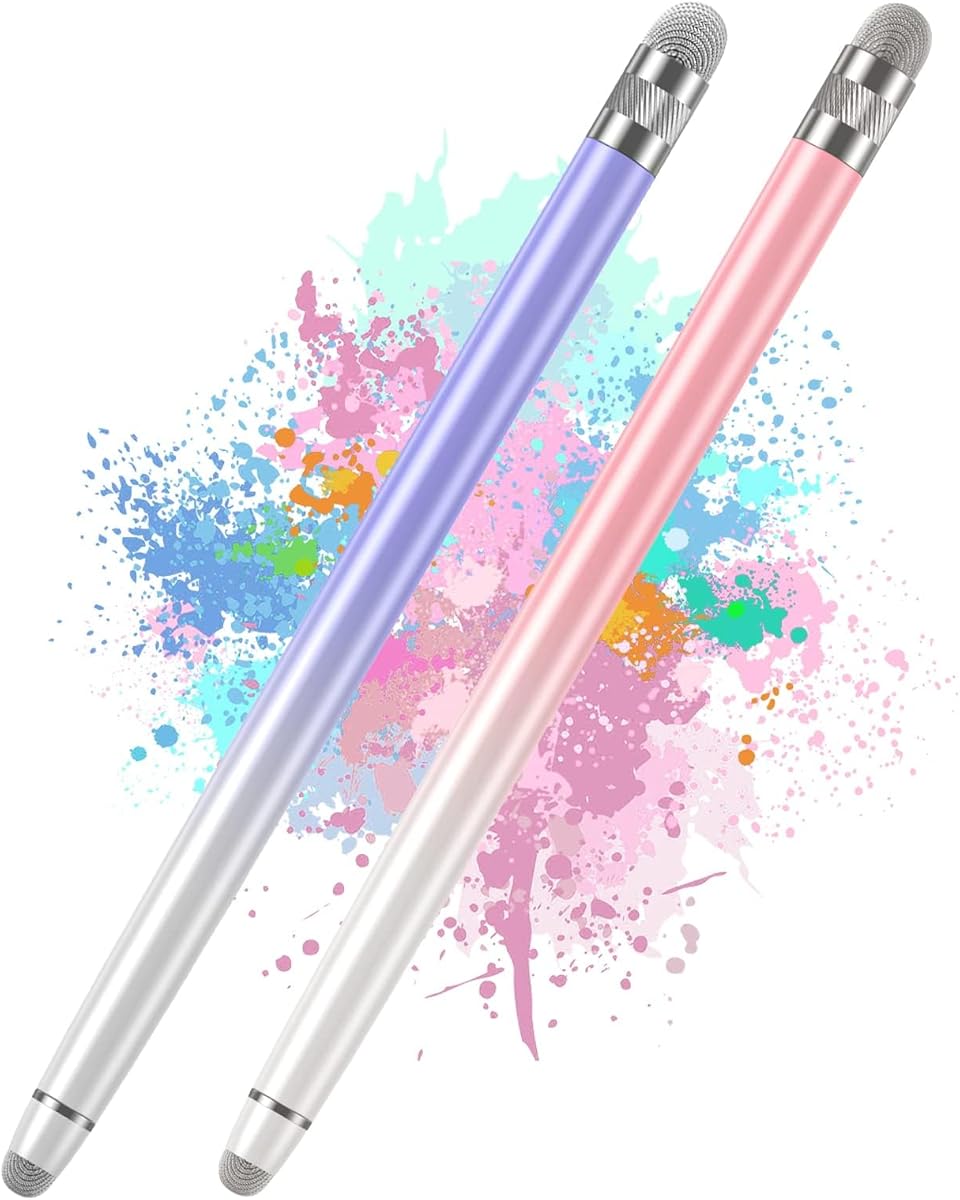
This two-piece Bopomofo set has a 4.5 rating and offers a lightweight passive option for everyday notes, sketches, browsing, and games. Its soft fiber tip is intended to feel responsive while protecting the display, and the gradient-color alloy bodies add a more distinctive appearance than a plain plastic stylus.
We may earn a commission when you buy through this link, at no additional cost to you.
The pen works with capacitive devices, including iPads, iPhones, Android tablets, Samsung Galaxy devices, and Nintendo Switch models named in the listing. There is no charging, Bluetooth connection, app, or driver requirement. That makes it especially convenient for travel or for people who do not want to maintain another rechargeable device.
The supplied information notes that the fiber tip may initially feel stiff. A light amount of pressure can improve the contact area, especially when a screen protector is installed, and continued use is expected to soften the tip. It remains a passive capacitive accessory and does not provide pressure-sensitive stroke behavior, palm rejection, or the low-latency features of an advanced active stylus.
This pair works well for students, casual artists, and people who mainly annotate or navigate. It is less appropriate for professional illustrators who need consistent pressure response or extremely fine technical lines. For ordinary classroom notes, web browsing, and light drawing, the simple design is easy to recommend.
The fiber nib is designed to glide across the display while avoiding harsh contact. Its changing feel during initial use is worth considering if your workflow involves a thick screen protector.
Gradient colors and a lightweight alloy body give the pens a pleasant appearance, while passive operation removes charging from the decision-making process. Two colors also provide a practical backup.
We may earn a commission when you buy through this link, at no additional cost to you.
The Acempire seven-piece set has a 4.6 rating and emphasizes variety, portability, and immediate use. Its passive capacitive design works across a broad selection of Apple, Samsung, Moto, Lenovo, Xiaomi, and other touchscreen devices, while seven multicolor pens make it well suited to households, classrooms, or busy shared spaces.
We may earn a commission when you buy through this link, at no additional cost to you.
Each pen has a lightweight alloy body and is ready to use after unpacking. It requires no Bluetooth pairing, no charging, and no software installation. That simplicity makes the set a practical choice for signing documents, taking classroom notes, scrolling through articles, drawing in basic applications, or playing touchscreen games.
The product data describes high sensitivity and a smooth writing or drawing experience, but it does not identify pressure sensitivity, palm rejection, or specialized low-latency technology. It should therefore be understood as a universal passive accessory rather than a professional digital pen. The supplied package information also does not explicitly list replacement tips, so long-term tip wear is worth considering.
This set is an attractive option when availability matters more than advanced input. Seven pens can be placed around a home, classroom, or office without requiring everyone to share one accessory. It is also a sensible backup option for people who switch frequently among tablets, phones, and supported touchscreens.
Seven pens are enough to serve several users at once, and the mixed colors make ownership easy to identify. That makes the set more useful for group settings than a single pen with the same basic design.
There is no charging cycle or pairing routine to manage. The pens can move between supported capacitive screens, making them especially convenient for short, varied sessions.
We may earn a commission when you buy through this link, at no additional cost to you.
The RKItE stylus carries a 4.4 rating and is clearly aimed at users of Samsung Galaxy Tab A11+, A9+, A8, A7, and A7 Lite devices, while also supporting numerous other capacitive touchscreens. It combines a disc tip, magnetic cap, and two replacement tips in a simple package that is ready for use without charging.
We may earn a commission when you buy through this link, at no additional cost to you.
Its disc tip is designed to mimic fingertip contact, supporting note-taking, screen navigation, and general writing. The magnetic cap adds protection and gives the pen a more finished appearance. Two disc tips are included, reducing downtime if the working tip is worn or accidentally damaged.
Although the product title highlights Galaxy Tab compatibility, the listing also names iPads, iPhones, Fire HD tablets, Microsoft or Surface devices, and Android touchscreens. The wording should not be interpreted as a guarantee that every application will behave identically across platforms. It remains a passive stylus without pressure sensitivity, and the supplied information does not indicate palm rejection.
This is a sensible purchase for a compatible Galaxy Tab owner who wants a protected disc-tip pen and straightforward navigation. It is also useful for anyone with several supported devices. Users seeking pressure-sensitive drawing or advanced shortcut support should look to a more capable active stylus.
The model-focused product title helps buyers identify whether the stylus suits their tablet. It is particularly relevant for Galaxy Tab A-series owners seeking an uncomplicated everyday pen.
The magnetic cap shields the working end, and two spare disc tips are included. These details make the stylus easier to maintain than an unprotected passive pen.
We may earn a commission when you buy through this link, at no additional cost to you.
This OASO Universal Disc Stylus has a 4.3 rating and combines a passive disc tip with a magnetic cap, an internal replacement tip, and a leather carrying case. It is designed for users who carry a tablet regularly and want both broad compatibility and a protected way to store the pen.
We may earn a commission when you buy through this link, at no additional cost to you.
The disc tip simulates fingertip contact and can be used for note-taking, drawing, scrolling, and reading. The product listing names Apple iPads and iPhones, Samsung Galaxy Tab models, Chromebooks, Microsoft Surface devices, Fire HD tablets, Android phones and tablets, and other capacitive screens. A replacement disc tip is stored in the barrel and can be accessed by unscrewing the end.
Its capabilities are those of a passive stylus, not an active digital pen. There is no pressure sensitivity, and the data does not claim palm rejection. The magnetic cap is primarily a protective storage feature rather than a guarantee that it will attach to every tablet. The leather case is the more universally useful part of the package for travel.
This stylus is a good match for students, commuters, and office users who annotate documents or navigate a tablet in multiple locations. Its protected tip and included case help it remain ready for use. Buyers seeking advanced sketching features should consider an active stylus with pressure response.
A magnetic cap keeps the disc from rubbing against other objects inside a bag. The supplied leather case adds another layer of organization and helps prevent the pen from being misplaced.
Keeping a replacement disc tip inside the stylus makes maintenance more convenient. Users can replace a worn tip without searching through separate accessories.
We may earn a commission when you buy through this link, at no additional cost to you.
The DAXINGXING set carries the highest listed rating in the group at 4.7 and offers a compelling combination of quantity and dual-tip flexibility. Ten five-point-three-inch pens feature a fine rubber tip at one end and a wider rubber tip at the other, allowing users to select a different level of contact for detailed work or general navigation.
We may earn a commission when you buy through this link, at no additional cost to you.
The fine end is intended for handwriting, detailed sketching, and precise icon selection, while the wider end is better suited to scrolling, color filling, and routine screen interaction. Twenty matching replacement nibs are included, and the supplied information states that they can be changed without extra tools. This makes the package especially practical for frequent use or multiple users.
The pens are passive capacitive models, so they work without charging or Bluetooth and are compatible with iPads, iPhones, Android phones and tablets, touchscreen laptops, e-readers, and other mainstream capacitive products. They do not provide pressure sensitivity, so stroke weight will not respond dynamically to pressure. The soft rubber surface is intended to glide without scratching and may also reduce direct-contact fingerprints.
This is the strongest value-oriented choice for schools, offices, and families that need several styluses. The ten-color assortment makes distribution simple, the dual tips cover more tasks than a basic single-tip pen, and the twenty replacement nibs improve long-term practicality. It is best for ordinary writing and navigation rather than advanced digital illustration.
The narrow tip supports careful handwriting and small selections, while the broader tip provides steadier contact for scrolling and less detailed tasks. Having both ends available makes one pen adaptable to more situations.
Twenty replacement nibs are unusual for a multipen package and especially valuable in classrooms or shared offices. The mixed colors make it easy to assign one pen to each user and reduce sharing.
We may earn a commission when you buy through this link, at no additional cost to you.
This Galaxy Tab rechargeable stylus has a 4.1 rating and is aimed specifically at selected Samsung Galaxy Tab models, including A11+, A11, A9, A9Plus, A8, A8plus, A7, and A7 Lite. It uses a fine 1.5-millimeter nib and adds a built-in battery, making it a more specialized alternative to passive touch pens.
We may earn a commission when you buy through this link, at no additional cost to you.
The supplied information states that a half-hour charge provides up to 10 hours of use. A USB-C port handles charging, and four indicator lights provide a quick view of remaining battery status. The cap can be double-clicked to activate writing or drawing, while two replacement nibs and a charging cable are included in the package.
The 1.5-millimeter tip is designed for accuracy and smooth input, though the product does not offer pressure sensitivity. It is also explicitly incompatible with Apple iPad and iOS systems, so the Samsung-oriented title is important to note. For the named Galaxy Tab models, the setup remains uncomplicated, with no apps to install.
This is a sensible choice for a compatible Samsung Galaxy Tab owner who prefers a rechargeable pen with a narrow nib and visible battery status. It is less versatile than a universal passive pen, but that specificity can be reassuring for buyers who want a dedicated device match. Confirm the tablet model before ordering and keep the USB-C cable accessible for regular charging.
The 1.5-millimeter nib is intended to improve accuracy for writing and drawing. It remains a non-pressure-sensitive tip, so finer geometry does not translate into artist-grade line variation.
Four indicator lights reduce the uncertainty of carrying a powered stylus. The stated quick-charge cycle and ten-hour operating window support regular note-taking or drawing sessions.
We may earn a commission when you buy through this link, at no additional cost to you.
The most useful tablet stylus is one that matches your device, applications, and tolerance for charging. Tip style, screen compatibility, accessory design, and input features matter more than decorative details or a broad compatibility claim.
Choose passive operation for simplicity, shared use, and light writing. Choose an active or rechargeable model when your applications and workflow require a fine, electrically sensed point.
Verify the complete device model and application support before checkout. A compatible screen alone does not guarantee every pen will work in every app.
Use disc tips for broad navigation, fiber or rubber tips for clearer control, and a fine powered nib when precision is the priority. The best tip is the one suited to your handwriting and application.
Protected screens do not automatically rule out a stylus, but the tip must maintain consistent contact. Check the listing and test the pen in your intended application after arrival.
Powered pens suit intensive workflows; passive pens suit anyone who values zero-maintenance operation. A short charging cycle is helpful, but it cannot replace checking battery status before important sessions.
Prioritize replacement nibs for frequent use, a cap for transport, and multiple pens for shared environments. Treat accessories as convenience improvements rather than substitutes for compatibility.
Use these picks for notes, annotation, navigation, and light drawing. For intensive illustration or advanced productivity, look for explicitly documented pressure and palm-control features.
Choose a multipack for classrooms, offices, and families. For one user, prioritize a protected tip, comfortable balance, and a small package that is easy to carry.
Start by confirming that the target screen is capacitive and that the pen's compatibility list includes your exact device. Passive pens can be used immediately, while rechargeable models should be charged and activated according to their instructions. Open the relevant note, drawing, or navigation application, select the appropriate input mode if prompted, and test the pen on a blank area before beginning a detailed task.
Write with light, consistent pressure. Passive fiber or rubber tips may require a brief adjustment period, especially through a screen protector, while disc tips are often most effective when allowed to glide rather than pressed aggressively. Avoid resting a palm on the screen because the products in this guide do not provide stated palm rejection. Clean the touch tip gently when the cursor begins jumping or registration becomes inconsistent.
Store passive pens with the tip protected, using a cap or case when available. Keep rechargeable pens away from moisture, and charge them before long sessions even if battery indicators suggest some power remains. Replace worn tips according to the included instructions, avoid twisting powered pens by the nib, and periodically clean both the screen and contact area to prevent smudges and inaccurate touches.
It depends on the type. Passive capacitive pens use the electrical contact generated by the screen, so they work without battery, charging, Bluetooth, or an app. Rechargeable active pens contain electronics and need periodic charging, usually through USB-C. Always check the product description and your tablet model before purchasing.
Many capacitive styluses work over common screen protectors, but thickness and surface texture can affect sensitivity. Some fiber tips may initially feel stiff until the nib softens with use. A clean screen, a compatible protector, and light consistent pressure can improve recognition. The manufacturer should state whether protector use is supported.
A disc tip creates a broad contact area similar to a fingertip and usually glides smoothly for scrolling and casual writing. A rubber tip provides a more focused point and can feel better for handwriting or selecting small interface elements. The best choice depends on the screen, screen protector, and your preferred writing style.
These products can provide basic input on many compatible capacitive iPads, but they are not equivalent to an Apple Pencil. Most lack pressure sensitivity, palm rejection, and advanced application integration. Users who need those capabilities should look for a stylus specifically documented as compatible with their iPad model and creative or productivity software.
No. Universal generally means the tip can register on a broad range of capacitive screens, not that every device or application is supported. Rechargeable models may exclude particular brands or models, and some applications require a more specialized pen. Always verify the exact device model, operating system, and app before buying.
A dirty screen, debris on the nib, an overly thick screen protector, or insufficient contact pressure can interfere with recognition. Clean both surfaces and test the pen in a simple application. If it still fails, confirm that the device is supported and that the tip is properly attached. Rechargeable models should also be checked for battery power.
The Bopomofo five-piece set offers both rubber and disc tips, while the DAXINGXING ten-piece set provides fine and wide rubber ends. Both are passive and ready to use without charging. For maximum shared-device availability, the multipen bundles also let several people keep a separate pen.
Pressure sensitivity is useful when you want line thickness and shading to respond to how firmly you press. It is especially important for illustration, calligraphy, and detailed artwork. The products reviewed here generally lack that feature, so artists who need realistic stroke variation should look for a pen with explicitly documented pressure support.
The Bopomofo five-piece set is the strongest overall choice because it combines two tip styles, broad capacitive compatibility, no charging requirement, and a generous collection of replacement nibs. The OASO Magnetic Cap Stylus is the premium option for buyers who value tip protection, a spare tip, and a leather carrying case, while the DAXINGXING ten-piece set offers the most useful budget package.
Prioritize exact device compatibility first, followed by the type of writing you do. Choose passive pens for simple, dependable note-taking and navigation; choose a rechargeable model with a fine tip when the supported device and application align. Also consider screen protectors, shared use, replacement tips, and whether you value a magnetic cap or carrying case.
Ratings provide a useful snapshot, but the final decision should reflect the tablet in your hand. Marketplace availability and prices can change, so review the current listing, compatibility notes, and accessory contents before checkout. A stylus that fits your screen, applications, and routine will provide more satisfaction than one with a long feature list but uncertain support.