
JEIBAO 100W USB-C MacBook Charger
4.5Editor score
Up to 96% charging efficiency
Supports multiple USB-C devices
Includes 6.6-foot charging cable
Our guide compares the best 100W chargers for MacBook Pro, evaluating power delivery, compatibility, portability, safety features, cable quality, and value.
A capable MacBook Pro charger must deliver stable USB-C Power Delivery, match the power demands of the laptop, and remain safe under sustained load. The best 100W chargers for MacBook Pro also provide useful portability, dependable protection, and compatibility across MacBook Pro, MacBook Air, iPad, and other USB-C devices.
This guide compares ten chargers using the specifications and feature details supplied for each product. We examine maximum output, charging protocols, included cables, plug design, safety protections, device compatibility, portability, and practical features such as displays, multiple ports, and foldable construction.
Each review explains the charger’s strongest qualities, limitations, and ideal buyer, while the comparison table offers a quick reference. The list includes several 100W options and a few higher-output chargers that may appeal to demanding users. Prices and availability can change, so confirm current details before purchasing.
4.5Editor score

4.7Editor score

4.6Editor score
This side-by-side comparison highlights maximum power, included accessories, portability, and standout functions. It also shows how the selected 100W chargers relate to several higher-output alternatives for users who need more charging headroom or multiple ports.


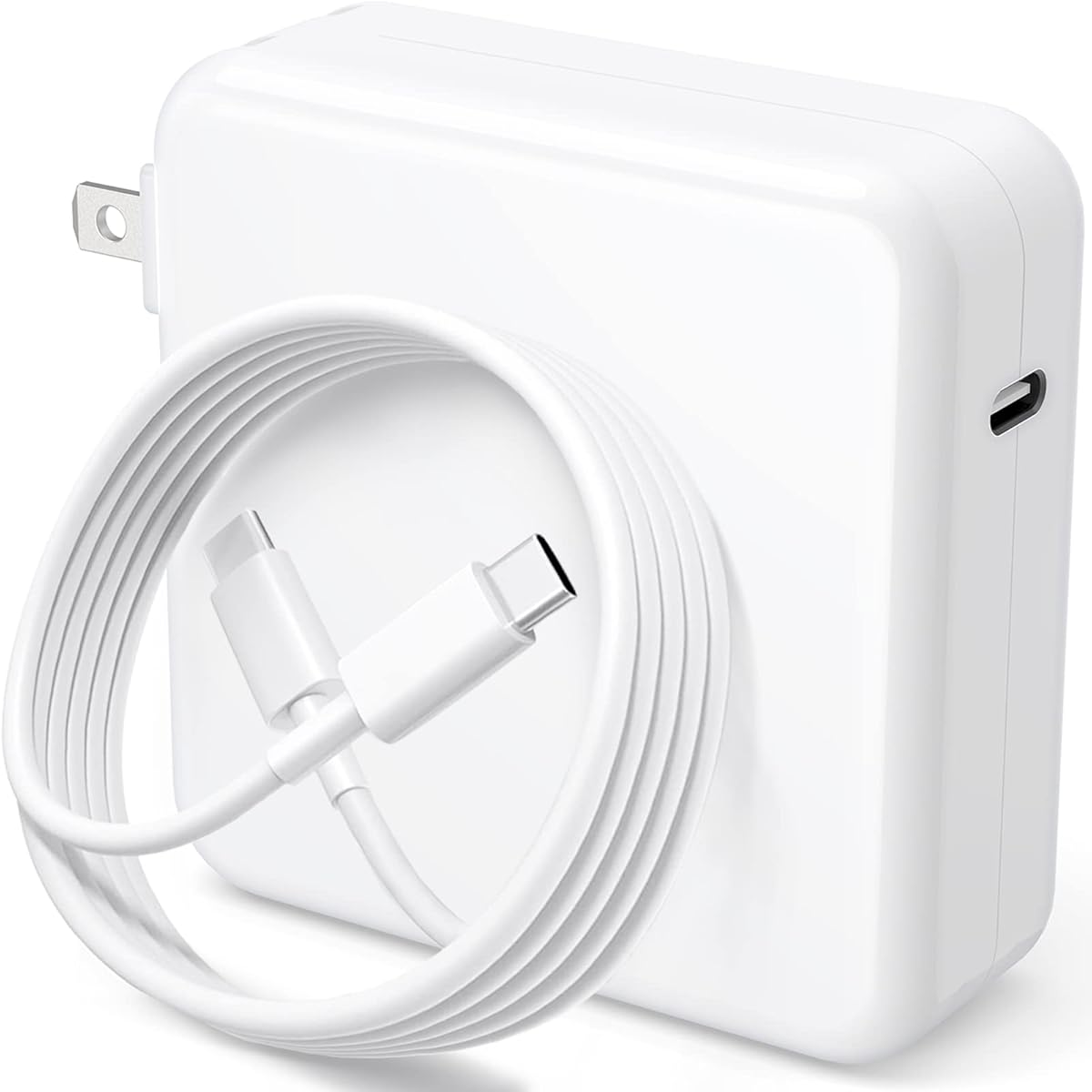
This 100W USB-C charger has a 4.5 rating and provides a straightforward replacement option for MacBook Pro owners who value broad compatibility and a complete wall-charger-and-cord package. Its stated output reaches 20V at 4.7A, while the included 6.6-foot cable supports the five-ampere current required for maximum power delivery.
We may earn a commission when you buy through this link, at no additional cost to you.
The product information lists compatibility with numerous MacBook Pro sizes and model years, including 13-, 14-, 15-, and 16-inch configurations, along with recent M1 through M5 chip generations. It also supports MacBook Air, iPad Pro, iPad Air, and other USB-C laptops and phones, making it a more versatile option than a narrowly branded replacement adapter.
Protection features include a built-in cooling system and an IC chip designed to guard against overload, short circuits, and overheating. These safeguards are especially relevant during extended charging sessions. The straightforward single-charger design, however, means it offers no secondary ports and no visible power-allocation display.
This is a practical selection for a household or office that regularly charges a MacBook and other USB-C equipment without wanting to carry several adapters. It may be less attractive for travelers who value minimum size, but its long cable, broad device support, and stated 100W performance make it an easy all-purpose recommendation.
A maximum output of 100W gives demanding MacBook Pro configurations room to negotiate an appropriate charging profile. Automatic device recognition and support for several USB-C device classes make the same adapter useful beyond a single laptop model.
The listed cooling system and overload, short-circuit, and overheat protections address common concerns with high-power wall adapters. A longer USB-C cord also gives users more freedom when the nearest outlet is inconvenient.
We may earn a commission when you buy through this link, at no additional cost to you.
The Anker 317 combines a 4.6 rating with a compact, foldable-plug design, making it a strong candidate for buyers who want a recognizable charging brand without carrying a bulky power brick. Its single USB-C port can deliver up to 100W, and the package includes a five-foot USB-C to USB-C cable.
We may earn a commission when you buy through this link, at no additional cost to you.
Anker describes the charger as using PowerIQ 3.0 for broad device compatibility and ActiveShield for continuous temperature monitoring. The listed charging example says a 16-inch MacBook Pro with M1 Max can reach full charge in one hour and 20 minutes, although actual results depend on the connected model, cable, battery condition, and operating environment.
Its primary advantage over larger alternatives is portability. The foldable plug protects the pins and reduces bulk when the adapter is not in use, while the compact enclosure is easier to organize in a laptop bag. The trade-off is a single-port layout and a shorter included cord than several 100W alternatives in this comparison.
Choose this charger when dependable MacBook Pro charging, temperature monitoring, and compact storage matter more than charging several devices simultaneously. It is a particularly balanced option for a frequent traveler or a professional who wants one adapter that can handle a MacBook and other compatible USB-C accessories.
The foldable plug and compact body reduce the space occupied in a bag. Storing the cable behind the plastic tray also helps prevent the charger and cord from becoming separated during travel.
A single 100W port keeps the design uncomplicated and dedicated to the connected device. Users who routinely charge a phone, tablet, and laptop at once may prefer a multiport charger instead.
We may earn a commission when you buy through this link, at no additional cost to you.
The JEIBAO charger is the best budget pick in this roundup because it combines 100W output, PD 3.0 technology, a 6.6-foot cable, and extensive compatibility information without adding unnecessary display features. Its 4.5 rating reflects a well-received product, and the supplied data says it can charge a 16-inch MacBook Pro in about 90 minutes.
We may earn a commission when you buy through this link, at no additional cost to you.
The charger supports numerous MacBook Pro and MacBook Air models, as well as iPads and USB-C laptops from Dell, Lenovo, and HP. Its automatic power adjustment and multiple output profiles—20.5V at 4.7A, 15V at 3A, 12V at 3A, 9V at 3A, and 5.2V at 3A—allow it to negotiate suitable power levels for different devices.
Safety provisions include overcurrent, short-circuit, overheating, and overvoltage protection, along with a flame-retardant casing, lightning protection, anti-interference features, and ESD protection. That breadth of listed safeguards is a major strength for a value-focused adapter, although buyers still need a suitable cable and should inspect both charger and cord for physical damage.
This is a strong recommendation for a MacBook Pro owner seeking broad compatibility without paying for a multiport desktop charger. The main limitation is its single-port format, so it works best as a dedicated laptop adapter or as the central charger in a travel kit where only one device is connected at a time.
Automatic detection is particularly useful when one charger is shared among devices with different power requirements. The listed PD 3.0 profiles give the adapter several options for negotiating voltage and current.
The combination of smart-chip safeguards, a flame-retardant enclosure, lightning protection, and ESD protection creates a reassuring feature set. These protections complement, rather than replace, careful use and periodic cable inspection.
We may earn a commission when you buy through this link, at no additional cost to you.
The Anker Nano Charger places 100W output in a body weighing just 4.23 ounces, making it the most travel-focused conventional charger in the list. It has a 4.4 rating, a folding plug, durable matte prongs, and a six-foot USB-C cable, combining portability with enough power for demanding MacBook Pro configurations.
We may earn a commission when you buy through this link, at no additional cost to you.
Anker states that the charger can take a 14-inch MacBook Pro from empty to 50% in 27 minutes. Its ActiveShield 2.0 system is described as monitoring temperature three million times per day and adjusting output accordingly. The package includes a welcome guide and a 24-month warranty.
The tiny footprint is the decisive feature, particularly for travelers who carry their laptop between meetings, hotels, and shared workspaces. The lack of multiple ports is less concerning for a dedicated laptop charger, but it does mean a separate adapter is needed for a phone, watch, or tablet that must charge simultaneously.
For buyers who consistently pack light, this is a compelling way to reduce charger bulk while retaining 100W-class capability. It is best suited to people who already own quality USB-C cables and value the smallest possible dedicated MacBook charger over integrated multiport functionality.
The stated weight and compact dimensions make the Nano easy to carry alongside a slim laptop sleeve. Its folding construction also keeps the plug protected when the charger is packed away.
The 100W maximum does not require a large multiport enclosure when only one device is connected. This makes the design especially efficient for frequent travelers who value weight and volume.
We may earn a commission when you buy through this link, at no additional cost to you.
The UNAWUDOH 100W charger stands out for its included 6.6-foot, two-meter E-Mark USB-C cable and a foldable United States plug. Its 4.4 rating and extensive list of compatible MacBook Pro, MacBook Air, and iPad Pro models make it a versatile one-cord solution for desks, hotel rooms, and shared workspaces.
We may earn a commission when you buy through this link, at no additional cost to you.
The supplied information says the cable contains an E-Mark chip and safely carries up to 5A at 100W. It also says the smart chip recognizes the connected device and allocates optimal wattage, allowing the adapter to serve as a replacement for lower-wattage 96W, 87W, 67W, and 61W chargers without overloading a smaller device.
Charging performance is listed at up to 50% in 30 minutes for compatible 16-inch or 14-inch laptops. Safety features include continuous monitoring for overvoltage, overcurrent, short circuits, and overheating. These claims make the charger suitable for professional use, although the product description does not provide independent certification details.
The main tradeoff is the single charging port, which limits use as a shared charging station. For someone who wants a long, high-current cable with the charger already, however, the package is convenient and removes the need to verify whether a separately owned cable can support the laptop’s full charging demand.
The E-Mark-equipped two-meter cable is the defining feature because adequate current is essential for full 100W delivery. Its extra length also offers flexibility when a wall outlet is behind furniture or far from a desk.
The foldable plug, automatic device matching, and listed thermal and electrical protections suit offices and business travel. A multiport model would be more convenient for teams managing several personal devices.
We may earn a commission when you buy through this link, at no additional cost to you.
The Sunveza charger provides up to 118W and a 4.3 rating, offering additional power headroom over a conventional 100W adapter. It supports current MacBook Pro and Air families, including M1 through M5 models, and is also listed for iPad, iPhone, Surface, Samsung Galaxy, Dell, Lenovo, and HP USB-C devices.
We may earn a commission when you buy through this link, at no additional cost to you.
Its output profiles include 20.5V at 4.7A, 15V at 3A, 12V at 3A, 9V at 3A, and 5.2V at 3A. The charger automatically identifies the connected device and converts the output accordingly. The supplied data says it can fully charge a 16-inch MacBook Pro in about one hour and 25 minutes.
The safety system includes overcurrent, overvoltage, overload, temperature, and short-circuit protection, along with automatic recovery. These features make the higher output manageable across a broad device mix, and the same charger can accommodate lower-wattage USB-C PD models.
This adapter is a good choice for someone who prefers extra headroom or wants one charger that will not feel narrowly sized for future devices. Its single-port layout and slightly lower rating mean it is less compelling for buyers who need multiple simultaneous connections or want the strongest rating in the roundup.
The 118W ceiling provides more negotiating room than a 100W unit while retaining PD 3.0 profiles for phones and tablets. It can therefore serve as a shared adapter when only one device is connected.
Automatic power conversion simplifies use across different USB-C devices, while automatic recovery is listed among the protective functions. These features add convenience for mixed-device workflows.
We may earn a commission when you buy through this link, at no additional cost to you.
This 100W GaN charger has a 4.4 rating and combines a compact technology platform with detailed compatibility across recent MacBook Pro, MacBook Air, iPad, iPhone, and AirPods models. It includes a 6.6-foot USB-C to USB-C cable and supports output as high as 20V at 5A.
We may earn a commission when you buy through this link, at no additional cost to you.
The listed input range is 100–240V at up to 1.8A, while the output profiles cover 5V, 9V, 12V, 15V, and 20V. Automatic power recognition lets the adapter negotiate with connected devices, and the supplied data says most laptops can be fully charged in about 85 minutes.
A built-in cooling system is designed to reduce heat at full output. The smart chip also provides overload, short-circuit, overheating, overcurrent, overvoltage, temperature, and automatic-recovery protection. These safeguards make the charger appealing for regular laptop use, although buyers should still follow the stated warnings about compatible devices, rated power, certified cables, and ventilation.
The product is a solid general-purpose option for users who want exactly 100W, PD 3.0 profiles, and broad modern-device support. Its one-port layout prevents it from replacing a full charging station, while the inclusion of a long cable means it is ready for use out of the box.
The compatibility list covers multiple MacBook generations and several iPad, iPhone, and accessory categories. Automatic recognition makes the charger convenient for a desk that handles more than one type of USB-C device.
The built-in cooling system is a useful addition to the IC-based protections. Keeping the charger uncovered and following the listed operating warnings helps it dissipate heat properly.
We may earn a commission when you buy through this link, at no additional cost to you.
The 120W USB-C MacBook Charger has a 4.2 rating and offers one of the highest stated power ceilings among the dedicated laptop options in the roundup. It supports MacBook Pro and Air models in 13-, 14-, 15-, and 16-inch sizes, along with iPads, Samsung Galaxy devices, and other USB-C products.
We may earn a commission when you buy through this link, at no additional cost to you.
Its charging efficiency is listed at up to 97%. The supplied information says most laptops can be fully charged in about 80 minutes and compatible phones can move from 0% to 80% in 18 minutes. A 6.6-foot cable is included, and the foldable plug helps protect the prongs during transport.
Safety is addressed through an IC chip that protects against short circuits and overheating. The supplied cable is described as passing the BW-TC17 test and more than 20,000 bending tests, while the adapter also uses a charging routine intended to reduce battery aging. The product details additionally state that dynamic hardware and software help maintain maximum battery capacity.
This charger makes sense for users who want more output than a 100W unit and value a long cord. Its 4.2 rating is the lowest among the ten products, and the single-port format prevents simultaneous charging, so buyers should compare those compromises against the more highly rated options.
The stated efficiency of up to 97% suggests that the adapter is designed to minimize conversion losses. Actual charging times still vary with battery level, device model, thermal conditions, and the power profile the laptop requests.
A bend-tested 6.6-foot cable and foldable prongs support regular travel and desktop use. These physical details matter as much as nominal wattage when a charger is used every day.
We may earn a commission when you buy through this link, at no additional cost to you.
The UGREEN Nexode Pro 160W is the editor’s choice and the highest-rated product in the roundup, with a 4.7 rating. It goes beyond the standard 100W brief to offer 160W total output, up to 140W on an individual USB-C port, and five ports for a broader charging setup.
We may earn a commission when you buy through this link, at no additional cost to you.
Four USB-C ports and one USB-A port allow a MacBook, phone, tablet, Galaxy device, or AirPods product to be connected at the same time. The supplied data says the charger can bring a 16-inch MacBook Pro with M4 Max to 56% in 30 minutes, making it well suited to demanding configurations.
The standout feature is its rotatable touch display, which presents total output, per-port power data, active charging protocol, and internal temperature status. Automatic power allocation, dual temperature-control modes, and protection against overheating, overvoltage, overcurrent, and short circuits add further practical value.
This is the most complete charging hub in the comparison, but it is not necessary for every MacBook Pro owner. A user who charges one laptop and wants the smallest possible adapter may prefer a 100W single-port model. Those who manage several devices, travel with varied electronics, or value real-time charging information will find the added capabilities especially useful.
The display provides a clear view of total and per-port power, active protocols, and temperature. That visibility is helpful when determining how the charger is dividing its capacity among connected devices.
Four USB-C ports and one USB-A port reduce the need for separate wall blocks. Automatic allocation allows the charger to serve a MacBook alongside common phones, tablets, and accessories without requiring multiple outlets.
We may earn a commission when you buy through this link, at no additional cost to you.
The UGREEN Nexode 100W GaN Charger offers a balanced combination of full 100W laptop power, four ports, and a compact body. Its 4.6 rating makes it one of the strongest-reviewed options here, while the GaN construction and folding plug are well suited to travel and desk use.
We may earn a commission when you buy through this link, at no additional cost to you.
A single connected USB-C device can receive up to 100W and 5A when paired with a suitable 100W cable. The product information says a MacBook Air M3 can reach 55% in less than 30 minutes under those conditions. Three USB-C ports and one USB-A port also support phones, tablets, laptops, and other devices at the same time.
Dynamic temperature sensors and an intelligent PWM chip adjust power output to safeguard connected equipment. The product is listed as compatible with MacBook Pro, MacBook Air, iPhone 8 through 17, Galaxy S10 through S25, iPad, and Steam Deck. The supplied information notes that charging-protocol limitations on some Dell and Lenovo laptops prevent full-speed charging.
This is the best premium choice for a buyer who wants a genuine 100W adapter without giving up multiport convenience. It is also more focused on laptops than the Nexode Pro because it does not include a display or 140W single-port output. Within a desk setup, it is a strong all-purpose charger for a MacBook and several smaller devices.
The maximum 100W output is available when one compatible USB-C device is connected using a cable rated for 100W and 5A. That distinction is important because multiport output will be divided among connected devices.
Three USB-C ports and one USB-A port make the adapter useful beyond a single laptop. The GaN chip and folding plug help maintain a compact footprint despite the multiport design.
We may earn a commission when you buy through this link, at no additional cost to you.
The right charger depends on the MacBook model, cable quality, portability needs, and whether several devices must charge at once. These factors help separate a genuinely suitable 100W adapter from one that merely advertises a large wattage figure.
Look for USB-C Power Delivery rather than treating maximum wattage as the only specification. A useful charger should support a 20V output at approximately 4.7A or 5A when connected to a demanding MacBook Pro, while also offering lower-voltage profiles for phones, tablets, and smaller accessories. Automatic device recognition is valuable because the charger must negotiate a safe and efficient profile rather than forcing one fixed setting on every connected device.
Some entries in this roundup also exceed 100W. That extra capacity can provide future headroom or support specialized high-power laptops, but it does not automatically make a charger better. The negotiated output remains limited by the connected device, its battery state, thermal conditions, and the capabilities of the USB-C cable.
Start with the exact MacBook Pro size, model year, and chip generation you own, then confirm that the charger’s compatibility information includes it. A modern 14- or 16-inch MacBook Pro generally benefits from a high-wattage USB-C adapter, while MacBook Air and iPad users can often use the same charger at lower negotiated power levels. Compatibility should also cover the charging cable and the wall outlet type in the destination country.
For anyone replacing an original adapter, compare the connector type, voltage, and current rather than relying only on the product category. Apple-compatible USB-C chargers negotiate the appropriate power profile with the device, so a well-supported adapter is generally more useful than one with a vague or incomplete compatibility list.
A charger rated at 100W may not deliver 100W through every cable. To reach the full output, the USB-C cable should support 5A current and appropriate USB-C Power Delivery, particularly for a high-output MacBook Pro. Several products here include a five-ampere, E-Mark-equipped cable, while others provide shorter or more conventional cords. Cable length should match the setup: a longer cord offers flexibility around furniture, whereas a shorter one is easier to organize.
Inspect included and third-party cables for damaged insulation, loose connectors, and sharp bends. For repeated travel use, a braided or flexibly constructed cable may be preferable. Users replacing an original charger should avoid assuming that a cable included with a lower-power accessory can carry the highest current safely.
A single-port charger is simple and often smaller, making it a natural dedicated solution for one MacBook. A multiport model is more useful when a phone, tablet, watch, or second computer must charge alongside the laptop. However, total wattage is shared when several devices are active, so the listed 100W or 160W may not be available to each port. Automatic power allocation is the feature to investigate when charging several power-hungry devices at once.
If the goal is to simplify an entire desk or travel bag, one multiport charger can replace several wall blocks. If the goal is maximum portability for a single laptop, a dedicated one-port adapter remains easier to carry and offers a more straightforward charging experience.
Any high-power wall charger should include protection against overheating, overcurrent, overvoltage, overload, and short circuits. Active temperature monitoring, dynamic power adjustment, and a cooling system can add further reassurance during long charging sessions. These protections are most valuable when a MacBook Pro is charging under a heavy workload or when the adapter is used in a warm environment.
Safety features do not justify enclosing a charger in bedding, placing it beneath furniture, or operating it in a poorly ventilated space. Follow the included instructions, keep the charger uncovered, and stop using it if the plug, casing, or cable shows physical damage. A certified or recognized safety mark is also useful when that information is available.
For frequent travel, charger weight, folded dimensions, and plug design matter almost as much as output. A foldable United States plug protects the prongs and fits neatly into a laptop sleeve, while the Anker Nano’s listed weight of 4.23 ounces represents an especially compact option. A larger multiport charger may still be worthwhile when it replaces several separate accessories.
Check the charger’s dimensions against the available bag space and the outlet type used at the destination. Wall-mounted desks, nightstands, and compact hotel outlets can expose practical differences that wattage specifications do not reveal.
The enclosure, prongs, cable, and connector should feel appropriate for regular handling. Matte prongs, a foldable design, a long cable, and a storage solution for the cord can improve the ownership experience. Some chargers include instructions, while others provide a welcome guide and warranty information. These details should support the core function rather than distract from it with unnecessary display controls.
Cable bend resistance and connector durability are especially relevant because the cable is usually the first component to fail. Reviewing the stated tests, included length, and connector design can provide a more useful picture than a product name alone.
A digital display is not required for fast charging, but it can be valuable in a multiport setup. Per-port wattage, total output, active protocol, and temperature readings make it easier to understand whether a device is receiving the expected power. The UGREEN Nexode Pro goes furthest with a rotatable touch panel, while the simpler models expose no charging data beyond the hardware itself.
For a dedicated laptop charger, a display may add little value and make the unit larger. For a shared charging station, it can provide useful diagnostics and make power allocation less mysterious. Choose based on how often you will actually consult the information.
Begin by confirming that the charger and USB-C cable are compatible with the MacBook Pro model and the electrical supply at the location. Connect the cable securely to the laptop, then plug the charger into a dry, undamaged wall outlet. Avoid extension cords unless they are designed for the charger’s power draw, and never use the adapter if its casing, prongs, or cable is visibly damaged.
For the fastest negotiated output, use the supplied high-current cable or another certified USB-C cable rated for the power level you need. Give the connector a firm but gentle push, route the cable without creating tight bends, and avoid pulling on it when disconnecting the laptop. When several devices share a multiport charger, check the power-allocation display if one is available.
Store the charger in a dry, ventilated place and keep it uncovered while operating. Periodically inspect the cord, connector, and wall plug for fraying, discoloration, unusual heat, or impact damage. Unplug the adapter before changing outlets, and retire it if any warning signs appear. These simple habits help maintain safe charging and extend the useful life of the charger and cable.
A compatible 100W USB-C charger can be safe for many MacBook Pro models because the laptop negotiates an appropriate charging profile. The charger and cable should support the required voltage and current, and the connector and casing must be in good condition. Check the model-specific compatibility information before replacing an original adapter.
Use a USB-C to USB-C cable that supports 100W charging and 5A current for the highest negotiated output. Some chargers include a suitable E-Mark-equipped cable, while others include shorter standard cables. If a cable does not support the required current, charging may become slower even when the wall adapter is rated at 100W.
Yes, provided the MacBook Air or iPad uses USB-C Power Delivery and the charger includes compatible output profiles. These devices will generally request less power than a large MacBook Pro, and a good charger should adjust its output automatically. Always verify the exact model and connector before purchasing.
A multiport charger can charge both devices, but the available power is divided between active connections. A 100W multiport model may still provide excellent results for a phone and laptop, while a higher-output model offers more flexibility for demanding combinations. Dedicated single-port chargers are simpler but require a second adapter for simultaneous charging.
It depends on the devices and workflow. A higher wattage ceiling can offer extra negotiating room and is useful in a multiport charging hub, but a MacBook Pro will generally charge according to its own supported power profile. A compact 100W charger may be more convenient when only one laptop needs to be charged.
The cause may be the cable, the charger’s multiport allocation, battery condition, thermal throttling, or the MacBook’s own charging profile. A cable that cannot carry 5A may prevent the full 100W profile, while a heavily loaded MacBook may request less power during demanding work. Checking the cable specification and observing the laptop’s charging behavior can help narrow down the issue.
GaN can support a compact, efficient high-power design, but it is not mandatory for safe or fast charging. The charger still needs compatible USB-C Power Delivery profiles, an appropriate cable, and sound protection features. For travel, a GaN unit may be valuable if it reduces size without sacrificing output or construction.
Store it in a dry, dust-free location with the plug folded if the design allows, and keep the cable loosely coiled rather than tightly wrapped. Do not place it under heavy objects or inside a bag where it may be crushed. Before every use, inspect the plug, casing, cable, and connector for signs of damage.
The JEIBAO model is the best budget choice because it combines 100W PD 3.0 charging, broad compatibility, a long cable, and layered protection. The UGREEN Nexode Pro 160W earns the editor’s choice for its five-port arrangement, exceptional 140W single-port capability, and informative display, while the UGREEN Nexode 100W GaN provides the best premium balance of exact 100W output, four ports, and compact construction.
Prioritize charger-to-device compatibility, a cable capable of carrying the necessary current, and safety protections before considering secondary features. Frequent travelers may favor the Anker Nano or another folding design, whereas shared desks benefit from automatic power allocation and multiple ports. Dedicated laptop users can usually keep their setup simple with a dependable one-port adapter.
Product specifications, availability, and prices can change, so confirm the latest listing details before buying. Check that the charger supports the exact MacBook Pro generation, that the included cable is appropriate for full-speed output, and that the physical design fits your outlet and travel setup. Those checks will lead to a charger that remains useful across both your MacBook and other USB-C devices.