
Liene M100
4.4Editor score
Four-by-six photo output
Thermal dye sublimation printing
Smartphone app editing
Greeting card printers must balance clean color, reliable paper handling, and convenient setup. Beyond producing attractive artwork, the right model should support the card materials, dimensions, and finishing workflow you actually use. This guide covers everything from compact photo printers to full-featured all-in-ones and dedicated print-and-cut systems.
We compared the supplied specifications, functions, connectivity options, media support, and creative features across ten products. The list includes general-purpose inkjets, portable thermal printers, dedicated photo printers, and a system that prints, laminates, and cuts. Each recommendation reflects the intended card-making task rather than simply favoring the highest-rated model.
The entries reveal different paths to a finished greeting card, from printing full-color artwork on standard sheets to producing photo-style cards and preparing adhesive labels. Some are better for complete card sets, while others provide stronger cutting or specialty-paper features. As you compare them, remember that prices and availability can change over time.
4.4Editor score

4.2Editor score

4.7Editor score
As an Amazon Associate we earn from qualifying purchases.
This side-by-side comparison highlights each printer's core format, connectivity, creative capabilities, and most relevant card-making feature, making it easier to match a printer to your preferred production workflow.





The Canon PIXMA TS6520 is a compact wireless all-in-one that combines printing, copying, scanning, automatic duplex printing, and photo output in one enclosure. Its 4.2 rating reflects a practical balance of useful features, and the standout combination is flexible color printing with an easy-to-monitor OLED display. It can handle documents and photos up to 8.5 by 11 inches, with or without borders.
We may earn a commission when you buy through this link, at no additional cost to you.
For greeting card makers, the TS6520 is most useful as a flexible art printer. Its two-cartridge hybrid ink system is designed to deliver sharp text and vivid color, while automatic duplex printing can reduce paper use when preparing supporting documents. Borderless photo output gives card designers a cleaner starting point for photo-led projects, and the scanner and copier make it possible to produce or reproduce material without another device.
Setup and operation are straightforward. The printer supports dual-band Wi-Fi at either 2.4GHz or 5GHz, and mobile printing is available through the Canon PRINT App, Apple AirPrint, and Mopria Print Service. The 1.42-inch monochrome OLED screen allows users to check ink status and settings at a glance. One tradeoff is that it does not print and cut in a single workflow, so finished cards still require separate cutting and assembly.
This is the strongest all-around recommendation for someone who wants one capable machine for artwork, photos, planning documents, and occasional card production. It is especially attractive for home offices and hybrid workers because it combines wireless flexibility, automatic duplexing, scanning, and copying without occupying much space. Choose it when color quality, convenience, and useful office functions matter more than automated finishing.
Although it is our top overall pick, users making large batches of precisely cut cards should consider a dedicated print-and-cut system instead. For handmade cards, digital invitations, seasonal projects, and photo inserts, however, the TS6520 offers the most balanced combination of capabilities in this list.
The TS6520 supports both bordered and borderless output, making it suitable for full-sheet illustrations, photo collages, and text-heavy inserts. Its color inkjet format also gives creators more freedom to experiment with gradients, typography, and illustrated artwork than a monochrome thermal model.
Automatic duplexing, scanning, copying, dual-band Wi-Fi, and mobile printing reduce the need for separate equipment. The compact footprint and OLED status display also help it fit comfortably into a small creative workspace.
We may earn a commission when you buy through this link, at no additional cost to you.
The Liene M100 is a dedicated 4-by-6-inch photo printer with a 4.4 rating and a strong emphasis on simple phone-to-print creation. It uses thermal dye sublimation rather than conventional inkjet technology, and its supplied package includes the printer, 100 sheets of photo paper, three color cartridges, and a sealed cassette. For greeting card makers, it can quickly turn selected phone photos into ready-to-mount card images.
We may earn a commission when you buy through this link, at no additional cost to you.
Its specialized printing process is one of the main reasons to consider it. Dyes penetrate the photo paper, producing vibrant results, while the laminated surface is described as resistant to water, scratches, fingerprints, and fading. The printer creates a private wireless hotspot, allowing compatible phones or computers to connect without relying on an outside network. It can also serve up to five simultaneous connections, which is useful for family or group projects.
The companion app makes this more useful than a simple portable photo printer. Users can add square borders, apply filters, adjust contrast and brightness, check print status, and create ID or visa-style photos. That editing capability can help refine an image before placing it on a card. The main limitation is the fixed 4-by-6-inch format, which does not offer the flexible paper dimensions of a conventional inkjet.
The M100 is best for creators who want fast, photo-centered cards rather than multipurpose office printing. It requires no ink or external network for its core phone-printing workflow and includes enough paper and cartridges to begin creating immediately. It is less suitable for long text layouts, oversized sheets, envelopes, or a complete print-and-cut process, so users should think of it as a specialized card-image component rather than a full production system.
As the best budget-focused option in this guide, the Liene M100 combines approachable setup, durable photo prints, and a capable editing app. Choose it when attractive 4-by-6 images, immediate phone connectivity, and minimal setup are the leading priorities.
The Liene app adds borders, filters, contrast adjustments, brightness controls, and photo-layout options before printing. These tools are particularly helpful when a photograph needs minor refinement or a quick decorative frame.
The built-in hotspot removes the need to place the printer and every connected device on the same external network. This makes phone-based printing more direct and allows several compatible devices to share the printer.
We may earn a commission when you buy through this link, at no additional cost to you.
The HP OfficeJet Pro 8125 is a wireless color all-in-one intended for home offices, reports, presentations, flyers, and other professional-looking documents. It has a 3.9 rating and combines printing up to 20 pages per minute in black and 10 pages per minute in color with scanning, copying, automatic duplexing, and a 225-sheet input tray.
We may earn a commission when you buy through this link, at no additional cost to you.
Those office-oriented functions make it practical for a card-making business where artwork, envelopes, mailing lists, invoices, and production documents all pass through one machine. A 30-page auto document feeder is not listed in the supplied data for this model, so card designers should rely on the confirmed 225-sheet input tray for ordinary media. The 2.7-inch color touchscreen provides a more detailed control surface than a basic status display.
Wireless connectivity and the HP app make it easy to send work from a phone or computer, while HP AI is designed to improve the formatting of web pages and emails. The printer also incorporates HP Wolf Essential Security. One important consideration is the included three-month Instant Ink trial, after which a monthly fee applies unless the service is canceled.
This is a good option for a home-based maker who wants more productivity and office integration than a compact photo printer provides. It does not cut cards, laminate them, or print directly onto folded card blanks, so a separate cutter and assembly process remain necessary. Buyers should also evaluate cartridge compatibility and subscription preferences before committing.
Although its rating trails several lighter models, the OfficeJet Pro 8125 has a strong productivity feature set for professional-looking color work. It suits users who value automatic duplexing, a touchscreen, flexible mobile control, and fast document production alongside their creative projects.
The printer's stated color speed and 225-sheet input tray suit busy home offices. These features help when a greeting card workflow includes business correspondence, mailing materials, and batched document preparation.
HP AI is designed to remove unwanted web or email content and improve print formatting. The HP app also places print, scan, copy, and fax functions in a smartphone-oriented control interface.
We may earn a commission when you buy through this link, at no additional cost to you.
The Canon PIXMA TS4320 is a wireless color printer that combines printing, copying, and scanning in a compact design. Its 3.9 rating places it among the multipurpose models in this guide, and its key strengths are efficient paper handling, borderless photo support, dual-band Wi-Fi, and mobile printing without requiring a large footprint.
We may earn a commission when you buy through this link, at no additional cost to you.
Greeting card makers can use it for full-color artwork, photographs, invitations, and accompanying documents. Automatic two-sided printing is valuable for saving paper when printing folded card interiors or backing sheets, while the scanner and copier extend the device beyond a single-function art printer. The ability to print with or without borders offers flexibility for both clean-edge photo cards and traditional layouts.
The TS4320 supports setup from a smartphone or computer and works with the Canon PRINT App, Apple AirPrint, and Mopria Print Service. Its EPEAT Silver and ENERGY STAR certifications may also appeal to buyers who want a more energy-conscious home setup. Compared with larger office machines, it keeps the working area uncluttered and focuses on the most common creative and document functions.
There is no built-in cutter, laminator, or print-and-cut mechanism, so users must trim and assemble their cards separately. Its compact status display is also less interactive than the larger touchscreen on the HP OfficeJet Pro 8125 or Epson Expression Premium XP-7100. Those limitations are reasonable for users who value a straightforward workspace more than automated finishing.
The TS4320 is a sensible choice for casual and regular card makers who want versatile color output, wireless access, and scanning in a small footprint. It is less suited to professional batch finishing, but it handles the essential creative tasks without complication.
The printer combines color printing, copying, scanning, automatic duplexing, and borderless output in a relatively small design. That combination lets a card maker handle both artwork and reference documents without adding several separate appliances.
Dual-band Wi-Fi and support for major mobile printing services provide several ways to submit work. Users can create artwork on a phone or tablet and send it without relying on a wired workstation.
We may earn a commission when you buy through this link, at no additional cost to you.
The Epson Expression Premium XP-7100 is a wireless color all-in-one with a 4.1 rating and a feature set aimed at creative home use. It produces sharp text, color photos, and graphics, while the 4.3-inch touchscreen provides room to view, edit, and print photos directly from a USB drive or SD card.
We may earn a commission when you buy through this link, at no additional cost to you.
Its specialty-media support makes it particularly relevant to greeting card makers. The printer can handle photos and documents on specialty paper, print to DVDs, and produce borderless photos up to 8 by 10 inches. These capabilities allow users to move beyond basic document paper and explore textured surfaces, photographic card inserts, and layered visual designs.
The XP-7100 also includes a 30-page automatic document feeder, automatic duplex printing, copying, scanning, multiple media feeds, Ethernet, and Wi-Fi direct. The latter allows compatible devices to print without an existing network, while mobile printing expands placement flexibility. Its larger touchscreen makes on-device photo selection and editing more practical than on compact models with minimal controls.
The main trade-off is size. It is less discreet than the TS6520 or TS4320 and still does not cut or laminate finished cards. Epson also specifies that its printing system is designed for Epson Genuine Cartridges, which may be an important factor for buyers comparing cartridge options. No integrated card-cutting workflow is included.
The XP-7100 is an excellent match for artistic makers who want more sophisticated media handling and direct photo controls. It suits users creating detailed card fronts, photographic layouts, and specialty-paper projects, provided they have room for a larger, more capable all-in-one.
Support for specialty paper and borderless photos up to 8 by 10 inches gives designers more choices for card fronts. The large-format photo capability is especially useful for image-led layouts that can be trimmed to size.
The 4.3-inch touchscreen lets users view and edit images before printing, including files from USB storage or an SD card. This on-device workflow can shorten the path from downloaded artwork to a finished print.
We may earn a commission when you buy through this link, at no additional cost to you.
The Gloryang Inkless Portable Printer is a thermal document printer designed for travel, work, school, and emergency use. It carries a 4.2 rating, weighs 1.75 pounds, and is described as only 1.7 inches thick. The package includes the printer, three thermal paper rolls, a charging cable, a carrying case, a manual, and a guide card.
We may earn a commission when you buy through this link, at no additional cost to you.
For greeting cards, this model is best viewed as a portable monochrome or limited-color crafting tool rather than a conventional color card printer. Thermal output can handle text, image designs, drawings, and other prepared layouts. Its built-in paper bin helps keep the workspace tidy, while two loading methods and a print range from 2 to 8.5 inches provide useful size flexibility.
Bluetooth connectivity through the Jadens Printer app allows iOS and Android users to print from mobile devices. It can also serve laptops and computers after the appropriate driver is installed. The included case and low weight make it a practical choice for makers who create cards at events, workshops, markets, or while traveling.
A significant restriction is paper compatibility. The supplied data states that the printer works only with Gloryang thermal paper and should not be used with regular inkjet paper or ordinary plain paper. It therefore does not replace a normal color inkjet for full-color artwork, and its monochrome-oriented workflow will not satisfy every design style.
The Gloryang Inkless Portable Printer is best for people who value portability, simple thermal output, and the ability to print prepared text or graphics away from a desk. It is a useful companion for event-based card preparation rather than the primary printer for a colorful home craft room.
Its low weight, slim profile, rechargeable design, and included carrying case make the printer easy to transport. It can produce prepared cards, notes, and labels at workshops, offices, or travel locations where a full-size inkjet is impractical.
Thermal printing removes the need for ink, toner, or ribbons. The trade-off is strict material compatibility, so users must use compatible Gloryang thermal paper rather than standard card stock.
We may earn a commission when you buy through this link, at no additional cost to you.
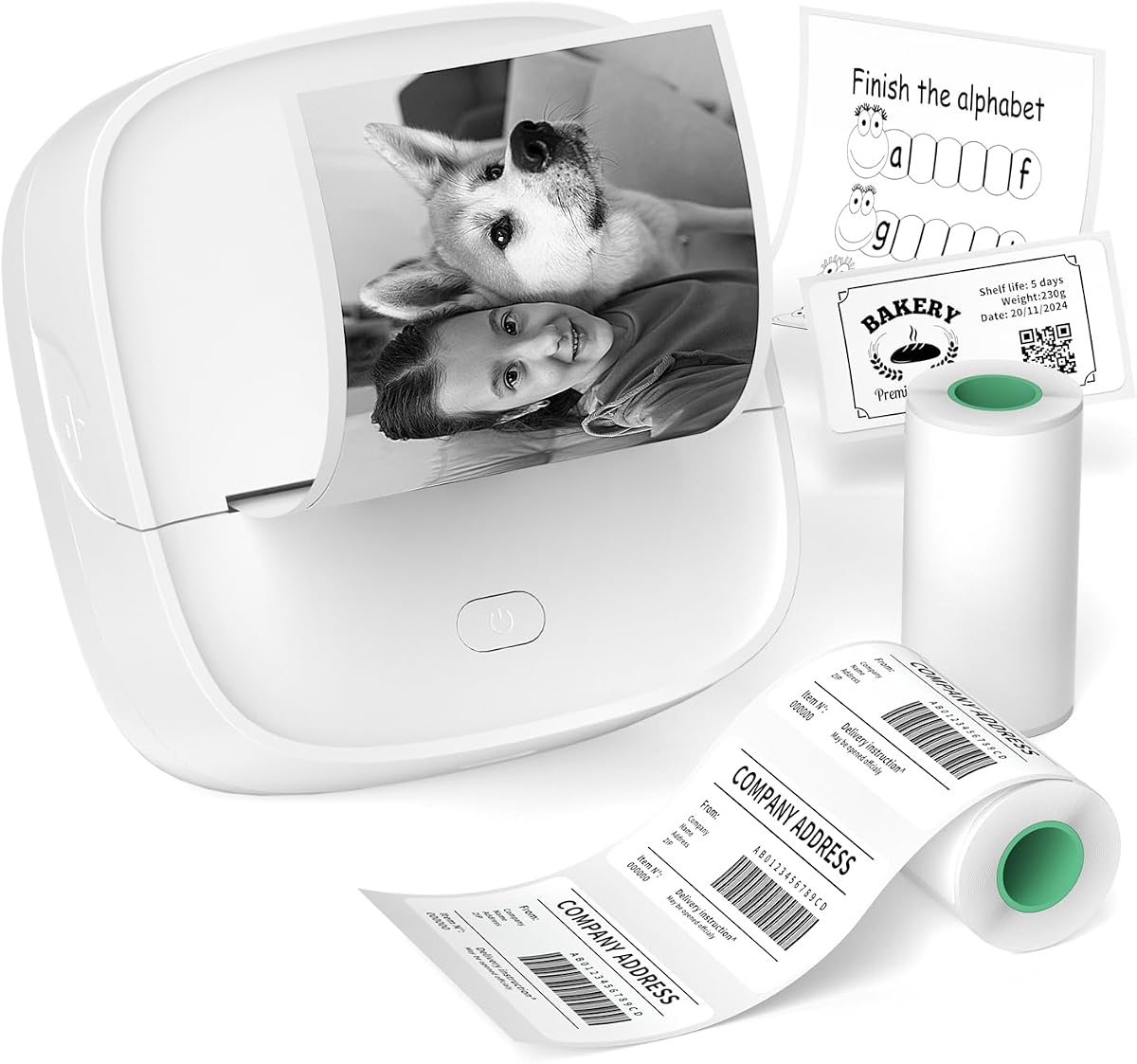
The Gloryang JD-23 is a miniature thermal printer designed for labels, notes, receipts, journaling, crafts, and greeting cards. It has a 4.5 rating and measures 3.39 by 3.5 by 1.54 inches, with a weight of only 0.32 pounds. That makes it one of the most portable devices in the guide and useful for adding small decorative elements to larger card layouts.
We may earn a commission when you buy through this link, at no additional cost to you.
It supports continuous and gap labels as well as sticky and non-sticky paper. Compatible media includes standard white, colored, and transparent sticker paper in a two-inch width. The package includes a 50-by-30-millimeter label roll for QR codes and address tags, plus a 50-millimeter continuous adhesive sticker roll. A built-in serrated cutter helps users tear off individual labels neatly.
The Jadens Printer app adds considerable creative value. Its listed features include document and photo printing, QR code and chart generation, OCR text recognition, drag-to-resize editing, drawings, AI-assisted image printing, and numerous templates. These tools are relevant to card makers who want personalized labels, monograms, small illustrations, or decorative stickers rather than full-page color artwork.
Its limitations are substantial for conventional greeting card production. The thermal process is not a substitute for a full-color inkjet, and the two-inch paper width restricts the size of a design. It also has no capacity to print a full card and cut it automatically. Even so, the built-in cutter and adhesive media create a more finished decorative outcome than ordinary printed scraps.
The JD-23 is best for embellishments and compact paper crafts. Choose it for label-heavy cards, planner-style designs, gift tags, or small accents that complement a card printed elsewhere. Its pocketable size and strong 4.5 rating make it a valuable specialized tool rather than a complete greeting card printer.
The included adhesive rolls can become names, QR codes, address tags, or decorative elements. The built-in serrated cutter makes it easier to separate consistently sized labels after printing.
Templates, OCR, QR code generation, resizing, drawings, and image tools turn the printer into more than a basic receipt device. The app-based workflow is particularly useful for rapid personalizing.
We may earn a commission when you buy through this link, at no additional cost to you.
The Cricut StickerPix Print + Cut Essential Bundle is the most specialized card-making system in this guide. It carries a 4.7 rating and combines high-resolution color printing, lamination, and contour cutting in one machine. Users can create custom stickers and labels, then produce photo prints from the same device without manually trimming each design.
We may earn a commission when you buy through this link, at no additional cost to you.
Dye-sublimation technology supports vivid, detailed prints that are described as water-, scratch-, and fade-resistant. The automatic lamination step adds a protective layer during the print-and-cut process, which can be useful for stickers used on greeting cards, gift tags, envelopes, and paper embellishments. Editable templates and editing tools make it possible to transform photos and apply effects with minimal design experience.
The Essential Bundle includes an ink cartridge, sticker sheets, and photo paper, with enough included supplies to make 18 sticker sheets and 18 photo prints. The software includes a library of more than 1.8 million sticker images from hundreds of artists. Users also need a compatible computer or mobile device with Bluetooth and a high-speed internet connection, while certain content and software features require a paid Cricut Access subscription.
This system is the most complete choice when a maker wants printed artwork and precisely cut labels from one workflow. It is not a conventional printer for long documents, envelopes, or large batches of folded card blanks. The device also is not intended for children 12 years and younger, and the subscription details for advanced features should be reviewed before purchase.
For premium card embellishments, the StickerPix Print + Cut offers a more cohesive and efficient process than using a standard printer followed by separate cutting. It is ideal for handmade cards, personalized stationery, event labels, and layered paper projects, making the additional complexity worthwhile for users who will regularly produce stickers and decorative pieces.
The machine prints, laminates, and cuts a design in a connected sequence. This reduces the repetitive work of printing, protecting, trimming, and weeding individual sticker elements before adding them to cards.
A large image library, editable templates, effects, and photo tools support both quick personalization and more developed projects. Users should check which features remain available without a Cricut Access subscription.
We may earn a commission when you buy through this link, at no additional cost to you.
The Canon PIXMA TR4720 is a wireless 4-in-1 printer that supports printing, copying, scanning, and faxing. It has a 3.9 rating and also includes an automatic document feeder and automatic two-sided printing. For a home office that handles correspondence alongside creative work, this combination can eliminate the need for a separate fax device.
We may earn a commission when you buy through this link, at no additional cost to you.
Its color output is designed for documents, photos, and borderless prints up to 8.5 by 11 inches. The supplied specifications list an approximate 65-second print time for a 4-by-6-inch borderless photo using compatible Canon media, along with listed letter-document speeds of 8.8 ipm in black and 4.4 ipm in color. The 100-sheet capacity provides a practical base for card-making supplies.
Mobile printing makes it convenient to send artwork from a phone or tablet, while the automatic document feeder helps with multi-page tasks. Canon also highlights easy ink installation and replacement. A useful connected feature is the ability to connect with Alexa for low-ink notifications and, when enrolled, smart reorder notifications. The supplied information states that no subscription is needed for those smart reorder notifications.
The printer lacks integrated cutting and lamination, so card production still requires separate finishing. Its document-oriented design may also feel less specialized than a photo printer or print-and-cut system. Users who do not need faxing will not get full value from the four-function design, but those who manage both creative and administrative tasks may find the consolidation helpful.
The TR4720 is a practical choice for a home maker who needs a conventional color printer alongside scanning, copying, and fax functions. It supports borderless photos and mobile workflows, making it suitable for traditional handmade cards, event stationery, and accompanying office documents.
Printing, scanning, copying, faxing, automatic duplexing, and an automatic document feeder cover several common home-office tasks. This consolidation is useful when the same workspace supports both card projects and administrative work.
Alexa can provide low-ink alerts, and eligible smart reorder enrollment can assist with replenishment. The feature is designed to reduce the chance that a creative project stops because supplies ran out unexpectedly.
We may earn a commission when you buy through this link, at no additional cost to you.
The Canon SELPHY CP1500 is a compact dedicated photo printer with a 4.4 rating. Its modern design and small footprint make it easy to place near a craft area, while built-in Wi-Fi, USB, and memory-card connections offer several ways to transfer images. The 3.5-inch built-in display allows users to view, edit, and apply effects such as sepia or black-and-white before printing.
We may earn a commission when you buy through this link, at no additional cost to you.
For greeting cards, the CP1500 is a strong option for photo-led designs that need fast, consistent output. The printed photos are described as instant-drying, water-resistant, and capable of retaining their appearance for up to 100 years. That makes the finished card images practical for gifts, keepsakes, holiday projects, and cards featuring family photographs.
Its connection flexibility is one of the most useful aspects. Users can print from a smartphone or computer, camera, memory card, or USB flash drive. An optional battery further improves portability, allowing the printer to operate away from a mains outlet when a suitable power source is available. The built-in display also reduces dependence on a phone for basic image selection and editing.
As a dedicated photo printer, it does not provide the broad document, copy, scan, envelope, or arbitrary media flexibility of the all-in-one models. It also has no integrated cutting function, so images must be trimmed before assembly. Its strength is a focused photo workflow rather than complete card production.
The CP1500 is best for creators who want compact, durable photo prints for personalized greeting cards. Choose it when the visual centerpiece is a photograph and a simple, display-guided workflow is more appealing than general-purpose inkjet capability.
The built-in 3.5-inch display lets users select images and apply familiar effects such as sepia and black-and-white. This is useful for quickly adapting a photograph to a particular card theme.
Wi-Fi, USB, memory-card, camera, and flash-drive support cover many source options. Optional battery support adds flexibility for printing at gatherings or other locations away from a fixed desk.
We may earn a commission when you buy through this link, at no additional cost to you.
The most useful greeting card printer depends on whether you value full-color artwork, photo output, portable printing, label creation, or automated cutting. Reviewing format, media support, connectivity, and finishing capabilities before buying will prevent an expensive mismatch.
Begin with the dimensions of the finished card and the media you intend to print on. Some models support full letter-size sheets and borderless output, while dedicated photo printers are limited to a fixed format such as 4 by 6 inches. Compact thermal devices may accept narrow rolls rather than conventional card stock. If your design includes folded card blanks, envelopes, layered inserts, or large photographic panels, verify the supported dimensions before choosing a printer.
Choose a general-purpose inkjet for flexible sheet sizes, a photo printer for fixed-size image cards, and a portable thermal model only when its compatible media fits the project. Confirm the final size, bleed, and trimming plan before purchasing.
Color technology determines the character and durability of the finished card. Inkjet models support detailed text, graphics, photographs, and borderless images, while thermal dye-sublimation models are designed around vibrant photo output. Standard thermal printing is more limited and should not be treated as a full-color substitute. Users making illustrated cards should prioritize smooth gradients, accurate text, and reliable photo reproduction.
For most illustrated and photo-led cards, a color inkjet or dye-sublimation photo printer is the safest fit. Choose basic thermal output only when portability and label-style monochrome or limited-color results are the priority.
Printing artwork is only one part of a polished card. A print-and-cut system can print, laminate, and cut sticker elements, saving substantial trimming and weeding work. Conventional inkjets and photo printers generally leave cutting, folding, adhering, and assembly to the user. If your design includes intricate silhouettes, multiple identical embellishments, or decorated envelopes, an integrated cutting system can be worth the added complexity.
Prioritize automatic cutting when precision and repeatability matter. For simple rectangular cards, a capable printer plus a separate cutter or craft trimmer may be more practical and flexible.
Consider how artwork reaches the printer. Wireless and mobile printing are convenient for designs created on a phone, while USB, memory-card, and direct photo controls can simplify other workflows. Dedicated app tools may provide borders, filters, QR codes, templates, OCR, or image resizing. The number of connections and independence from an existing network can also matter at parties, classrooms, workshops, or shared craft events.
Choose the connectivity method that matches your actual devices and creation habits. Confirm app compatibility and whether advanced editing or content features require an additional subscription.
Card stock, photographic paper, sticker rolls, continuous labels, and gap labels have different feeding and printing requirements. Some all-in-ones support multiple media feeds or specialty paper, while portable thermal models may only accept a specific branded roll. A print-and-cut system is designed around compatible sticker sheets and photo paper. Using unsupported media can affect image quality, feeding, and the durability of the finished card.
Check the supported media list before ordering supplies. Buy the manufacturer's recommended paper first, then test a small batch to confirm color, drying, feeding, and adhesion results.
Compact devices can be highly convenient, but size does not tell the whole story. A pocket-sized label printer may offer excellent portability and creative app tools, whereas a full inkjet may handle more media and office tasks but remain stationary. Dedicated photo printers occupy a middle ground and sometimes support optional battery operation. Consider where the device will live, how often it will travel, and whether portability outweighs paper flexibility.
Choose a portable model for on-location work and a larger inkjet for regular home production. If you need both, use a specialized portable printer for labels and a full-size model for final card artwork.
A card-making workflow may include envelopes, mailing lists, invoices, reference scans, and printed instructions. An all-in-one with scanning, copying, automatic duplexing, a document feeder, and mobile controls can handle these tasks efficiently. Print speed and input capacity matter more for office-heavy production than for someone making a few cards each week. Dedicated photo and sticker devices focus their capabilities elsewhere.
Choose an office-oriented all-in-one when you regularly produce supporting documents. Select a dedicated photo or label system when card images and decorative elements are the primary output.
Ownership costs extend beyond the initial purchase. Inkjet models use replaceable cartridges, and some brands promote subscription delivery programs with a trial period. Dedicated photo and label printers use their own cartridges or compatible media, while thermal devices avoid ink but require compatible rolls. Check cartridge restrictions, included supplies, software subscriptions, and consumable availability before committing to a system.
Compare the total consumable system rather than focusing only on the printer. Favor a model whose genuine supplies are accessible and whose operating workflow suits how often you intend to make cards.
Start by installing the supplied ink or toner components, loading the appropriate paper, and completing the manufacturer's setup process. Connect the printer to its app, establish wireless access, or install the computer driver as required. Before producing a complete card set, print one test image or a small color page to check alignment, margins, color, text sharpness, and paper feeding.
Prepare artwork at the printer's supported dimensions and use the highest appropriate print quality setting for important photographs or illustrations. Leave adequate space for trimming unless the printer supports borderless output. Allow inkjet prints and laminated sticker elements to dry fully, then use a clean, sharp craft blade, rotary trimmer, or the printer's integrated cutting system where applicable.
For upkeep, keep the printer covered when it is not in use and store paper in a dry, stable location. Clean the print head promptly if smudging appears, particularly with thermal dye-sublimation systems. Follow the manufacturer's guidance for rollers, print heads, ink cartridges, and specialty media, and use a small test whenever you change paper or cartridge type.
A color inkjet all-in-one is usually the most flexible choice for illustrated cards because it can print documents, photos, and borderless artwork on conventional media. The Canon PIXMA TS6520 is a balanced option, while the HP OfficeJet Pro 8125 and Epson Expression Premium XP-7100 add productivity or specialty-media features. You will still need a separate cutter unless the design uses simple straight edges.
The supplied specifications do not confirm direct printing onto folded card blanks, so that capability should not be assumed. The safest approach is to print flat artwork on a supported sheet or photo format, let it dry, and then trim, fold, and adhere it to the card base. Always test the specific stock and printer combination before committing a full batch.
An inkjet uses liquid ink to create detailed full-color documents, graphics, and photos on a range of papers. A thermal printer uses heat to produce output on specialized rolls, making it compact and inkless but much more limited in color and media. Thermal models work best for monochrome labels, simple layouts, and small portable projects rather than full-color illustrated cards.
The Cricut StickerPix Print + Cut is the most complete sticker-focused option because it prints, laminates, and cuts designs in one workflow. The Gloryang JD-23 is a smaller and more portable alternative for narrow labels, while the Liene M100 app can add borders and filters to 4-by-6-inch photo images before they are placed on a card.
Not always. Scanning and copying are valuable if you need to reproduce sketches, incorporate existing documents, or combine a maker and office workflow. They are less important if you create every design digitally and only need a dedicated photo, sticker, or art printer. The all-in-one models are most helpful for users who want one machine for both creative and administrative tasks.
Use media specifically listed as compatible with the chosen printer, and select a weight that suits your card base and printer's feeding system. Photo paper is appropriate for image-led cards, while heavier card stock can provide a more substantial finished feel. Test a small sheet for color, drying, smudging, and feeding before printing the entire project.
They can be suitable for simple cards, notes, labels, and event materials when portability is the priority. The Gloryang Inkless Portable Printer supports larger thermal media, while the JD-23 is limited to narrow label formats. Neither is a direct substitute for a color inkjet, and both require their compatible thermal paper.
Choose a photo printer when most projects are fixed-size images, phone photos, or keepsake prints. Choose an inkjet when you need varied sheet sizes, borderless art, envelopes, documents, scanning, copying, or faxing. The Canon SELPHY CP1500 focuses on photo output, whereas the Canon PIXMA models provide a broader mix of creative and office functions.
The Canon PIXMA TS6520 is the most balanced overall pick because it combines color printing, scanning, copying, automatic duplexing, borderless output, and modern wireless control in a compact design. The Liene M100 stands out for affordable phone-based 4-by-6-inch photo cards, while the Cricut StickerPix Print + Cut is the strongest premium option for makers who prioritize automated sticker cutting and lamination.
Prioritize the output format and finishing process that match your designs. General-purpose inkjets offer the most flexible art and document workflows, dedicated photo printers excel at image-led cards, thermal devices add portability or compact label creation, and print-and-cut systems reduce repetitive trimming. Confirm media compatibility, device requirements, software subscriptions, and consumable availability before making a final choice.
Current pricing and availability can change, so check the latest product listing and included accessories when you are ready to buy. Reading recent customer feedback alongside the confirmed specifications can also reveal whether a particular printer suits your preferred card size, color style, and level of hands-on finishing.