
Tomee 16MB Memory Card
4.7Editor score
16MB standard card capacity
251 usable memory blocks
Works with GameCube games
Our GameCube Memory Card guide compares ten options for capacity, compatibility, save organization, and reliability, helping retro gamers choose confidently.
A GameCube memory card is more than a small piece of removable storage: it holds the progress, settings, and unlocks attached to many classic games. The right card should match your console, provide enough usable blocks, and fit neatly into the original memory-card slot without introducing unnecessary compatibility concerns.
This guide compares ten memory cards and one microSD adapter for GameCube and the original Wii, evaluating their stated capacities, block layouts, console compatibility, bank controls, and intended uses. It covers compact 16MB options, larger multi-area cards, and an adapter designed for loading games rather than replacing the standard save medium.
Each review explains the product's strongest features, practical limitations, and ideal buyer. The leading recommendations include a budget-friendly 16MB card, a flexible 1024MB multi-area model, and a 512MB option with four selectable storage areas. Prices and availability change, so compare the current listing details before ordering.
4.7Editor score

4.7Editor score

4.8Editor score
The table below places all ten products side by side, emphasizing capacity, block count, console support, storage organization, and product type. The final entry is a microSD adapter rather than a conventional memory card, so it serves a different purpose and should be evaluated accordingly.


The Mcbazel 1024MB Memory Card is a high-capacity option for players who want to keep numerous GameCube saves across a single physical card. Its 4.7 rating reflects strong customer satisfaction, while its eight-part layout gives it more organizational flexibility than a conventional single-bank card.
We may earn a commission when you buy through this link, at no additional cost to you.
The card contains 16,344 real uncompressed blocks divided into eight 128MB areas. A front button moves between areas, and indicator lights show the current selection. This design is especially useful for separating different games, save categories, or players sharing one system without constantly overwriting a single save space.
Compatibility is limited to GameCube consoles and original Wii models identified as RVL001. It is a third-party product rather than an official Nintendo accessory, and users should not expect all 1024MB to appear as one continuous save space. The active area holds 128MB at a time.
This is an excellent recommendation for collectors, completionists, and owners of several memory-intensive games who value capacity and separation over a minimal card design. Confirm that the console has a physical memory-card slot, power it down before changing cards, and avoid using it with a Wii Family Edition, Wii Mini, or Wii U.
Dividing the card into eight independently accessible areas makes it easy to maintain separate save collections. The front button and status lights allow users to identify the active area without relying on software or navigating complex menus.
The stated 16,344-block figure represents real, uncompressed storage rather than a compressed approximation. That distinction can matter when comparing high-capacity cards because the usable block layout is more meaningful than the number printed on the package alone.
We may earn a commission when you buy through this link, at no additional cost to you.
The Tolesum 512MB Blue Card balances capacity and manageable organization. It carries a 4.5 rating and offers 8,192 real uncompressed blocks spread across four 128MB data areas, making it a practical choice for players who want more room than a standard card but less complexity than an eight-bank design.
We may earn a commission when you buy through this link, at no additional cost to you.
Switching between the four areas is handled by a button on the card, so separate save sets can be maintained without copying files to another device. The product is designed for plug-and-play use in GameCube consoles and RVL-001 Wii models, the original Wii version that retained a front memory-card slot.
The main limitation is that this is a third-party item, and only the selected 128MB area appears to the console at one time. It also does not support Wii consoles without the original card slot. Buyers should not treat the full 512MB label as a single uninterrupted block space.
The Tolesum card is well suited to GameCube owners maintaining several games, families sharing one console, or anyone who appreciates the balance between storage volume and a four-area layout. Verify the model number beneath the console before ordering and always remove the card while the system is powered off.
Four selectable 128MB sections provide a practical way to group different games or users. This arrangement avoids filling one shared area while remaining easier to manage than a card with numerous tiny partitions.
Support for the RVL-001 model makes the card useful for original Wii owners whose console still has a front memory-card slot. Check the underside of the console because later Wii hardware removed that slot.
We may earn a commission when you buy through this link, at no additional cost to you.
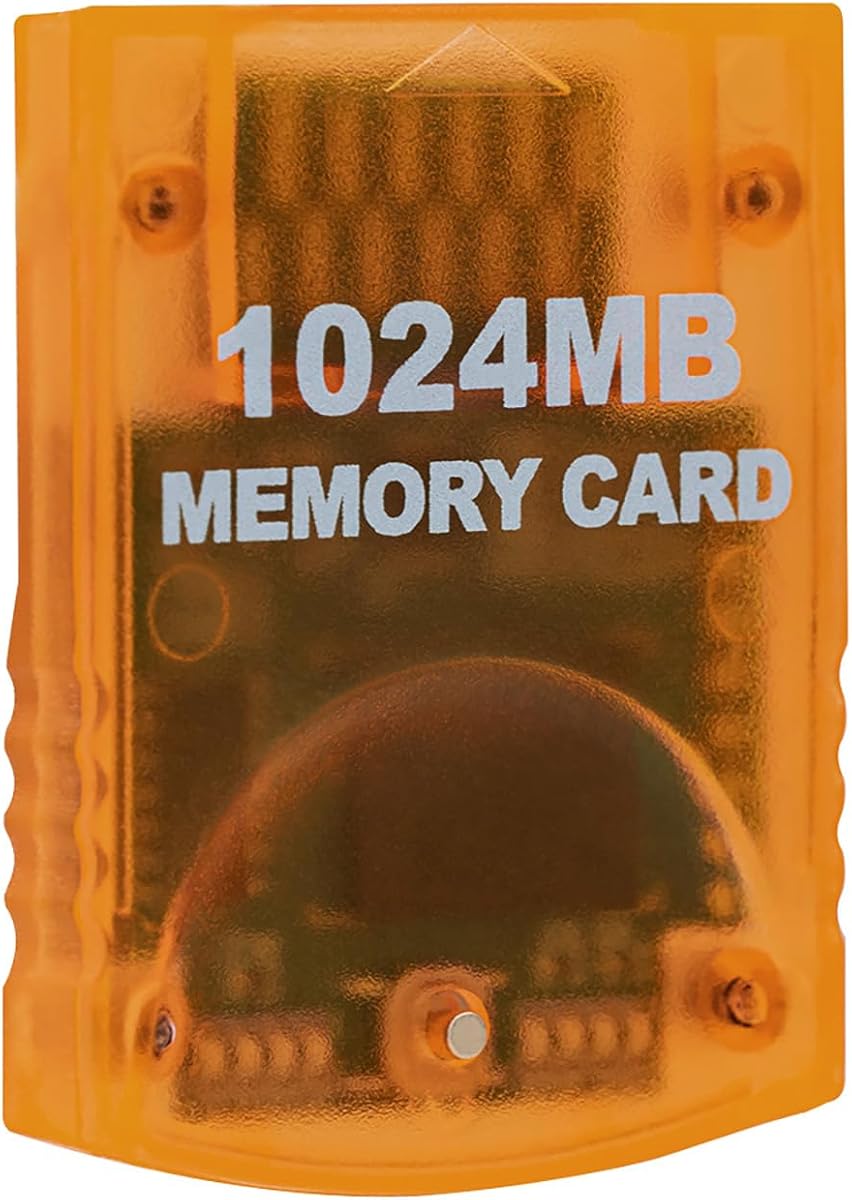
The Tolesum 1024MB Card is one of the most clearly explained high-capacity options in this roundup. Its 4.7 rating reflects a favorable response, and the product combines 16,344 uncompressed blocks with eight independent 128MB areas for substantial, organized save storage.
We may earn a commission when you buy through this link, at no additional cost to you.
Each area contains 2,043 blocks, and the console reads one selected area at a time. A front button cycles to the next section, while eight indicator lights identify the live choice. The card saves data written by GameCube discs, including those played on compatible original Wii hardware.
Compatibility requires a GameCube console or an original Wii with model number RVL-001. The Wii Family Edition, Wii Mini, and successor hardware do not include the required slot. The orange translucent design is a third-party product, and all eight areas cannot be viewed as one continuous pool of save space.
This is the strongest choice for a player who wants maximum capacity and clear organization in one card. It suits dedicated collectors, owners of multiple save-heavy titles, and users who appreciate knowing exactly how the 16,344 blocks are divided. Verify the console model, shut it down completely, and insert or remove the card only when power is off.
The eight 2,043-block areas create distinct save environments that can be changed with the front button. This is useful for separating game series, profiles, or different users without relying on external storage.
The product information specifically explains how to identify an RVL-001 console and why later Wii versions lack a usable slot. Checking this detail before buying can prevent an otherwise straightforward card from being incompatible with the intended system.
We may earn a commission when you buy through this link, at no additional cost to you.
The 16MB Black Memory Card offers a familiar amount of storage for owners who need a straightforward replacement. Its 4.6 rating indicates a generally positive reception, while the standard 251-block capacity closely matches the scale of original GameCube save media.
We may earn a commission when you buy through this link, at no additional cost to you.
The card is designed for both GameCube consoles and RVL-001 launch-model Wii systems. Its third-party, plug-and-play construction is intended to fit securely in the console slot, and the listing emphasizes quick save and load performance along with a streamlined profile.
Capacity remains the decisive limitation. A 16MB card may be sufficient for a limited group of games but can fill quickly when multiple titles, profiles, or additional save data need to coexist. The stated compatibility also excludes Wii consoles that lack the original memory-card slot.
This card makes sense for a player who primarily revisits a few games or wants a simple spare. It is less attractive for collectors, completionists, or households sharing a system. Confirm that the console has the proper slot and use the card as a dedicated, uncluttered save medium.
The familiar 251-block format is suitable for users who want room for essential GameCube progress without the complexity of multiple selectable areas. It can also serve as a dedicated card for one game or one player.
The card's slim third-party design is intended to sit neatly in the console's front slot. That can make it appealing to owners replacing an aging original card while maintaining compatibility with supported systems.
We may earn a commission when you buy through this link, at no additional cost to you.
The Tomee 16MB Memory Card is a straightforward, budget-minded choice for players who only need a dependable way to retain progress in classic games. It has a 4.7 rating and provides the familiar combination of 16MB capacity and 251 blocks.
We may earn a commission when you buy through this link, at no additional cost to you.
The listing describes support for levels, characters, high scores, and other saved information. It also highlights the ability to load, save, copy, and delete game saves, giving users the core management functions expected from a GameCube memory card.
Its strongest advantage is a lack of unnecessary complexity. There are no selectable banks to switch, and its modest capacity may actually help keep important files separate. The trade-off is that 16MB can be restrictive once several games or multiple users need to be accommodated.
The Tomee card is an excellent choice for a first GameCube memory card, a dedicated single-game save card, or a budget-conscious replacement. It is also suitable for GameCube games with a save option. Owners should check the console's slot and manage files regularly so important progress is not displaced by additional games.
The 16MB and 251-block specifications are easy to compare with original memory-card formats. This makes the card straightforward for users who want a standard amount of space rather than a large multi-area arrangement.
Support for loading, saving, copying, and deleting files covers the normal management tasks associated with GameCube games. Keeping these functions in one card reduces the need to juggle several small storage solutions.
We may earn a commission when you buy through this link, at no additional cost to you.
The Mcbazel 256MB Pink Card offers a middle ground between a traditional 16MB card and the larger multi-area models. Its 4.7 rating and two-bank design make it an appealing option for players who want a meaningful amount of storage without maintaining many separate areas.
We may earn a commission when you buy through this link, at no additional cost to you.
The 256MB capacity is divided into two independent 128MB sections. Users press a button to change banks, and individual LEDs indicate the active section. The product is also marketed around high-speed saves, loads, and efficient data management for supported consoles.
GameCube and RVL-001 Wii compatibility is included, while the product is explicitly not compatible with the Wii U. Although the bank system improves organization, the available active space is still 128MB at a time and therefore below the capacity offered by the 512MB and 1024MB cards.
This is a strong recommendation for casual collectors and families who want two clearly separated save groups. It works particularly well for dividing games by genre or player. Always insert or remove the card with the console powered off, and verify that the system has a front memory-card slot before purchasing.
Two independent 128MB banks are enough to separate major groups without cycling through a long list of areas. LEDs provide immediate visual confirmation of the bank currently in use.
The 256MB format offers more room than a standard 16MB card while retaining a simple two-bank arrangement. It is a practical middle point for users who do not need the maximum capacity of an eight-area model.
We may earn a commission when you buy through this link, at no additional cost to you.
The Gamecube Memory Card 251 is a conventional 16MB flash card built around the well-known 251-block GameCube format. Its 4.7 rating makes it a credible option for users who prefer a familiar standard capacity over a bank-switching design.
We may earn a commission when you buy through this link, at no additional cost to you.
The stated purpose is to store games and settings, which corresponds to the kinds of data produced by compatible titles. At 16MB, the card gives users a modest amount of room for progress, configuration data, and other save information without the overhead of multiple partitions.
The benefit of this design is its familiarity. There is no bank button to operate and no need to learn a new area system. The drawback is limited space, particularly for owners with more than a few save-bearing games or players who want to preserve every achievement and unlocked setting.
This card is a sensible pick for a small, focused GameCube library, a dedicated save for a single title, or an inexpensive secondary card. It is less suitable as the only card for a broad collection. Users should regularly copy or back up important files and avoid pulling the card from the console while a save is in progress.
A 251-block card follows the conventional GameCube storage scale, making its capacity easy to understand. It can provide enough room for a limited set of games while remaining uncomplicated to operate.
The card is designed to hold standard GameCube save data, including game progress and settings. Its primary appeal lies in providing a familiar, uncomplicated way to preserve those files.
We may earn a commission when you buy through this link, at no additional cost to you.
The Suncala 1024MB Memory Card is a high-capacity choice for gamers who want ample storage and quick operation. Its 4.7 rating is supported by a design that combines 16,344 blocks with eight storage sections and an upgraded processing chip.
We may earn a commission when you buy through this link, at no additional cost to you.
The listing states that the upgraded chip can process and save games 20 percent faster than older versions while helping maintain smooth, steady gameplay. A front switch button moves between the eight storage sections, allowing separate save groups to be maintained on one card.
Compatibility covers GameCube consoles and the original Wii RVL-001 model. The card is a third-party product, and its eight sections do not combine into one visible 1024MB save space. The console sees only the currently selected section, so careful organization remains necessary.
This card is well matched to collectors, speed-conscious players, and owners with a large library of save-enabled GameCube games. Its slick packaging is intended to make insertion and removal convenient, while the stated 60-month warranty adds a differentiator among high-capacity options.
The stated processing upgrade is intended to make game processing and saving faster than on older card versions. This can be valuable for users who frequently move between supported titles and want responsive save behavior.
Eight switchable sections provide ample room for dividing a large library into manageable groups. The design is particularly useful for separating different game series, players, or categories of progress.
We may earn a commission when you buy through this link, at no additional cost to you.
The MAYFLASH 512MB Blue Card stands out with a 4.8 rating, the highest customer rating among the listed products. It combines 8,172 blocks with four storage areas, giving users a balanced combination of capacity and organization.
We may earn a commission when you buy through this link, at no additional cost to you.
Each area contains 2,043 blocks and is selected with the button on the card. The card supports GameCube consoles and RVL-001 original Wii systems, while its plug-and-play format avoids a more complicated setup for normal memory-card use.
Four areas provide a more granular structure than a two-bank card and a simpler system than an eight-section design. However, the console still displays only the selected area, and 512MB is lower than the maximum offered by the 1024MB alternatives.
This is a strong all-around recommendation for users who want substantial storage, a moderate number of save areas, and simple physical controls. It is well suited to GameCube collections and original Wii owners. Confirm that the console includes a memory-card slot, and never change the card while the system is running.
Dividing 8,172 blocks across four 2,043-block sections creates a useful compromise between capacity and control. It is enough organization for separate game groups without requiring repeated cycling through eight options.
Users can change areas directly from the card, and the system presents only the selected section. This makes the card approachable for everyday use while retaining the organization benefits of a larger multi-area design.
We may earn a commission when you buy through this link, at no additional cost to you.
The AreMe GC2SD MicroSD Adapter is different from the conventional GameCube memory cards in this guide. Its 4.4 rating reflects a specialized role: reading a microSD card so compatible homebrew can access and load a game list.
We may earn a commission when you buy through this link, at no additional cost to you.
The adapter can be used with any version of GameCube or Wii and supports microSD cards up to 512GB. It automatically loads the contents of the TF card when used with Swiss, Xeno, GCLoader Lite, or PCIoboot, giving the console a way to work with a much larger storage format.
It is not a direct substitute for the standard GameCube memory card, particularly for conventional game saves. It also depends on compatible homebrew, so a buyer who only wants plug-and-play save storage should choose one of the actual memory cards instead.
The GC2SD is an excellent option for retro enthusiasts who use homebrew to load games and already understand the required software. It is not a good fit for ordinary save-file storage or for someone seeking a simple replacement card. Confirm that the chosen microSD card is formatted and prepared according to the homebrew's requirements.
Supporting microSD cards as large as 512GB creates room for a substantial game list. The adapter turns that removable storage into a practical option for users running the listed homebrew environments.
Unlike standard memory cards that require a specific front slot, the adapter can run on any GameCube or Wii version. Compatibility concerns shift from hardware slots to the homebrew software and storage format being used.
We may earn a commission when you buy through this link, at no additional cost to you.
Choosing a GameCube memory card involves balancing real save capacity, console compatibility, storage organization, and the way you play. The right card for one collector may be unnecessarily large for another, while some modern-looking products solve a different problem altogether.
GameCube consoles and the original RVL-001 Wii include a front memory-card slot next to the controller ports. The Wii Family Edition, Wii Mini, and later hardware removed that slot, so a standard GameCube memory card will not work with them. Before ordering, look beneath the console and verify the model number. The AreMe GC2SD adapter is the only product in this list that works across every GameCube and Wii version, but it requires compatible homebrew and serves primarily as a game-loading adapter rather than a conventional save card.
A card labeled 512MB or 1024MB may contain several selectable areas, and the console normally exposes only one area at a time. The Tolesum 1024MB card contains eight 128MB areas, while the MAYFLASH 512MB card divides its storage into four 2,043-block areas. The Mcbazel 256MB card uses two banks. This arrangement is useful for separating games or players, but the total printed capacity should not be interpreted as one continuous pool of immediately visible save space.
Block count is more meaningful than the capacity printed on the shell alone. The Mcbazel 1024MB and Tolesum 512MB listings specifically describe their 16,344 and 8,192 blocks as real and uncompressed. Compressed approaches can make two cards appear similar by headline capacity even though their usable block behavior differs. A familiar 16MB card offers 251 blocks, matching the traditional GameCube scale and keeping expectations simple for a modest collection.
A 16MB card is suitable for a focused set of games, a single player, or a dedicated title. The 256MB Mcbazel card adds a second bank without creating a complicated structure, making it useful for light collectors. The 512MB models provide a more substantial balance, while the 1024MB options are better suited to extensive libraries, many save-heavy games, or users who appreciate strong separation. More capacity does not improve every game, but it can reduce the need to delete or transfer files.
Some players prefer a single standard card and simply overwrite files as needed. Others value separate areas for each game series, player profile, or playthrough. Two-bank cards offer a simple division, four-area cards provide more granular organization, and eight-area cards suit highly segmented collections. A front button and indicator system make switching faster and reduce the chance of saving into the wrong area.
Every high-capacity 512MB and 1024MB option in this roundup is a third-party product, and the listed 16MB alternatives are also third-party replacements. Buyers should understand that these are not official Nintendo accessories. Look for clear descriptions of block count, active-area behavior, console support, and power-off handling. A clear specification sheet can make a third-party card easier to evaluate and reduce uncertainty before purchase.
A conventional memory card stores save data and settings for supported GameCube games. The AreMe GC2SD does something different: it reads a microSD card and loads a game list through compatible homebrew such as Swiss, Xeno, GCLoader Lite, or PCIoboot. Although it supports large microSD media, it does not replace a normal memory card for everyday save management. Choose an adapter only if your goal involves homebrew game loading.
Several products explicitly recommend inserting or removing the card only when the console is powered off. This is especially important for multi-area cards because a user may switch areas or move the device while a game is writing a save. Before changing cards, finish the current session, exit the game normally, and shut down the console completely. Avoid pulling the card from the slot while a save operation is underway.
Before inserting a memory card, confirm that the console is fully powered off. Orient the card according to the slot, slide it in gently without forcing it, and turn on the console before starting a compatible game. For cards with multiple areas, check the indicator lights to identify the selected bank before saving important progress.
Use the console's normal save and file-management options to load, save, copy, or delete files. When moving to a different card, finish saving, exit the game, and shut down the console before removing the card. Change areas only when the system is off, and note which section contains each collection to avoid overwriting a different player's files.
Keep the card and its contacts clean, protect it from moisture and impact, and store it in a protective case when it is not in use. Do not format or convert the card through unrelated software, and do not use it as general file storage. For the GC2SD adapter, follow the requirements of the homebrew environment and use a properly prepared microSD card instead of attempting to treat the adapter as a standard save medium.
A GameCube memory card works only in the original Wii model RVL-001, which retained the front memory-card slot. The Wii Family Edition, Wii Mini, and Wii U do not accept a standard GameCube memory card. Always check the model number printed on the underside of the console before purchasing.
They describe related aspects of the same traditional capacity: 16MB is the card's overall amount of memory, while 251 blocks is the unit GameCube software uses to represent save space. A 16MB card with 251 blocks follows the familiar original format, whereas larger multi-area cards divide their total block count among selectable sections.
Generally, no. The 1024MB cards in this guide divide their storage into eight areas, and the console normally reads only the selected area at a time. The same principle applies to the 512MB and 256MB cards. These areas are useful for separating saves, but they do not behave like one continuous 1024MB save space.
A conventional memory card stores and manages game saves, while the AreMe GC2SD reads a microSD card for use with compatible homebrew software. The adapter can load a game list and supports larger storage, but it does not provide the same role as a standard save card. It also requires software such as Swiss, Xeno, GCLoader Lite, or PCIoboot.
The card must be supported by the console, and each game must have a save option. Some Wii games save to internal memory or an SD card rather than the GameCube memory-card slot. A larger card can provide more room for compatible GameCube software, but it cannot create save support for a title that does not use that storage method.
Yes. Finish the current game or save operation, exit the software, and power the console down completely before inserting, removing, or switching the memory card. Changing it while a game is writing data can interrupt a save. The same careful approach applies when moving between the selectable areas of a high-capacity card.
Third-party cards are normal within this category, particularly because the high-capacity options are not official products. The important factors are accurate block descriptions, clear compatibility information, multiple-area behavior, and careful handling. A reputable listing that explains those details is more useful than one that relies only on a large capacity number.
Yes. A standard card can hold files from multiple compatible games or users as space allows, while multi-area cards make separation easier. The Tolesum 1024MB card provides eight areas, the MAYFLASH and Tolesum 512MB cards provide four, and the Mcbazel 256MB card provides two. Players should switch areas only while the console is powered off.
The Tomee 16MB Memory Card is the best budget choice for focused collections and essential saves, while the Tolesum 1024MB Orange Card stands out for eight-area organization and real uncompressed capacity. The MAYFLASH 512MB Blue Card offers a balanced four-area layout and earned the highest customer rating in the group.
Prioritize console compatibility, real block count, and the organization method that matches your habits. A standard 16MB card is sufficient for a few games, but collectors should consider 256MB, 512MB, or 1024MB. Remember that multiple cards expose only one area at a time, and the GC2SD adapter belongs in a homebrew setup rather than a conventional save-card shortlist.
Check the current listing, product details, and availability before ordering, since prices and seller information can change. Regardless of capacity, power the console down before inserting, removing, or switching cards so the system and your saved progress remain protected.