
Crucial 4GB Desktop Kit
4.7Editor score
4GB matched dual-module kit
DDR2-800 PC2-6400 speed
240-pin desktop UDIMM format
CL6 unbuffered non-ECC design
Discover the best DDR2 Laptop and Desktop RAM options, comparing capacity, speed, form factor, voltage, compatibility, and ease of installation for every user.
DDR2 Laptop and Desktop RAM remains useful for upgrading older computers that cannot accept modern memory. Choosing correctly requires matching the module form factor, speed, voltage, capacity, and system requirements. A compatible upgrade can improve responsiveness without requiring a complete computer replacement.
The products in this guide cover notebook SODIMM and desktop DIMM kits, ranging from compact 2GB configurations to larger matched sets. They were compared using capacity, supported speed, voltage, pin count, rank, buffer and ECC characteristics, stated compatibility, warranty support, and the practical needs of aging systems.
Each review explains who the memory best suits, where its specifications stand out, and where limitations matter. Ratings reflect the supplied customer feedback, while technical details come from the listed product information. Availability and pricing can change, so confirm your computer's requirements before purchasing.
A good DDR2 upgrade should be installed with deliberate compatibility checks rather than chosen solely by capacity or advertised speed. The list brings together general-purpose laptop and desktop kits, system-specific sets, lower-capacity options for basic machines, and matched dual-module configurations designed to balance several memory slots.
4.7Editor score
4.6Editor score

4.6Editor score
The table below compares all ten kits by form factor, total capacity, memory speed, and key technical characteristics. It is designed to make laptop and desktop differences clear before checking the exact requirements of the computer being upgraded.




The Rasalas 4GB Laptop Kit combines two 2GB DDR2 modules into a straightforward upgrade for compatible notebook computers. Its listed 4.6 rating reflects generally favorable customer feedback, while the specifications emphasize DDR2-800 operation, PC2-6400S classification, 1.8V power requirements, and a 200-pin SODIMM form factor.
We may earn a commission when you buy through this link, at no additional cost to you.
A matched two-module set is the central appeal of this kit. Rather than adding one module to a partially populated laptop, the buyer receives a complete 2x2GB configuration that can populate two compatible slots. The stated 2RX8 organization also gives buyers a clearer technical target when comparing it with other dual-rank memory.
The product information claims compatibility with Mac, AMD, and Intel systems, as well as broad support for motherboards from different brands. That breadth is useful, but it does not eliminate the need to check the laptop's service manual. Socket shape alone is not enough; supported capacity, memory generation, voltage, and module organization should all be verified.
This is a sensible recommendation for an owner of a DDR2 laptop with two available slots, 1.8V memory support, and a need for more capacity than a single 2GB module provides. It is less appropriate when the computer requires ECC laptop memory, a different DDR generation, or a larger supported capacity than the supplied 4GB kit can supply.
The 2x2GB arrangement makes this kit attractive when both laptop memory slots are available. It offers a balanced way to increase usable memory while avoiding the need to source one matching module and one separate upgrade.
The stated Mac, AMD, and Intel support is encouraging, but buyers should still confirm their exact model, maximum memory, and accepted module organization. A product that appears similar on paper can still be unsuitable if one of those requirements differs.
We may earn a commission when you buy through this link, at no additional cost to you.
This 8GB laptop kit provides two 4GB DDR2-800 modules for compatible notebook systems with two accessible SODIMM slots. Its 3.6 rating is lower than those of most alternatives in the guide, making the available warranty and technical support especially relevant parts of the purchase decision.
We may earn a commission when you buy through this link, at no additional cost to you.
The main advantage is capacity. An 8GB matched set can give an older DDR2 notebook more working memory than a 4GB kit, which is useful for users who routinely keep several demanding applications open. The listed PC2-6400 speed and 1.8V operating requirement place it in a common DDR2 laptop category.
Its non-ECC, unbuffered specification is important because it narrows the set of compatible systems. Not every DDR2 notebook accepts ordinary consumer SODIMMs, and the manufacturer or service manual may require another type of memory. Users should also verify that both slots are accessible and that the system supports 4GB modules.
The kit makes the most sense for a compatible laptop whose manufacturer permits 8GB across two 4GB slots. Because its rating trails the other choices, buyers should read recent customer feedback carefully and confirm the module specifications before ordering rather than relying on capacity alone.
The 8GB total is the decisive benefit for compatible notebooks that regularly switch between browser tabs, office applications, and background utilities. More capacity can reduce pressure on slower storage by giving the operating system more room for active data.
Two 4GB modules require two suitable slots, and the laptop must support both the capacity and the physical module design. Some older systems expose only one accessible slot or impose stricter maximum-capacity rules, making this kit unsuitable despite its attractive capacity.
We may earn a commission when you buy through this link, at no additional cost to you.
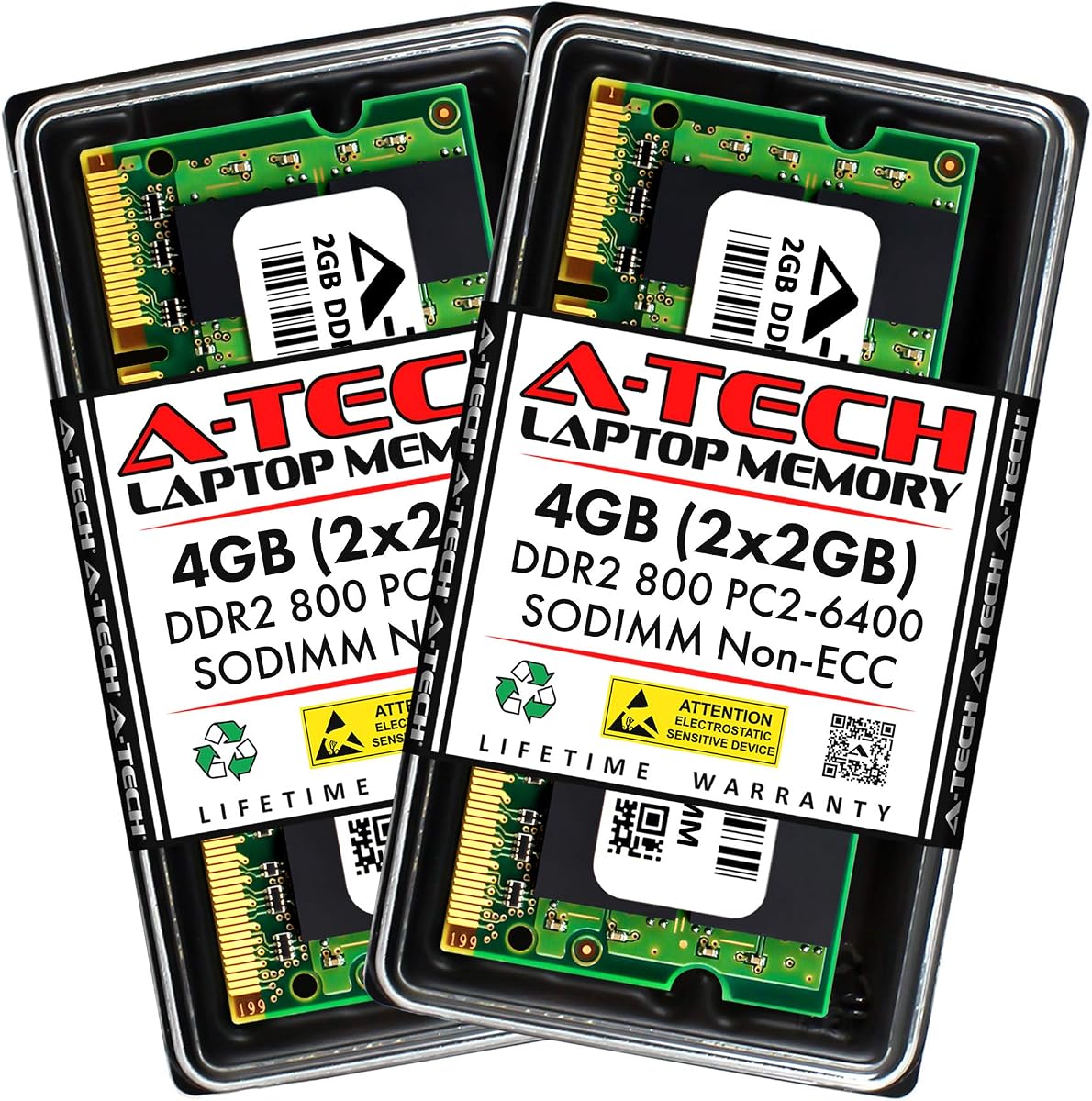
The A-Tech 4GB Laptop Kit is a well-documented option for compatible notebooks, all-in-one computers, and other systems using 200-pin 1.8V DDR2 SODIMMs. It holds a 4.6 rating and provides two matched 2GB modules operating at the listed DDR2-800 PC2-6400 speed with CL6 timing.
We may earn a commission when you buy through this link, at no additional cost to you.
Its strongest feature is the breadth of stated compatibility. The product information names Acer, Alienware, Apple, ASRock, ASUS, Dell, DFI, Fujitsu, Gateway, Gigabyte, HP, HP Compaq, Intel, Lenovo, LG, MSI, Panasonic, QNAP, Samsung, Sony, Supermicro, Synology, and Toshiba systems, while carefully framing the list as covering selected rather than every model.
A-Tech also states that its modules undergo stringent quality assurance testing and are backed by a lifetime warranty. United States-based technical support is available before, during, and after a purchase. These support commitments add confidence, although the generic non-ECC and unbuffered design means they do not make the kit appropriate for every notebook.
This is a strong general recommendation for a DDR2 laptop owner who wants a balanced two-module upgrade and values clear documentation and support. Verify the exact model and its memory maximum, confirm that ordinary unbuffered SODIMMs are accepted, and make sure both slots can be reached before buying.
A long list of named manufacturers helps buyers narrow the field, but the exact model still determines compatibility. The detailed specification list also makes it easy to confirm voltage, pin count, speed, capacity, and ECC status before installation.
The stated lifetime warranty and complimentary United States-based technical support provide help beyond the initial transaction. For a less common system, having a support contact can be useful when confirming the appropriate memory format.
We may earn a commission when you buy through this link, at no additional cost to you.
The A-Tech 8GB Dell Kit is built for a specific group of Dell Inspiron desktops, including the listed 519, 530a/c, 545, 545s, 546, and 546s models. Its four-module arrangement provides 8GB of DDR2 memory when the target computer has four available desktop DIMM slots.
We may earn a commission when you buy through this link, at no additional cost to you.
This configuration stands out from ordinary two-module kits because it fills all four positions with matched 2GB modules. That can be useful for compatible systems that benefit from a fully populated memory controller and for buyers who want a system-specific set instead of assembling modules independently.
The kit uses non-ECC PC2-6400 800MHz DIMMs, which is appropriate only when the target model supports that standard. The inclusion of four modules makes physical access and slot count especially important. Some compact Inspiron cases may also be difficult to open, and a user should not assume that every case style provides the same installation access.
For owners of one of the explicitly listed Dell Inspiron systems, this is a focused and potentially convenient solution. It is not a general-purpose desktop recommendation because system-specific fitment matters. Confirm the exact model identifier, maximum supported memory, accepted module organization, and availability of all four slots before ordering.
The explicit model list removes much of the guesswork associated with universal kits. A buyer can match the machine's exact designation against the product description instead of relying on broad brand compatibility.
A complete 4x2GB set requires a chassis with four accessible DIMM slots. Check the case design and service documentation because a four-module kit cannot be used as a partial set if the computer has fewer positions.
We may earn a commission when you buy through this link, at no additional cost to you.
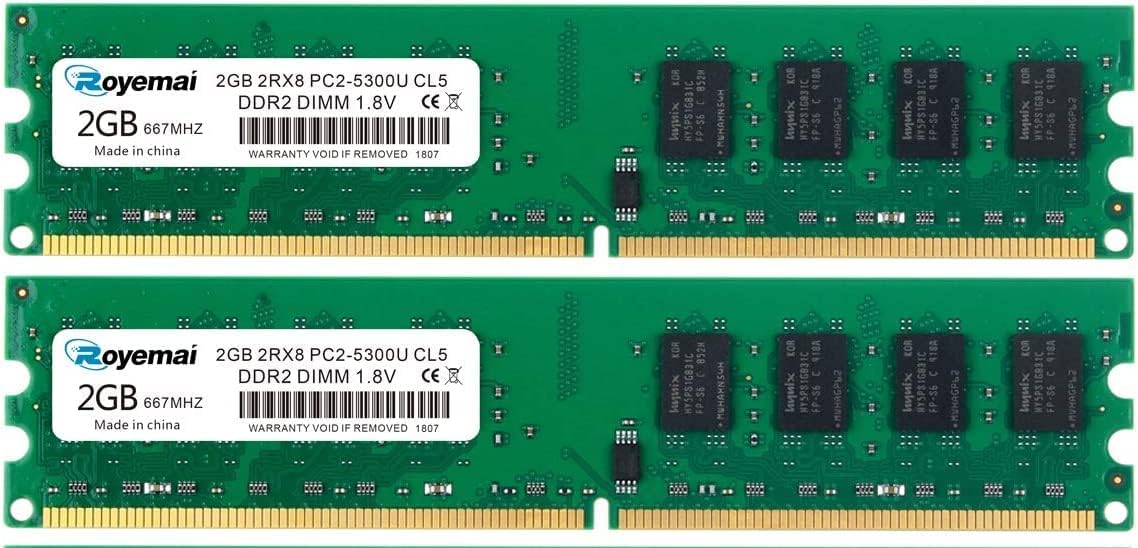
The Motoeagle 4GB Desktop Kit provides two 2GB DDR2-667 modules for compatible desktop computers. Its 4.4 rating is solid, and the product details clearly identify a PC2-5300U 240-pin, 1.8V, non-ECC, unbuffered, dual-rank desktop configuration.
We may earn a commission when you buy through this link, at no additional cost to you.
Dual-rank memory can be attractive for users who want more capacity than a small single-module upgrade and whose motherboards support the stated organization. The matched pair is intended to occupy two desktop DIMM slots, giving the system 4GB of total memory while retaining the lower DDR2-667 speed class.
The listing states that all chips are from major manufacturers and are tested, with compatibility emphasized across various motherboard brands. It also warns buyers to check the computer's RAM model, maximum capacity, and slot count before purchasing. That advice is particularly relevant because 2Rx8 is a more specific requirement than basic DDR2 labeling.
This kit suits a compatible 240-pin desktop that accepts PC2-5300U dual-rank modules and can benefit from a 2x2GB upgrade. It is not a laptop option, and users seeking the faster DDR2-800 class should choose one of the PC2-6400 kits instead after checking their motherboard's supported speed.
The 2Rx8 designation gives this set a clearly defined technical profile. Compatible motherboards can benefit from the greater organization, while incompatible systems may fail to boot or may not support both modules as intended.
The kit remains a useful option for older desktops that support PC2-5300U memory but not the listed DDR2-800 configurations. Matching two identical modules is straightforward, provided two suitable desktop slots are available.
We may earn a commission when you buy through this link, at no additional cost to you.
The Crucial 4GB Desktop Kit offers two matched 2GB DDR2-800 modules for compatible desktop computers. With a 4.7 rating, it is among the most well-regarded products in the guide, while the established Crucial brand and stated 100% testing reinforce its premium positioning.
We may earn a commission when you buy through this link, at no additional cost to you.
The specification profile is clean and conventional: DDR2 memory, 800MHz PC2-6400 speed, CL6 latency, 240-pin UDIMM construction, and unbuffered organization. This makes the kit a logical candidate for a compatible desktop that accepts standard PC2-6400 modules but needs more memory than a single 2GB stick provides.
The product listing emphasizes easy installation, premium quality, and testing before shipment. While the kit cannot guarantee compatibility with every motherboard, the use of a widely recognized specification makes it easier to compare with system requirements. Buyers should still verify maximum capacity, module rank, and whether registered or ECC memory is required.
This is the top desktop recommendation in this guide for users who want a compact, trusted 4GB kit without a complicated system-specific fit. It is not suitable for notebooks because its 240-pin UDIMM format differs from a 200-pin SODIMM. For compatible desktops, the combination of a strong rating, clear specifications, and matched modules makes it especially persuasive.
The 2x2GB layout balances capacity and installation simplicity. It provides an easy way to populate two standard desktop slots without having to select and combine different individual modules.
Crucial's brand recognition, stated quality testing, and concise technical profile make this kit appealing for general-purpose upgrades. Those qualities complement rather than replace the need to confirm desktop compatibility.
We may earn a commission when you buy through this link, at no additional cost to you.
The Generic 4GB Desktop Kit has the highest numerical customer rating in the guide at 4.8. It consists of two 2GB DDR2-667 PC2-5300 modules with 1.8V operation, CL5 timing, 240-pin UDIMM construction, and 2Rx8 dual-rank organization.
We may earn a commission when you buy through this link, at no additional cost to you.
Its strongest selling points are the matched 2x2GB format and explicit technical detail. The listing states that the chips are from Samsung IC or original memory sources, and that every RAM module is tested for stability, durability, and compatibility before shipment. The product is aimed at desktop AMD, Intel, and Mac systems.
The compatibility list includes many familiar brands, including Apple, HP, Dell, Lenovo, ASUS, Acer, CyberPower, Alienware, Founder, TCL, Toshiba, Fujitsu, MSI, ThinkPad, and Samsung. However, the use of a generic product name and broad list means buyers should not treat brand inclusion as a guarantee for every model.
This kit is worth considering for a compatible DDR2-667 desktop with two suitable slots and support for dual-rank modules. Its excellent rating and clear specifications make it a compelling alternative to the Crucial and Motoeagle desktop kits, while the 240-pin design and system requirements keep it firmly outside the laptop category.
A 4.8 rating suggests strong customer satisfaction, while the stated pre-shipment testing addresses a common concern with replacement memory. Neither point guarantees compatibility, so the buyer's model-specific checks remain essential.
The matched modules remove the difficulty of finding two separate 2GB sticks with the same timing and organization. They are best suited to motherboards that accept 2Rx8 DDR2-667 UDIMMs.
We may earn a commission when you buy through this link, at no additional cost to you.
The Crucial 2GB Laptop Module is a single 2GB DDR2-667 notebook memory stick identified by part number CT25664AC667. Its 4.5 rating and recognizable Crucial branding make it a straightforward option for adding memory to a compatible laptop with one open SODIMM slot.
We may earn a commission when you buy through this link, at no additional cost to you.
The product is specified as 200-pin SODIMM memory with CL5 timing and PC2-5300 class speed. As a single module, it offers more installation flexibility than a matched pair: users can add it to a laptop that already contains one module or use it as the only memory in a basic configuration.
The tradeoff is that one 2GB stick may not deliver the same benefits as a matched dual-channel pair on systems designed to use two channels. It also offers less headroom than the 4GB and 8GB kits in this guide. A laptop that supports only 2GB total memory may be the clearest use case.
This module is best for a basic DDR2 notebook with an available slot and a need for a simple, low-capacity increase. It is less suitable for users seeking a performance-oriented matched pair or a large multitasking upgrade. Confirm the laptop's memory maximum, existing module details, and required voltage before purchase.
A single stick is useful when only one slot is accessible, when the existing memory is already satisfactory, or when a matched pair would exceed the system's practical limit. It gives the buyer more options than a fixed two-module kit.
The 2GB capacity is modest by current standards but meaningful for simple DDR2-era systems. It can provide more room for the operating system and basic applications without exceeding the constraints of an older notebook.
We may earn a commission when you buy through this link, at no additional cost to you.
The Dell OptiPlex 2GB Kit is a targeted upgrade for the listed Dell OptiPlex 330, 740, 745, 745c, and 755 desktop models. It supplies two 1GB DDR2-667 PC2-5300 modules in the standard 240-pin desktop DIMM format and carries a 4.7 rating.
We may earn a commission when you buy through this link, at no additional cost to you.
Its strongest quality is fitment specificity. Instead of asking buyers to interpret a long list of possible brands, the product is presented for a recognizable desktop family. Installing two matched 1GB modules gives compatible systems a total of 2GB while occupying two memory positions.
Capacity is the obvious limitation. A total of 2GB is modest for modern multitasking, although it can still be a practical improvement for a lightweight or older machine. Buyers should also verify the exact OptiPlex variant, maximum memory, and whether the system expects standard non-ECC unbuffered DIMMs rather than server-oriented variants.
For a compatible OptiPlex in the named range, this kit offers a focused and well-rated option with a stated lifetime warranty. It is not a universal desktop kit and should not be selected for a laptop or for an unrelated desktop simply because the DDR2 label looks similar.
The targeted model list makes the intended use easy to understand. A buyer can verify the exact desktop designation and avoid navigating the uncertainty associated with a completely generic upgrade.
Two 1GB modules can be enough for basic uses on aging business desktops. If the computer regularly handles demanding software, a higher-capacity set may be preferable, subject to its memory restrictions.
We may earn a commission when you buy through this link, at no additional cost to you.
The Hynix 2GB Laptop Module is a single 2GB DDR2-800 notebook module with a 200-pin SODIMM format. It is listed under the Major/3rd generation compatibility category, carries a 4.3 rating, and is identified as RoHS compliant.
We may earn a commission when you buy through this link, at no additional cost to you.
The product's appeal lies in its recognizable original-brand identity and a conventional DDR2-800 laptop specification. A single 2GB module is easy to add to a notebook with one open slot, and it may also complement an existing compatible module when the system supports a two-module arrangement.
Like other single-module choices, it does not provide the stronger match of a complete 2x2GB kit. The product details are less extensive than those of several alternatives, so the buyer's own model documentation becomes especially important. Confirm the laptop's supported memory generation, maximum capacity, voltage, and module rank before ordering.
This module is a reasonable consideration for a compatible DDR2-800 notebook that needs a modest capacity increase. Its 4.3 rating is the lowest in the guide, so reviewing customer feedback and confirming the product details is advisable. It remains most appropriate when simple installation and a single-module format outweigh the benefits of a larger matched kit.
Hynix is a familiar name in memory manufacturing, which can make the option appealing to buyers seeking a recognized original component rather than an unidentified alternative. The stated specification still needs to align with the notebook's requirements.
The 2GB module offers a convenient way to raise the memory available to a compatible laptop. It is especially useful when a full matched pair would exceed the system's capacity or when only one slot can be accessed.
We may earn a commission when you buy through this link, at no additional cost to you.
Choosing DDR2 memory for an older computer is a matter of matching several technical details while understanding the intended workload. Start with the computer's service manual or a reliable system specification, then compare every required attribute with the candidate module.
The first and most important distinction is the physical module format. Laptops and notebooks generally use 200-pin SODIMMs, while most compatible desktops use 240-pin UDIMMs. These shapes, notch positions, and electrical layouts are different, so a desktop DIMM should never be forced into a laptop socket or vice versa.
Choose a 200-pin SODIMM for a notebook and a 240-pin DIMM for a desktop. Confirming form factor prevents the most immediate and potentially damaging mismatch.
DDR2 modules in this guide are classified as DDR2-800 PC2-6400 or DDR2-667 PC2-5300. The numeric MHz label describes the memory clock, while the PC2 designation communicates a related bandwidth class. A faster module is not automatically suitable if the motherboard or laptop does not support that speed and related timings.
Choose PC2-5300 memory for a system designed around DDR2-667, or PC2-6400 for a compatible DDR2-800 system. In practice, using memory within the computer's supported range matters more than chasing the highest class in the list.
Capacity is determined by both the size of each module and the number of modules installed. The guide includes 2GB single modules, 2GB two-module kits, 4GB two-module kits, an 8GB two-module laptop set, and an 8GB four-module desktop set. The computer must support the total and accept the individual module size.
Count the accessible slots before choosing a kit. A 2x4GB set requires two suitable positions, while the four-module Dell kit requires four. Also check the system's maximum memory so a larger module is never installed in a slot or configuration it cannot support.
All of the listed products operate at 1.8V, which is standard for the consumer DDR2 SODIMM and UDIMM configurations shown. Electrical compatibility is only one part of the decision, however. Some computer manufacturers required ECC, registered, or otherwise specialized memory, and ordinary unbuffered modules would not be interchangeable with those products.
Verify the voltage and buffer or ECC requirement in the computer documentation. Most of the kits in this guide are unbuffered, and the A-Tech laptop set is explicitly listed as non-ECC, so buyers of specialized business systems need to check carefully.
Rank describes how memory chips are organized on a module. Several options here specify 2Rx8 dual-rank configurations, while the Crucial 4GB desktop kit does not emphasize a rank in its supplied specifications. Some older chipsets and laptops are more selective about module organization than the DDR2 label alone suggests.
Use the manufacturer's memory requirements as the authority. If a system specifies dual-rank support or provides a tested module list, match that information rather than assuming any visually similar 200-pin or 240-pin module will work.
Matched kits can be preferable to unrelated individual sticks because the modules share the same capacity, speed, timing, and organization. This creates a predictable configuration, and it is especially useful when the goal is to populate two channels on a system designed for dual-channel operation.
Choose a matched 2x2GB, 2x4GB, or 4x2GB kit when the computer supports it and the two channels are a priority. Use a single module when slot availability, maximum capacity, or basic upgrade needs make a larger set impractical.
More DDR2 memory can make a compatible older computer feel more responsive when it moves data between physical memory and slower storage, especially with several applications open. However, memory capacity does not repair a slow processor, storage device, graphics system, or poorly maintained installation of the operating system. The benefits also depend on the original configuration.
Choose 2GB or 4GB sets for basic office, web, and legacy applications, while an 8GB option may suit a compatible laptop that regularly multitasks. Set expectations realistically: a DDR2 upgrade extends useful capability, but it cannot make an old system behave like a modern computer.
A detailed compatibility list can speed up the search, especially for system-specific kits. The A-Tech laptop set names many manufacturers, the Dell kits target precise families, and several products offer technical support. These are useful signals, but brand-level compatibility is not the same as model-level compatibility and should not override the service manual.
Look for a clear model list, identifiable part number, warranty, and accessible technical support. Then verify memory type, maximum capacity, slot layout, voltage, and any ECC or buffer requirement before ordering.
Before installation, shut the computer down completely, disconnect its power source, and consult the service documentation. Record the existing memory configuration, including module size, speed, voltage, rank, and whether it is ECC or unbuffered. Confirm that the new kit matches both the computer's supported specification and the intended slot arrangement.
For a desktop, open the case, locate the DIMM slots, and check their locking clips. For a laptop, identify the SODIMM compartment and note whether the battery or another component must be removed. Avoid touching the gold contacts, and align each module with the slot's notch before applying firm, even pressure to both retaining clips.
After installation, reconnect power and start the computer, then enter the firmware or operating-system memory information to confirm that the full capacity is recognized. If the system reports less memory than expected, power it down and reseat the modules. For a dual-channel configuration, test one slot at a time to identify a possible module or slot issue, and consult the manufacturer if the problem remains.
No, not when the modules have different physical formats. The desktop kits in this guide use 240-pin UDIMMs, while the laptop products use 200-pin SODIMMs. Their sizes, notch positions, and electrical designs differ, so a desktop module cannot be installed safely in a laptop memory slot.
DDR2-800 has a higher nominal clock and bandwidth class than DDR2-667. Actual performance depends on the processor, memory controller, timings, workload, and whether the modules operate in a suitable dual-channel arrangement. More important, the computer must support the faster module's speed and related specifications.
A matched pair is not always required, but it can be advantageous when a system supports dual-channel memory. Two modules with matching capacity, speed, timings, and organization provide a balanced configuration. Some older laptops or desktops have only one accessible slot or a maximum capacity that makes a full pair impractical.
It can, particularly if the computer previously had very little memory and regularly accesses storage while switching applications. The improvement depends on the original configuration and the workload. Memory does not accelerate a slow processor or storage device by itself, so the result may be modest in lightly used systems.
Check the service manual, manufacturer support page, or a reliable system-information utility for memory type, supported capacity, module organization, voltage, and ECC or buffer requirements. The physical form factor is a useful starting point, but maximum capacity and electrical specifications must also match.
It may work when the modules share compatible capacity, speed, voltage, timing, rank, and buffer or ECC characteristics, but matched modules are the safer approach. Mixing unrelated sticks can reduce stability or prevent dual-channel operation. A complete matched kit is generally the simplest route for a predictable upgrade.
The system may support only a limited amount per slot, may not support the selected module organization, or may require modules in particular combinations. Start by checking the maximum memory specification and supported configuration. If the limit permits the kit, power down and reseat both modules, then consult the manufacturer if the total remains incorrect.
They should not be assumed to be interchangeable. ECC memory can correct certain memory errors, while the consumer kits in this guide are ordinary unbuffered memory, with the A-Tech laptop kit explicitly identified as non-ECC. Use the type required by the motherboard or laptop rather than relying only on the DDR2 and speed labels.
The leading choices depend on the machine being upgraded. The Crucial 4GB desktop kit is the strongest general desktop option, the A-Tech 4GB laptop kit is the most broadly supported notebook choice, and the Rasalas 4GB laptop kit combines a strong rating with a straightforward matched configuration. Each offers a practical balance of capacity, standard specifications, and upgrade convenience.
Prioritize compatibility over every other consideration. Confirm the form factor, supported memory generation, maximum capacity, voltage, rank, and ECC or buffer requirements before buying. Then choose between a single module for flexibility and a matched pair for a more balanced two-channel configuration, while accounting for your actual workload.
Prices and availability can change, and the same listing may contain different sellers or updated product details over time. Review the current listing, customer feedback, warranty terms, and return policy when making a final decision. Purchasing the exact supported memory for your computer is more important than simply choosing the largest or fastest kit in the guide.