
TheStack Radar
4.6Editor score
Measures club and ball speed
Calculates smash factor
Estimates carry distance
Supports skill-specific wedge practice
A golf launch monitor and swing analyzer turns each practice swing into useful feedback, helping golfers understand ball speed, club speed, launch direction, distance, and other performance indicators. The right system depends on your skill level, practice space, preferred technology, and whether your priority is swing-speed training, detailed video review, or realistic simulated play.
The products in this guide were compared using the supplied specifications and customer ratings, with particular attention to measurement capabilities, indoor and outdoor versatility, app compatibility, display readability, storage, power, and training features. The list covers standalone radar units, smartphone-connected systems, and launch monitors with premium simulation libraries, so readers can compare very different approaches without relying on unsupported claims.
Each review explains what the monitor is designed to measure, how it fits into a practice routine, and which golfers may benefit most from its particular feature set. Ratings reflect the information available for these listings and can change over time. Product availability, bundles, features, and prices also change, so readers should verify the current listing before buying.
4.6Editor score

4.2Editor score

5.0Editor score
As an Amazon Associate we earn from qualifying purchases.
This side-by-side overview compares measurement depth, connectivity, training features, portability, and practical limitations across ten launch monitors and swing analyzers for home, range, and on-course use.



The Rapsodo Golf Launch Monitor combines Doppler radar, a dual-camera system, and a broad set of 15 metrics, making it the most data-rich option in this comparison. Its 3.8 customer rating does not lead the field, but the underlying feature set is substantial. It is designed for golfers who want launch direction, spin rate, spin axis, carry distance, club speed, club path, launch angle, and additional information rather than a simple speed reading.
We may earn a commission when you buy through this link, at no additional cost to you.
The strongest feature is the combination of measurement systems. Radar supports flight data, while cameras add visual context, multiple viewing angles, and slow-motion views of contact. The included 45-day premium membership trial opens features such as simulated courses, third-party app integration, target ranges, impact vision, speed training, and the Rapsoo Combine option. That breadth makes the monitor useful for structured practice rather than one isolated metric.
There are trade-offs. The listing's 3.8 rating suggests that some buyers may not have found the complete experience as satisfying as the more highly rated alternatives, and premium software access may matter over time. A monitor with this much hardware and functionality also requires a clear setup process and adequate room. Video analysis may be less convenient when practicing alone without a phone or display positioned properly.
It is best suited to an engaged golfer who wants to diagnose ball flight, review impact, and build a complete practice loop. The simulated course library makes it appealing for home users, while indoor and outdoor support broadens its usefulness. For most serious data seekers in this list, it is the strongest all-around package, provided the buyer is comfortable learning its workflow and checking current membership terms.
Fifteen captured metrics let golfers compare multiple parts of a swing instead of guessing from one number. Spin rate, spin axis, launch angle, club path, and carry distance can reveal whether a shot is launching as intended and how changes in delivery affect the result.
Dual cameras add front, side, and other swing perspectives, while slow-motion impact review can help golfers see contact more clearly. This visual layer is especially valuable when a radar number identifies a problem but does not, by itself, explain its cause.
We may earn a commission when you buy through this link, at no additional cost to you.
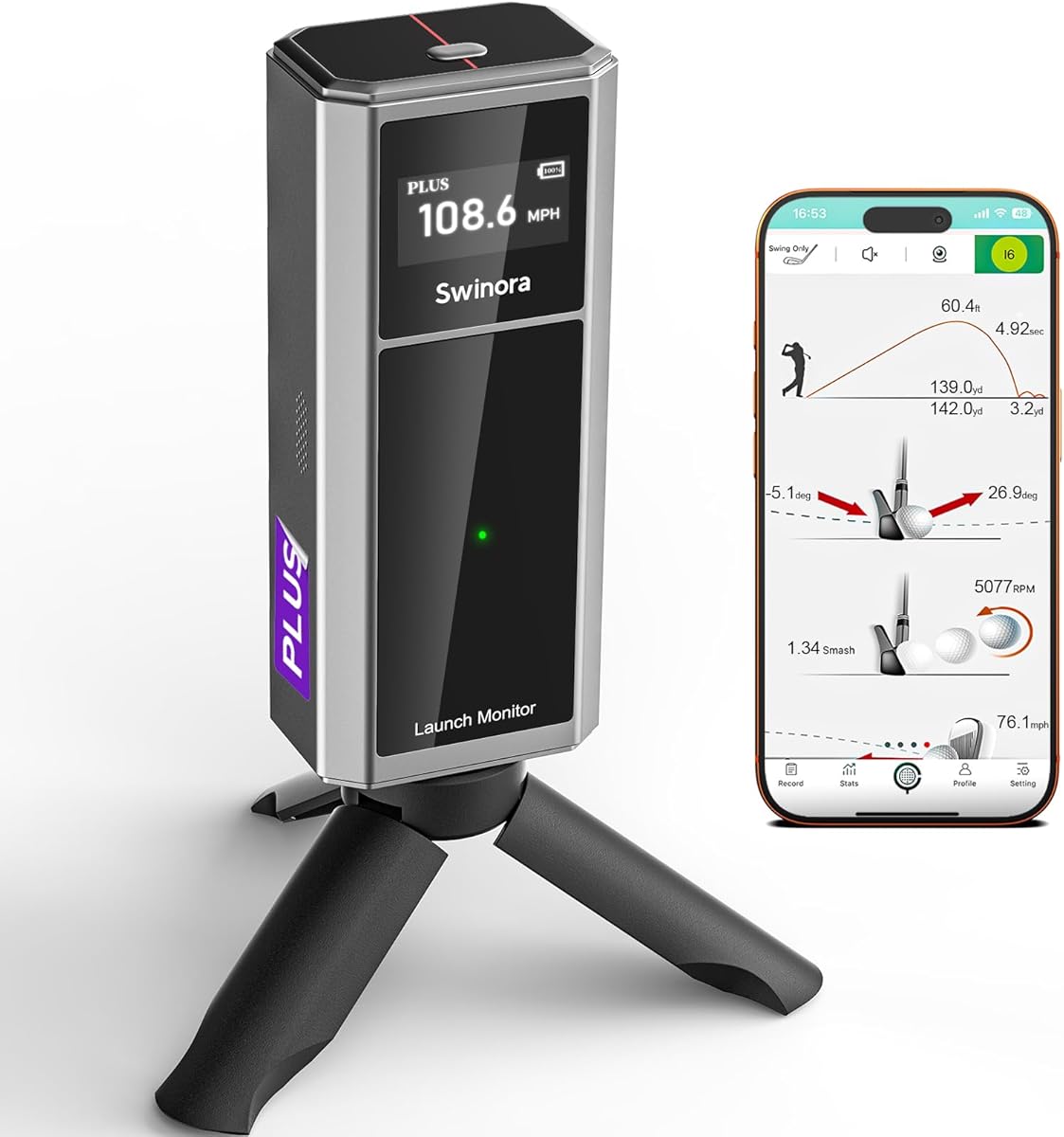
This portable golf launch monitor and swing analyzer offers 13 metrics, an OLED display, environmental sensors, and an app without an annual subscription. Its 4.1 rating reflects a generally balanced feature set. The absence of recurring fees makes it a practical choice for golfers who want meaningful launch data without relying on a continuing premium membership.
We may earn a commission when you buy through this link, at no additional cost to you.
The monitor tracks attack angle, launch angle, spin rate, ball speed, and club speed among its available metrics. Built-in temperature, humidity, and barometric-pressure modules are intended to adjust results to real-time conditions. Distance calibration can be set from 80% to 120% for each club, with carry distance listed at a plus-or-minus one-yard tolerance under recommended alignment.
Its limitations are important. The device does not measure horizontal club-face angle or swing path, so golfers seeking a full diagnostic picture should not treat its output as a substitute for a system with those specific measures. Indoor use requires at least 15 feet of total space, with the unit placed exactly five feet behind the ball and ten feet left for ball flight.
This is a compelling match for golfers who want a portable, subscription-free analyzer with a polished screen and voice prompts. The smart alerts for shanks or missed shots also help prevent bad contacts from polluting the session. As long as the stated space requirements and missing measurements align with the buyer's training priorities, it offers a flexible daily-practice tool.
The app is available through a one-time download, with its features fully accessible and no annual subscription. That model can make long-term ownership more predictable for golfers who expect to analyze frequent sessions rather than use a brief trial.
Per-club distance compensation allows measured carry to be aligned with typical playing distances. The stated plus-or-minus one-yard tolerance under recommended alignment is particularly relevant for golfers building repeatable gaps with a specific set of clubs.
We may earn a commission when you buy through this link, at no additional cost to you.
The Voice Caddie SC300i emphasizes accessible real-time feedback through a bright 5.3-inch LCD and voice output. It measures distance, smash factor, launch angle, apex, and swing speed, while the supplied information also identifies six core data parameters. Its 3.6 rating is the lowest among the ten listings, so buyers should examine that mixed customer feedback carefully.
We may earn a commission when you buy through this link, at no additional cost to you.
Doppler radar is the core measurement technology. The listed accuracy is plus or minus 3 percent for ball speed, plus or minus three yards for carry in target mode, and plus or minus five percent for carry in practice mode. The MySwingCaddie app adds real-time shot data, club statistics, and performance analysis, while adjustable loft angles let users vary simulated conditions.
Its simplicity is both an advantage and a limitation. Six parameters and a large display make it approachable, but it does not offer the same metric depth or visual-analysis package as the Rapsodo MLM or TheStack Radar. The power bundle and voice output add convenience, although voice prompts can be less useful in a shared range environment where other golfers are hitting nearby.
This monitor is well suited to golfers who want a large screen, spoken feedback, and straightforward distance-oriented practice. It also appeals to anyone who prefers a structured app without needing the most extensive simulation catalog. The lower rating does not erase the value of the core radar system, but it makes a careful feature comparison especially important.
A golfer can receive key results without repeatedly looking away from the ball or stopping to read the display. That makes the SC300i useful for solo practice routines built around immediate reactions to distance, smash factor, or swing speed.
Loft adjustments can help users test how different simulated conditions affect results. This adds useful training flexibility for home setups, although the monitor remains less comprehensive than systems dedicated to video, spin-axis analysis, or large virtual-course libraries.
We may earn a commission when you buy through this link, at no additional cost to you.
The GOLFBUDDY Shot Mate combines a full-color TFT display with straightforward swing data, including club speed, ball speed, smash factor, and carry distance. Its 4.3 rating is among the stronger results in the group. The product is positioned as an approachable analyzer for golfers who want clear readings and structured repetition rather than an elaborate simulation platform.
We may earn a commission when you buy through this link, at no additional cost to you.
A rechargeable lithium polymer battery supports up to 10 hours of continuous use, while the compact, lightweight body makes the unit easy to move between a driving range and indoor practice area. It can store as many as 1,000 shots and automatically retain the last 10 swings for comparison. Practice and Target Modes support different goals, from repetition work to accuracy-focused shooting.
The screen auto-adjusts for visibility in different lighting conditions, which is a useful feature for both outdoor and indoor sessions. Its measurement range extends to 320 yards, covering many full-speed shots. However, the listed data is concentrated on four major values, and no video capture or advanced spin-axis measurement is specified.
This is a good fit for golfers who want an approachable, portable unit with a large readable display and meaningful storage. It may be especially attractive to practices that want each golfer to review recent shots without immediately opening a phone. Those wanting video review, simulated rounds, and deeper swing diagnosis should compare it with the app-oriented alternatives.
With capacity for 1,000 shots and an automatic recent-shot history, the Shot Mate supports comparison across a full session. This is useful when the goal is consistency rather than a single impressive result.
The stated 10-hour runtime offers flexibility for extended practice. Its portable form also means users can keep a consistent device for both range work and indoor repetition instead of switching between separate systems.
We may earn a commission when you buy through this link, at no additional cost to you.
The Rapsodo Mobile Launch Monitor focuses on shot data and video replay through the free Rapsodo app for iPhone and iPad. Its 4.2 rating indicates a well-regarded option for Apple users. The system reports ball speed, club speed, launch angle, carry distance, and shot shape, then records each swing for later review.
We may earn a commission when you buy through this link, at no additional cost to you.
The on-screen tracer is the defining feature. Rather than relying on launch figures alone, golfers can watch the swing and compare the recorded trajectory with their intended result. That makes the device useful for spotting repeatable delivery patterns and understanding why one shot may carry differently from another.
Portability is another strength. It can be used at a driving range, in a backyard, or with an indoor net, provided the user has a compatible iPhone or iPad. The limitation is explicit: it is not an Android system. Premium access is also needed for simulator courses and game modes, while the basic app provides the core practice experience.
This monitor is a strong option for golfers who already use Apple devices and want video as the centerpiece of practice. It is less suitable for Android households and buyers who want a detailed physical display built into the unit. For iPhone or iPad owners seeking simple data plus useful visual replay, it provides a focused and approachable package.
The video tracer helps connect launch measurements to a visible ball path. Golfers can review whether a shot started and curved in the intended direction while using the data to identify likely causes.
Because the system relies on a compatible iPhone or iPad, it can move between the range, backyard, and indoor net. That flexibility is useful for golfers comparing the same club under different surroundings.
We may earn a commission when you buy through this link, at no additional cost to you.
The PRGR HS 130-A is a pocket-sized Doppler radar unit built around speed training. It measures club-head speed, ball speed, smash factor, total distance, and carry distance, and it can record 500 past swings. Its 4.2 rating and simple standalone design make it a practical option for golfers who want numbers without managing an app.
We may earn a commission when you buy through this link, at no additional cost to you.
One especially useful capability is the ability to measure club-head speed without hitting a ball. That gives golfers a way to monitor speed through a smaller practice area, in a gym, or during focused speed work. When a ball is used, the radar provides the familiar relationship between club speed, ball speed, smash factor, and distance.
The PRGR does not require Wi-Fi, Bluetooth, or a smartphone, and it operates with AAA batteries. Those qualities also reveal its boundaries: there is no specified video capture, virtual course, launch direction, or advanced app analysis. It is a measuring instrument rather than an all-in-one training platform.
It is best for golfers whose main objective is repeatable speed and distance feedback, especially those who value a pocket-sized, independent device. Players wanting to diagnose face angle, watch slow-motion impact, or play simulated courses should choose a more connected system. For simple swing-speed work, however, the HS 130-A remains focused and versatile.
Measuring club speed without a ball expands practice beyond full-shot setups. Golfers can work on speed in constrained spaces and still compare changes over time using the same device.
No Wi-Fi, Bluetooth, or app setup reduces friction at the range. The 500-swing memory preserves results, while the compact body makes the monitor easy to keep in a golf bag.
We may earn a commission when you buy through this link, at no additional cost to you.
The Garmin Approach R10 combines portable radar measurement with the Garmin Golf app, producing a well-rounded system for tracking performance, reviewing video, and identifying patterns. Its 4.2 rating reflects a solid balance of features. It supports home practice, indoor work, and driving-range sessions without being limited to one location.
We may earn a commission when you buy through this link, at no additional cost to you.
Key metrics include club-head speed, ball speed, swing tempo, ball spin, launch angle, and launch direction. The listed accuracies are plus or minus 3 mph for club-head speed, plus or minus 1 mph for ball speed, plus or minus one degree for launch angle, and plus or minus one degree for launch direction. Training Mode tracks statistics by club and presents a shot-dispersion chart based on estimated ball flight.
Automatic video recording is a major advantage because clips include the corresponding swing metrics. The app can then connect the movement, launch direction, and dispersion patterns. The included phone mount attaches to a golf bag for easier viewing, although the overall system depends on a compatible smartphone and the Garmin Golf app.
Garmin lists access to more than 42,000 virtual courses for active subscribers, along with weekly tournaments and global leaderboards. That makes the R10 attractive to golfers who want structured practice and simulation alongside measurement. It is an excellent all-around recommendation for connected users, provided they are comfortable with app dependence and understand that virtual-round features require an active subscription.
Tracking results by club is more useful than looking at one undifferentiated stream of shots. A dispersion chart helps golfers see whether a particular club produces consistent direction or whether one miss type is distorting the pattern.
Automatically recorded clips include each shot's measurements, reducing the need to match video manually with separate numbers. That connection makes it easier to relate a delivery pattern to the resulting ball flight.
We may earn a commission when you buy through this link, at no additional cost to you.
TheStack Radar pairs club and ball-speed tracking with a golf-specific training ecosystem. Its 4.6 customer rating is the highest among the listed products. Although it does not attempt to provide every launch metric, it focuses on speed, estimated carry, smash factor, and structured practice, making it one of the most focused recommendations.
We may earn a commission when you buy through this link, at no additional cost to you.
Bluetooth sends training speeds directly to TheStack App, reducing manual data entry. The wedge-training mode creates gamified, skill-specific sessions intended to help golfers dial in distances, while the bundled putting application offers guided sessions and insight into tendencies. These features extend the product beyond a conventional four-number radar readout.
Platform requirements matter. The speed-training app supports Apple and Android devices, but Stack Wedging requires an Apple device with iOS 15.0 or later, and the putting application is also listed as iOS only. A one-month free trial of Stack Wedge Mode is included, so buyers can explore that feature before deciding whether the broader training system remains useful.
This is a strong value for golfers focused on speed and repeatable wedge distances, particularly those already interested in TheStack training approach. It is less appropriate for users who require spin rate, launch direction, video analysis, or a large course simulator. Within its narrower purpose, it offers an engaging and highly rated way to turn practice into specific skill sessions.
Gamified wedge sessions are designed to give practice a clear purpose rather than simply recording repeated swings. The approach is useful for golfers who struggle to stay focused during unstructured range work.
Bluetooth transfers training speeds directly to the phone, allowing the golfer to review work without manually entering each reading. That convenience helps make short, frequent practice sessions more practical.
We may earn a commission when you buy through this link, at no additional cost to you.
The Voice Caddie SC4 PRO is the most fully packaged premium option in the guide. It combines eight data parameters, a 5.3-inch display, voice output, indoor and outdoor use, a 3D driving range, and E6 Connect access. Its 5.0 customer rating is the highest individual score listed, making it an especially compelling premium recommendation.
We may earn a commission when you buy through this link, at no additional cost to you.
The PROMETRICS engine is intended to track the shot from swing through impact and ball flight. VOICECADDIE S adds statistical analysis, distance calibration, swing-speed radar functionality, and more detailed insights. Multiple modules—3D Simulator, Practice and Target Mode, and Speed Training—allow practice to be organized around different goals.
The main drawback is the depth of the investment. Buyers are choosing both advanced hardware and a broad software experience, and the inclusion of a towel bundle emphasizes the package nature of the listing. More screens, modes, and virtual environments also create a steeper learning curve than a dedicated speed radar offers.
It is best for golfers who want measurement and simulated play in one system, particularly those interested in E6 Connect and a 3D driving range. The multiple training modes give it value for both casual entertainment and deliberate work. For users seeking the richest listed combination of rating, simulation access, and feature breadth, the SC4 PRO stands out.
The 3D driving range and five E6 simulation courses give measured shots a more engaging context. Virtual play can help golfers test distance control while still learning how their real swing produces different results.
Practice, target, and speed-training modes serve different objectives. Separating them keeps a session focused and makes it easier to decide whether the objective is control, accuracy, or raw speed.
We may earn a commission when you buy through this link, at no additional cost to you.
The FlightScope Mevo provides eight full-swing parameters using three-dimensional Doppler radar, including carry distance, spin rate, club speed, ball speed, vertical launch, and smash factor. Its 3.9 rating places it in the middle of the group, but its direct spin measurements make it relevant to golfers who want more than basic speed and distance.
We may earn a commission when you buy through this link, at no additional cost to you.
The FS Golf app is highly interactive. It presents data, video, and trajectories, with automatic clipping that can be configured for pre- and post-trigger durations. Each generated clip can include the corresponding swing and measurements. Text-to-speech is also available for spoken results.
Practice can have a defined target through Mevo Skills Challenges. Golfers can compare parameters with current Tour averages, compete in a Long Drive event, or focus on distance control through a Range Competition. These features add structure and motivation, although the value depends on the golfer's interest in app-based drills.
The Mevo is suited to golfers who specifically value spin-rate information and automatic video without moving to a premium simulator. Its portable radar design supports indoor and outdoor use, and the included hard case protects the unit during transport. Those wanting comprehensive training, a larger display, or broader hardware integration should compare the final listing carefully with the Garmin and Voice Caddie alternatives.
Direct spin measurements help explain how launch conditions affect a ball's flight. For golfers who want to understand the relationship between strike quality, spin, and distance, this is more informative than a basic speed-only display.
Long Drive and Range Competitions turn the measurement data into specific objectives. Comparing performance with Tour averages can also give golfers a benchmark while keeping the focus on repeatable skills.
We may earn a commission when you buy through this link, at no additional cost to you.
The right launch monitor depends on the data you want, the space you practice in, the phone and apps you use, and the kind of feedback that will keep you practicing consistently. Use the following factors to narrow the field before comparing individual listings.
Choose enough metrics to support your goals, not simply the largest available number.
Measure the available hitting area and compare it with the device's stated setup requirements.
Confirm operating-system support and app requirements before choosing a connected system.
Prioritize video when your goal is to connect a visible swing pattern with the measured result.
Check trial length, subscription terms, included software, and ongoing feature access.
Choose a display and audio format that remain useful in your normal practice environment.
Match battery life and portability to the places and length of time you expect to practice.
Evaluate the complete ownership experience, including hardware and any required membership.
Begin by reading the device's setup instructions and choosing a clear hitting area. Confirm that the radar, camera, phone, or display is positioned in the required location, and make sure the intended ball flight is unobstructed. For indoor use, respect the manufacturer's required rear clearance and forward flight space. Outdoor users should choose a safe direction and consider whether wind or surrounding objects could affect measurement or recording.
Establish a repeatable warm-up before collecting serious data. Take a few practice swings, select the correct club, and confirm that the device is tracking properly. Then choose a training goal such as speed, carry distance, launch direction, or consistency. Avoid changing multiple variables during one session unless that is intentional, because isolating one adjustment makes the resulting data much easier to interpret.
Review results at regular intervals rather than after every swing alone. Compare recent shots, look for repeatable patterns, and connect numerical results to the video when available. Clean the unit according to its manual, protect displays and radar surfaces from impact, store it in a dry environment, and recharge or replace batteries before long sessions. For app-connected products, keep the phone software and monitor firmware current and confirm compatibility before changing devices.
A launch monitor generally measures ball and club performance and may provide carry distance, spin, launch direction, and other flight data. A swing-speed trainer focuses more narrowly on club-head speed, sometimes allowing measurement without hitting a ball. The right choice depends on whether you want a complete practice platform or a simple tool for improving speed.
A net is not universally required, but a safe hitting area and adequate clearance are essential. Radar devices may need several feet behind the ball and enough space in front for flight tracking, while camera-based systems also need room to record the swing. Check the specified indoor setup before purchasing or arranging a practice area.
It can improve practice by showing whether your speed, launch, direction, and distance are changing as intended. Data is most useful when you watch video, identify a repeatable mechanical pattern, make one adjustment, and test again. A monitor cannot replace instruction for every fault, but it can make practice more precise and measurable.
They vary by product. The Portable 13-Metric Analyzer states that its app has no annual subscription and includes full features after download, while premium simulator libraries may require an active membership. Rapsodo offerings may include trial access, and Garmin lists virtual courses for active subscribers. Check the current terms for each product before buying.
Some devices are fully standalone, while others require a compatible phone. The Rapsodo Mobile Launch Monitor is iPhone and iPad only. TheStack Radar supports Apple and Android for speed training, but its wedging and bundled putting features are listed as iOS-only. Garmin and Voice Caddie systems use their respective apps, so verify your operating system before buying.
Carry distance is the most direct measurement for separating clubs, while ball speed, club speed, smash factor, launch angle, and dispersion can explain why two clubs perform similarly or differently. A system with per-club storage and distance calibration is particularly useful. Practice with consistent conditions and compare enough shots to avoid basing a gap on one unusually good or poor result.
Both can be valuable. Home sessions offer repetition, video review, and structured drills in a familiar environment, while the range provides more realistic flight and target conditions. Use the home setup for mechanics and consistency, then confirm changes at the range. A portable unit can make the transition easier because the same system can be used in both locations.
Accuracy varies by device, metric, mode, setup, and conditions. The supplied specifications list plus-or-minus 3 mph club speed and plus-or-minus 1 mph ball speed for the Garmin Approach R10, while the Voice Caddie SC300i lists percentage tolerances for ball speed and carry distance. Correct alignment, suitable ball flight, and repeated setup are important for comparing results.
The Garmin Approach R10 is the most balanced connected option, combining six key metrics, automatic video, club-specific training, dispersion analysis, and solid portability. TheStack Radar stands out for speed and wedge training, especially for golfers who value its focused app experience, while the Voice Caddie SC4 PRO offers the most premium package with eight parameters, multiple modes, and included E6 Connect access.
Prioritize the feedback that will shape your practice. Choose a dedicated speed trainer for club-head speed, a video-focused system for diagnosing delivery, or a simulator for virtual play and structured challenges. Also account for floor space, phone compatibility, display readability, battery life, and whether recurring memberships are acceptable before making a final decision.
Current availability, bundles, ratings, software access, and prices can change after this guide was prepared, so check the latest Amazon listing and manufacturer requirements before buying. The right launch monitor is the one you can position correctly, understand, and use consistently enough to turn each number and video clip into a clear next practice step.