
Optoma HD30LV
4.4Editor score
4,500-lumen brightness rating
Full HD native resolution
Portable, lightweight design
Our Optoma Projector guide compares 10 leading models across 4K resolution, brightness, gaming performance, short throw, portability, and home theater use to
Optoma projectors cover an unusually broad range of needs, from compact 1080p models for movies and gaming to bright 4K UHD systems for large rooms, commercial spaces, and golf simulation. A useful projector combines the right resolution, brightness, throw distance, light source, and feature set for the environment where it will actually be used.
The ten models in this guide were compared using the specifications and feature highlights supplied for each product. The list covers native 4K UHD and Full HD options, lamp and laser light sources, portable and installation-focused designs, short throw models, gaming features, HDR support, dust protection, and capabilities for education, business, and entertainment.
Each review explains where a projector stands out, identifies any practical trade-offs, and identifies the kind of viewer most likely to benefit. Ratings and specifications can vary by listing, while prices and availability change frequently, so readers should confirm current details and room requirements before purchasing.
4.4Editor score

4.3Editor score

3.6Editor score
This side-by-side overview compares the ten Optoma projectors by resolution, brightness, light source, throw style, and primary use case, making it easier to identify the model that matches your room and viewing habits.



The Optoma UHZ36 is a 4K UHD laser projector designed specifically for home theater use, and its supplied 4.3 rating reflects a favorable balance of features and customer satisfaction. Its most important attraction is native 4K UHD resolution, which provides a sharper foundation for movies, streaming content, and high-resolution detail than a Full HD model.
We may earn a commission when you buy through this link, at no additional cost to you.
The projector also emphasizes HDR and Filmmaker Mode, both of which make sense for viewers who want a dedicated cinema experience rather than a projector selected only for presentations or general-purpose use. Filmmaker Mode is intended to preserve the director's original vision, while HDR support can improve perceived contrast, highlight detail, and color impact on compatible content. The laser light source also avoids the routine lamp-replacement cycle associated with traditional projector lamps.
The main trade-off is that the supplied information does not highlight a specific brightness figure, so buyers focused on very bright, mixed-light projection should examine the full specifications carefully. It is also primarily positioned as a home theater projector rather than an explicitly portable or ultra-compact unit. That makes it most convincing for a dedicated media room, living room setup, or fixed installation where image quality matters more than grab-and-go convenience.
For buyers seeking 4K resolution, HDR capability, and a picture mode designed around the original cinematic presentation, the UHZ36 is the strongest all-around selection in this roundup. It balances the specialized home theater focus with a laser-based design, making it an especially sensible choice for viewers who want a large-screen experience without settling for a Full HD projector.
Native 4K UHD gives the UHZ36 a higher-detail foundation than Full HD models in this list. That advantage is particularly useful on a large screen, where fine textures, text, and layered scenery become easier to distinguish than they would on a smaller display.
HDR compatibility and Filmmaker Mode make this model more purposeful for movies than for general-purpose projection. Together, they provide tools for viewers who care about calibrated presentation, content-aware picture modes, and a home cinema experience.
We may earn a commission when you buy through this link, at no additional cost to you.
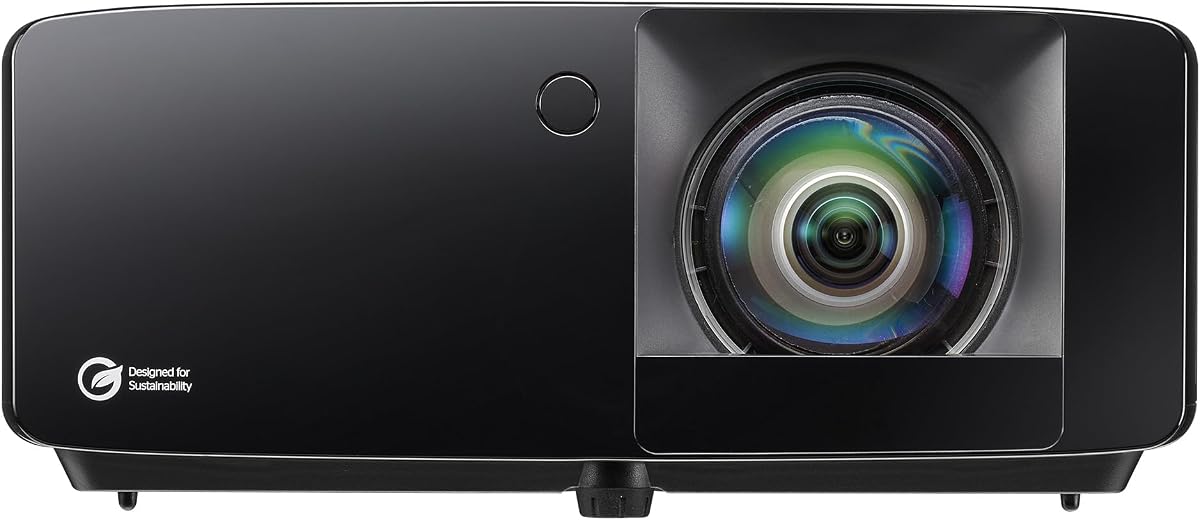
The Optoma HD30LV combines a 4.4 rating with the highest stated brightness figure among the home-oriented models in this list, making it a practical choice for families and casual entertainers. Its native 1080p resolution remains a familiar standard for large-screen movies, sports, gaming, and streaming, while 4,500 lumens provide useful visibility when some ambient light remains.
We may earn a commission when you buy through this link, at no additional cost to you.
Its portable, lightweight design expands the range of locations where it can be used. A living room, bedroom, patio setup, or temporary event space can each benefit from the ability to move the projector rather than permanently mount it. Compatibility with 4K UHD signals and HDR is also useful for modern media sources, although the native panel resolution remains Full HD rather than 4K.
The obvious limitation is that buyers seeking a true 4K canvas will need to look at the UHZ36, GT3900UHD, UHD38x, UHZ58LV, or ZK551 instead. The HD30LV is also not described as a laser projector, so it does not carry the same specified long-life light-source benefits as several higher-end options. Its focus is instead versatility, brightness, and straightforward home use.
This is a compelling selection for anyone who wants a capable projector without paying for a dedicated high-end home cinema system. It is especially attractive when mixed-light viewing, easy relocation, Full HD sharpness, and 4K source compatibility matter more than native 4K resolution. The strong customer rating also adds useful confidence to the overall package.
A 4,500-lumen rating gives the HD30LV more flexibility than many darker dedicated cinema projectors. That makes it easier to enjoy sports, casual programming, and movies without requiring every room light to be turned off.
Portable, lightweight construction is valuable for people who cannot commit to one fixed screen or viewing area. The projector can serve a main room temporarily, then move to a bedroom, guest area, or outdoor-compatible setup where appropriate weather and power conditions allow.
We may earn a commission when you buy through this link, at no additional cost to you.
The Optoma GT2000HDR stands apart through its ultra-compact short throw design, which is useful for smaller rooms where the projector must sit close to the screen. It delivers native Full HD imagery, includes a 3,500-lumen laser light source, and has earned a 4.1 rating from customers.
We may earn a commission when you buy through this link, at no additional cost to you.
The short throw format can free valuable floor or furniture space by reducing the distance required between projector and screen. Its 3,500 lumens offer enough stated brightness for movies, sports, gaming, and some mixed-light use, while the laser light source supports a long-term home entertainment setup. The listed eco-friendly design focus may also appeal to buyers seeking an efficient projector.
Its external power supply is an important consideration. Although that arrangement may help the projector remain compact, it also means users need a suitable power connection nearby and cannot expect the same cable-free portability as a projector with an integrated power system. The native Full HD resolution also places it below the genuine 4K choices when maximum detail is the priority.
The GT2000HDR is best for someone with a smaller room who values a compact footprint and short placement distance over native 4K. It is particularly relevant to a home cinema, media area, or mixed-use entertainment space where the projector must be positioned close to the viewing surface.
A short throw lens makes it easier to create a large image when the room cannot accommodate a long projector-to-screen distance. This can be especially helpful in compact apartments, smaller media rooms, and installations where furniture placement is restricted.
The combination of a laser source and ultra-compact enclosure makes this model appealing for home users who want straightforward operation without a large installation. The external power supply should be included in the final setup plan rather than treated as an afterthought.
We may earn a commission when you buy through this link, at no additional cost to you.
The Optoma GT2400HDR is a bright, feature-rich Full HD laser projector aimed at households that use their screen for more than one type of content. Its 4,200 ISO lumens, short throw capability, low input lag gaming, and golf simulation readiness give it unusual versatility for a home model.
We may earn a commission when you buy through this link, at no additional cost to you.
Brightness is the central advantage. A 4,200-ISO-lumen projector is easier to use in rooms where occasional ambient light remains, which can be helpful for sports, gaming, and multipurpose spaces. The short throw design also supports large images from a relatively short distance, making it relevant to golf simulators and smaller home theater rooms where projector placement needs to remain outside the viewing area.
IP6X-rated dust protection and a DuraCore laser light source rated for up to 30,000 hours reinforce the installation-oriented appeal. The lower 4.0 customer rating indicates some mixed experiences, so buyers should examine the full listing, warranty details, and current customer feedback before choosing. The native 1080p resolution is another limitation for people who want 4K-level detail on a very large screen.
Overall, the GT2400HDR fits a buyer who prioritizes brightness, short placement, and multi-purpose entertainment. It is less suited to a minimalist, portable setup or a strictly 4K home cinema build, but it offers a versatile feature set for gaming, movies, and simulated sports.
The GT2400HDR is built for mixed use rather than one narrow activity. Brightness supports casual daytime viewing, low input lag serves gamers, and golf simulation readiness gives dedicated practice systems a clear reason to consider this model.
Short throw can reduce shadows and reclaim room space, while IP6X protection helps guard the internal laser system against dust. The 30,000-hour DuraCore rating also indicates a design intended to minimize routine light-source maintenance.
We may earn a commission when you buy through this link, at no additional cost to you.
The Optoma HD146X is a traditional home theater Full HD projector with an emphasis on vibrant presentation, convenient setup, and separate viewing modes for movies and games. Its 4.3 rating makes it one of the better-reviewed products in this guide, even though it does not target the native 4K category.
We may earn a commission when you buy through this link, at no additional cost to you.
The home cinema experience is the model's main attraction, while the game display mode provides a straightforward option for gamers who want picture settings tailored to a different content type. Easy installation is another practical strength, helping buyers move from unboxing to a stable screen image with less complexity.
It does not offer the same resolution as the true 4K UHD models, and the supplied information does not highlight a specific brightness rating. That means a buyer with a very large screen, significant ambient light, or a strong preference for 4K fine detail should compare it with the brighter 4K options. Its lower specification tier is not inherently a disadvantage for a smaller screen, though.
The HD146X is a sensible home entertainment choice for viewers who prioritize movie-focused features, gaming convenience, and simple setup. It works particularly well as a traditional living-room cinema unit where Full HD resolution is sufficient and the user wants a clear separation between cinematic and gaming picture modes.
Separate home cinema and game display modes simplify the viewing experience. Movie watchers can begin with a cinema-oriented presentation, while gamers can use a dedicated mode without navigating a complicated collection of general-purpose settings.
The easy-installation focus reduces the practical barrier for first-time projector owners. Position the unit squarely toward the screen, use available focus and keystone controls, and confirm that the final image sits within the frame before fine-tuning the picture.
We may earn a commission when you buy through this link, at no additional cost to you.
The Optoma GT3900UHD combines true 4K UHD, 4,000 lumens, a short throw lens, gaming features, and golf simulator readiness in one specialized package. Its 3.8 rating is the lowest numerical customer score in this list, so potential buyers should approach the specifications with interest while reviewing current owner feedback in detail.
We may earn a commission when you buy through this link, at no additional cost to you.
The 0.496:1 short throw ratio is particularly important. It allows a large image to be projected from a short distance, which can reduce player shadows in a golf simulator and save space in compact entertainment rooms. A true 4K UHD image, HDR compatibility, and 4,000 lumens give the projector a strong foundation for large-screen movies, sports, and gaming.
Its gaming specifications are also specific: low input lag with support for 1080p at 240Hz and 4K at 60Hz. This makes it appealing for fast console and PC games, though actual performance can vary by game, source device, operating mode, and individual sensitivity to latency. The DuraCore laser light source is specified for up to 30,000 hours and avoids routine lamp changes.
This projector makes the most sense for buyers who need a multi-purpose 4K system with a short throw and have room to configure it carefully. It is a particularly interesting option for golf simulation, while also serving movies and gaming. The modest customer rating and specialized setup make it less of an automatic recommendation for a simple plug-and-play living room.
A 0.496:1 throw ratio allows the projector to sit much closer to the screen than a standard long-throw model. In a golf simulator, that can reduce obstruction risks and help the equipment fit within a compact bay.
Support for 1080p at 240Hz and 4K at 60Hz gives the projector meaningful gaming flexibility. Fast-moving action can look smoother, while low input lag helps the on-screen action respond more closely to controller or keyboard input.
We may earn a commission when you buy through this link, at no additional cost to you.
The Optoma UHD38x is built around a strong combination of true 4K UHD resolution, 4,000 lumens, and high-refresh gaming. Its 4.2-millisecond response time at 1080p and 240Hz refresh support make it especially relevant to competitive console and PC gaming, although its 3.6 rating is the lowest customer score among the rated models here.
We may earn a commission when you buy through this link, at no additional cost to you.
For everyday viewing, the UHD38x offers a bright 4K image with HDR10 and HLG compatibility. Its enhanced gaming mode is intended to reduce friction by providing an easy starting point for responsive play, while the stated 4.2-millisecond figure at 1080p offers a concrete metric for buyers who regularly notice input delay.
The resolution and refresh-rate benefits should be considered together. The most aggressive gaming specifications are tied to 1080p, while native 4K is the appropriate mode when maximum image detail matters. This is a common and sensible tradeoff in projector specifications: a 4K gaming experience at 4K and 60Hz can be combined with higher refresh rates at a lower resolution when the game and source device support it.
The UHD38x is most appropriate for a gamer who wants a large 4K screen and values fast refresh performance over a dedicated short throw or golf simulator setup. Its low rating does not erase those strengths, but it does make checking the latest customer feedback especially important before committing to a model that sits at the center of a rapidly developing gaming category.
A projector can emphasize 4K detail, very high refresh rates, or a practical combination of both. The UHD38x supports 4K for detailed visuals and 1080p at 240Hz for fast gaming, allowing the user to select the mode that matters most for the current game.
At 4,000 lumens, the projector provides meaningful brightness for large-screen gaming and mixed-light entertainment. A dark room still offers the best result, but the brighter output can make the projector more practical for social or multipurpose spaces.
We may earn a commission when you buy through this link, at no additional cost to you.
The Optoma UHZ58LV brings together native 4K UHD, a dual-laser light source, HDR10+, Filmmaker Mode, and a portable-oriented design. Its 3,000-lumen rating and dual-laser architecture make it distinctive, although its 3.6 customer score suggests that interested buyers should review the current product feedback carefully.
We may earn a commission when you buy through this link, at no additional cost to you.
Dual-laser technology is the feature that most clearly separates it from the standard laser models in this roundup. Combined with native 3840 by 2160 resolution, it is positioned as a premium-oriented home cinema projector capable of detailed, immersive images. HDR10+ support adds dynamic metadata for compatible content, while Filmmaker Mode appeals to viewers who want a presentation closer to the source creator's intent.
Portability makes the model more flexible than a permanently installed theater projector. The stated 3,000 lumens are lower than those of the GT2400HDR, GT3900UHD, UHD38x, and ZK551, so the viewing environment matters. A controlled, dark home theater is the ideal setting, although moving the unit between rooms gives it more flexibility than a fixed installation.
The UHZ58LV is best for a buyer who values a sophisticated 4K and laser feature set enough to accept a lower brightness figure and should scrutinize contemporary reviews. It is a compelling premium pick for dedicated movie viewing, but not automatically the right choice for a bright multipurpose room where maximum lumen output is the top priority.
A dual-laser source differentiates the UHZ58LV from projectors with a more conventional single light source. It supports the model's premium home cinema positioning, although the practical picture result still depends on room conditions, screen choice, and the selected operating mode.
HDR10+ and Filmmaker Mode show that this is a model built for image presentation rather than only basic large-screen viewing. Compatible source material and careful setup can make these tools more useful than a collection of modes that are never adjusted.
We may earn a commission when you buy through this link, at no additional cost to you.
The Optoma ZK551 is the brightest model in this roundup, with 5,100 lumens, and it also offers native 4K UHD resolution. That combination makes it particularly compelling for classrooms, conference rooms, training spaces, and commercial environments where ambient light cannot be fully controlled.
We may earn a commission when you buy through this link, at no additional cost to you.
The installation features are even more distinctive. IP6X dust resistance supports reliable operation in demanding environments, while 360-degree and portrait projection expand placement options beyond a conventional horizontal home setup. A 1.6x zoom lens adds placement flexibility, and Optoma Management Suite provides remote monitoring and control for installations that are not always easily accessible.
The DuraCore laser light source is specified for up to 30,000 hours and a maintenance-free operating life, which can reduce disruption in professional spaces. Miracast wireless screen sharing is also included, making it easier to present compatible devices without running a physical video cable. No numerical customer rating was supplied for this listing, so the technical specifications rather than a review score should guide the initial comparison.
The ZK551 is a strong choice for professional and institutional use where brightness, 4K detail, flexible mounting, dust protection, and remote management matter. It is less obviously aimed at a small bedroom or temporary portable use, and buyers should confirm the physical installation requirements and available screen or wall space before ordering.
A 5,100-lumen output is the strongest stated figure here and is particularly useful in offices, schools, and meeting rooms with regular ambient lighting. Even so, picture quality still depends on screen gain, room surface, projector placement, and appropriate image settings.
IP6X protection, portrait operation, 360-degree installation, zoom, and remote management make this projector more adaptable than a basic home model. These are meaningful advantages for integrators, educators, and businesses maintaining equipment across several sites.
We may earn a commission when you buy through this link, at no additional cost to you.
The Optoma GT2300HDR has the highest customer rating in the list at 5.0 and combines that strong reception with a 3,600-lumen laser light source, short throw capability, low input lag, and 1080p 120Hz support. It is a focused option for gaming, movies, and golf simulation in spaces that do not need a 4K projector.
We may earn a commission when you buy through this link, at no additional cost to you.
Its 0.49 throw ratio allows a large image from a short distance, which can be useful in compact media rooms and golf simulator bays. The short placement can reduce player shadows and help preserve space, although it also means the projector must be positioned accurately to produce a clean image. A 3,600-lumen rating supports mixed-light use better than many lower-output cinema projectors.
For gaming, low input lag and 1080p 120Hz support make the GT2300HDR a capable choice for fast-paced titles. The Full HD native resolution should be expected rather than treated as a hidden limitation: it is most appropriate when the priority is responsive high-refresh play, short throw, and brightness rather than 4K detail. The laser source is rated for up to 30,000 hours.
This projector is ideal for a multipurpose room where movies, console or PC gaming, and simulated golf all matter. Its perfect numerical rating is encouraging, although a small review pool can make a score less informative than a long history of consistent owner feedback. Even so, the supplied features support a strong recommendation for the right buyer.
Movies, gaming, and golf simulation place different demands on a projector, but this model addresses all three. Its bright laser output and short throw make it adaptable while its gaming-focused features provide an advantage over basic home cinema models.
A perfect customer rating is encouraging but should be considered alongside the amount and recency of available feedback. Buyers should look for repeated comments about image quality, setup, and reliability rather than relying on one aggregate number alone.
We may earn a commission when you buy through this link, at no additional cost to you.
Choosing the right Optoma projector starts with the room, screen size, ambient light, and content you watch most. Resolution, brightness, throw distance, gaming latency, and light-source technology then determine which model best fits that use case.
Native resolution describes the number of pixels the projector can actually display, while source compatibility indicates which incoming signals it can accept. The UHZ36, GT3900UHD, UHD38x, UHZ58LV, and ZK551 offer native 4K UHD at 3840 by 2160. The HD30LV, GT2000HDR, GT2400HDR, HD146X, and GT2300HDR use native Full HD resolution. A Full HD projector can accept certain 4K signals, but compatibility does not mean the image is displayed with native 4K detail.
Choose native 4K when the screen is large, fine detail matters, and the viewing budget supports it. Full HD can be more than adequate on a smaller screen, especially when a model offers better brightness, a more suitable throw ratio, or stronger gaming specifications. Consider both the content and the distance from which you will watch, since extra pixels become less noticeable when the image occupies a modest portion of the field of view.
Brightness determines how visible the image remains when environmental light is present. The ZK551 leads the stated figures at 5,100 lumens, followed by the HD30LV at 4,500 lumens, GT2400HDR at 4,200 ISO lumens, GT3900UHD and UHD38x at 4,000 lumens, GT2300HDR at 3,600 lumens, GT2000HDR at 3,500 lumens, and UHZ58LV at 3,000 lumens. The UHZ36 and HD146X do not have a prominently supplied brightness figure.
A darker, dedicated theater rewards models optimized for contrast and cinematic picture modes, while a family room, classroom, or conference space benefits from higher brightness. Even a bright projector looks best with controlled lighting, direct view, and a screen designed for the room. Treat lumen figures as useful comparisons rather than guarantees of visible quality, because color, contrast, screen gain, and calibration all influence the final image.
Throw distance is the space between the projector and screen. A standard long throw suits rooms where the projector can sit behind or beside the audience, while a short throw creates a large image from much closer. The GT2000HDR, GT2400HDR, GT2300HDR, and GT3900UHD are explicitly short throw models, with the latter two specifying ratios of 0.49 and 0.496:1.
Short throw is valuable in compact rooms, golf simulators, and installations where a long lens position would be inconvenient. It can reduce player shadows and free up space, but it demands accurate placement and leaves less flexibility in where the unit can sit. Before purchasing, measure the proposed projector-to-screen distance, account for the screen dimensions, and check whether furniture, speakers, or people could obstruct the image or light path.
Gamers should compare input lag, supported refresh rates, and the resolution used for each mode. The UHD38x lists a 4.2-millisecond response time at 1080p, a 240Hz refresh rate, and low input lag for 4K at 60Hz. The GT3900UHD also supports 1080p at 240Hz and 4K at 60Hz low input lag, while the GT2400HDR and GT2300HDR emphasize low input lag. The GT2300HDR specifically supports 1080p at 120Hz.
Higher refresh rates can make fast movement look smoother, but the source device and game must also support the selected mode. A fast response figure is most meaningful when the projector is operating in the associated resolution and refresh setting. Disable unnecessary image processing, use the intended gaming mode, and update the console or PC when possible to create the most favorable conditions for low-latency play.
The light source affects operating convenience, long-term maintenance, and image consistency. Laser models dominate the premium, short throw, professional, and high-brightness options in this list, including the UHZ36, GT2000HDR, GT2400HDR, GT3900UHD, UHZ58LV, ZK551, and GT2300HDR. Their DuraCore-related models are specified for light-source life up to 30,000 hours.
A long-rated laser source reduces the need for routine lamp replacement, which is valuable in a home theater, classroom, or commercial installation where the projector runs regularly. Lamp-based models may offer a lower-cost entry point and can still suit occasional viewing. Regardless of source, allow the projector appropriate cooling, keep vents clear, clean filters according to the manual, and treat the stated light-source life as an operating estimate rather than a guarantee for every usage pattern.
The UHZ36, UHD38x, and UHZ58LV explicitly support HDR, while the HD30LV and GT3900UHD are listed as HDR compatible or HDR enabled. The UHZ36 and UHZ58LV also offer Filmmaker Mode, and the HD146X provides a home cinema experience along with a separate game display mode. These features help the projector adapt to different types of content, but the best result comes from selecting the correct mode and adjusting the image to the screen and room.
Avoid assuming that a projector is calibrated to professional standards out of the box. Use a proper screen, reduce unnecessary ambient light, select the matching content mode, and fine-tune picture settings when appropriate. If accurate color is important for movies, compare the available Filmmaker-style mode with other presets after the room is fully arranged.
Portable and lightweight construction gives a projector more lifestyle flexibility, as seen with the HD30LV and UHZ58LV. The GT2000HDR goes further with an ultra-compact short throw design, although its external power supply affects how freely it can move. By contrast, the ZK551 is built around flexible professional installation with 360-degree and portrait projection, a 1.6x zoom, and remote management.
Decide whether the projector will live in one place or travel between rooms. Portable models should have unobstructed intake and exhaust airflow and should never be carried while operating. Fixed installations benefit from flexible orientation, remote control, and dust protection, but require planning around wiring, mounting, maintenance access, and the location of the screen.
The GT2400HDR has an IP6X-rated dust-protection feature, and the ZK551 combines IP6X resistance with Optoma Management Suite for remote monitoring and control. These attributes are especially relevant in dusty commercial environments, educational spaces, and installations where technicians cannot easily reach the projector.
Dust protection does not eliminate all maintenance. Air filters and vents still require inspection, and the projector should be installed with its recommended airflow clearance. Remote management adds value when equipment is distributed across multiple rooms or sites. For a typical living room, these features may be less important than brightness, throw distance, and gaming performance.
Start by identifying a stable location with the correct throw distance, unobstructed airflow, and access to a suitable power outlet. Connect the desired source, power on the projector, and allow its lens to focus before making final adjustments. Use the physical focus, lens, and geometry controls to create a sharp, rectangular image, then use the menu to select the picture mode that matches movies, sports, gaming, presentations, or HDR content.
For a stable image, allow the projector to warm up and make any final keystone or alignment corrections from the correct viewing position. Laser and lamp models need ventilation, so keep intake and exhaust openings clear and avoid placing the unit inside a closed cabinet. If using the projector for an extended session, follow the manufacturer's guidance for operating time, cleaning intervals, and appropriate cooling. Never look directly into the lens while the projector is operating.
Maintenance should follow the manual supplied with the specific model. Keep the lens free of dust and fingerprints with a soft, lint-free cloth, and avoid harsh chemical cleaners. Clean air filters according to the stated schedule, particularly in dusty rooms. For long-term use, check that the mount is secure, cables are not strained, and ventilation remains unobstructed. If brightness, color, focus, or image stability changes unexpectedly, consult the manual and authorized service resources before opening the unit.
The Optoma UHZ36 is the strongest dedicated home theater option in this guide because it combines native 4K UHD, a laser light source, HDR support, and Filmmaker Mode. The UHZ58LV is the premium alternative for buyers who particularly want a dual-laser source and portable-oriented design. The best choice still depends on room darkness, screen size, and whether a short throw is necessary.
Native 4K is most noticeable on a large screen, when viewed from a normal seat, and with detailed high-resolution content. It provides finer textures, sharper text, and more visible edge definition than native Full HD. On a smaller display or at a greater viewing distance, the difference can be less obvious, making a bright Full HD model with better placement features a sensible alternative.
A short throw projector can create a large image while sitting much closer to the screen than a conventional long-throw model. That saves room space and can reduce shadows in a golf simulator. It also makes placement more restrictive, so measure the room and verify the screen dimensions before choosing a short throw model.
Laser projectors generally require less routine light-source maintenance because they do not depend on periodic lamp replacement. Models such as the GT2400HDR and GT2300HDR specify DuraCore laser life of up to 30,000 hours. Filters, vents, lens cleanliness, and general cooling still require attention, and stated light-source life is an estimate rather than a promise for every environment.
The UHD38x and GT3900UHD offer the most detailed high-refresh specifications, including 1080p at 240Hz and low-lag 4K operation at 60Hz. The GT2300HDR supports 1080p at 120Hz and is particularly attractive for short-throw gaming. The best result also requires a compatible source device, game, input mode, and low-latency display configuration.
A brighter projector is usually easier to watch with ambient light. The ZK551, HD30LV, and GT2400HDR have the highest stated brightness figures in this guide and are better suited to professional or multipurpose rooms. Even bright models look best with direct light reduced, a suitable screen, and carefully chosen picture settings.
The GT3900UHD and GT2300HDR are explicitly described as golf simulator ready, while the GT2400HDR is also marked for golf simulation use. Their short throw designs help the projector sit close to the screen and can reduce player shadows. Installation still requires careful measurement, safety clearance, and alignment with the simulator screen.
Yes. Measure the desired screen width and height, the available projector-to-screen distance, and the space needed around the unit. Then check resolution, brightness, throw ratio, zoom, ventilation, and mounting options. Professional installations should also include cable routing, maintenance access, remote management, and dust-protection requirements.
The Optoma UHZ36 is the most balanced home theater choice, offering native 4K UHD, HDR, Filmmaker Mode, and a laser source. The HD30LV stands out as a flexible Full HD option with strong brightness, portability, and a 4K-compatible input path, while the UHZ58LV is the premium pick for viewers who prioritize a dual-laser design and portable 4K entertainment.
Other use cases lead to different winners. The GT2400HDR, GT3900UHD, and GT2300HDR are strong short-throw choices for gaming and golf simulation, the UHD38x emphasizes high-refresh 4K gaming, and the ZK551 serves bright professional and commercial installations. Prioritize native resolution for fine detail, lumens for ambient light, throw distance for room layout, and latency specifications for competitive gaming.
Finally, verify the current listing, warranty, included accessories, room compatibility, and latest customer feedback before purchasing. Optoma models use different light sources, lenses, installation features, and menus, so the closest match depends on more than resolution alone. Prices and availability also change over time, making a current comparison essential before making a final selection.