
Thermal Grizzly TG Spatula
4.7Editor score
Three-piece application set
Precise paste distribution
Broad processor compatibility
PC Thermal Spreader and Application Tools guide compares applicators, scrapers, cleaners, thermal pastes, phase-change pads, and delidding heat tools for PC
PC thermal spreader and application tools help users deposit, shape, clean, and maintain the material between a processor or graphics chip and its cooler. A useful tool improves consistency, reduces contamination, and makes maintenance easier, whether the job involves ordinary paste, a phase-change pad, or advanced delidding work.
This guide compares ten products across several roles, including paste spatulas, roller applicators, precision scrapers, cleaning supplies, thermal compounds, a phase-change sheet, and a controlled delidding heater. The comparison considers the stated compatibility, application method, material handling, component support, and suitability for beginners or experienced enthusiasts.
Each selection below reveals a different part of the maintenance process. Some products are ideal for spreading ordinary paste evenly, while others solve difficult cleanup, pad installation, long-term compound application, or processor heat-spreader removal. Product ratings and availability can change, so check the current listing and specifications before ordering.
4.7Editor score

4.8Editor score

5.0Editor score
The comparison below places each product according to its main maintenance role, including paste application, roller spreading, cleanup, delidding, and phase-change thermal-pad installation.


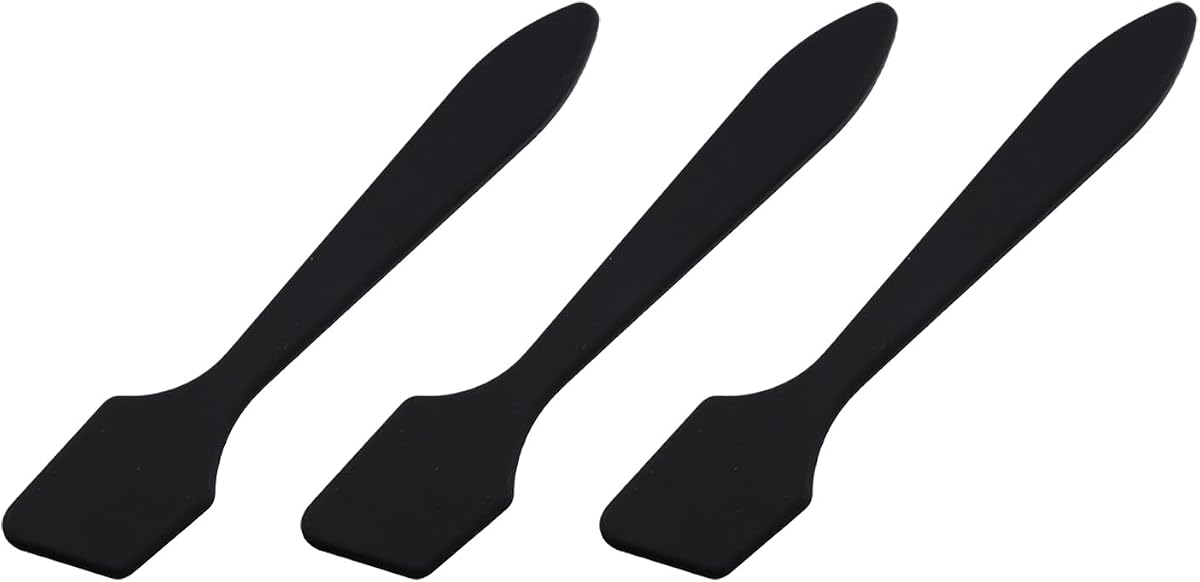


The Thermal Grizzly TG Spatula is a three-piece application set designed to place and spread thermal paste more precisely. It carries a 4.7 customer rating and stands out as an affordable, broadly compatible answer to a common PC-maintenance problem: applying compound without creating uneven coverage or introducing contamination. The set is presented as suitable for Thermal Grizzly Aeronaut, Hydronaut, Kryonaut, and Kryonaut Extreme pastes.
We may earn a commission when you buy through this link, at no additional cost to you.
Its main strength is controlled distribution. Instead of relying on a fingertip, credit card, or improvised plastic strip, the user can use purpose-made surfaces to place material and smooth it across a processor. The product information emphasizes even and precise distribution while reducing contamination risk, which is especially useful on exposed silicon, graphics processors, laptop components, and console platforms.
The trade-offs are mostly about expectations. This is a manual spreader rather than a powered applicator, a complete cleaning kit, or a self-heating installation device. The exact shape of each processor still matters, and the user must learn a comfortable technique before the result looks consistent. It also does not provide cleaning wipes, so suitable cleaning materials should be obtained separately.
It is an especially strong recommendation for a first paste application, a routine cooler upgrade, or a user who wants a dedicated spreader without a large accessory bundle. The combination of three pieces, broad named paste compatibility, and support for CPUs, GPUs, laptops, and multiple console generations makes it a versatile general-purpose application option.
The dedicated spreading surfaces make it easier to keep thermal compound inside the intended contact area. A controlled application process can reduce ridges, voids, excess material, and accidental contamination around the processor package.
Compatibility extends beyond desktop CPUs to GPUs, laptops, MacBook-class systems, and several PlayStation and Xbox generations. That makes the set useful for technicians or enthusiasts who work across more than one type of device.
We may earn a commission when you buy through this link, at no additional cost to you.
The Corsair TM30 Performance Thermal Paste is a three-gram thermal compound package rated 4.7 by customers. Rather than functioning only as an applicator, it combines a premium zinc-oxide-based compound with an application stencil and spreader. That makes it a complete option for a new installation, a cooler replacement, or a routine paste renewal involving a desktop CPU or GPU.
We may earn a commission when you buy through this link, at no additional cost to you.
The stated low thermal impedance and low viscosity are central to its appeal. The compound is designed to improve heat transfer by filling microscopic abrasions and channels between the processor surface and cooler. It is also described as highly stable, with a formula intended not to dry, crack, or change consistency over years of service.
The inclusion of both a stencil and spreader is a meaningful convenience, although it also means users must apply the compound carefully rather than simply placing a small amount and mounting the cooler. The product title identifies it for desktop use, so buyers with laptop-only needs should confirm compatibility before purchasing. As with any non-conductive compound, it should still be kept away from exposed electrical contacts.
This product best suits a builder who wants the paste and the application hardware in one coordinated package. It removes the need to match an unrelated spreader with the compound, provides clear instructions for repeatability, and is particularly suitable for enthusiasts who prefer a traditional, fully spread application.
The supplied stencil and spreader are designed to take some of the guesswork out of application. Together, they help a first-time installer establish a repeatable pattern before the cooler is mounted.
The compound is described as resistant to drying, cracking, and consistency changes. This long-service focus makes it relevant to users who prefer to install a quality interface and leave it undisturbed for an extended period.
We may earn a commission when you buy through this link, at no additional cost to you.
The Thermal Grizzly TG Spatula PRO is a three-piece thermal-paste applicator with a 4.3 customer rating. It is designed for users who want dedicated tools for placing and distributing compound rather than improvising with household materials. The set is compatible with Aeronaut, Duronaut, Hydronaut, Kryonaut, and Kryonaut Extreme according to the product information.
We may earn a commission when you buy through this link, at no additional cost to you.
The core benefit is repeatable, controlled application. A dedicated spatula can help the user manage the quantity of paste, reduce stray material, and smooth the compound over the contact surface. The product listing emphasizes that correct application supports thermal conductivity, which can contribute to quieter cooling, sustained performance, and a longer useful life for the underlying components.
Compared with highly rated alternatives in this list, its 4.3 rating is more modest, and no objective temperature results are provided in the supplied information. It remains a practical accessory rather than a complete compound kit, so users who do not already own thermal paste will need to purchase it separately. Manual consistency will also depend on the user’s technique.
Choose this applicator if you use one of the listed Thermal Grizzly products, work on CPUs, GPUs, or consoles, and want a clean three-piece solution for controlled compound distribution. It is a focused maintenance accessory that pairs especially well with users who already understand the basic spreading process.
The stated support for five Thermal Grizzly formulations covers several widely used compound types. That makes the set easier to keep useful when changing between paste options for different builds or maintenance projects.
The three individual tools provide dedicated ways to place and shape compound. Their value lies in making the process more controlled than using improvised materials that may bend, retain residue, or scratch surfaces.
We may earn a commission when you buy through this link, at no additional cost to you.
This Thermal Paste Roller Applicator Kit is built for a specific difficulty that ordinary spatulas may not solve as neatly: spreading thick, dry, or sticky compound. It has a 4.4 rating and uses a curved rolling surface rather than a conventional flat scraping edge. The product information says the design addresses sliding, sticking, uneven thickness, bubbles, gaps, overflow, and waste.
We may earn a commission when you buy through this link, at no additional cost to you.
The operating concept is straightforward: the user pinches and rolls the applicator over the processor, allowing the curved surface to spread material under sustained contact. The kit includes a two-gram high-performance paste, an ergonomic pinch grip, a smooth bearing, and an anti-stick PP/POM surface. Application, disassembly, and cleaning tools round out the package.
The primary advantage is consistency for difficult formulations. Instead of forcing sticky compound with a rigid blade, the user can maintain continuous rolling contact and work across the surface with less disruption. The trade-off is that a roller occupies more space than a slim spatula and may require several passes to become comfortable, particularly for someone accustomed to the dot-and-spread method.
This kit is best for users who regularly handle high-viscosity, dry, or sticky thermal pastes and who value an all-in-one maintenance solution. Beginners will also appreciate the included paste and cleaning accessories, although they should confirm that the included quantity is sufficient for the number of processors they intend to service.
The curved rolling action is intended to reduce the pulling and bunching associated with thick or sticky formulations. It offers a more specialized answer than forcing the same material under a flat plastic blade.
Because the applicator is designed to be reused and supported by separate cleaning and disassembly tools, the kit can remain useful after the included two-gram tube is consumed.
We may earn a commission when you buy through this link, at no additional cost to you.
The Noctua NT-H2 3.5g combines a premium thermal compound with three cleaning wipes and holds a 4.8 customer rating. It is not a spreading accessory, but it is a central part of the thermal interface workflow: the compound must be applied correctly before the processor, graphics chip, or console heat spreader is covered by a cooler.
We may earn a commission when you buy through this link, at no additional cost to you.
Its standout convenience is that the paste does not need to be spread before heatsink installation. Users can apply a suitable amount directly, reducing both the number of steps and the chance of an uneven manual spread. It is suitable for air coolers and liquid coolers, including DIY and all-in-one configurations, across AMD Ryzen, Intel Core, AMD Radeon, and Nvidia GeForce platforms.
The supplied data emphasizes long-term stability, with recommended storage of up to three years and recommended CPU usage of up to five years. The package offers around three to 20 applications depending on processor size, and the three included cleaning wipes help remove old material. Its limitations are that it is a consumable compound rather than a reusable tool, and it does not address advanced delidding or direct liquid-metal work.
For most builders, this is the easiest high-confidence starting point because the material, cleaning supplies, and direct-application method are combined in one package. Choose it for a conventional cooler installation, a replacement paste job, or a system where a spread-free method is more appealing than using a dedicated spatula.
Not needing to pre-spread the compound removes a common source of mistakes for first-time installers. The cooler can be mounted after the paste is placed, simplifying the workflow on supported processors and graphics chips.
The recommended storage and usage periods make this a practical choice for systems intended to remain assembled. Its stability claims also distinguish it from a basic entry-level paste focused only on immediate installation.
We may earn a commission when you buy through this link, at no additional cost to you.
The Black Plastic Scraper Set is a three-piece ABS plastic applicator aimed at spreading thermal grease, silicone compounds, and bar-shaped thermal pastes. It has a 4.0 customer rating, placing it at the lower end of this group, but the set addresses a straightforward need for dedicated spreading tools without a large number of accessories.
We may earn a commission when you buy through this link, at no additional cost to you.
Each tool provides a separate surface for applying and shaping compound. The listing states that uniform, precise distribution can help avoid contamination while maintaining the proper interface between the chip and cooler. It also identifies compatibility with PCs, laptops, MacBook-class devices, several PlayStation generations, and Xbox systems, making the basic set usable for more than desktop processor work.
The main advantage is simplicity. Plastic spreaders are easy to shape, light, and generally less concerning around delicate surfaces than hard metal implements. The disadvantages are equally straightforward: ABS is not as rigid as metal, the set lacks the specialty anti-stick roller mechanism of the roller kits, and the included information does not describe a complete cleaning bundle.
This option makes sense for a budget-conscious user who wants several simple applicators and already owns suitable cleaning materials. It is less compelling for demanding liquid-metal procedures or exceptionally sticky compounds, but it remains a functional way to avoid improvised tools during ordinary paste maintenance.
Using purpose-made ABS tools gives the user a controlled surface for distributing paste while avoiding the need to use whatever flat object may be nearby. The three-piece format provides multiple working edges.
The stated platform support covers computers, laptops, graphics hardware, and multiple console families. Actual compound compatibility and processor dimensions should still be considered for each specific device.
We may earn a commission when you buy through this link, at no additional cost to you.
This Thermal Paste Roller Applicator Kit has a 5.0 customer rating and is designed for thick, dry, or sticky thermal pastes. It uses a curved roller with an enhanced PTFE/POM contact surface, an ergonomic pinch grip, and a smooth bearing. A two-gram tube of high-performance thermal paste and several application, disassembly, and cleaning accessories are included.
We may earn a commission when you buy through this link, at no additional cost to you.
The roller concept directly targets material behavior that can frustrate conventional spreaders. Rather than dragging a rigid blade through compound that resists movement, the user rolls the applicator and maintains controlled contact across the surface. The product information specifically identifies sliding, sticking, uneven thickness, bubbles, gaps, overflow, and waste as conditions the curved design is intended to address.
Its 5.0 rating is the highest among the products in this guide, though ratings alone do not establish a universal performance advantage. The included paste may be insufficient for a user planning several installations, and the two-gram tube requires additional compounds for large processors or multiple systems. Learning a consistent rolling motion also takes some practice.
The kit is a strong fit for builders who regularly encounter difficult paste formulations or want a complete setup rather than a standalone applicator. Its anti-stick surface, reusable design, included compound, and cleaning tools make it especially convenient for beginners and pros handling CPU, GPU, PC, or console cooling jobs.
The PTFE/POM surface is intended to reduce material adhesion during movement. That design is particularly relevant when rolling thick compounds that can otherwise drag, clump, or leave gaps.
Application, disassembly, and cleaning tools allow the kit to support more than the initial spread. This makes it easier to approach a paste renewal as a complete maintenance task.
We may earn a commission when you buy through this link, at no additional cost to you.
The Thermal Grizzly TG Scraper is a three-pack of acrylic precision tools for removing coarse contaminants, silicone adhesive, and indium solder residue from delidded processors. It carries a 4.8 rating and occupies a different position from ordinary paste spatulas: these are cleanup tools for detailed work around exposed dies, heat spreaders, and package surfaces.
We may earn a commission when you buy through this link, at no additional cost to you.
The narrow tip is the defining feature. It allows the user to work in small areas and lift residue with greater directional control than a broad flat blade. Acrylic construction is presented as durable and suitable for delicate components when used carefully, while the ergonomic grip is intended to provide stability during fine scraping and cleaning.
As a specialized maintenance accessory, it has a clear limitation: it does not spread thermal paste, remove a heat spreader, or heat a processor. Scraping can still damage components if the tool is applied forcefully or at an unsuitable angle, so careful technique and appropriate protective planning remain important. It also works best as part of a broader delidding setup rather than as an everyday paste tool.
Choose the TG Scraper when a CPU has been delidded and adhesive, solder residue, or other debris needs targeted removal. The three-pack provides spare pieces, and the combination of a narrow tip, acrylic body, and comfortable grip makes it a credible precision companion to a controlled delidding heater.
The narrow profile is designed to access small zones around dies and package edges. It provides better directional control when lifting silicone adhesive or coarse residue than a wide general-purpose blade.
Acrylic is intended to offer a less aggressive alternative to hard metal scraping tools. Even so, the product should be used carefully, because precision does not eliminate the possibility of scratching a package or die.
We may earn a commission when you buy through this link, at no additional cost to you.
The Thermal Grizzly Delid-Die-Mate Heater V1 is a dedicated CPU heat-spreader removal tool for Intel LGA 1851 processors. It has a 5.0 customer rating and is the most specialized and premium product in this guide. Rather than spreading thermal material, it addresses the heating stage required to separate an integrated heat spreader from a compatible processor.
We may earn a commission when you buy through this link, at no additional cost to you.
Its main feature is controlled heating to 165°C. The included control unit has an OLED display for temperature monitoring and operation, allowing the user to observe the process rather than relying on an unmeasured heat source. The design is engineered for integration with the Intel 1851 Delid-Die-Mate V1 tool and is made in Germany.
Precise thermal assistance can reduce the mechanical force required during heat-spreader removal, which may lower the risk of package or die damage when the procedure is performed correctly. That does not make the process risk-free: high-temperature work requires compatible equipment, care, ventilation, and an understanding of the associated procedures. The heater is also useless without the intended processor and delidding context.
This is the appropriate premium selection for an experienced enthusiast who owns a compatible Intel LGA 1851 processor and intends to delid it. For ordinary cooler removal or paste replacement, a far simpler applicator and cleaning kit is the more rational purchase. For the specialized operation it was designed for, however, the temperature control and specific compatibility make it unusually focused.
The OLED display gives the operator immediate visibility into the heater’s temperature state. Monitoring is particularly valuable during high-temperature delidding, where consistency and control matter more than rough heat application.
Heating the heat spreader to its specified target is intended to loosen the bond so that less mechanical force is needed. The result can be a cleaner, more controlled removal process when the full compatible procedure is followed.
We may earn a commission when you buy through this link, at no additional cost to you.
The Thermal Grizzly PhaseSheet PTM is a 50-by-40-millimeter phase-change thermal pad designed for CPUs, GPUs, and compatible console applications. It has a 4.5 rating and offers an alternative to conventional paste. The sheet can be cut to fit different contact areas, making it a flexible option for maintenance, cooler swaps, and repaste work.
We may earn a commission when you buy through this link, at no additional cost to you.
Its defining characteristic is heat-adapted contact. PhaseSheet PTM is described as changing its interface during operation to establish strong contact with the mating surfaces. This behavior distinguishes it from a permanently rigid pad, which may not conform equally well to small chips, irregular surfaces, or slight variations in cooler contact.
The product is electrically non-conductive, supporting safer handling around exposed electronics, and it is presented as a cleaner material to work with than traditional paste. Nevertheless, the sheet must be cut to the correct dimensions, and compatibility should be checked carefully for every processor or console. A phase-change material is not a universal replacement for every paste or pad application.
This sheet is a compelling choice for a user who wants a clean, cut-to-fit thermal interface that can remain in place during compatible cooler changes. It is especially relevant for processor and graphics-card maintenance where the supplied dimensions can be adapted to the target area. Users should preserve enough material for future reapplication and follow the relevant installation instructions carefully.
The phase-change behavior is intended to improve conformity once the area reaches operating temperature. That can help the interface establish close contact with a cooler or heat spreader.
The 50-by-40-millimeter format can be trimmed for different processors, graphics chips, and console contact areas. Its phase-change construction also avoids the spreading and cleanup associated with ordinary paste.
We may earn a commission when you buy through this link, at no additional cost to you.
The right choice depends on the material being applied, the component being serviced, and the level of maintenance involved. Review the tool’s intended technique and compatibility before choosing a package.
Flat spatulas, roller applicators, direct-application compounds, and phase-change sheets create very different workflows. A flat spatula suits conventional spreading, while a roller is designed to move thick or sticky formulations with continuous contact. Some high-performance pastes need no pre-spreading, and phase-change materials are cut and placed rather than manually smoothed.
Choose a method that matches both the compound and your comfort with manual work. A simpler direct-application product can reduce the number of steps, while a specialized applicator may be more valuable when ordinary paste is difficult to move.
Some applicators are explicitly designed for named Thermal Grizzly formulations, while others claim support for most major brands. Thermal compounds also differ substantially in viscosity, from smooth and spreadable to thick, dry, or sticky. Compatibility should therefore include both the material and the particular shape of the target contact surface.
Look for named compatibility when you know exactly which paste you use. Otherwise, favor a broadly applicable method and verify that the tool is suitable for the compound’s consistency and the amount that must be spread.
A small processor, a large server processor, a graphics die, and a console heat spreader require different quantities and patterns. Complete coverage matters because gaps or uneven thickness can reduce contact quality. Conversely, excess material can overflow around edges or make cleanup more involved.
Consider the size of the contact area before buying included paste or a fixed-format sheet. A three-and-a-half-gram compound is stated to cover roughly three to 20 applications depending on processor size, while a phase-change sheet must be cut for the target surface.
Plastic and acrylic spreaders are presented as less aggressive options around delicate electronics, but every tool still requires careful use. A narrow tip improves control, while a broad or rigid implement can accidentally scrape a package. Metal tools also require particular care around exposed dies and motherboard components.
Choose non-conductive, purpose-specific tools and keep contact pressure controlled. A tool being described as safe does not mean it can be used aggressively. Review the surface material, tip shape, and intended work before placing it against a processor.
A high-quality interface is only as good as the surface beneath it. Cleaning removes aged paste, dust, and residue that can interfere with contact. Some kits include cleaning wipes, while others provide separate disassembly and cleaning tools without a consumable cleaning supply.
Prioritize a package that supports the whole task, not merely compound placement. Reusable applicators should also be easy to clean. Confirm whether wipes, swabs, or other cleaning materials are included before planning a maintenance session.
The products in this guide cover desktop CPUs, GPUs, laptops, MacBook-style systems, and several PlayStation and Xbox generations. The most advanced delidding heater is much narrower: it is specifically engineered for Intel LGA 1851 processors and the associated Delid-Die-Mate V1 system.
Broader compatibility does not guarantee that every model can be serviced with every method. Check the processor or console dimensions, mounting hardware, cooler design, and manufacturer guidance before applying a new interface.
Delidding involves heating an integrated heat spreader and potentially working with residue beneath it. A precision scraper helps remove silicone adhesive and solder residue, while a controlled heater can make separation less mechanically aggressive. Neither product replaces the other, and neither is necessary for an ordinary cooler swap.
Buy a precision scraper when detailed post-delidding cleanup is required, and consider the specialized heater only when the processor and associated tool are compatible. For standard thermal-paste maintenance, spending the same effort on an applicator and cleaning supplies will usually be more practical.
Reusable tools can support many maintenance cycles, while paste and cleaning wipes are consumables. Compounds marketed for long service life may be attractive for systems that will not be opened frequently. Phase-change sheets can also remain useful across compatible cooler changes, provided they are handled and stored carefully.
Balance the useful life of the tool with the cost and frequency of replacement materials. Check included quantities, stated storage guidance, and whether the package can be expanded with separately sold supplies when more applications are anticipated.
Before applying any thermal material, power down the system, disconnect the power, and allow the processor or graphics chip to cool. Remove the cooler according to its mounting instructions, and avoid touching the contact surface. Work on a clean, level, well-lit surface with the old compound and any required cleaning supplies ready before the new material is opened.
Prepare the surface by removing the previous thermal interface material with an appropriate cleaner and a nonabrasive lint-free material. A dedicated scraper can be used cautiously for stubborn residue, but it should not be forced across delicate dies or package edges. Allow the surface to dry fully, then confirm that the cooler and processor surfaces are clean, level, and free of dust.
Apply the material according to its specified method: spread it with a dedicated spatula, roll it with the applicator, place it directly without pre-spreading, or cut a phase-change sheet to fit. Use only the intended quantity, keep electrically conductive material away from exposed contacts, and inspect the final coverage before mounting the cooler. Clean reusable tools after use and store them away from dust.
Not always. Some high-performance compounds are designed for direct application, meaning the cooler can be installed without a separate spread step. A dedicated applicator remains useful for cleanup, alternative pastes, and maintenance tasks where an even manual layer is required. Check the instructions supplied with the specific compound before adding an unnecessary spreading step.
A spatula is a reusable tool used to place and spread paste, while a phase-change sheet is the thermal interface material itself. The sheet can be cut to size and develops its contact under heat. One tool supports application of conventional compounds, whereas the other creates a cleaner, removable-style interface for compatible surfaces.
Neither is universally better. A roller is especially useful for thick, dry, or sticky pastes that resist ordinary spreading, while a flat spatula is simple and effective for common compounds. The appropriate choice depends on the material, the available space, and how much control the user wants during application.
Many products in this guide list compatibility with laptops, MacBook-style systems, and several PlayStation and Xbox generations. However, each device may use a different compound, pad, adhesive, or mounting arrangement. Confirm the exact model, the original thermal material, and any manufacturer-specific service instructions before opening the device.
A narrow-tip tool designed for adhesive and solder residue offers better control around exposed dies and package edges. The Thermal Grizzly TG Scraper is one example. It should still be used carefully because scraping can damage a die or package, and residue removal is only one stage of a broader delidding procedure.
No. It is only relevant to users performing integrated heat-spreader removal on compatible Intel LGA 1851 processors. Standard cooler maintenance, paste replacement, and thermal-pad work do not require a delidding heater. Most builders should spend their attention on a suitable spreader, cleaning supplies, and the correct thermal interface.
The correct amount depends on the compound, the processor size, and its application method. Some products are spread in a thin layer, while others are intended to be placed directly under the cooler. Follow the compound’s instructions rather than automatically applying a large dot, and keep excess material away from electrical contacts and the surrounding package.
Clean them promptly after use with the cleaning material recommended for the compound. Allow removable residue to be removed fully, avoid abrasive debris that could scratch a future contact surface, and store the tools in a clean, dry place. For precision scrapers, inspect the narrow tip before each delicate job and stop if residue cannot be removed without excessive force.
The Thermal Grizzly TG Spatula is the most versatile budget choice for ordinary manual application, while the Noctua NT-H2 is the strongest complete package for most conventional builds because it combines a highly rated compound with cleaning wipes and a spread-free method. For difficult sticky formulations, the enhanced roller kit provides a more specialized solution.
Prioritize the method that matches your material, the size of the contact surface, and the maintenance task you actually need to perform. Advanced users working with delidded processors may need both a narrow precision scraper and a compatible controlled heater, while routine maintenance calls for a simpler applicator and reliable cleaning supplies.
Ratings, product details, and current costs can change, so check the live listing before ordering. Confirm processor or console compatibility, the compound type, included accessories, and the intended application method to ensure that the selected tool fits the job.