
MSI Pro MP165 E6
4.6Editor score
Slim 15.6-inch FHD panel
USB-C and HDMI inputs
Tripod and VESA support
A PS5 portable monitor can transform a console setup for travel, dorm rooms, small desks, and shared living spaces. The right model balances image quality, motion clarity, speaker output, port selection, and a folding design that is genuinely easy to carry.
This guide compares ten monitors using the specifications and features supplied for each product. It covers native resolution, refresh rate, panel type, HDR support, audio, connectivity, stands, PS5 compatibility, and practical portability rather than assuming every console display is equally suited to gaming.
The list includes a dedicated four-port G-STORY display, general-purpose 144Hz and 180Hz travel monitors, a console-arming case, and several value-focused USB-C screens. Every featured monitor has its own strengths, while current prices and availability can change at any time.
4.6Editor score

4.4Editor score

4.2Editor score
As an Amazon Associate we earn from qualifying purchases.
The comparison below highlights the most consequential differences in panel size, resolution, refresh rate, connectivity, audio, and portability, making it easier to identify the monitor that fits a particular PS5 gaming setup.



The G-STORY 15.6-inch 4K Portable Gaming Monitor combines a detailed 4K panel with a design made specifically around PS5 use. It carries a 4.4 rating, and its standout qualities include a 3860 by 2160 display, a 178-degree viewing angle, two HDMI inputs, 3.5mm audio connections, and built-in stereo speakers.
We may earn a commission when you buy through this link, at no additional cost to you.
The strongest feature is the combination of native 4K clarity and dedicated console connectivity. HDMI 1 supports 1080p while HDMI 2 supports 4K, with the manufacturer recommending the 4K port. Two display inputs make it easier to keep another source connected, and the dual audio jacks offer more flexibility than a single shared connection would.
Its gaming features also distinguish it from a generic laptop extender. FTG mode is intended to support ultra-fast response, while FPS mode provides an assisted aiming crosshair. Eye-care features include flicker-free backlighting and a blue-light filter, and the lid-style enclosure can close like a laptop when the display is not being used.
The principal compromise is the 60Hz refresh rate, which is less compelling for competitive shooters than the ARZOPA models at 144Hz or 180Hz. Even so, the combination of 4K resolution, integrated audio, convenient inputs, and a 4.4 rating makes this the strongest all-around recommendation for a PS5-focused portable setup.
The 4K panel gives menus, cinematic games, and ordinary PS5 software a noticeably crisp appearance, while dual HDMI ports reduce cable juggling. The separate 1080p and 4K-capable inputs are especially useful when a second source is involved.
Built-in stereo speakers and two 3.5mm audio outputs mean the display can serve as more than a passive screen. Flicker-free illumination and a blue-light filter also make it better suited to long sessions than an untreated panel.
We may earn a commission when you buy through this link, at no additional cost to you.
The MNN 15.6-inch FHD 60Hz Portable Monitor is a versatile travel display with a 4.3 rating. Its 1920 by 1080 IPS screen offers a 178-degree viewing angle, HDR support, low-blue-light and flicker-free eye care, and a glossy finish designed to emphasize bright, lifelike color.
We may earn a commission when you buy through this link, at no additional cost to you.
Two full-function USB-C ports are the defining convenience. One cable can carry both display signal and power when the source device supports Thunderbolt 3 or USB 3.1 with DisplayPort Alternate Mode. The monitor also supports phones, MacBooks, laptops, PS5, PS4, Xbox, and Switch, making it useful beyond console gaming.
The supplied smart cover does more than protect the panel. Its durable PU-leather construction helps guard against scratches, and it doubles as a stand. Multiple display modes—including copy, extended, second-screen, and portrait configurations—allow the same screen to move between productivity and entertainment tasks.
For PS5 gaming, Full HD at 60Hz is still the console's standard output, so the monitor can present a familiar image at a practical size. It is not aimed at enthusiasts seeking 4K finesse or high-refresh competitive play, but its broad connectivity and travel-friendly cover make it a sensible general-purpose pick.
Full-function USB-C simplifies connections to compatible laptops and other devices by handling power and video through one lead. Compatibility still depends on the source supporting the required DisplayPort Alternate Mode.
The folding smart cover adds a layer of scratch protection and converts into a stand. Landscape and portrait orientation further increases its usefulness for travel, study, meetings, and console breaks.
We may earn a commission when you buy through this link, at no additional cost to you.
The ARZOPA Z1FC is a 16.1-inch portable monitor built around a 144Hz refresh rate, and its 4.4 rating reflects a strong overall proposition. The Full HD IPS panel covers 106% of sRGB, while the high refresh rate is designed to produce smoother motion, clearer movement, and lower input lag.
We may earn a commission when you buy through this link, at no additional cost to you.
Two fully functional USB-C connections and a Mini HDMI input make the display flexible for laptops, Macs, Xbox systems, PS5 consoles, and Steam Deck devices. It is designed for plug-and-play use without downloads. A built-in kickstand can be tilted to suit the user's position, and the monitor can rotate between horizontal and vertical use.
There is an important PS5-specific qualification: the console itself does not drive this panel at 144Hz, so its headline refresh rate is more relevant to compatible PC and handheld gaming. Adaptive sync and FreeSync are explicitly not supported, which separates it from several competitors with variable-refresh features.
Those limitations do not erase the appeal for someone who wants one travel display to handle console gaming, PC action games, and everyday productivity. The combination of 144Hz capability, 106% sRGB color, an integrated stand, and a 4.4 rating makes it a compelling choice for users whose gaming extends beyond the PS5.
The 144Hz panel is particularly valuable for fast PC titles and other compatible high-refresh sources. It cannot increase the PS5's 60Hz output, but it provides extra headroom for mixed-use setups.
A 106% sRGB IPS panel provides vibrant color for games and general work. The tilting kickstand adds useful positional adjustment without requiring a separate display arm.
We may earn a commission when you buy through this link, at no additional cost to you.
The ARMORR GAMERSBOX is the most specialized option in this guide, combining a 21.5-inch portable monitor with a protective case designed to hold a gaming console. It carries a 4.3 rating and supports PlayStation 5 Pro, Slim, Disc, and Digital editions, plus PS4 models, Xbox Series S, Xbox One X, PCs, and mobile devices.
We may earn a commission when you buy through this link, at no additional cost to you.
Unlike a conventional travel monitor, the GAMERSBOX is a complete transport system. Its IP65 hard shell is dust- and water-resistant, rated to support 200 pounds, and designed to withstand drops from two feet. Straps and controller bays organize the console, while a foam screen protector cushions the display during transport.
The detachable 21.5-inch IPS display runs at 1920 by 1080 with a 48 to 75Hz refresh range and FreeSync. It offers 16.7 million colors, 250 nits of brightness, a dynamic contrast specification, 178-degree viewing angles, stereo speakers rated at two watts each, and 100 by 100mm VESA mounting.
The trade-off is obvious: this is a larger, heavier travel system than a folding screen, and the console itself is not included. It is also not a competitive high-refresh display. It is ideal for someone who wants the PS5 protected and transported as one organized unit, making it a premium choice for frequent travel rather than a minimal desk accessory.
The IP65 enclosure, internal straps, controller storage, and foam screen protection provide a more travel-oriented solution than wrapping a console separately. It is designed to carry both the gaming system and display together.
The internal single-cable power arrangement simplifies setup when the console is housed inside the case. The detachable screen, stereo speakers, and included desktop stand create a ready-to-use station once connected.
We may earn a commission when you buy through this link, at no additional cost to you.
The G-STORY 14-inch 4K Portable Gaming Monitor for PS5 Pro offers a compact alternative to larger 4K screens. Its 4.0 rating is respectable, and the defining features include a 3860 by 2160 IPS panel, 99% sRGB color reproduction, a 178-degree viewing angle, FreeSync, VRR, and a stated 1ms response time.
We may earn a commission when you buy through this link, at no additional cost to you.
The monitor includes two HDMI ports, 3.5mm audio jacks, and integrated stereo speakers, allowing a console and another source to remain connected. FTG and FPS modes are included for players who want fast-response settings or an assisted aiming crosshair. Flicker-free backlighting and a blue-light filter address prolonged viewing comfort.
Its 14-inch footprint is the main event. A smaller panel is easier to pack and can be more practical for airline seating, hotel desks, or gaming away from home, but it offers less physical screen area than the 15.6-inch and 16.1-inch alternatives. The 60Hz ceiling also places it behind the higher-refresh ARZOPA options for action-heavy PC gaming.
Despite the lower rating, the combination of 4K clarity, VRR support, integrated audio, and a PS5 Pro-oriented design makes this a compact option worth considering. Buyers should focus on whether they value portability and detail more than a large viewing area or a 144Hz-or-higher refresh rate.
The 14-inch format reduces the amount of space needed for a portable console station. A 4K panel and 99% sRGB coverage make that smaller canvas more useful for detailed console interfaces and media.
FreeSync and VRR are useful additions for compatible sources, while dual HDMI and 3.5mm connections make it easier to organize a compact multi-device setup. Integrated speakers reduce dependence on separate tabletop audio.
We may earn a commission when you buy through this link, at no additional cost to you.
The InnoView 15.6-inch FHD Portable Monitor is designed to work equally well as a laptop extender and a console display. It holds a 4.4 rating and uses a 1920 by 1080 A+ IPS panel with 178-degree viewing angles, HDR support, low-blue-light protection, and flicker-free operation.
We may earn a commission when you buy through this link, at no additional cost to you.
Two full-function USB-C ports and one HDMI input provide broad compatibility. With Thunderbolt 3 or 4, or USB 3.1 Type-C DisplayPort Alternate Mode, a single USB-C cable can carry video and power, with reverse power pass-through supported. Devices without the required USB-C capability can use HDMI, though the required power cable is not included.
Its PU-leather smart cover protects against scratches and doubles as a stand with two viewing-angle grooves. Landscape and portrait modes support different desk layouts, and the screen is explicitly listed for use with PS5, PS4, Xbox, Switch, laptops, tablets, phones, and MacBooks.
The display is not designed to lead the category in gaming specifications: Full HD and 60Hz are conservative, and only one speaker is mentioned. Still, the 4.4 rating, simple connectivity, protective cover, and work-oriented display modes make this a balanced recommendation for a PS5 owner who also travels or works.
The monitor avoids app and driver requirements, which makes setup less demanding. USB-C can simplify laptop use, while HDMI provides a direct route for consoles and other compatible sources.
Two grooves in the smart cover provide stable viewing angles while the PU-leather shell guards the display in transit. Portrait orientation adds flexibility for reading, chat, and narrow workspaces.
We may earn a commission when you buy through this link, at no additional cost to you.
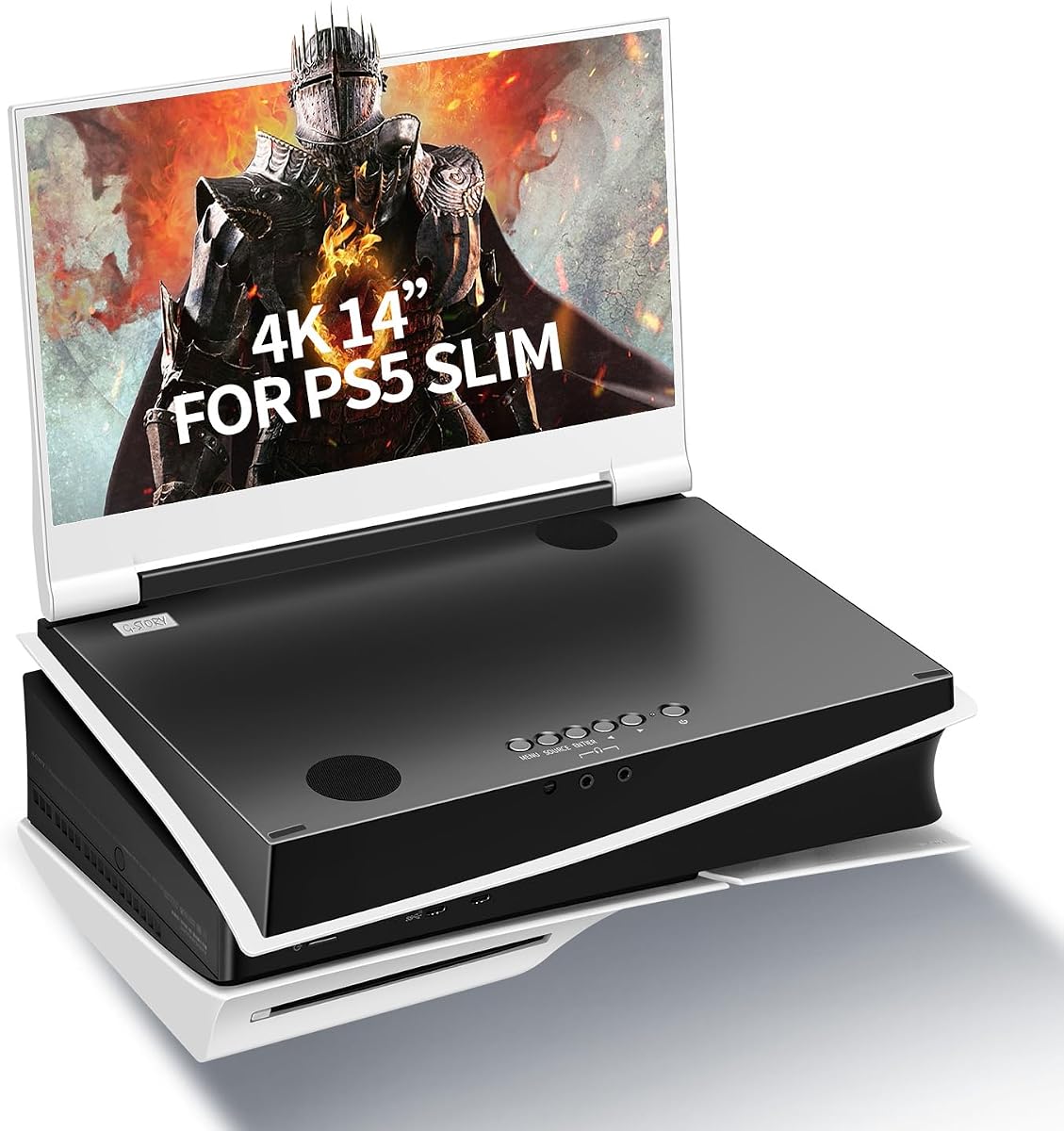
The G-STORY 14-inch 4K Portable Gaming Monitor for PS5 Slim is a compact, console-oriented option with a 3.8 rating. Its supplied title identifies a 14-inch IPS display, 4K resolution, 60Hz refresh rate, HDMI connectivity, and FreeSync support, making it broadly similar in concept to the larger G-STORY models.
We may earn a commission when you buy through this link, at no additional cost to you.
Its small screen and folding design are intended to make PS5 Slim use away from a traditional television straightforward. FreeSync can help synchronize the display with compatible graphics sources, although the PS5 itself will remain limited to its standard 60Hz output. The four-port PS5-oriented family offers another option for buyers comparing closely related designs.
The supplied product information for this listing contains extensive formatting and script content rather than a readable feature list. As a result, this review avoids asserting unverified details such as speaker wattage, exact port counts, viewing angles, response times, or included accessories. The known title specifications are the safest basis for comparison.
Its 3.8 rating is the lowest in the guide, so it does not rank as highly as the stronger G-STORY, ARZOPA, and MSI alternatives. Even so, a 14-inch 4K IPS panel at 60Hz with HDMI and FreeSync may appeal to someone who prioritizes a small, PS5 Slim-specific design over maximum screen size or refresh rate.
The 14-inch format reduces bulk for travel, while 4K resolution keeps console menus and game imagery sharp. Its PS5 Slim positioning makes it most relevant to users taking a current-generation console away from home.
The product title confirms an IPS panel, 4K resolution, 60Hz refresh, HDMI, and FreeSync. Because the underlying description is largely unreadable markup, buyers should verify port quantity, audio features, and included stand before purchasing.
We may earn a commission when you buy through this link, at no additional cost to you.
The ARZOPA Z3FC is the most feature-dense display in the guide, combining a 16.1-inch 2.5K panel with a 180Hz refresh rate. It carries a 4.2 rating and lists a 2560 by 1440 resolution, 107% sRGB color coverage, 400 nits of brightness, and a 1000:1 contrast ratio.
We may earn a commission when you buy through this link, at no additional cost to you.
Its main attraction for gaming is the 180Hz refresh rate, which is intended to improve motion clarity and reduce input lag. Two fully functional USB-C ports and a Mini HDMI connection allow use with laptops, Macs, Xbox consoles, PS5 systems, and Steam Deck devices. No setup software or downloads are required.
This is also a capable productivity display. It can serve as a second screen for simultaneous tasks and rotate between horizontal and vertical views. The built-in kickstand allows the tilt to be adjusted for different working positions, while the relatively large 16.1-inch canvas gives laptop users more usable workspace than a compact 14-inch option.
PS5 owners should understand that the console's standard 60Hz output and lack of native 2.5K mode mean they will not see the panel's full headline potential through the console. It is most compelling for mixed PC-and-console users who can also benefit from higher refresh rates and greater desktop resolution. Within that context, the specifications are exceptionally strong.
The 16.1-inch diagonal offers a larger canvas for work, chat, and console text than most genuinely pocketable alternatives. Rotation and an adjustable kickstand make the larger footprint more manageable in different setups.
The 180Hz rate, 2560 by 1440 resolution, 400-nit brightness, and 1000:1 contrast ratio create a strong specification combination. Compatible PC gaming benefits most from the extreme refresh rate, while the higher resolution also improves everyday desktop use.
We may earn a commission when you buy through this link, at no additional cost to you.
The G-STORY 15.6-inch 2K 120Hz Portable Monitor blends high resolution with a relatively high refresh rate and a deliberately PS5-inspired enclosure. It has a 4.2 rating and uses a 2560 by 1440 IPS panel with a 120Hz refresh rate and 178-degree viewing angle.
We may earn a commission when you buy through this link, at no additional cost to you.
Two HDMI ports, dual 3.5mm audio jacks, and built-in multimedia stereo speakers provide a well-rounded connection and audio package. FreeSync is included, and the FTG and FPS display modes offer fast-response behavior and an assisted aiming crosshair. Flicker-free backlighting and a blue-light filter support longer viewing sessions.
The lid-style case can close like a laptop and is designed to echo the shape and appearance of the PS5. That makes it visually coherent beside a console while remaining more conventional than the ARMORR GAMERSBOX, which physically stores the console in a protective case.
The 120Hz figure should not be confused with the PS5's current 60Hz output. It makes the display more useful for compatible PC gaming, while PS5 users benefit from 2K sharpness and the larger 15.6-inch size. The absence of a bundled console is explicitly noted in the product title.
The enclosure matches the PS5's general shape and appearance while folding for storage. It offers a cohesive visual pairing without the bulk of a full console transport case.
A 120Hz panel is more useful with a compatible PC than with the PS5's standard output. The 2K resolution, wide viewing angle, and built-in audio nevertheless make it worthwhile as a secondary display as well.
We may earn a commission when you buy through this link, at no additional cost to you.
The MSI Pro MP165 E6 is the most approachable recommendation in the guide, combining a 4.6 rating with a genuinely slim and light 15.6-inch design. Its 1920 by 1080 IPS panel runs at 60Hz, offers wide 178-degree viewing angles, and includes built-in speakers.
We may earn a commission when you buy through this link, at no additional cost to you.
Portability is a central strength. The display weighs just 0.78 kilograms and is only 1.38 centimeters thick, allowing it to fit into a laptop bag or backpack more easily than the larger gaming-focused models. A built-in 1/4-inch tripod mount, VESA compatibility, and L-shaped cable plugs make it flexible for travel, presentations, and permanent desk arrangements.
It supports HDMI and USB Type-C with DisplayPort 1.2a Alternate Mode, making it suitable for PS5, PS4, Xbox, Switch, laptops, PCs, MacBooks, and phones. TÜV Rheinland Low Blue Light and Flicker Free certification is a useful addition for extended sessions, while integrated speakers avoid the need for a separate portable audio device.
The specifications are not aimed at high-end PC enthusiasts: Full HD and 60Hz are modest, and there is no 4K panel. Nevertheless, the 4.6 rating, low weight, slim profile, broad compatibility, flexible mounting, and eye-care certification make this the best budget choice for a PS5 portable monitor.
At 0.78 kilograms and 1.38 centimeters thick, the MSI is easier to pack than larger screens. Its dimensions still provide a useful 15.6-inch canvas for console menus, streaming, and travel gaming.
The built-in tripod mount supports flexible positioning without a full monitor arm, while VESA compatibility allows a more permanent desk installation. L-shaped plugs keep cables close to the body and reduce side protrusion.
We may earn a commission when you buy through this link, at no additional cost to you.
A good PS5 portable monitor should match the console's actual output while fitting the user's space, movement, and display priorities. Resolution, refresh rate, connectivity, audio, protection, and mounting deserve equal attention.
A 4K portable panel can look exceptionally sharp, but the PS5 normally outputs at 1080p unless a supported game and display configuration enable a higher mode. Buyers should separate the monitor's native resolution from the signal the console can deliver. Full HD is entirely practical for standard PS5 gaming, while 2K and 4K models can also serve as sharper productivity screens when paired with a PC.
Choose resolution based on the whole use case, not the largest number available. A 4K panel benefits mixed users, but its extra pixels do not automatically create a higher-resolution console image.
The PS5 operates at 60Hz for its standard high-frame-rate output, so a 144Hz or 180Hz monitor does not make supported console games run at that rate. Those refresh rates matter for compatible PC gaming and future headroom. For console-only use, 60Hz is sufficient, while competitive PC players should prioritize higher rates even if the larger and more specialized models are less convenient to carry.
Variable-refresh support can also improve synchronization on compatible PC sources, though it should not be treated as a console-specific benefit. Check whether adaptive sync is included and which source devices support it.
Portable monitors range from 14 to 16.1 inches in this guide, with the 21.5-inch GAMERSBOX serving as a specialized transport system rather than a slim travel panel. Smaller displays are easier to carry and less likely to dominate a hotel desk. Larger screens offer more gaming space, better text readability, and greater productivity flexibility.
Consider the viewing distance as well as the screen. A 14-inch model may feel small for an adult seated at a desk, while a 16.1-inch display can still be useful in a compact console station. Wide viewing angles are also valuable when the screen must be repositioned.
HDMI is the most straightforward connection for a PS5, so a suitable HDMI input is essential. USB-C is especially valuable for laptops because one cable may carry both video and power when the source supports DisplayPort Alternate Mode. Look for full-function ports rather than assuming every USB-C connector supports video or charging.
Some displays include audio outputs, while others rely on built-in speakers or a separate headset connection. The ideal arrangement depends on whether the user wants simple all-in-one travel audio or the freedom to use headphones and a game controller without cable conflicts.
Built-in speakers make a portable monitor more self-contained, which is valuable in hotels, dorms, and other places where external audio is inconvenient. Stereo output is generally more immersive than a single speaker. The included wattage and sound quality still matter, so this guide does not assume every built-in system has equivalent performance.
HDR support, low-blue-light modes, and flicker-free backlighting can improve comfort and perceived image quality. These features are not substitutes for good brightness, contrast, and color coverage, but they are useful additions when the display will be used for work and gaming in the same session.
A genuinely portable monitor needs more than a small screen. Weight, thickness, a folding cover, and a stable viewing position all affect how often the user will take it along. The MSI emphasizes a slim 1.38-centimeter body, the MNN and InnoView include protective smart covers, and the G-STORY displays use laptop-like enclosures.
For a console that travels with the display, a hard-shell system is more protective but bulkier. Models with built-in kickstands are convenient, while tripod or VESA mounts give more freedom over height and angle. The best choice depends on whether portability means light packing or keeping a complete console station protected.
Gaming-oriented features such as an FPS crosshair, FTG response mode, HDR, and FreeSync can improve convenience, but they should be treated as additions rather than substitutes for a good panel. Users should confirm which features work through HDMI and whether a mode can be accessed directly from the display or through a separate control system.
A screen that also serves as a laptop extender may benefit from copy, extended, second-screen, and portrait modes. These modes broaden its usefulness and can justify choosing a general-purpose portable screen over a console-specific gaming model.
Begin by identifying the correct input and display mode. Connect the PS5 with an HDMI cable, power the monitor, and select the matching HDMI source. If the image is unstable, test the other HDMI port on a dual-input model, confirm the cable is seated firmly, and make sure the console is configured for the intended resolution and refresh rate.
For USB-C use, verify that the source laptop, tablet, or phone supports DisplayPort Alternate Mode and the required power-delivery standard. A single USB-C cable can then handle both video and power, but a device without that support may require HDMI and a separate power connection. Avoid forcing an undersized or unsupported connector into a port that appears physically similar.
To protect a folding portable display, place it in its smart cover before packing it and keep the panel away from pressure, sharp objects, and excessive heat. Clean the screen with a soft microfiber cloth, keep liquids away from the electronics, and ensure vents or internal components in a console case are not obstructed. When using a kickstand, tripod, or VESA mount, check the attachment and keep cables from creating unnecessary strain.
No. The monitor's refresh rate and the console's output capability are separate limits. The PS5's standard output remains 60Hz, so a 144Hz or 180Hz portable monitor cannot force console games to run at those higher rates. A high-refresh model is most useful for compatible PC gaming and for users who want one display for several devices.
It can be worth it if the display will also serve as a PC or productivity screen. The PS5 normally operates at 1080p, so a 4K panel may not reveal native console detail at all times. A 4K portable monitor offers sharper menus, desktop text, and PC output, but a well-made Full HD panel can still provide a practical console experience.
A PS5 does not use USB-C as its primary video output, so an HDMI connection is normally required. The monitor's USB-C port is more useful with compatible laptops, tablets, and phones, and it may require a separate adapter for the console. Check that the source supports DisplayPort Alternate Mode before expecting USB-C video or single-cable power.
Power requirements vary by monitor and connection method. Some USB-C portable monitors can receive both power and video through one cable from a compatible source. Others require a separate power connection when used with HDMI. Console owners should use the appropriate included or separately compatible power adapter and follow the display's setup instructions.
Most travelers find 15.6 to 16.1 inches to be a practical balance between visibility and packability. A 14-inch option is easier to carry and works well for short sessions or restricted spaces, while the 21.5-inch ARMORR GAMERSBOX prioritizes console protection and screen size over a slim travel profile.
It depends on the user. Built-in speakers are convenient for travel and shared spaces because they provide immediate audio without another device. For private gaming, a headset may sound better and allow more flexible positioning. Models with 3.5mm outputs offer a middle ground between portable audio and dedicated gaming headsets.
Yes, if the laptop and connection method support the required display mode. Several models in this guide provide copy, extended, second-screen, and portrait orientations, while USB-C can simplify both display and power delivery. The source computer must support the appropriate DisplayPort Alternate Mode or other compatible connection.
Check the display's dimensions and weight, whether the folding cover or hard case fits your bag, and whether all required cables and power accessories are included. Also verify input compatibility, choose a stable stand or tripod arrangement, and protect the screen from pressure during packing.
The G-STORY 15.6-inch 4K model is the strongest overall choice because it combines a detailed 4K IPS panel, two HDMI connections, built-in stereo speakers, and a console-oriented folding design. The MSI Pro MP165 E6 takes the budget position with the highest listed rating, a remarkably slim body, broad compatibility, and flexible mounting. For users seeking premium specifications, the ARZOPA 16.1-inch 2.5K 180Hz model stands out with exceptional refresh, resolution, brightness, and contrast.
The right alternative depends on how the screen will actually be used. A frequent traveler may prefer the MSI's low weight or the MNN and InnoView covers, while a competitive PC gamer may favor the ARZOPA 144Hz or 180Hz panel. The ARMORR GAMERSBOX serves a different need by transporting and protecting the console, and the 14-inch G-STORY displays prioritize compact 4K images.
Whatever the selection, confirm the PS5's available output, the necessary cable, the monitor's power requirements, and the desired stand arrangement before buying. Prices, promotions, and availability can change, so check current listings and the latest manufacturer or product details at the time of purchase.