
ANQ-L336 Mini eGPU Enclosure
3.8Editor score
Certified JHL7440 controller
32Gbps PCIe 4.0 x4
Flexible power supply support
85W host fast charging
Dual Thunderbolt 4 ports
Explore the best Egpu Enclosures for 2026, comparing compatibility, power, bandwidth, cooling, portability, and features for laptops, handhelds, and workstation
An eGPU enclosure connects a desktop graphics card to a compatible computer through Thunderbolt or USB4, giving systems with integrated or mobile graphics a substantial boost for gaming, rendering, AI workloads, and other GPU-intensive tasks. A worthwhile enclosure balances interface speed, power delivery, cooling, card compatibility, and portability.
We compared the 10 featured enclosures by examining their supported host interfaces, PCIe generations, bandwidth claims, power configurations, graphics-card limits, extra ports, cooling, operating-system support, and intended use. The list covers portable mini designs, full-size Thunderbolt 5 workhorses, AI-focused systems, and docks with integrated networking or storage.
Each pick reveals what makes it distinctive, from desktop-class power and cooling to compact travel cases and flexible power-supply options. Ratings and technical details reflect the supplied product information, while availability and pricing can change, so readers should verify current specifications and component compatibility before purchasing.
3.8Editor score

4.0Editor score
5.0Editor score
The comparison below highlights interface generation, graphics-card capacity, power delivery, and standout connectivity features. These details reveal whether each enclosure is better suited to a portable handheld, a demanding laptop, or a full-size creative and AI workstation.


The Razer Core X V2 is a full-size external graphics enclosure designed for Windows 11 systems with Thunderbolt 4, Thunderbolt 5, or USB4 connectivity. It carries a 4.0 rating in the supplied data, but its stronger selling points are practical: support for desktop graphics cards up to four slots wide, PCIe 4.0 operation, and an enclosure body built around both performance and convenience.
We may earn a commission when you buy through this link, at no additional cost to you.
Its headline feature is Thunderbolt 5 bandwidth of up to 80 Gbps, which is intended to keep demanding games, creative applications, and accelerated workloads supplied with timely data. The enclosure supports NVIDIA and AMD desktop cards, accepts a standard ATX power supply, and provides tool-free installation with included thumbscrews. A built-in 120mm fan actively cools the internals and can be tuned through its fan curve.
The enclosure also supports host charging up to 140W through USB-C, reducing the need to keep a separate charger connected during longer sessions. The trade-offs are important: the graphics card and power supply are not included, and the product does not support eGPUs on Macs with M1 or later chipsets. Buyers must also confirm that their host supports the required interface and that their chosen card fits the stated dimensions.
This is the most broadly balanced choice in the roundup for a compatible Windows laptop or other modern device. It suits users who want room for a substantial desktop card, appreciate active cooling, and value a simple swap process. It is less appropriate for Mac users or buyers seeking an enclosure that arrives with a complete power solution.
Supporting desktop cards up to four slots wide gives the Core X V2 more room than compact mini enclosures. That makes it a stronger fit for modern high-end graphics cards and for users who expect to upgrade the GPU over time.
Tool-free thumbscrews make it easier to install or replace a graphics card and ATX power supply. The active fan and configurable fan curve help the enclosure manage heat as workloads and hardware change.
We may earn a commission when you buy through this link, at no additional cost to you.
The Sonnet Breakaway Box 850 T5 is a high-capacity Thunderbolt 5 enclosure aimed at Windows 11 laptops that need near-desktop GPU power. Its supplied rating is 4.5, and it combines up to 80 Gbps of bidirectional bandwidth with an 850W power supply and support for triple-wide graphics cards from major NVIDIA and AMD families.
We may earn a commission when you buy through this link, at no additional cost to you.
Its integrated Thunderbolt 5 dock is a meaningful convenience. The enclosure includes a downstream Thunderbolt 5 peripheral port, three 10 Gbps USB Type-A ports, and a 5 Gigabit Ethernet port. This allows it to function as more than a graphics adapter, reducing the need for separate adapters when a user needs fast wired networking, storage, or peripherals alongside an external GPU.
The 850W power supply and large variable-speed, temperature-controlled fan make this enclosure more appropriate for power-hungry cards and sustained GPU workloads than a small portable model. The trade-off is that this is a substantial desktop-oriented system rather than a travel-first enclosure. It also focuses on Windows compatibility, so Mac buyers should not assume equivalent support.
For a Windows 11 workstation that regularly handles editing, rendering, color grading, animation, visual effects, or AI-driven applications, the Breakaway Box 850 T5 is an excellent all-in-one platform. It is best for users who value built-in power, extra high-speed ports, and the ability to connect a large graphics card without assembling a separate power-supply arrangement.
The integrated 850W supply gives compatible triple-wide cards more room to operate than many compact enclosures. The large temperature-controlled fan is designed to manage the additional heat generated by sustained accelerated workloads.
Integrated USB, Thunderbolt, and 5 Gigabit Ethernet connectivity turns the enclosure into a central workstation connection. It can simplify setups that previously required several separate adapters and cables.
We may earn a commission when you buy through this link, at no additional cost to you.
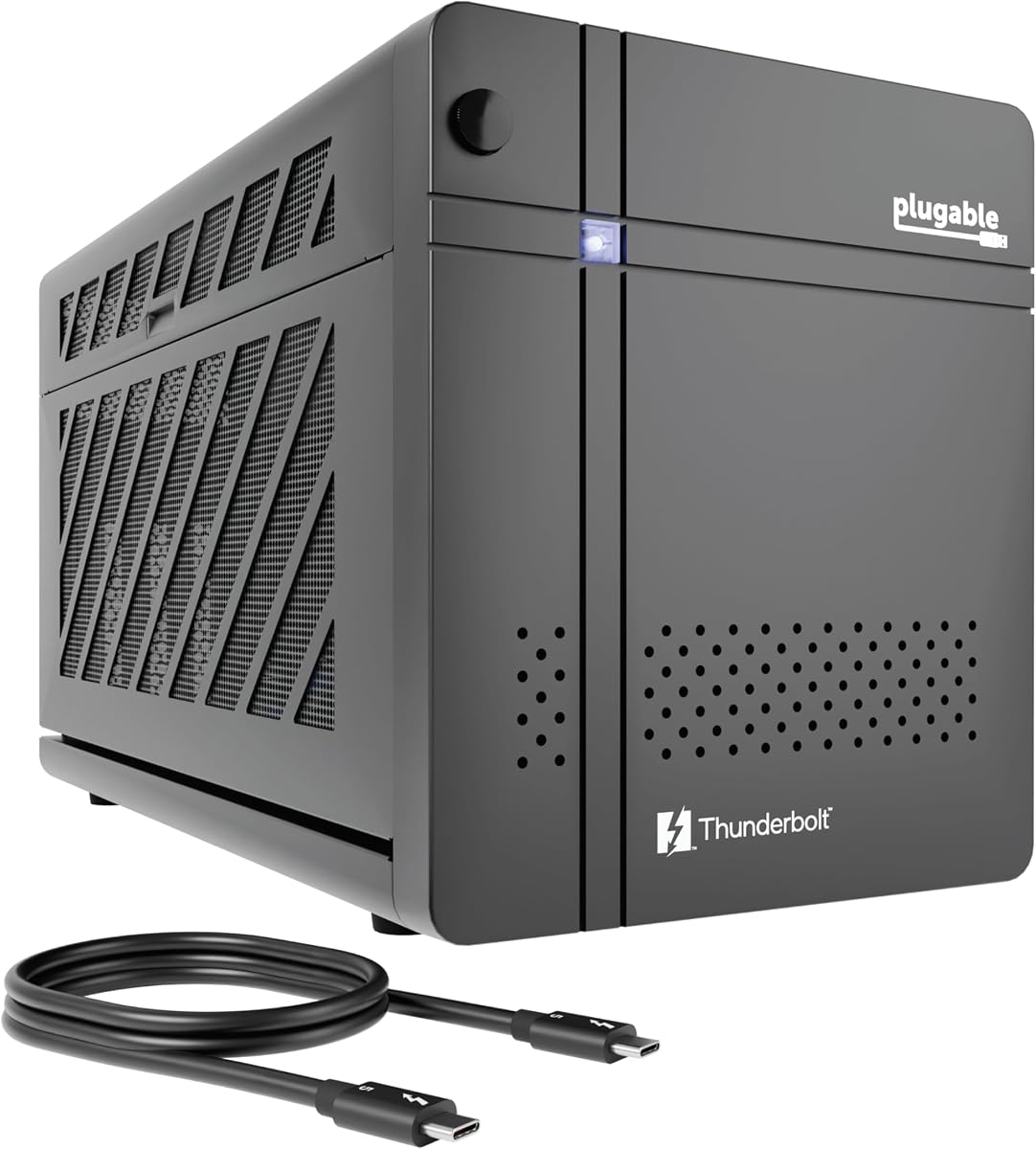
The Plugable TBT5-AI is a Thunderbolt 5 enclosure and dock designed specifically for high-performance local AI and demanding Windows 11 workflows. It has a supplied rating of 5.0 and combines 80 Gbps bandwidth, an 850W ATX 3.1 power supply, and a PCIe x16 slot using four lanes of PCIe 4.0 for a user-supplied GPU.
We may earn a commission when you buy through this link, at no additional cost to you.
The dedicated 600W allocation to the graphics card makes it a strong candidate for high-end NVIDIA and AMD cards. Plugable states that supported cards can measure up to 346mm by 170mm by 77mm and occupy up to 3.5 slots, although buyers should check the precise dimensions and connector requirements of their selected card before ordering.
Its AI emphasis is more than a label. The supplied information notes support for local tools including Ollama, LM Studio, Foundry Local, NVIDIA NIM, and llama.cpp, enabling users to keep prompts, data, and results within their own environment. The dock also adds 96W host charging, 2.5 Gigabit Ethernet, a downstream Thunderbolt 5 port, and 10Gbps USB-A and USB-C connections.
The main limitation is platform scope. It is designed for Windows 11 and does not support macOS, Linux, ChromeOS, or Thunderbolt 3, while USB4 hosts must specifically support eGPU operation. For an organization or power user building a private AI workstation around a compatible laptop, this is a compelling and highly focused enclosure.
Running supported models locally can keep sensitive prompts, files, and results inside the user's perimeter. The enclosure is built for organizations that value offline or air-gapped AI workflows over cloud-dependent access.
A 2.5Gbps Ethernet port, downstream Thunderbolt 5, and 10Gbps USB connections provide useful expansion alongside the GPU. The TAA-compliant design and lifetime support also make it more relevant to managed deployments.
We may earn a commission when you buy through this link, at no additional cost to you.
This 240W external GPU enclosure is a complete portable kit for Windows 10, Windows 11, and Linux systems with Thunderbolt 3, Thunderbolt 4, or USB4. Its supplied rating is 4.5, and the package combines the enclosure, a 240W external power supply, a Thunderbolt cable, an 8-pin PCIe power cable, and a custom carrying case.
We may earn a commission when you buy through this link, at no additional cost to you.
That included package is the main reason to consider it. Instead of sourcing a separate power supply and storage solution, buyers receive the core accessories needed to install a supported card and move the system between locations. The anodized aluminum shell is described as lightweight yet robust, while the case makes it easier to protect the enclosure during transport.
Graphics-card compatibility is narrower than with large four-slot designs. The stated maximum dimensions are 205mm in length, 150mm in height, and 55mm in width, so buyers should check their card against those limits. The connection supports PCIe 3.0 x16 data transfer, while one Thunderbolt port provides 85W charging and another provides 15W charging; a DisplayPort is also included.
This enclosure is best for mobile creators or Linux users who want a self-contained setup that can travel between locations. The older PCIe generation means it may not deliver the same interface headroom as the newest Thunderbolt 5 options, but the included accessories, compact shell, and 240W supply make it a straightforward and practical choice.
The enclosure, external power supply, Thunderbolt cable, PCIe power cable, and carrying case are included. That package reduces the number of separate accessories a user needs when creating a portable graphics workstation.
Compatibility is centered on graphics cards no larger than 205mm by 150mm by 55mm. Checking length, height, thickness, and power-connector requirements before buying helps prevent an expensive mismatch.
We may earn a commission when you buy through this link, at no additional cost to you.
The ANQ-L336 is a compact eGPU enclosure for laptops, NUCs, and compatible gaming handhelds, with a supplied rating of 3.8. It uses an officially certified JHL7440 controller and provides a 32Gbps data connection based on PCIe 4.0 x4, making it more modest in bandwidth than the leading Thunderbolt 5 models.
We may earn a commission when you buy through this link, at no additional cost to you.
Despite the smaller interface ceiling, the enclosure supports NVIDIA and AMD graphics cards, including the latest AMD 9000 series and some NVIDIA RTX 50-series cards. It also lists the ROG Ally X and MSI Claw 8 among compatible handheld systems, an important distinction for buyers building a portable gaming setup.
Power flexibility is another strength. It can use ATX, SFX, FLEX, or DC 12V power supplies, although no power supply is included. The enclosure supplies 85W PD fast charging, including support for ROG Ally X Turbo Mode, and provides a 10Gbps USB-A port plus two Thunderbolt 4 ports for hub-style connectivity.
The ANQ-L336 is most appropriate for a user who values size, host-device range, and PSU choice more than maximum bandwidth. Windows, Linux, and MacOS are listed as supported platforms, but the host's physical interface and drivers must still be suitable. It is a flexible compact option for mobile graphics, especially for compatible handhelds.
The mini format makes the enclosure easier to pair with laptops and handhelds than a full-size four-slot chassis. It offers a practical middle ground between a desktop-oriented dock and a minimal adapter.
Support for ATX, SFX, FLEX, and DC 12V supplies lets builders match the enclosure to different card and mobility requirements. Users must select an appropriate PSU separately and confirm that it has the necessary connections.
We may earn a commission when you buy through this link, at no additional cost to you.
The VK-Y900 is a Thunderbolt 3 and Thunderbolt 4 enclosure designed around flexible graphics-card support, an external ATX power supply, and 85W host charging. It has a supplied rating of 3.9 and uses official Intel JHL7440 or JHL7450 controller options, according to the listed product information.
We may earn a commission when you buy through this link, at no additional cost to you.
Graphics support is broad for a compact enclosure. The stated range includes NVIDIA RTX models through the 50 series, AMD Radeon RX models through the 9000 series, GTX, Quadro, Tesla, Pro, and VII families. The system is also positioned for laptops, handhelds, and NUCs with Thunderbolt 3, Thunderbolt 4, or USB4.
Its single-cable approach is practical: dual Thunderbolt ports provide 15W and 85W Power Delivery, while a DisplayPort output is available. The ENIG PCB is intended to support conductivity and resist oxidation over time. The vendor also offers technical assistance for connectivity and driver issues, which can be useful because eGPU behavior depends heavily on the host system.
The included information mentions using TinyGPU with AMD RDNA3+ and NVIDIA Ampere+ hardware for AI development, but explicitly says this does not support gaming or 3D rendering. For general eGPU users, the attraction is its broad card compatibility, clean charging setup, and support for contemporary and legacy GPU families. It suits builders comfortable choosing their own ATX power supply.
The listed support covers several major NVIDIA and AMD families, including recent RTX and Radeon RX generations. This makes the enclosure adaptable to different performance tiers and second-hand graphics-card possibilities.
Host charging, data transfer, and display connectivity are concentrated around the enclosure's Thunderbolt and DisplayPort interfaces. This can reduce desk clutter when a laptop is regularly used with the external GPU.
We may earn a commission when you buy through this link, at no additional cost to you.
The Sonnet Breakaway Box 750ex is a Thunderbolt 3 eGPU enclosure with a 750W power supply and support for both Mac and Windows. Its supplied rating is 3.9, and the stated compatibility covers AMD Radeon VII, RX, RX Vega, Pro W, and Pro WX cards alongside NVIDIA GeForce RTX, TITAN, and Quadro models.
We may earn a commission when you buy through this link, at no additional cost to you.
The 750W supply gives the enclosure enough capacity for power-hungry compatible graphics cards, while GPU acceleration can reduce task times in editing, rendering, color grading, animation, and special-effects workflows. A built-in variable-speed, temperature-controlled fan is included to manage the heat generated by the installed card.
Unlike minimal PCIe adapters, the 750ex includes four 5 Gbps USB Type-A ports and an RJ45 Gigabit Ethernet port. Those connections make it easier to attach peripherals and maintain a fast wired network connection, which is especially useful for a workstation that relies on external storage or network resources.
The important limitation is platform and interface age. It uses Thunderbolt 3 rather than the newest Thunderbolt 5 connection, and M1 Macs are explicitly not compatible with GPUs. It remains a compelling option for eligible Mac and Windows creative systems that need robust power and useful peripheral connectivity in a dedicated enclosure.
A compatible discrete GPU can offload demanding editing, rendering, color, animation, and effects tasks from integrated graphics. The result is a more practical workstation for creators who work with GPU-accelerated applications.
Four 5 Gbps USB-A ports and Gigabit Ethernet allow the enclosure to serve as a broader workstation hub. These connections are valuable when a compact laptop offers limited full-size USB or wired-network access.
We may earn a commission when you buy through this link, at no additional cost to you.
The Mini 40Gbps eGPU Dock is a compact Thunderbolt 3, Thunderbolt 4, and USB4 enclosure built around the officially certified JHL7440 controller. It has a supplied rating of 3.9 and is intended for NUCs and laptops that expose the required high-speed interface, rather than for typical USB-C laptops that lack Thunderbolt or USB4 support.
We may earn a commission when you buy through this link, at no additional cost to you.
Its power options are unusually flexible. The dock is compatible with SFX, ATX, FLEX, and DC power supplies, with the DC option limited to PCIe devices that do not require an external power connection. The package includes the dock, a TB3/USB4 cable, and a user manual, but the graphics card and power supply are separate purchases.
The enclosure also includes one USB-A port and a second Thunderbolt port, allowing it to act as a hub with downstream Thunderbolt devices. Its small size makes it appealing for portable workstation arrangements. However, the listing explicitly states that handheld-console use is not recommended and that installation involves driver, hardware-compatibility, and some DIY knowledge.
This is best for an experienced builder who wants a compact, flexible enclosure and knows how to verify host-controller and card compatibility. The manufacturer provides a one-year warranty, but users should be comfortable troubleshooting the hardware and driver layers that make eGPU setups complex.
The enclosure requires USB4, Thunderbolt 3, or Thunderbolt 4 support at the operating-system level. Checking Device Manager or using the suggested diagnostic tools can prevent purchasing a dock that a host cannot use as intended.
Small size, multiple supported PSU formats, and downstream connectivity make the dock versatile. The trade-off is a more hands-on setup process and a clear need to confirm every component before installation.
We may earn a commission when you buy through this link, at no additional cost to you.
The MINISFORUM DEG2 is a dual-mode external GPU dock that supports USB4 V2, described as Thunderbolt 5 compatible, and OCuLink. It has a supplied rating of 4.4, and the two links provide a different balance of convenience and throughput depending on whether the user prioritizes docking integration or dedicated GPU performance.
We may earn a commission when you buy through this link, at no additional cost to you.
The stated maximum transfer rates are 80 Gbps for the Thunderbolt 5 side and 64 Gbps for OCuLink. A dedicated hardware switch lets users move between an all-in-one docking mode and a pure GPU performance mode. The enclosure also includes a re-drive signal booster intended to stabilize PCIe transfers and reduce interruptions during high-bandwidth tasks such as LLM inference and 8K rendering.
A built-in M.2 2280 NVMe slot distinguishes the DEG2 from conventional graphics-only docks. It can hold models and project files directly on the dock, potentially simplifying a portable AI or rendering workspace when a user moves between host devices. Support for standard ATX and SFX power supplies provides flexibility for different desktop graphics cards.
The single-cable workflow handles data, display, and laptop charging, and the enclosure can power on and synchronize with the host. This makes the DEG2 a strong option for builders who want storage, high-speed graphics, and docking functions in one unit. The main caveat is that a compatible host and suitable ATX or SFX power supply remain essential.
USB4 V2 offers a convenient combined docking experience, while OCuLink provides a dedicated high-speed route for GPU workloads. The hardware switch makes it practical to alternate between the two according to host support and task.
The integrated M.2 2280 slot gives the dock space for local models and project files. This is particularly useful for portable AI and rendering systems that benefit from keeping data close to the external GPU.
We may earn a commission when you buy through this link, at no additional cost to you.
The 240W USB4 eGPU Kit is a portable enclosure for Windows 10, Windows 11, and Linux devices with Thunderbolt 3, Thunderbolt 4, or USB4. It carries a supplied rating of 5.0 and comes with a 240W external power supply, Thunderbolt 4 cable, 8-pin PCIe power cable, and custom carrying case.
We may earn a commission when you buy through this link, at no additional cost to you.
The included accessories create a straightforward path from unboxing to installation. The graphics card remains the main missing component, and compatibility extends to most NVIDIA and AMD cards within the stated maximum dimensions of 205mm in length, 150mm in height, and 55mm in width. Users should verify these limits before choosing a card.
Host charging and display connectivity are handled by two Thunderbolt ports with 85W and 15W Power Delivery, plus a DisplayPort output. The data connection operates in PCIe 3.0 x16 transfer mode. An anodized aluminum shell protects the enclosure, while the included carrying case supports transport between a home, office, or client location.
This kit is a strong recommendation for buyers who prioritize a ready-made portable bundle over the newest interface standard. It offers a straightforward enclosure, power solution, cable, and case in one purchase, making it especially suitable for creators who need a capable but compact external graphics solution. The graphics card is still required, and its dimensions must be checked carefully.
A buyer receives the power supply, Thunderbolt cable, 8-pin PCIe power cable, and carrying case. These included accessories make the enclosure easier to deploy and transport without assembling a separate kit.
Thunderbolt 3, Thunderbolt 4, and USB4 hosts are supported, while 85W PD keeps a compatible laptop powered during work. DisplayPort output provides another path for the host's visual workflow.
We may earn a commission when you buy through this link, at no additional cost to you.
Choosing an eGPU enclosure requires matching the connection protocol, graphics-card dimensions, power capacity, and host operating system to the way you work. The most important distinction is whether you need a compact portable adapter or a full-size system designed for sustained, power-hungry workloads.
The enclosure must connect through a Thunderbolt or USB4 port that the host actually supports. A USB-C connector alone does not guarantee Thunderbolt 3, Thunderbolt 4, or USB4 operation, and some USB4 systems do not support external GPUs. Thunderbolt 5 products advertise up to 80 Gbps of bandwidth, while the mini JHL7440 options in this roundup use a 32Gbps PCIe 4.0 x4 link and the 40Gbps enclosure advertises the corresponding host bandwidth.
Choose the fastest interface supported by both your computer and the applications you plan to run. Thunderbolt 5 provides more headroom, while Thunderbolt 3 and 4 remain valid options for many laptop-based systems.
Every enclosure has a maximum graphics-card length, height, and thickness, and those limits are often more restrictive than the advertised PCIe capability. Full-size models may accept cards up to four slots wide, triple-wide models have a lower limit, and compact units commonly require much shorter cards. Support for the connector type and power requirements matters as well.
Measure the card or check its manufacturer specifications before purchasing. Include the card's cooler, bracket, and power connector in the comparison rather than relying only on the basic chip dimensions.
A graphics card's power needs can exceed what a compact external supply provides. Enclosures range from units designed around 240W external supplies to large systems with an 850W internal PSU, and some mini models require the user to choose an ATX, SFX, FLEX, or DC supply. Host charging adds another consideration because some devices need the enclosure to deliver substantial power back to the computer.
Match the supply to the selected card, inspect the required PCIe power connectors, and verify whether the enclosure supports host charging. A more generous power platform provides a better foundation for future GPU upgrades.
External graphics cards can produce substantial heat inside a comparatively compact metal enclosure. Active cooling with a temperature-controlled or configurable fan is important for sustained gaming, rendering, and AI workloads. Larger desktop-style enclosures often have more space for airflow and a larger fan, while mini designs may depend more heavily on the host's ambient conditions and the card's own cooler.
Look for active fan control, adequate vents, and a chassis large enough for the intended card. Users working in shared spaces may also want to tune the fan curve to balance thermals and noise.
The list includes options for Windows, Linux, and, in some cases, MacOS, but broad operating-system support does not guarantee that every computer can use an eGPU. Apple M1 and later systems are explicitly unsupported by the Razer Core X V2, and the Plugable TBT5-AI is limited to Windows 11. Some handhelds are supported by particular mini enclosures but discouraged for others.
Check the host's processor generation, controller availability, drivers, and display-routing behavior before buying. If a system is intended for a specific game, workflow, or organization, test the exact host and enclosure combination whenever possible.
A useful eGPU enclosure often does more than carry a graphics card. Extra Thunderbolt ports, high-speed USB-A and USB-C connections, DisplayPort, and Ethernet can reduce the need for separate adapters. The Sonnet Breakaway Box 850 T5 includes a substantial built-in dock, while the MINISFORUM DEG2 also provides an M.2 2280 NVMe slot for local models or project files.
Prioritize the connections you will use consistently rather than paying attention to port count alone. Interface speed matters for storage and networking, while downstream Thunderbolt support can simplify daisy-chaining compatible accessories.
Mini enclosures are better suited to mobile work and compatible handhelds, but their smaller size, lower link bandwidth, and card restrictions can limit performance. Full-size enclosures better accommodate triple- or quad-wide cards, larger power supplies, stronger cooling, and more elaborate docking features. Some portable kits include a carrying case, while large desktop-style models prioritize serviceability and expansion.
Think about where the system will be used. A frequently traveling creator may value a compact aluminum shell and included case, whereas a stationary editing or AI workstation benefits more from power capacity and extensive connectivity.
AI inference, local model development, 8K rendering, color grading, and modern games have different demands from basic desktop acceleration. High-bandwidth, high-power systems provide the most headroom, while compact enclosures may be better for a selected graphics card and a specific portable task. Local AI also places added importance on storage speed, cooling, and sustained power delivery.
Choose a platform that matches both the workload and the likelihood of future upgrades. A system with a higher power allowance, active cooling, and a modern interface can age better than a minimal adapter, even when it is larger and less portable.
Before installation, confirm that the host supports Thunderbolt or USB4 with external GPU functionality, install the current operating-system and graphics-card drivers, and verify that the selected card fits the enclosure's dimensions and power requirements. Connect the enclosure to the host with the specified cable, attach the appropriate power supply and PCIe power cables, and allow the host to detect the new hardware before changing display output.
For best performance, use the graphics card's supported driver software and ensure that demanding applications are assigned to the external GPU. Keep both the enclosure and card vents clear, place the unit on a stable surface with airflow around its sides, and avoid moving it while a high-load workload is running. When using a handheld or laptop, monitor host charging, thermals, and the connection for signs of instability.
Before cleaning, shut down the host and disconnect the power supply and Thunderbolt or USB4 cable. Use a soft, dry cloth to wipe the exterior, keep liquids away from the openings, and do not open the enclosure unless the manufacturer permits it and the system is fully disconnected. Periodically inspect cables and connectors, and verify that firmware, controller software, and graphics drivers remain current.
No. A laptop needs a compatible Thunderbolt 3, Thunderbolt 4, Thunderbolt 5, or USB4 interface, and the operating system must support external GPUs through that interface. A USB-C port that only supports data, charging, or DisplayPort is not sufficient. Check the computer's specifications and controller list before buying.
Most of the enclosures in this guide do not include a graphics card. The enclosure, host cable, and sometimes a power supply are provided, but the user generally supplies the GPU and any required PCIe power cables. Confirm the full package contents and select a card that matches the enclosure's dimensions and power requirements.
Thunderbolt 5 offers higher stated bandwidth and can provide more headroom for demanding GPU workloads, but the host, enclosure, card, application, and drivers all influence the result. A modern system with a reliable Thunderbolt 4 connection can still be a suitable platform. Choose based on the full setup rather than interface generation alone.
Compatibility depends on the enclosure and the Mac's chipset. The Sonnet Breakaway Box 750ex lists Mac support but explicitly excludes M1 Macs, while the Razer Core X V2 does not support eGPUs on M1 or later chipsets. The Plugable TBT5-AI is Windows-only. Verify the exact model and operating system before purchasing.
Compare the card's length, height, slot width, and power connectors with the enclosure's published limits. Cooling overhangs and bracket designs can affect the usable measurements. For example, several 240W enclosures list maximum dimensions of 205mm by 150mm by 55mm, while larger desktop-style models support substantially wider cards.
Some compatible handhelds can use an eGPU, but support varies by model and enclosure. The ANQ-L336 specifically lists the ROG Ally X and MSI Claw 8, whereas the 40Gbps mini enclosure says handheld use is not recommended. Host bandwidth, physical power delivery, operating-system support, and the game's own requirements must all be considered.
The correct supply depends on the enclosure design and selected graphics card. Some products include a 240W external adapter, some integrate 750W or 850W supplies, and mini models may require a separately purchased ATX, SFX, FLEX, or DC 12V unit. Check both the card's consumption and its required PCIe power connectors before selecting a supply.
It can in some situations because the external GPU may handle graphics-heavy work while the laptop's integrated GPU manages lighter tasks, but it does not guarantee better battery life. The added enclosure, power supply, and cooling hardware can increase overall power draw. Battery results depend on the workload, system settings, and how the host application selects the GPU.
The Razer Core X V2 stands out as the most balanced general recommendation, combining 80 Gbps Thunderbolt 5 bandwidth, room for wide desktop GPUs, 140W host charging, and active cooling. The Sonnet Breakaway Box 850 T5 is the stronger specialist for a Windows workstation that needs integrated high-end power and extensive dock connectivity, while the Plugable TBT5-AI is purpose-built for demanding local AI systems and private deployment workflows.
For buyers prioritizing portability, the ANQ-L336 and the 40Gbps mini enclosure provide compact formats, but their lower link bandwidth, flexible power arrangements, or compatibility caveats require more careful planning. The included 240W kits are more convenient for users who want a power supply, cable, and carrying case in one package. Before buying, prioritize host-interface support, exact card clearance, power needs, cooling, and operating-system compatibility over any single headline specification.
Ratings, component availability, and pricing can change, and the specifications in this guide reflect the supplied product information rather than a current laboratory test. Review the manufacturer's latest documentation, compare the final graphics card and power-supply combination with the enclosure, and check current prices before placing an order.
