
Kingston NV3 1TB
4.7Editor score
Up to 6,000 MB/s reads
Up to 4,000 MB/s writes
PCIe 4.0 Gen 4×4
M.2 2280 NVMe format
Our SSD for ASUS Tuf F15 guide compares 10 storage options, covering NVMe compatibility, capacity, speed, thermals, external enclosures, and everyday laptop
Choosing an SSD for an ASUS TUF Gaming F15 comes down to fitting the right interface, providing enough capacity, and avoiding unnecessary bottlenecks. The most important details include M.2 2280 dimensions, NVMe compatibility, PCIe generation support, thermal behavior, and whether the drive is intended for internal installation or portable external use.
This guide compares ten storage-related products using the specifications supplied by their manufacturers and listings. It covers PCIe 4.0 and PCIe 5.0 internal SSDs, external M.2 enclosures, and ASUS TUF Gaming systems that illustrate the storage configurations and upgrade options available within the product family.
Each pick highlights the strongest use case, relevant specifications, and practical trade-offs rather than claiming hands-on testing. The rankings also include two ASUS TUF laptops and two rugged enclosures because they provide useful context for storage compatibility, upgradeability, and external expansion. Availability and market conditions can change, so verify the current listing details before buying.
4.7Editor score

4.7Editor score

4.7Editor score
This side-by-side comparison includes internal NVMe SSDs, rugged external enclosures, and ASUS TUF Gaming laptop listings. The specifications make clear which products are suitable for direct internal installation, which require an enclosure, and which models illustrate the storage options found in selected TUF configurations.



The Samsung SSD 9100 PRO 2TB combines a 2TB capacity with a PCIe 5.0 x4 interface and headline sequential speeds of up to 14,700 MB/s for reads and 13,400 MB/s for writes. It earns a 4.7 rating and stands out as the most ambitious internal storage option in this guide, particularly for creators and power users who want room for large game libraries, 4K footage, and demanding project files.
We may earn a commission when you buy through this link, at no additional cost to you.
The drive also advertises random performance of up to 1,850K read IOPS and 2,600K write IOPS. Those figures make it appealing for workloads involving many small files, application launches, multitasking, and rapid transfers. A 5nm controller is said to improve power efficiency by up to 49% over the 990 PRO, while advanced thermal control is intended to keep sustained performance consistent.
The central trade-off is that a PCIe 5.0 laptop cannot always exploit the full bandwidth of a Gen5 drive. The ASUS TUF Gaming F15 configurations shown in this guide are associated with PCIe storage, but the exact system and CPU determine the available interface. Real-world response also depends on the workload, thermal environment, and whether the drive is installed in a slot with adequate cooling.
This is the recommendation for buyers who want maximum potential speed and 2TB of capacity, assuming the ASUS TUF F15 has a compatible M.2 slot and a thermal solution capable of supporting a high-power Gen5 SSD. For a more broadly compatible premium option, the Samsung SSD 990 PRO 2TB may be the safer high-end choice.
The 9100 PRO's sequential and random performance figures are designed for large transfers, quick game loading, and demanding productivity tasks. Its 2TB capacity also reduces the need to move active projects between internal and external storage.
The stated 5nm controller design and advanced thermal control are important for a laptop, where heat and battery power are more constrained than on a desktop. Buyers should still ensure that the laptop has suitable airflow and that the SSD includes or receives an appropriate thermal solution.
We may earn a commission when you buy through this link, at no additional cost to you.
The ASUS TUF Gaming A2 is a dual-slot USB-C enclosure built for M.2 NVMe PCIe and SATA drives in 2242, 2260, and 2280 sizes. Its 4.5 rating and USB-C 3.2 Gen 2×2 interface, capable of up to 20 Gbps, make it a strong choice for expanding the ASUS TUF Gaming F15 without opening the laptop.
We may earn a commission when you buy through this link, at no additional cost to you.
Two M.2 positions allow a user to combine NVMe and SATA storage or connect two NVMe drives. The enclosure supports a USB-C 3.2 Gen 2×2 interface, while its aluminum-alloy chassis and thermal pad help dissipate heat. A Q-Latch mechanism permits tool-free drive changes, which is especially useful for switching between a fast game drive and a larger archive.
External storage introduces protocol and controller overhead, so the enclosure's 20 Gbps rating does not guarantee that every included SSD will operate at its maximum advertised speed. SATA drives are also limited by their own interface. These are acceptable constraints for a system that is designed for convenient, durable expansion rather than the lowest possible transfer latency.
Choose the TUF Gaming A2 when you want a portable, high-capacity storage hub for the TUF F15. It is particularly attractive for users who move between computers, console-compatible workflows, or devices that lack accessible internal M.2 slots. Pair it with a compatible 2280 NVMe drive for the simplest setup.
The dual M.2 interface makes the enclosure more versatile than a single-drive case. Supporting both NVMe PCIe and SATA drives gives users an easy path to combine fast working storage with high-capacity archival storage.
USB-C 3.2 Gen 2×2 provides a faster external pathway than the 10 Gbps connection used by the TUF Gaming A1. MIL-STD-810H drop resistance and IP68 water and dust protection also suit frequent transport.
We may earn a commission when you buy through this link, at no additional cost to you.
The ASUS TUF Gaming F15 FX507ZC-ES53 is a 2022 gaming laptop with a 512GB PCIe 3.0 SSD, 16GB of DDR4-3200 memory, and an additional SSD slot. It carries a 4.3 rating and is included in the guide because its configuration directly demonstrates the internal storage expansion available in this TUF F15 model.
We may earn a commission when you buy through this link, at no additional cost to you.
Its Intel Core i5-12500H processor, GeForce RTX 3050 Laptop GPU, and 144Hz Full HD display make it a conventional gaming platform, while the added storage slot allows owners to retain the supplied drive and add another one. The MUX switch can route frames directly from the discrete GPU to the display, helping reduce latency and improve gaming performance.
The laptop's base PCIe 3.0 configuration does not make a PCIe 5.0 SSD a poor choice, since compatible drives can still work at the speed the platform supports. However, the fastest internal upgrade will depend on the slot's negotiated interface, the laptop's processor, cooling, and the workload. The included 512GB may also become limited for large game collections.
This model is a useful starting point for anyone shopping for an SSD for an ASUS TUF F15. Choose a compatible 2280 NVMe drive for the available slot, confirm the exact model and slot specification before purchase, and consider a 1TB or 2TB option if game libraries, creative projects, or system files exceed the supplied capacity.
The additional SSD slot separates this configuration from many laptops limited to a single drive. It offers a straightforward way to add capacity without replacing the original PCIe SSD.
A PCIe 4.0 or PCIe 5.0 NVMe drive can be useful in a PCIe 3.0 laptop because of its capacity and strong performance, but the laptop will establish the usable bandwidth ceiling. Matching the drive to the actual slot is more important than chasing the highest generation listed.
We may earn a commission when you buy through this link, at no additional cost to you.
The Samsung SSD 990 PRO 2TB is a balanced choice for an ASUS TUF Gaming F15 because it combines high PCIe 4.0 performance with ample capacity. It has a 4.7 rating and advertises sequential read and write speeds of up to 7,450 MB/s and 6,900 MB/s in the standard M.2 2280 form factor.
We may earn a commission when you buy through this link, at no additional cost to you.
Compared with the earlier 980 PRO generation, Samsung states that random performance improves by more than 55%. The drive is positioned for gaming, video editing, data analysis, and general heavy computing, while its claimed 50% improvement in performance per watt is particularly relevant to a laptop that must balance responsiveness and energy use.
The main limitation is that a PCIe 5.0 drive can have a substantially higher theoretical ceiling. Yet PCIe 4.0 remains a more natural fit for many TUF F15 configurations, and the 990 PRO is less likely to expose a platform or cooling mismatch. It is also easier to find a balance of speed, capacity, and power efficiency in this generation.
This is the strongest recommendation for most gamers and creators who want a high-end internal upgrade without relying on Gen5 hardware. Its 2TB capacity accommodates a large game library and substantial project files, while its established interface works well with modern gaming laptops that support NVMe storage.
Two terabytes offers more freedom than the 512GB configuration shown in the F15 listing. It can hold installed games, saves, applications, 4K media, and active project files without frequent cleanup.
The claimed performance-per-watt improvement is meaningful in a portable system. A drive that delivers strong performance while using power efficiently can contribute to a better balance between responsiveness and battery use, although the laptop's total power draw remains the dominant factor.
We may earn a commission when you buy through this link, at no additional cost to you.
The ASUS TUF Dash 15 FX517ZE-ES73 illustrates another useful storage scenario: a gaming laptop with a 512GB PCIe NVMe M.2 SSD and an easy-upgrade design. Its 4.4 rating and stated ability to add or replace memory and storage make it relevant when considering how an internal SSD upgrade fits into an ASUS system.
We may earn a commission when you buy through this link, at no additional cost to you.
The laptop uses a 12th Gen Intel Core i7-12650H processor, 16GB of DDR5-4800 memory, and a GeForce RTX 3050 Ti. For storage, the important detail is the dedicated M.2 NVMe drive plus the replaceable design. Thunderbolt 4 also provides a route for high-speed external storage when internal capacity is unavailable.
Because the 512GB drive may be insufficient for a large modern game library, a higher-capacity M.2 2280 NVMe SSD offers the most direct solution. The actual maximum capacity and supported interface should be confirmed for the exact laptop revision. As with the F15, installing a much faster drive does not guarantee that the system can use all advertised bandwidth.
This laptop is not itself an SSD upgrade, so it is most useful as a compatibility and configuration reference. Buyers focused on a TUF F15 can use it to understand the value of replaceable storage, modern Thunderbolt connectivity, and moving from a compact base drive to a larger NVMe configuration.
The system's easy upgrade design makes storage changes more approachable. A compatible M.2 2280 NVMe drive can replace the listed 512GB unit or supplement it if the model provides another slot.
Thunderbolt 4 offers an additional path for high-speed external drives and docking. It can be useful for temporary project files, game transfers, and backups without opening the laptop.
We may earn a commission when you buy through this link, at no additional cost to you.
The Samsung SSD 9100 PRO 1TB offers the same advanced PCIe 5.0 platform as the 2TB model in a more compact capacity. It has a 4.7 rating, reaches up to 14,700 MB/s sequential reads and 13,300 MB/s sequential writes, and provides up to 1,850K read IOPS and 2,600K write IOPS.
We may earn a commission when you buy through this link, at no additional cost to you.
Its M.2 2280 format is convenient for internal laptop installation, and the 5nm controller is stated to improve power efficiency by up to 49% compared with the 990 PRO. Magician software provides firmware updates, encryption options, and drive-health monitoring, adding useful management features for a primary system drive.
The key limitation is the chance that the ASUS TUF F15 will not support the full Gen5 interface. The F15 configurations discussed here use PCIe storage, but the processor and slot determine the negotiated link speed. Sustained performance also depends on cooling, and the smaller 1TB capacity provides less room for game libraries and large creative files.
Pick this drive if your exact TUF F15 configuration supports PCIe 5.0 and you want a high-end, high-efficiency internal upgrade. Otherwise, the 2TB 990 PRO or another PCIe 4.0 model may deliver a more practical combination of capacity, compatibility, and speed.
The controller design targets both throughput and power efficiency. This makes the 9100 PRO 1TB a technically advanced option for a modern laptop, provided the platform can actually negotiate a PCIe 5.0 connection.
Magician software adds firmware, encryption, and monitoring functions. These features are useful for a primary drive containing an operating system, applications, games, and personal files that should remain accessible over time.
We may earn a commission when you buy through this link, at no additional cost to you.
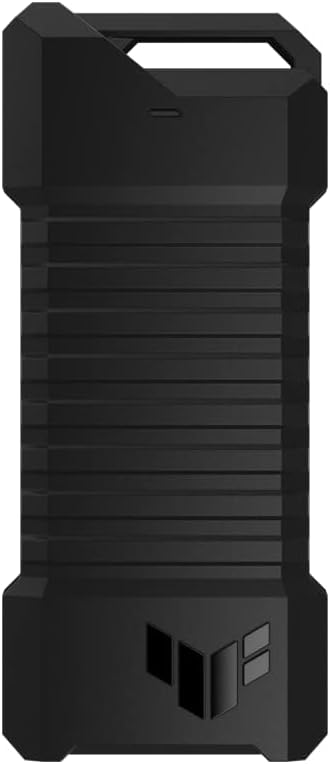
The ASUS TUF Gaming A1 is a compact external enclosure for M.2 NVMe PCIe or SATA drives in 2242, 2260, and 2280 sizes. Its 4.6 rating, USB-C 3.2 Gen 2×1 interface, and support for up to 10 Gbps make it a straightforward portable option for adding storage to an ASUS TUF Gaming F15.
We may earn a commission when you buy through this link, at no additional cost to you.
The Q-Latch mechanism allows an SSD to be mounted without screws, simplifying installation and removal. This is useful for users who regularly move a drive between a laptop, desktop, mobile device, or gaming console. A bundled USB-C cable supports the wide-ranging compatibility described by the manufacturer.
Its main limitation is the 10 Gbps interface, which provides less theoretical bandwidth than the 20 Gbps TUF Gaming A2. It also holds only one M.2 drive rather than two. However, the enclosure can still be an efficient match for many NVMe SSDs because the speed of a typical internal gaming SSD often exceeds what a practical external workflow can use consistently.
Choose the TUF Gaming A1 for portable, tool-free storage and strong physical protection. It is a sensible option for backups, transfer files, console access, and expanding the TUF F15 when an internal upgrade is inconvenient or unnecessary.
The Q-Latch design shortens the process of installing or swapping a drive. Users can prepare a portable Windows or application environment without carrying a screwdriver for each change.
MIL-STD-810H drop resistance and IP68 water and dust protection suit storage that travels between locations. The enclosure is intended to protect the drive while remaining practical for mobile or console use.
We may earn a commission when you buy through this link, at no additional cost to you.
The Sandisk Optimus 5100 500GB is a PCIe 4.0 NVMe drive in the M.2 2280 format. It carries a 4.7 rating and is positioned for creator applications, including fast project launches and handling high-resolution 4K video and images. Its 500GB capacity makes it better suited to a focused working drive or modest secondary library.
We may earn a commission when you buy through this link, at no additional cost to you.
The listing states that PCIe 4.0 read speeds reach up to 7,100 MB/s for the 1TB and 2TB models, while write speeds reach up to 6,700 MB/s for the 1TB through 4TB models. Because the selected product is the 500GB version, those specific capacity-dependent speed figures should not be assumed to apply automatically. The drive is built with 8th generation SANDISK BiCS QLC 3D CBA NAND according to the supplied information.
Its power-efficient design is useful in a laptop, and the downloadable SANDISK Dashboard application supports performance monitoring and firmware updates. The 500GB capacity is the main limitation. A modern game library can occupy that space quickly, and video projects often benefit from substantially more room for source footage, caches, and exports.
This is a suitable internal upgrade for users who need a direct PCIe 4.0 drive for moderate creative work and do not require a large library. Confirm the exact speed and endurance specifications for the 500GB model, and choose a larger capacity if the drive will hold multiple games or ongoing 4K media.
The stated low-power design makes the Optimus 5100 appealing for creator workflows that move between locations. Efficient storage is especially useful when the laptop is expected to operate away from a constant power source.
The 500GB configuration is compact but restrictive for 4K production. Source files, proxies, project caches, and exports can consume space quickly, so creators should estimate their active storage needs before selecting this capacity.
We may earn a commission when you buy through this link, at no additional cost to you.
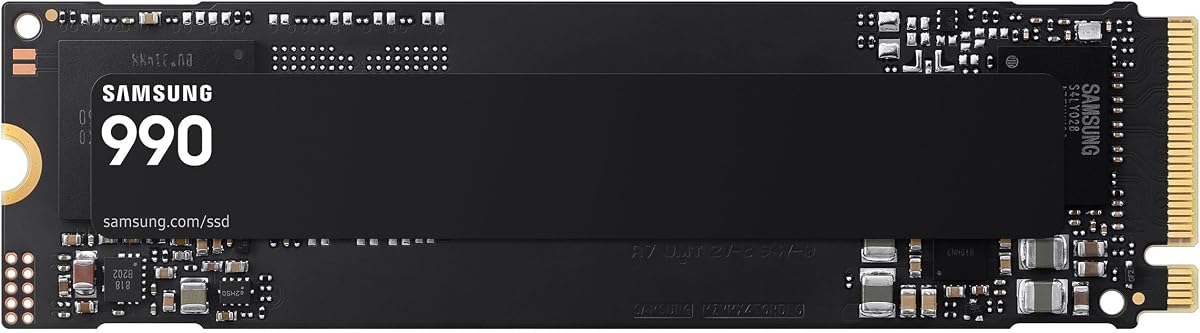
The Samsung Internal SSD 990 1TB has the highest rating in the supplied product set at 4.8. It offers sequential read and write speeds of up to 7,150 MB/s and 6,450 MB/s, with up to 700K random read IOPS and 1,100K random write IOPS, making it a strong all-around internal drive for an ASUS TUF Gaming F15.
We may earn a commission when you buy through this link, at no additional cost to you.
Samsung states that the drive improves performance per watt by up to 38% over the 990 PRO, an appealing specification for laptop users who want fast response without excessive energy demand. The 1TB capacity is versatile enough for a system drive, a game library, or a balanced combination of applications, games, and personal files.
The drive supports Samsung's management suite for firmware updates, encryption, and continuous health monitoring. These are practical advantages for a primary drive. Its trade-off is that the 990 does not offer the extreme sequential throughput of a PCIe 5.0 model, and the actual speed in the F15 will depend on its slot and processor.
This is an attractive recommendation for buyers who want a high-rated, efficient 1TB drive with modern performance and management features. It may be especially compelling for mixed gaming and everyday use, where a 2TB capacity is unnecessary but strong responsiveness remains important.
Strong sequential and random figures benefit game loading, application startup, transfers, and switching among demanding tasks. The combination makes the drive suitable as a primary laptop drive.
The stated performance-per-watt improvement and health-monitoring suite support long-term use. Firmware management and encryption tools also help owners maintain a system drive containing valuable data.
We may earn a commission when you buy through this link, at no additional cost to you.
The Kingston NV3 1TB combines a 1TB capacity with PCIe 4.0 Gen 4×4 performance and a 4.7 rating. It is listed for up to 6,000 MB/s sequential reads and 4,000 MB/s writes, giving an ASUS TUF Gaming F15 owner a practical internal upgrade without moving into the highest-cost performance class.
We may earn a commission when you buy through this link, at no additional cost to you.
The drive is positioned for high-speed, low-power storage, making it suitable for a gaming laptop where strong response and efficient power use are both important. Acronis cloning software is included according to the supplied listing, which can assist when copying an existing system or preparing a drive for use.
The main trade-off is its lower headline performance than the Samsung 990, Samsung 990 PRO, and PCIe 5.0 options. It also provides only 1TB, so buyers with large game libraries or extensive video files may want more room. A five-year limited warranty provides useful coverage, but the 500GB base configuration shown in the ASUS TUF laptops would gain more from this upgrade.
The Kingston NV3 1TB is the best value-oriented recommendation for expanding a compatible TUF F15. Choose it when strong everyday performance, useful capacity, and broad modern compatibility matter more than maximizing the highest possible transfer rate.
Up to 6,000 MB/s reads and 4,000 MB/s writes are more than sufficient for fast game launches, application loading, and file transfers. The PCIe 4.0 interface also aligns well with many current gaming laptops.
One terabyte provides a useful balance between capacity and cost. It can serve as a secondary game or project drive, or act as the primary system drive when the original 512GB configuration needs more room.
We may earn a commission when you buy through this link, at no additional cost to you.
The right SSD for an ASUS TUF Gaming F15 depends on the exact laptop revision, available M.2 slot, intended workload, and need for portability. Start with physical and interface compatibility, then balance capacity, speed, power efficiency, thermal requirements, and management features.
Most laptop SSD upgrades use the M.2 2280 format, but physical fit is only the first requirement. The ASUS TUF Gaming F15 listing in this guide includes an additional SSD slot, while the TUF Dash 15 listing specifically mentions replaceable memory and storage. Buyers should confirm the slot length, screw retention, shielding, and clearance in the exact model they own. A 2280 drive may fit physically while still conflicting with components, wireless cards, or a factory thermal pad if the layout is not designed for it.
Choose the exact M.2 size and layout supported by the laptop. For most TUF F15 storage upgrades, M.2 2280 is the most straightforward target.
NVMe PCIe is the preferred interface for an ASUS TUF Gaming F15 because it uses the M.2 slot for high-bandwidth storage and aligns with the PCIe SSDs specified in the laptop listings. SATA M.2 drives can be useful in compatible external enclosures, including the ASUS TUF Gaming A1 and A2, but they are limited to the SATA interface's lower bandwidth. An enclosure that supports both formats offers more flexibility, though the drive itself determines the connection speed.
Select an NVMe PCIe drive for internal use and confirm the enclosure supports NVMe for external use. SATA is mainly relevant as a flexible enclosure option.
PCIe generations are backward-compatible, but the slowest part of the connection limits performance. A PCIe 5.0 SSD in a PCIe 4.0 laptop can work normally, yet it will not deliver its full advertised speed. The older F15 configuration shown here is specified with a PCIe 3.0 SSD, while newer platforms may support newer generations. The CPU, slot wiring, and firmware all influence the result, so buyers should check the exact system specifications rather than assuming every TUF F15 behaves identically.
Match the drive to the laptop's supported interface, while favoring a faster drive when future compatibility matters. Do not expect Gen5 headline speeds on a lower-generation slot.
A 512GB drive can feel restrictive once modern games, updates, applications, and personal files are installed. The ASUS TUF Gaming F15 and TUF Dash 15 listings both show 512GB base configurations, making a 1TB or 2TB upgrade especially useful. A 1TB drive balances storage and cost for many systems, while 2TB is preferable for large game libraries, 4K footage, project caches, and users who prefer to keep several applications installed.
Choose 1TB for a versatile general upgrade and 2TB for a large library or creative workload. Check the exact laptop's maximum supported capacity before installation.
Sequential read and write figures are useful for transferring large files, installing archives, and loading substantial game assets. Random read and write IOPS better describe responsiveness across many small operations, including operating-system activity and application launches. The Samsung 9100 PRO leads the listed sequential figures, while the Samsung 990 PRO and Internal SSD 990 offer strong PCIe 4.0 performance. Raw speed matters, but a balanced drive that suits the laptop's interface often creates a more meaningful upgrade.
Prioritize sustained performance relevant to your work rather than the largest number alone. For general gaming and productivity, the Kingston NV3 and Samsung 990 options provide ample speed.
SSDs can throttle when sustained workloads generate more heat than the laptop cooling system can dissipate. The Samsung 9100 PRO's advanced thermal control and the ASUS enclosures' aluminum construction and thermal pads show how thermal design influences performance. The TUF F15's dual 84-blade Arc Flow fans are intended to manage heat from a high-power CPU, but the SSD still needs suitable airflow and a correctly installed heat spreader or thermal pad. Avoid blocking vents and keep the drive seated flat.
A cooler, well-supported drive may sustain stronger performance for longer. Verify thermal-solution compatibility and maintain clear airflow around the laptop.
Power efficiency can matter more than peak throughput when a gaming laptop is used away from an outlet. The Samsung 990 PRO claims improved performance per watt over the 980 PRO, the Internal SSD 990 claims up to a 38% improvement over the 990 PRO, and the Sandisk Optimus 5100 emphasizes a low-power design. For portable external storage, an enclosure's own power draw and bus speed also influence the experience. A drive that is highly efficient may be more practical for daily mobile use.
Choose strong performance per watt for battery-oriented use. For travel, consider an enclosure with the fastest practical USB-C connection and sufficient drive endurance.
Software tools can simplify firmware updates, encryption, health monitoring, and cloning. Samsung Magician and SANDISK Dashboard are included in the relevant product descriptions, while the Kingston NV3 includes Acronis cloning software and carries a five-year limited warranty. The ASUS TUF enclosures each list a one-year warranty. Management features matter most for a primary system drive, while a secondary game or scratch drive may not need the same level of monitoring. Consider the support package alongside compatibility and performance.
For a system drive, choose software and warranty support that match the importance of the data. For a secondary drive, focus more on fit, endurance, and interface performance.
Before installing an internal SSD, power the ASUS TUF Gaming F15 down fully, disconnect the charger, and consult the service guide for the exact configuration. Confirm the M.2 size, available mounting screw, slot interface, and any required thermal pad or shield. Move the existing drive only if you intend to replace it, and preserve the original mounting hardware for possible reinstallation.
Clone the existing system or transfer important files before changing drives. The Kingston NV3 listing specifically includes Acronis cloning software, while the Samsung and Sandisk management tools focus on updates, monitoring, and drive configuration. After cloning, install the operating system or restore the existing environment, then verify that the system recognizes the new drive before formatting or erasing anything.
For an external drive, install the M.2 SSD securely in the ASUS TUF Gaming A1 or A2 and connect the enclosure with its USB-C cable. Use a suitable file system for the devices involved, and eject it before unplugging. Keep the enclosure away from excessive heat, avoid abrupt removal, maintain backups of important files, and check firmware and drive health through the manufacturer's software when updates become available.
It depends on the exact TUF F15 revision, but PCIe is generally designed for backward compatibility. A PCIe 5.0 M.2 NVMe drive can usually operate at a lower negotiated speed when the laptop supports PCIe 4.0 or PCIe 3.0. Confirm that the slot accepts M.2 2280 drives and check the laptop's specifications before purchase.
M.2 2280 is the most common format for this type of laptop upgrade, but the exact supported dimensions should be verified. Some configurations may also support shorter 2242 or 2260 drives. A physical fit check should also include screw placement, thermal shields, and clearance from other internal components.
A 1TB drive is usually enough for a moderate game library, the operating system, and essential applications. A 2TB drive is more comfortable for large libraries, creative files, and keeping several demanding games installed at once. Consider the supplied 512GB configuration and the amount of content you expect to add before deciding.
A faster SSD usually improves load times, texture and asset access, and the responsiveness of application and system tasks. It does not directly raise the maximum frame rate generated by the GPU, because graphics processing is a separate bottleneck. Storage speed can still make the overall gaming experience feel smoother, particularly with large modern game files.
An external enclosure is convenient when the internal slot is occupied, the laptop lacks accessible storage expansion, or you want to move files between multiple devices. The ASUS TUF Gaming A2 offers two slots and a 20 Gbps interface, while the A1 provides a more compact single-drive option at up to 10 Gbps. Internal installation generally offers lower overhead and a more integrated experience.
A suitable thermal pad or heat spreader can help the drive dissipate heat and maintain performance during sustained transfers. The exact thermal solution varies by laptop and SSD, so do not assume an enclosure pad or desktop heatsink is compatible. Keep vents unobstructed and ensure the replacement drive is installed flat and secure.
Cloning can copy the operating system, applications, settings, and files from the current drive to a compatible replacement. The Kingston NV3 listing includes Acronis cloning software, and other drives can be cloned using suitable third-party or operating-system tools. Create a verified backup before cloning and confirm the new drive boots before erasing the original.
For most gaming and productivity tasks, a good PCIe 4.0 drive provides excellent responsiveness and can exceed the practical demands of many laptop workloads. The Samsung 990 PRO, Internal SSD 990, and Kingston NV3 are strong examples in this guide. A PCIe 5.0 drive is worth considering only when the laptop supports it and the workload benefits from the additional bandwidth.
The Samsung SSD 9100 PRO 2TB is the top performance-oriented recommendation, offering the highest listed sequential speeds, 2TB of capacity, and advanced thermal and power-management features. The Samsung SSD 990 PRO 2TB is the more balanced premium option for modern PCIe 4.0 systems, while the Kingston NV3 1TB is the strongest value pick for everyday expansion.
Prioritize exact M.2 compatibility, the PCIe generation actually supported by your TUF F15, and the capacity your workload requires. Use the ASUS TUF Gaming A2 for fast, rugged dual-drive external expansion or the TUF Gaming A1 for a simpler portable enclosure. The included laptop listings also show why an additional or replaceable M.2 slot can be the key to avoiding a cramped 512GB configuration.
Before buying, verify the exact laptop model, slot layout, thermal solution, supported capacity, and current listing details. Market conditions and product availability can change, so recheck the specifications at the time of purchase and ensure the selected drive serves the role you actually need, whether that is a system upgrade, game library, creative workspace, or portable archive.